Dell Force 10 – Network Field Day 2

The final presentation of Network Field Day 2 came from Force 10.  Now, Force 10 is a part of the larger Dell Networking umbrella.  This includes their campus PowerConnect switching line as well as the datacenter-focused equipment from Force 10.  We arrived at the old Force 10 headquarters and noticed a couple of changes since last year.  Mainly lots of new round, four letter logos everywhere.  As well, the office seemed slightly rearranged.  We walked back to a large common area where tables and chairs were assembled for the presentation.

To say Dell Force 10 brought the big guns is an understatement.  I counted no less that 15 people in the room that were a part of Force 10, from engineers to marketing to executive.  They all turned out to see the traveling circus sideshow we put on.  Although we didn’t get the same zero-slide whiteboard-only affair from last year, Dell Force 10 took the time to ask each one of us what we would like to hear from them during the presentation.  That little touch helped put us at ease and allowed us to tell them up front what we were hoping to see.  I specifically asked about the branding of Dell Force 10 alongside the PowerConnect line.

Dell kept the slides somewhat short and did manage to address many topics that we put on the whiteboard before we started.  I was happy to learn that while Force 10 equipment would stay primarily in the data center realm, the Force10OS (FTOS) that is so beloved by many would be finding its way into the PowerConnect line at some point in the coming months.  One of my many gripes about the PowerConnect line is the horr^H^H^H^Hdifficult OS.  In fact, I was the only person in the office that knew CTRL+H was Backspace.  Whether or not the underlying packet flinging mechanism is superior, having a CLI coded by monkeys doesn’t really help me get my job accomplished.  Now that I can look forward to getting FTOS on all of Dell’s equipment, my ire may go down a little.

After the positioning talk, Dell Force 10 jumped into talking about some of its hardware, specifically the Z9000.  The specs are pretty impressive.  It can run all 128 ports at line rate 10GBE or use 40GBE modules in 32 ports at line rate.  The power draw for a fully loaded box is a svelte 800 watts (6.25 watts per port) which did generate some healthy discussion about the power consumption of a 10GBE SR fiber module.  I tend to err on the side that there is a little more power draw that 7 watts, but if Dell can produce numbers to support their claim I’ll be a believer.  Dell Force 10 also says that there is support for TRILL in the Z9000 which will help it create a spine-leaf node fabric, their term for the core and aggregation layers of switching in a data center.  I think the Z9000 has some interesting applications and am curious to see how it fares with the offerings put forth by Cisco and Juniper.


Tom’s Take

No one was more surprised than me that Dell bought Force 10 instead of Brocade.  But, after reflection it did make sense.  Now we get to see the fruit of that acquisition.  Dell has positioned Force 10 directly into the data center and it has allowed them to build a top to bottom strategy in the data center, which they lacked before.  Their hardware is fairly impressive from the information we were given and the familiarity of FTOS means that we aren’t going to spend days relearning things.  I wonder if Dell is going to use Force10 in a niche market alongside large server deployments or if they hope that Force10 will catch fire in existing data centers and start replacing legacy gear.  One can only hope for the former, as the latter won’t leave a lot of room for Dell to recoup their investment.


Tech Field Day Disclaimer

Dell Force10 was a sponsor of Network Field Day 2, as as such was responsible for paying a portion of my travel and lodging fees. They also provided us with a pint glass with the Dell Networking logo, a Dell sticker, and a USB drive containing presentations and markting collateral. At no time did Dell Force10 ask for, nor where they promised any kind of consideration in the drafting of this review. The analysis and opinions herein are mine and mine alone.

Brocade – Network Field Day 2

Brocade was the second vendor up on day 2 of Network Field Day 2. We arrived at the resplendant Brocade offices and were immediately ushered in for lunch. A side note here: Brocade had the best lunch ever. No sandwiches and chips. Chicken Parmesan, salad, and pasta were the meal du jour. After feeding us, Brocade then proceeded to whet our appetite by hinting that there would be some time later for a competition.

Once we got underway, we got a quick intro from <<MARKETING PERSON>> followed by a great short presentation from Jon Hudson, also known as @the_socalist. He went into a quick overview of the Brocade line of products, touching on everything from wiring closet switches to massive fibre channel encryption boxes. He kept it short and light by playing to our strengths. As it has been noted before, presenting to Tech Field Day delegates is a very unique experience. Jon peppered his presentation with pictures of unicorns (the mascot of Networking Field Day) and talk of long-distance vMotion issues that could one day lead to roving packs of VM clusters vMotioning across the world and even into space. Good laughs were had all around. Overall, Brocade has some good products that they aim into the middle of the switching pack, but their real capability is their extensive fibre channel knowledge and how to integrate that in your environment. Their VCS take on fabric is equally interesting.

Afterwards, we were informed that we were going to have a lab. Not a demo, not a video. A hands-on configuration lab. We were broken up into teams and given the task of configuring a pair of Brocade 6720s into a fabric configuration. We had the disposal of the assembled Brocade engineers for assitance with configuration, as well as for escort to the data center down the hall where we had to (GASP!) plug in our own fiber jumpers. Just before the lab kicked off, the moderator Marcus Thordal informed us that they usually saw some sabotage occuring after a team completed their configuration tasks. Once we started, Jeff Fry  and I teamed up to start building fabric. As Jeff prepped the fiber cables, I quickly assigned a management address to the switch. My previous familiarty with the Brocade CLI came in handy, and I finally got to show off my Brocade Certified Network Engineer (BCNE) skills. Jeff commented that the CLI seemed very IOS-like, which I’m almost certain is no coincidence.

When it came time to go back to the data center and start cabling, the competition really started to heat up. Tony Mattke and Greg Ferro sat next to us in a team, and as we plugged our fiber jumpers in to cross-connect switches and fire up servers, Tony slipped in behind us to do the same. When I got back to the terminal to verifiy the fabric connections, the VMware host wasn’t pingable. I did some quick troubleshooting and found that it had simply disappeared. When I looked over, Tony was giggling like a schoolgirl, which told me he decided to play dirty. I walked back to the data center and checked our cables. I quickly discovered that the server fiber jumper was slightly unplugged, just enough to break the connection but not enough to be dangling there and give away the treachery. When I got back, I glared at Tony and Greg, sure that I would find a way to repay them in kind. As soon as I sat down, Tony and Greg both jumped up to repatch cables in the data center, sure I had sabotaged them. I decided to play different game, so I used the basic configuration given to the delegates and figured out the switch IP for Tony and Greg. I then telnetted in and used the default password to log on, at which point I rebooted the switch. The 6720s took a few minutes to come back up, at which point I could configure in peace. Greg and Tony came back as Jeff and I were vMotioning our host across the fabric to test resiliency. Greg took a minute to figure out that his switch wasn’t at the CLI prompt, but was instead running ASIC checks. He looked over at me, but my smile was just too hard to contain. As he plotted more revenge, Jeff turned it up a notch by suggesting I change the login info for Team Five’s switch and reboot once again. While they were distracted, I changed the ADMIN user password to “gregisatosser” and rebooted after saving the config. As the switch was coming back up, the Brocade engineers in the back were having a great time with our efforts to sabotage each other. I took special delight in telling Greg the new password to his switch.

Once we finished our configuration lab, the Brocade people used the remaining time to answer Q&A about their product and direction in areas like TRILL and FCoE. I was especially impressed by Jon Hudson as he was able to spar with Ivan Pepelnjak about many different TRILL ideas, while at the same time withering an assualt from Ivan and Tony Bourke about fiber channel. He recalled many things off the top of his head, but he was also not afraid to say “I don’t know” when faced with a unique take on a problem. That always impresses me when a presenter is willing to go under the gun on Q&A and ever more so when they admit that they don’t know something. As I overhead him say afterwards, Jon remarked, “There’s no sense in lying. If I don’t know, I don’t know. Lying about it never leads to anything good.

Here’s a video of Jon’s introduction to Brocade:


Tom’s Take

I liked Brocade’s presentation. The slide deck was short and funny, but the real gem was the hands-on lab. While many a Tech Field Day presentation has been saved by a great demo, there’s just something about getting your hands dirty on real hardware. We learned how Brocade implemented things that we do in our everyday jobs, as well as a couple of things that are unique to them. I really helps us decide how worthwhile their equipment might be to our environment. In fact, I’d wager to say that they moved into some serious consideration among one or two delegates for ease of use and features simply because we had a chance to take it for a test drive. Future Tech Field Day presenters take note: getting the delegates involved is never a bad idea.


Tech Field Day Disclaimer

Brocade was a sponsor of Network Field Day 2, as as such was responsible for paying a portion of my travel and lodging fees. They also provided us with lunch and a takeaway bag containing a USB drive with the presentation, chocolate covered espresso beans, and a VCS T-shirt in 2XL. At no time did Brocade ask for, nor where they promised any kind of consideration in the drafting of this review. The analysis and opinions herein are mine and mine alone.

Juniper – Network Field Day 2

Day 2 of Network Field Day started out with a super-sized session at the Juniper headquarters.  We arrived a bit hungover from the night before at Murphy’s Law and sat down to a wonderful breakfast with Abner Germanow.  He brought coffee and oatmeal and all manner of delicious items, as well as Red Bull and Vitamin Water to help flush the evil of Guiness and Bailey’s Irish Cream from our systems.  Once we were settled, Abner gave us a brief overview of Juniper as a company.  He also talked about Juniper’s support of Network Field Day last year and this year and how much they enjoy having the delegates because we ask public questions and wish to obtain knowledge to make the world a better place for networkers despite any ridicule we might suffer at each other’s hands.

Dan Backman was next up to start things off with an overview of Junos.  Rather than digging into the gory details of the underlying operating system like Mike Bushong did last year, Dan instead wanted to focus on the extensibility of Junos via things like XML and API calls.  Because Junos was designed from the ground up as a transactional operating system, it has the ability to do some very interesting things in the area of scripting and automation.  Because changes made to a device running Junos aren’t actually made until they are committed to the running config, you can have things like error checking scripts running in the background monitoring for things like OSPF processes and BGP neighbor relationships.  If I stupidly try to turn off BGP for some reason, the script can stop me from committing my changes.  This would be a great way to keep the junior admins from dropping your BGP sessions or OSPF neighbors without thinking.  As we kept moving through the CLI of Junos, the delegates were becoming more and more impressed with the capabilities inherent therein.  Many times, someone would exclaim that Junos did something that would be very handy for them, such as taking down a branch router link if a keepalive script determined that the remote side had been brought down.  By the end of Dan’s presentation, he revealed that he was in fact not running this demo on a live router, but instead had configured everything in a virtual instance running in Junosphere.  I’ve written a little about Junosphere before and I think the concept of having a virtual instantiation of Junos that is easily configurable for many different types of network design.  Juniper is using Junosphere not just for education, but for customer proof-of-concept as well.  For large customers that need to ensure that network changes won’t cause major issues, they can copy the configuration from their existing devices and recreate everything in the cloud to break as they see fit.  Only when confirmed configs are generated from the topology will the customer then decide to put that config on their live devices.  All this lists for about $5/router per day from any Juniper partner.  However, Dan hit us with our Network Field Day “Oprah Moment”.  Dan would give us access to Junosphere!  All we have to do is email him and he’ll get everything setup.  Needless to say, I’m going to be giving him a shout in the near future.

Next up was Dave Ward, Juniper’s CTO of the Platform Divison.  A curious fact about Dave: he likes to present sans shoes.  This might be disconcerting to some, but having been through business communications class in college, I can honestly say it’s not the weirdest quirk I’ve ever seen.  Dave’s presentation focused around programmable network, which is Juniper’s approach to OpenFlow.  Dave has the credentials to really delve into the weeds of programmable networking, and to be honest some of what he had to say went right by me.  It’s like listening to Ivan turn the nerd meter up to 9 or 10.  I recommend you watch part one of the Juniper video and start about halfway through to see what Dave has to say about things.  His ideas behind using our new found knowledge of programmable networking to better engineer things like link utilization and steering traffic to specific locations is rather interesting.

Next up was Kevin with a discussion about vGW, which came for Altor Networks, and using Juniper devices to secure virtual flows between switches.  This is quickly become a point of contention with customers, especially in the compliance area.  If I can’t see the flows going between VMs, how can I certify my network for things like Payment Card Industry (PCI) compliance?  Worse yet, if someone nefarious compromises my virtual infrastructure and begins attacking VMs in the same vSwitch, if I can’t see the traffic I’ll never know what’s happening.  Juniper is using vGW to address all of these issues in an easy-to-use manner.  vGW allows you to do things like attach different security policies to each virtual NIC on a VM and then let the policy follow the VM around the network as it vMotions from here to eternity.  vGW can also reroute traffic to a number of different IDS devices to snoop on traffic flows and determine whether or not you’ve got someone in your network that isn’t supposed to be there.  There’s even a new antivirus module in the new 5.0 release that can provide AV services to VMs without the need to install a heavy AV client on the host OS and worry about things like updates and scanning.  I hope that this becomes the new model for AV security for VMs going forward, as I realize the need to run AV on systems but detest the fact that so many software licenses are required when there is a better solution out there that is quick and easy and lightweight.

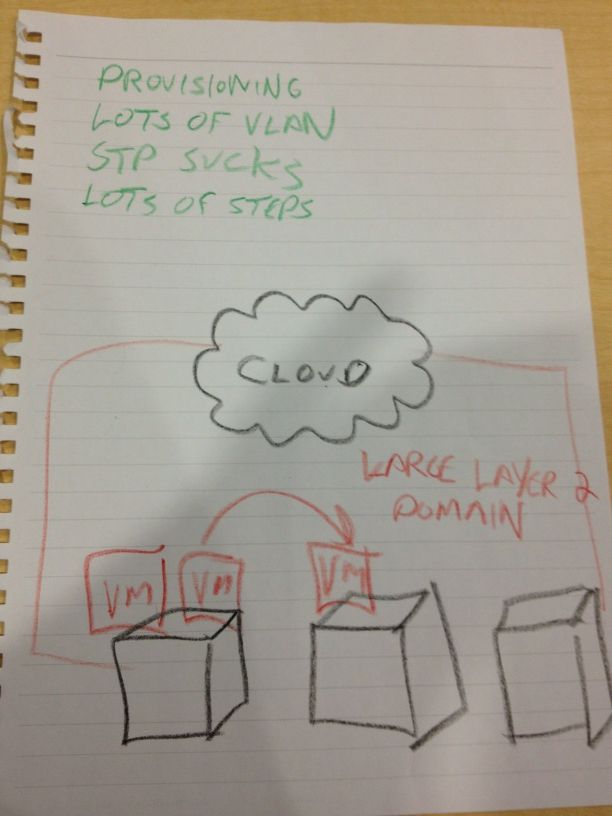
The last presentation was over QFabric.  This new technology represents Juniper’s foray in the the fabric switching technology sweeping across the data center like wildfire right now.  I’ve discussed at length my thoughts on QFabric before.  I still see it as a proprietary solution that works really well for switching packets quickly among end nodes.  Of course, to me the real irony is that HP/Procurve spent many years focusing on their Edge-centric network view of the world and eventually bought 3COM/Huawei to compete in the data center core.  Juniper instead went to the edge-centric model and seems to be ready to bring it to the masses.  Irony indeed.  I do have to call out Juniper here for their expected slide about “The Problem”:
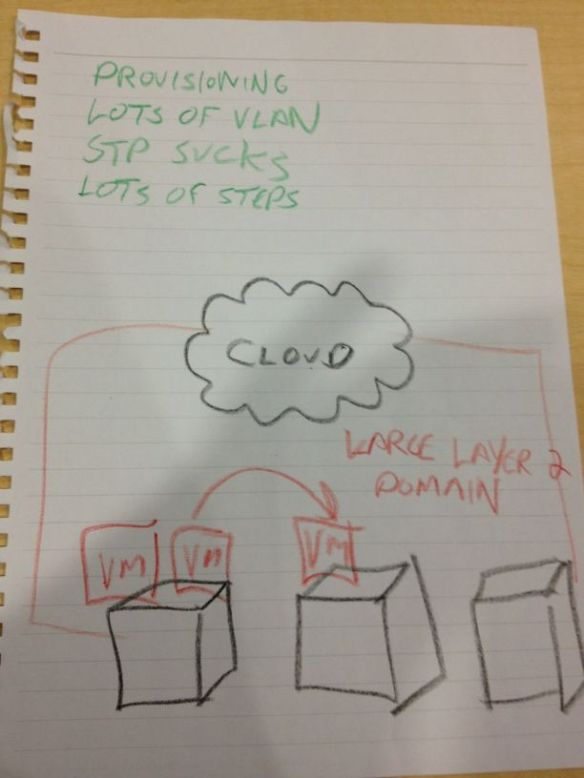
The Problem

The Problem - courtesy of Tony Bourke

To Juniper’s credit, once I pointed out that we may or may not have seen this slide before, the presenter quickly acknowledged it and moved on quickly to get to the good stuff about QFabric.  I didn’t necessarily learn any more about QFabric that I already knew from my own research, but it was a good talk overall.  If you want to delve more into QFabric, head over to Ivan’s site and read through his QFabric posts.

Our last treat from the super session was a tour of the Proof-of-Concept labs at the Juniper EBC.  They’ve got a lot of equipment in there and boy is it loud!  I did get to see how Juniper equipment plays well with others, though, as they had a traded-in CRS-1 floating around with a big “I Wish This Ran Junos” sticker.  Tony Mattke was even kind enough to take a picture of it.

Here are the videos: Part 1 – Introduction to Junos

Part 2 – Open Flow Deep Dive

Part 3 – A Dive Into Security

Part 4 – Network Design with QFabric


Tom’s Take

I’m coming around to Juniper.  The transaction-based model allows me to fat-finger things and catch them before I screw up royally.  Their equipment runs really well from what I’ve been told and their market share seems to be growing in the enterprise from all accounts.  I’ve pretty much consigned myself at this point to learning Junos as my second CLI language, and the access that Dan Backman is going to provide to Junosphere will help in that regard.  I can’t say how long it will take me to be a convert to the cause of Juniper, but if they ever introduce a phone system into the lineup, watch out!  I also consider the fine presentations that were put on in this four hour session to be the benchmark for all future Tech Field Day presenters.  Very little fluff, packed with good info and demonstrations is the way to go when you present to delegates at Tech Field Day.  Otherwise, the water bottles will start flying.


Tech Field Day Disclaimer

Juniper was a sponsor of Network Field Day 2, as as such was responsible for paying a portion of my travel and lodging fees. They also provided us with breakfast and a USB drive containing the Day One Juniper guides and markting collateral. At no time did Juniper ask for, nor where they promised any kind of consideration in the drafting of this review. The analysis and opinions herein are mine and mine alone.


Gigamon – Network Field Day 2

The third presenter for the first day of Network Field Day 2 was Gigamon. I’d seen them before at a couple of trade shows, so I was somewhat aware of what their product was capable of. When we arrived at their offices, we grabbed a quick lunch as the Gigamon people setup for their presentation. They wheeled a rack of equipment over to the side of the room, all of it painted in bright orange. We started off with Jim Berkman, Director of Worldwide Channel Marketing giving us a little overview of who Gigamon was and what they could do.

Gigamon is a company that specializes in creating devices to assist in monitoring your network. They don’t make Network Management Systems (NMS) like Solarwinds or HP, though. What they do make is a box capable of being inserted into a packet stream and redirecting traffic flows to appropriate tools. If anyone has ever configured a SPAN port on a switch, you know what kind of a pain that can be, especially if you need to extend that SPAN port across multiple devices. Gigamon gives you the ability to drop their equipment in-line with your existing infrastructure and move the packets to the appropriate tools at wire speed. Yes, even at 10GBE. This would allow you to relocate devices in your data center to more convenient locations and worry less about having your NMS or Intrusion Prevention System (IPS) located right next to your SPANned devices.

Gigamon delved into the capabilities of their lineup, from a lowly unit designed for small deployments all the way to a chassis-based solution that will take anything you throw at it. We also got to hear from a field engineer about his latest deployment with a European mobile provider that was using their product for redirecting all their 3G data traffic to packet analyzers and filters, which set off the Big Brother vibe with a couple of delegates. As Gigamon later said, “We just provide capability to send packets somewhere. Where you send them is your business.” Still, the possiblities behind being able to shunt packets to tools at wire speed for very large flows is interesing to say the least. Gigamon also told us about their ability to strip packet headers for things like MPLS and VN-Tag. This got the attention of the delegates, as now we can monitor and manage MPLS flows without worrying about how to strip off the vairable-length headers that can be attached to them. Ivan Pepelnjak asked about support for VXLAN header stripping, but the answer wasn’t really clear. That’s mostly likely because the implementation ideas around VXLAN are still up in the air for most people.

We didn’t get a demo from Gigamon (as there really wouldn’t be much to see) but we did get a good Q&A session as well as a tour of their facilities. All the assembly and testing of their units happens on-site, so it was very interesting to see the development areas as well as the burn-in lab where these boxes are tested for a week straight before shipping. A quick anecdote: when previously asked by someone what happens when a Gigamon unit is Dead on Arrival (DOA), Gigamon replied they weren’t sure, as they’ve never had a DOA box in their 6-year existence.

Tom’s Take

As Kurt Bales put it, “Gigamon is the greatest thing I never knew I needed!” The use-case for their equipment is very compelling, as the monitoring of high speed traffic flows is becoming harder and harder to manage as the amount of packets flying through the data center increases. Gigamon gives you the ability to direct that traffic wherever it is needed, whether it be NMS or filter. They can also do it without slowing down your carefully designed infrastructure. I would highly recommend taking a look at their products if you find yourself in need of creating a lot of SPAN ports to service packet flows to various different tools.

Tech Field Day Disclaimer

Gigamon was a sponsor of Network Field Day 2, as as such was responsible for paying a portion of my travel and lodging fees. They also provided us with lunch and a Gigamon folio pad, as well as a USB drive containing presentations and markting collateral. At no time did Gigamon ask for, nor where they promised any kind of consideration in the drafting of this review. The analysis and opinions herein are mine and mine alone.

NEC – Network Field Day 2

The second presenter on day one of Network Field Day 2 was NEC.  I didn’t know a whole lot about their networking initiatives going into the presentation, even though I knew they were a manufacturer of VoIP systems among a variety of other things.  What I saw really impressed me.

After a quick company overview by John Wise, we dove right into what NEC is bringing to market in the OpenFlow arena.  I’ve posted some links to OpenFlow overviews already, so it was nice to see how NEC had built the technology into their ProgrammableFlow product line.  NEC has a shipping ProgrammableFlow Controller (PFC) as well as ProgrammableFlow switches.  This was a very interesting change of pace, as most vendors I’ve heard from recently have announced support for OpenFlow, but no plans for shipping any equipment that runs it right now.

The PFC is a Linux-based system that supports OpenFlow v1.0.  It allows you to deploy multi-tenant networks on the same physical infrastructure as well as providing location independence.  The PFC can be located anywhere and isn’t restricted to being deployed next to the switches that it supports.  The PFC allows you to do topology discovery via LLDP to find devices as well as more advanced features like fault detection and even self repair.  This is a great boon to network rock stars that can use the controller to fix problems as they occur without the need to leave their chair and start recabling their data center on the fly.  The PFC also supports graphic network creation, with the interface being as simple as creating a Visio drawing.  Except this Visio is a real network.

The ProgrammableFlow switch is a 48-port gigabit switch with 4 SFP+ uplinks capable of 10GBE.  It functions as a hybrid switch, allowing OpenFlow networks to be connected to a traditional L2/L3 environment.  This a wonderful for those that want to try out OpenFlow without wrecking their existing infrastructure.  A great idea going forward, as OpenFlow is designed to be overlaid without disturbing your current setup.  By providing a real shipping product to customers, NEC can begin to leverage the power of the coming OpenFlow storm to capitalize on a growing market.

Next we got a quick overview of the OpenNetworking Foundation and NEC’s participation in it.  What is of note here is that the board members are all consumers of technology, not the producers.  The producers are members, but not the steering committee.  In my mind, this ensures that OpenFlow will always reflect what the users want from it and not what the vendors want it to become.  NEC has provided us with a physical switch and controller to leverage OpenFlow and has even committed to providing support for a virtualized Hyper-V vSwitch in Windows 8.  This means that NEC will hit the ground running when Microsoft starts using the tools built into Windows 8 to virtualize large numbers of servers.  Whether or not this will be enough to unseat the VMware monster is anyone’s guess, but it never hurts to get in on the ground level.

I missed out on most of the demo of the ProgrammableFlow system in the second half of the presentation due to reality intruding on my serene Network Field Day world, but the video was interesting.  I’m going to spend a little time in the coming weeks doing some more investigation into what ProgrammableFlow has to offer.

<<EDIT>>

I want video! Part 1: NEC Introduction

Part 2: ProgrammableFlow Architecture and Use Cases

Part 3: ProgrammableFlow Demonstration


Tom’s Take

Okay, show of hands: who knew NEC made switches?  They rarely get mentioned in the same breath with Cisco, Juniper, or HP.  When it seems that the market has left you behind the best way to catch up is to move markets.  NEC has really embraced the concept of OpenFlow and I think it’s going to pay off handsomely for them.  By having one of the first shipping devices for OpenFlow integration and making it widely known to the networking consumer, NEC can reap the benefits of interesting in OpenFlow while other vendors ramp up to enter the market.  There’s something to be said for getting there first, and NEC has surely done that.  Now the trick will be taking that advantage and reaping what they have sown.


Tech Field Day Disclaimer

NEC was a sponsor of Network Field Day 2, as as such was responsible for paying a portion of my travel and lodging fees.  They also provided us with a USB drive containing marketing information and the presentation we were given.  We also received an NEC coffee mug and a set of children’s building blocks with NEC logos and slogans screenprinted on them.  At no time did NEC ask for, nor where they promised any kind of consideration in the drafting of this review. The analysis and opinions herein are mine and mine alone.