Calm Before the Storm: BPDUGuard & BPDUFilter

A couple of days ago, a discussion erupted on Twitter  regarding the explanation and use cases for two of Cisco’s layer 2 edge protection technologies: BPDUGuard and BPDUFilter.  There were some interesting explanations and scenarios offered up, and I thought I’d give my take on it here as it will take a few more than 140 characters to lay out.

For those of you not familiar with BPDUs and why we need to guard and filter them, here’s the dime store tour of bridging 101.  The bridge is the most basic layer 2 device you can imagine.  It is designed to connect one network to another network.  The original bridge was designed by Radia Perlman while working at Digital Equipment Corp.  It was originally put in place to connect one of their customer’s LANs to another.  The story of the first bridge is outlined here: http://youtu.be/N-25NoCOnP4 and is highly recommended viewing for those not familiar with the origins of switching technology.  Radia was tasked with designing a method for bridges to detect loops in the network and avoid them at all costs, as a bridging loop would be catastrophic for data transmission.  She succeeded by creating a protocol that essentially form the network into a tree of nodes that prune links leading back to the root node.  In order to form this tree, each bridge sends out a special data packet called a Bridge Protocol Data Unit (BPDU).  This packet contains the information necessary for each bridge to build a path back to the root node/bridge and form a loop free path through the network.  If you’re interested in the exhausting detail of how BPDUs and spanning tree protocol (STP) work at a fundamental layer, check out the Wikipedia link.  You might say, “That’s great, but what does that have to do with my switches?” Well, if a bridge connects two networks together and segments their collision domains, think of a switch as the ultimate extension of that paradigm.  A switch is a device that bridges networks on every port, segmenting each port into its own collision domain.  Only, in today’s networks we don’t use hubs behind the bridge to connect end user devices, we use the switch as the user/system connection device.

So, now we know why switches send out BPDUs.  And now we hopefully know that BPDUs are very critical to the proper operation of a network.  So why on earth would we want to block or filter them?  Well, firstly any time that a new BPDU is seen on the network from a switch, it must send BPDUs toward the current root with the Topology Change Notification (TCN) flag enabled.  When the root bridge receives these BPDUs, it sets the TCN flag on its own BPDUs and forces the remaining nodes in the spanning tree to age out their topology tables.  The switches must then recalculate the spanning tree topology to ensure that the new switch has a path to the current root bridge or that the new switch IS the new root bridge.  This calculation can cause traffic to stop on your network for the duration of the calculation, which is 50 seconds by default.  So, when might the new switch become the new root bridge and cause chaos and despair in your network?  By default, bridges use a value known as the Bridge Priority to determine which one is the root.  A bridge with a lower priority is elected as the root bridge for that particular spanning tree instance.  Out of the box, the Bridge Priority value for most switches running regular 802.1d spanning tree is 32768.  So, assuming that all the bridge priorities in the network are the same, how do we break the tie?  The tie breaker is the MAC address of the bridge.  In most cases, this means the the device with the lowest MAC address is elected the root bridge.  And, in almost every case, the device with the lowest MAC address is the oldest bridge in your network.  So, if you pull an old switch out of the storage closet and plug it into the network, you’re going to cause a spanning tree election, and if you haven’t modified the Bridge Priority on your switches that old switch just might be elected the root bridge.  Which would cause your network to stop forwarding traffic for 50 critical seconds.  Those 50 seconds feel like an eternity to your users.  A word to the wise: ALWAYS set the bridge priority on the switch you want to be the root bridge.  Trust me, it’ll save you hours of pain in the future.

Users dislike a non-responsive network.  Immensely.  And under the default circumstances, when a user plugs a device into the switch, the switch does its job to determine if this device is sending BPDUs.  Which means the port has to do through the 50-second spanning tree process.  In most cases, this is not only unnecessary but annoying for the end user.  They don’t really care why what the switch is doing is so critical.  They just want to check their email.  How do we resolve this without breaking spanning tree?  Cisco decided to fix this with Portfast.  Portfast is a spanning tree enhancement that allows a network admin to say “This port is only going to ever have a PC plugged into it.  Please ignore the normal spanning tree process.”  What happens is that the port is immediately placed into the forwarding state, bypassing the learning and listening phases.  Spanning tree is not disabled on the port, but we also don’t take the time to listen for BPDUs or learn the information they contain.  This works great for end user nodes.  They get to check e-mail right away and you don’t get calls about the “slow network”.  And this works 90% of the time.  The other 10% is the stuff nightmares are made of.

Gertrude has one network port in her office.  She has a computer.  She bought a network printer and a new laptop.  She wants all three of these devices plugged into the network at the same time.  She buys a switch from a big box store so she can plug all these things in at the same time, not wanting to bother the IT department since they’ll either say ‘no’ or take a month to run a new cable to her office.  In her haste to get everything plugged in, she accidentally plugs one end of the network cable into the switch, and the other end into another port on the switch.  Then, she plugs her switch into the port on the wall.  And, if this port is Portfast-enabled, you’ve got yourself a Category 5 broadcast storm.  If you’re lucky enough to have never lived through one of these, count yourself fortunate.  Watch a spanning tree loop propagate through a network is like watching a firestorm.  Switch CPU’s spike to 100% load trying to process all the BPDUs flooding the network.  Users find themselves unable to get to the network, or in VoIP networks find themselves unable to use their phones.  Servers start going haywire and seeing themselves fighting for static IP address with…themselves.  And the only way for the IT department to fix the problem in most cases is to start unplugging switches until the culprit is found.  And heaven help Gertrude when they find her switch…

How could something like this happen?  Because Portfast assumes that the designated port is never going to have a switch connected to it, so it never bothers to listen for the BPDUs that would be a tell-tale sign of a loop.  It would never block the port initially while waiting for more information.  The Portfast switch gleefully starts forwarding packets and counting toward meltdown.  Portfast assumes that nothing bad could come from that port.  Anyone that works in IT knows that assumption is the mother of all frack-ups.  So, Cisco gave us two protocols to combat frack-ups, BPDUGuard and BPDUFilter.

BPDUGuard is a Portfast enhancement that functions as a fail-closed gatekeeper for the port.  As soon as a BPDU is detected on the port, BPDUGuard slams it shut and places the port into ‘err-disable’ mode.  Unless a recovery mode is configure (it isn’t by default), that port stay shutdown until the admins recover it.  In the above example, Gertrude plugs her switch in, and the switch detects a BPDU on a BPDUGuard-enabled port.  It gets disabled, and Gertrude can’t get on the network.  She calls into the IT helpdesk with her problem. The IT staff notice the port is err-disabled and investigate.  The IT staff go out to her office and find the switch before they re-enable the port.  After a stern talking-to, the network is saved and Gertrude gets her additional cable sometime next month.  BPDUGuard is the most-configured protection mechanism for this kind of issue.  Most IT admins want the port to shut off before the damage is done.  The problem with BPDUGuard is that if you aren’t the network admin, or if you aren’t in a position to turn the port back on quickly the user will experience an outage until the port is recovered.  If you’re a network admin that uses portfast, you should turn on BPDUGuard.  Don’t ask, just turn it on and save yourself even more hours of pain in the future.

BPDUFilter is a Portfast enhancement that functions as the fail-open moderator for the port.  Firstly, it prevents a switch from transmitting BPUDs on a Portfast enabled port (the switch still transmits BPDUs on Portfast ports).  If a BPDU is detected on the Portfast-enabled port, the Portfast state is removed and the port is forced to transition through the normal states of blocking, listening, and learning before it can begin forwarding.  In the above example, when Gertrude plugs her switch in, the uplink switch will detect the BPDU and force the device to transition through the regular spanning tree process.  It should also detect the loop and disable the highest-numbered port on the switch to disable the loop.  Gertrude will have to wait an additional minute before her port is up completely, but it will start forwarding.  The IT admins may never know what happened unless they notice Gertrude’s port is no longer in Portfast mode, or that a new switch is transmitting BPDUs from her switch port.  So why in the world would you use BPDUFilter?  In my experience, it is used when you are not the network admin for a given network and have no easy way to re-enable those ports that would be disabled by BPDUGuard.  Or, if the network policy for the particular network states that ports should begin forwarding immediately but that users should be able to connect devices without the port becoming disabled.  For the record, if you ever find a network policy that looks like this send it to me.  I’d really like to know who came up with it.  BPDUFilter is rarely used in my experience as a Portfast protection mechanism.

So, as these things usually happen, the question was asked during our discussion “What happens if you enable both BPDUGuard and BPDUFilter at the same time?” Well, I found a great blog post on the subject here: http://bit.ly/cKpBTd Essentially, if you enable BPDUFilter globally and enable BPDUGuard on a particular interface, the interface specific configuration takes precedence and shuts the port down before BPDUFilter can transition the port back to normal.  However, if you enable BPDUFilter using the interface-specific command and BPDUGuard using the interface-specific command, BPDUFilter will catch the BPDU first and transition the port to normal spanning tree mode before BPDUGuard can shut it down.  So, they each will perform their function while locking out the other.  The question becomes where each is configured (globally vs. interface-specific).  For those of you who might be in the unfortunate position to still be running CatOS, the only way to enable BPDUFilter is globally.  In this specific case, BPDUGuard will always win and the ports will be disabled.  You would only use BPDUFilter in this case to prevent ports from transmitting BPDUs.

My Take

Since best practice guidelines tell us that switch-to-switch connections should be trunk links, you should enable Portfast on all your user-facing ports to cut down on delay and trouble tickets.  But, if you have Portfast enabled, you better make sure to have BPDUGuard enabled at a minimum.  It will save your bacon one day.  The case for BPDUFilter is less compelling to me.  If you are in one of the few scenarios where BPDUFilter makes more sense than BPDUGuard, by all means use it.  It’s better than a poke in the eye with a sharp stick.  Personally, I’ve used BPDUFilter once or twice with mixed results.  My network started behaving quite strangely and some poorly-configured switches hanging off unidentified ports stopped responding until I removed the BPDUFilter configuration.  So I mainly stick to BPDUGuard now.  Better to have to re-enable a port after a user plugged in something they weren’t supposed to than to have to frantically unplug connections in the core in a vain effort to stem the raging broadcast storm.

EDIT

Be sure to check out my additional testing and findings over here.

I’d Like To Buy The World A $1400 Coke

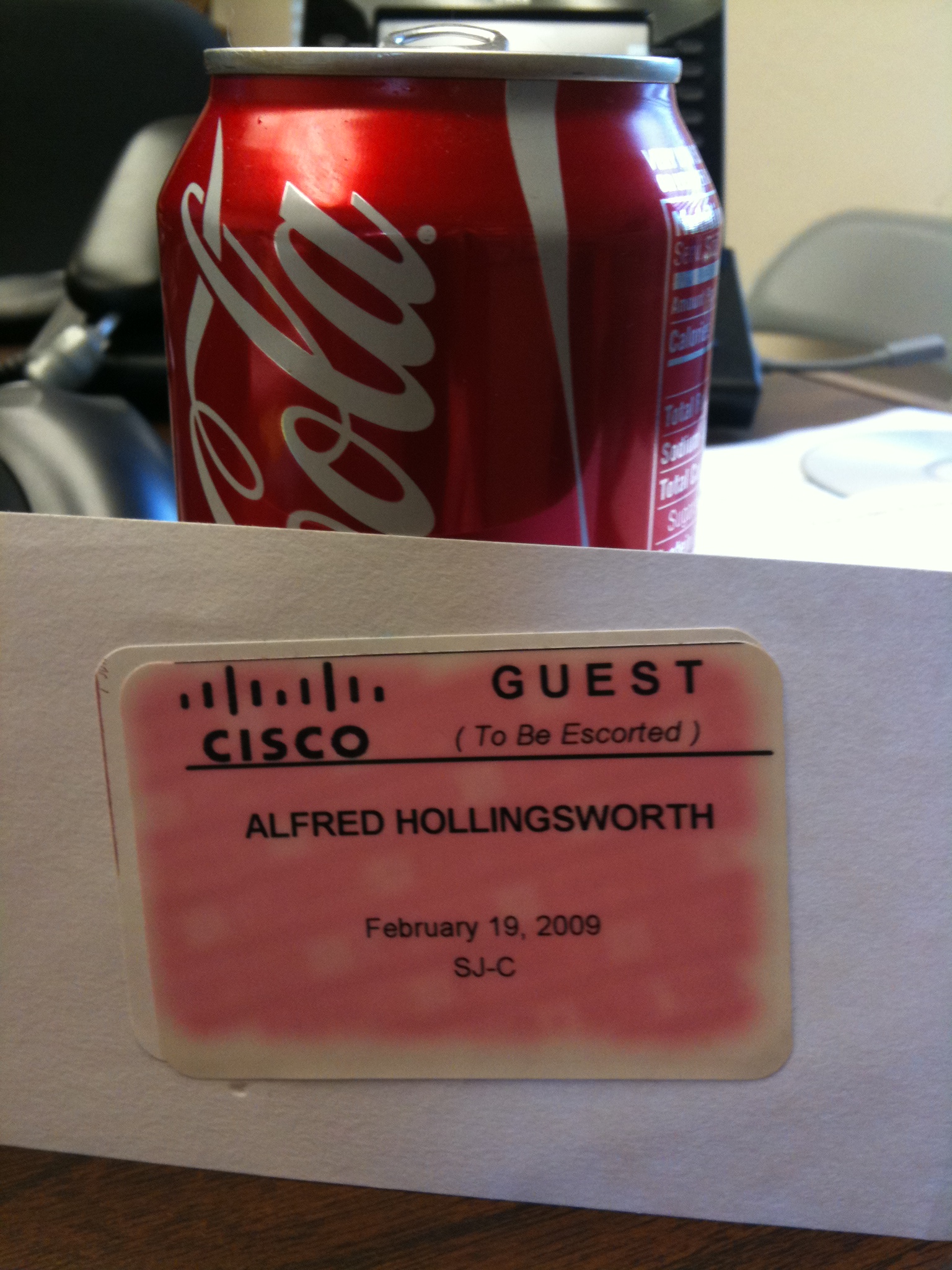
Because it seemed to make an impression with Greg Ferro, here’s the $1400 Coke Can:

This is actually the second lab attempt in San Jose.  The first was in RTP, but that can mysteriously disappeared before I got on the plane.  That was also a $1250 Coke can, this one is the first test after the price hike to $1400.

The joke, of course, is that I flew all the way to California, pulled my hair out for 8 hours, and all I have to show for my $1400 is a Coke can and a faded, pink name badge.  Some people refer to it as the “$1400 Cisco lunch”, but I figured this can would be a reminder to me every time I crack open a workbook to study or fire up my lab to test HSRP.  It’s something tangible that I can look at to remind me to keep studying and keep pushing on.  It’s also a relic in some regards because my last two trips have not yielded any name tags.  I guess they stopped identifying the lab candidates that way and just memorize your face while your staring at network topologies.  They also started charging for the drinks in the lab break room as a cost-cutting measure, so my next relic would probably be the $1400.65 Coke Can, which doesn’t really roll off the tongue.  If all goes well, though, my next trip will be the one that nets my number, a plaque, fame, fortune, women, power, and mountains of money that every CCIE is given in a wheelbarrow upon passing.

By the way, if you think it’s tough trying to go through a TSA checkpoint with a half-empty water bottle, try explaining to them why you want to carry on an empty soda can with a name tag stuck to the outside.  It’s hilarious!

Oh, and the “Alfred” part?  That’s a story in and of itself…

Fast Tracks and Shiny Plaques

HP has announced a new certification program called ExpertONE (http://h10120.www1.hp.com/certification/expert_one-networking.html).  This appears to be the culmination of the acquisition of 3COM/Huawei and the rebranding of Procurve as “HP Networking”.  In this new program, they have consolidated their existing tracks and certifications to fall into the familiar 3-tiered system of associate (Advanced Integration Specialist or AIS), Professional (Advanced System Engineer or ASE) and Expert (Master Advanced Systems Engineer or Master ASE).  The current tracks include networking, wireless, security, and voice.

What is of particular interest is the “Fast Track” program.  This program allows an individual certified in a competitor’s certification system to use these certifications to achieve an equivalent HP certification level.  For instance, if you hold a valid CCNA, you can take the HP2-Z04 Building HP Procurve Campus LANs exam and achieve the HP AIS: Networking certification.  Taking the same test and submitting a valid CCIE: R&S gives you the Master ASE: Networking certification.  While I can say that I like the approach that HP has taken by allowing existing vendor certifications to count towards their certification track, I do have a couple of problems with it.

1.  It’s a major modification from the existing track. My reasoning for this?  In the previous track, you could take one test that covered the convergence aspect of Procurve switches (basically multicast routing and QoS) and you could achieve the ASE: Convergence certification.  In order to become a Master ASE: Convergence all you needed to do was submit a valid CCVP certificate. (http://h10147.www1.hp.com/training/certifications/technical/convergence.htm)  That’s what I did.  And for the next 11 days, I am still a Master ASE: Convergence.  I even have the shirt to prove it.  But as of November 1st, that track will expire and there is no current projected replacement for it.  In an effort to realign their business tracks, HP has expired all previous certifications in favor of the new ExpertONE program.  No option to recertify in a track.  In fact, it appears the ONLY way to become a Master ASE is to hold a CCIE (or perhaps JNCIE) and take this one online test.  No other major vendor has ever expired all of their certification tracks at once, to my knowledge.  When Novell moved from Netware 5 to Netware 6, if you were certified on Netware 5 you could still claim to be a CNE, but Novell would inform those that asked that you were not certified on the current OS.  I’m still a MCNE on Netware 6.  I’m an MCSE on Windows 2000.  All expired tracks, yet the certification is still valid.  But with HP?  Nope.  No ASE for you unless you have the current certification.  But that’s not the most concerning thing about this.

2.  HP seems to be trying to attract Cisco talent out of spite. It’s no real secret that HP and Cisco in the last year have gone from friendly rivals to outright war with each other.  From the Cisco “California” UCS product line to the acquisition of 3COM/Huawei, the pitched battles keep getting fought over and over.  In fact, the announcement of the ExpertONE certification track was released at the same time Cisco announced changes to the CCIE Service Provider, CCNP: Voice, and CCNP: Security tracks.  HP has done everything in its power to pick as many fights with Cisco as it can.  And this new certification track is no different in my mind.  By claiming that anyone with a valid Cisco certification can now hold an equivalent HP Networking certification, HP is telling networking professionals they value the learning that those professionals have accomplished, even if they don’t care much for the logo on the certificate.  One test could certify me in 3 or 4 different tracks for HP due to my Cisco certifications.

This appears to me to be an effort by HP to win over a large portion of the networking professional community by giving them a head start in the HP certification program.  I can say that the idea of being able to gain some nice HP certifications because of my standing with Cisco is a nice idea.  But at the same time, I wonder what is going to happen in the future.  The Fast Track program won’t last forever.  HP is already prepping new tests and tracks for the November – January timeframe.  In my mind, that says that if you want to take advantage of the Fast Track program, you’d best do it now.  It may not be long before HP decides to ‘expire’ the Fast Track option in favor of new, developed coursework.  I’m also curious how long the CCIE will be a prerequisite for the Master ASE.  While you could be very certain that you are getting the cream of the crop by requiring a CCIE as a prerequisite for any certification, given HP’s previous actions of excising any trace of Cisco they can find makes me wonder how long it will last.  Perhaps until HP can implement their own lab program similar to the CCIE or JNCIE.  But those programs take time to develop and properly implement.  Until that time, I think HP is viewing the CCIE as a necessary evil.  And, quite possibly, HP will use the numbers of CCIEs gaining Master ASEs as a marketing tool to justify how advanced their certification program is becoming.

In the end, I think that HP has got the right idea.  While the prospect of losing my Master ASE due to reorganization does chafe somewhat, I think the program realignment was necessary to make the certification program have some prestige and level the playing field.  However, I’m couching my opinion until I see exactly how long the Fast Track program lasts.  And I hope that this isn’t just another example of the networking professional community being dragged into a vendor war.

CCIE Lab – The Devil’s in the Details

Fresh off another lab experience in San Jose.  And while I didn’t get what I came after, I got a lot of valuable experience.  And I learned a lot about details.  And I don’t mean the ones that get you points on the lab.

What I reference is the “lab experience”.  There was a guy that was in my group that was just trying the lab for the first time.  He was nervous, and as we walked out from our butt-kicking, he remarked that it was definitely an experience.  And it got me to thinking about some things.  Things that you don’t get from workbooks or bootcamps.  From instructors (most of the time) or from catchy videos on Cisco’s website.  Yes, the little details.  The sometimes-stressful parts of lab day that can add up to a pressure cooker if you aren’t careful.  I find these questions asked a lot among candidates on message boards and in person.  Most of what I’m going to say applies equally in San Jose as well as RTP, and I think they’ll take some things off your mind so you can concentrate on the tasks at hand.

1.  The Early Bird – It goes without saying, but you probably don’t want to be late.  In San Jose, the proctor comes out to get you at 8:15 a.m.  At RTP, it’s 7:15.  I’d say be there 15 minutes early, accounting for traffic.  Just today, 3 of the candidates came in late.  Well past the actual 8:30 start time for the lab.  When you do that, you’re just costing yourself time.  Better to stare at the walls for 5 extra minutes than need 5 more minutes to fix BGP.

2.  Pens and Pencils and Papers, OH MY! – I probably see this question get asked more than any other.  Yes, you get a whole cup of pencils at your desk.  Pencils, pens, markers.  Red, black, brown, green, blue, and periwinkle if you want it.  You also get two pieces of paper to take notes on.  You can have as much paper as you want, but only two sheets at a time.  The paper also has your ID printed on it, so they know who you are.  And they have to account for EVERY scrap, so don’t tear off a piece to wad up your gum.  Rather than worry about the writing utensils and scratch paper, you can concentrate on making diagrams and checklists as necessary.

3.  Gimme a break! – There is a break room available in all lab locations just down the hall.  Back in the old days (circa 2008), the refreshments were open to all for free.  Then…(ta da!)…This Economy(TM).  Now, the refreshments are only free if you want water or coffee.  If you are a caffeine junkie like me, you better bring along some change or dollar bills for the soda machine.  My last attempt in 2009 caught me unaware of the new rules for caffeinated release.  Fortunately, I was able to break a $20 bill at the cafeteria so I could get my fix.  Just make sure to have some change handy and it’ll be one less stressful thing to worry about.

4.  There’s Such A Thing As A (sort of ) Free Lunch – In RTP, you take your lunch break in a conference room just off the lab.  You eat what they bring in.  The RTP site cafeteria is too far away in order to get you over there and back in a reasonable amount of time.  For some people, it’s acceptable to stuff your face and get back to configuring.  Others find it off-putting that you can’t get away from the damned lab for any small break.  In San Jose, 10 minutes before lunch the proctor passes out a $12 voucher for lunch at the building D cafeteria.  When it’s lunch time, you all get up as a group and head over.  You have ~45 minutes to eat and not think about icky IGP stuff.  You also get to breath fresh air and see sunshine, which rates pretty high in my book.  The cafeteria lunch is one of the reasons why I keep coming back to San Jose for my lab attempts.  I figure after 10, they’ll upgrade my lunch voucher to at least $15…

Just some things to throw out there that I never see answered in one form or another.  The key is that details of no importance are of no importance.  When it comes down to making sure that your QoS class maps are in the right order, not worrying about what’s for lunch makes sense.  But when you’re sitting in your hotel room the night before the test and your mind starts dwelling on all the little things and blowing them out of proportion, it’s important to realize that things like the above items aren’t really worth mulling about.  It’s better to refocus your efforts into your studies and crush the lab.  So you don’t have to keep coming back to the land of $12 lunches and colored pencils.  And the devil that is the CCIE lab.

Tunnels, tunnels everywhere

In my attempts to drill IPv6 into my skull in time for my next CCIE lab attempt, I started playing around with some of the multicasting aspects of it on my GNS3 lab.  When I typed in “ipv6 multicast-routing”, imagine my surprise when I saw a tunnel interface pop up.  I tried to get rid of it, only to be told by IOS, “%Tunnel0 used by PIM for Registering, configuration no allowed.”

Now, thanks to Greg Ferro, I know that tunnels are an evil, evil thing used to duct tape the Internet together.  So I started researching why the router suddenly started spewing tunnels all over my finely constructed lab.  It took tons and tons of digging before I was finally able to come up with the answer, buried in a PDF.  I’m reprinting the explanation here so as to hopefully get it indexed by Google to aid whomever else may need to find it in a hurry.


Registering

The PIM-SM Draft suggests that source registering be accomplished using a virtual tunnel interface. This use of virtual tunnel interfaces permits consistent PIM state handling for the registration process. During the registration process, the tunnel interface appears like any other interface in the Outgoing Interface List for the multicast data source (S,G) state with all the rules valid for the state management. In Cisco IOS Software implementations, an automatic tunnel is created as soon as an RP is known; one virtual tunnel for each active RP in the network. While the PIM-SM Draft suggests that the tunnel should be deleted after each process of registering, Cisco IOS Software keeps each tunnel as long as the RP is known. The additional implementation-specific advantage of these tunnel interfaces is simplification of the register data encapsulation—it does not have to be handled specifically in the PIM part of the code. Instead, generic IP code can be used to perform the encapsulation such that the PIM Register packet is just forwarded into the tunnel for encapsulation. Use of generic tunnelling code in Cisco IOS Software enables the possible handling of PIM Register packets in fast (not process-switched) path if available.
These virtual tunnels are always unidirectional (transmit only) and automatic—the tunnel interface status immediately goes to up when it is created. However, the line protocol stays in down status until the there is a valid RPF interface to the RP (for example, unicast connectivity through unicast BGP in the default configuration is not enough, as BGP is not used for RPF check) and also a unicast route exists in the unicast RIB to the RP. Sources can successfully register only when the tunnel interface is fully up.
It is important to note that while all PIM Register messages from the registering routers (first-hop routers) are sent to the RP via these virtual tunnels, all PIM Register-Stop messages are sent directly from the RP to the registering router and do not use virtual tunnels.
The handling of dynamic changes of RP information is not fully resolved in the first IPv6 Multicast implementation—it is a generic Cisco IOS Software issue, which can not handle properly deleting of interfaces (the register tunnels in this case) and reusing of the same interface number by a newly created tunnel. This can cause problems when BSR and embedded RP are used to distribute RP information (when the RP information dynamically changes).

(Copied from THIS PDF)

So, it appears that these tunnels are here to stay.  They are used for PIM registrations and appear to be unidirectional and pointed toward whatever RP is setup.  So, if you find yourself configuring IPv6 multicast and you suddenly become inundated with a swarm of tunnels, just relax.  You don’t need to break out the duct tape just yet.

What a RIP-off!

A few days ago, there were a couple of tweets in my stream about RIP. Yes, the much-maligned, older-than-the-hills Routing Information Protocol. These particular tweets came from a couple of people that are in the study process for their CCIE lab exam. Having had a couple of shots at the lab myself, I found it prudent to mention that while RIP was indeed on the exam, don’t believe for one second that it’s going to be easy. While I can’t and won’t discuss specifics about what I’ve seen, I think I can speak with generality about why RIP is still very much a topic on the now version 4 of the venerable CCIE exam.

Every entry-level networking student learns about RIP. It was the very first routing protocol, and as such serves as a prototype for beginners to learn about topics like hop counts, routing tables, and other more esoteric subjects. RIP was designed to do one thing and do it well. Because of that, it doesn’t take long before he complexity of RIP is exhausted and students move on to bigger and better routing topics. In fact, the only purpose that RIP serves past the very early point is as a yardstick, a way of measuring how much better something is at its job than RIP.  Students quickly learn why EIGRP is much better as an advanced distance vector routing protocol.  Or why link-state is much better for larger networks.  Because of this, CCNAs and JNCIAs all over quickly develop the idea that “RIP sucks”.

I’m not a RIP apologist by any stretch of the imagination.  But I also have a healthy respect for the fact that while RIP may not be the most impressive routing protocol by today’s lofty standards, its place in history is secure by it’s longevity and due to the fact that we wouldn’t have EIGRP and OSPF today if RIP hadn’t paved the way for them.  So, why then would a 22-year old protocol that has been eclipsed in almost every conceivable way still show up in the blueprint for the granddaddy of all routing and switching exams? In short, to screw with your head.

Anyone with a driver’s license can probably cite traffic laws.  And any of them can’t most likely describe the procedure to parallel park.  Or park on a hill.  But the second half of the US drivers test doesn’t quiz you on your knowledge of how to parallel park.  They make you go out and do it.  And often, you don’t get to parallel park in perfect conditions like you practiced for weeks and months before your test.  No, if the driving instructor is particularly insidious, they might make you parallel park on a hill in a school zone.  In much the same way, RIP is on the test to mess with you.  You know RIP inside and out.  If you’ve read Jeff Doyle’s Routing TCP/IP volume 1 you can likely diagram a RIP update packet with some toothpicks and a pencil.  But, the devious-minded proctors and test writers aren’t going to ask you CCNA-level RIP questions.  No, much like the driving instructor, they are going to make you apply your RIP knowledge to situations you might not have encountered in practice.  Like establishing RIP neighbor relationships across 4 routers with no tunnels allowed.  Or, more likely, they will give you a very simple setup followed by the most infamous of all CCIE candidate 4-letter words: redistribution.  Most people know how RIP ticks, but when you start injecting RIP into a perfectly stable OSPF topology, that’s when the rubber hits the road and most things start falling apart.  Knowing how to pick up the pieces after RIP trashes your orderly link-state protocol is one of the things that shows you are a RIP genius and aren’t scared to get your hands dirty.

You might ask yourself, “Well, anyone can write evil RIP questions all day long.  Why is it still on the exam.  Who even still uses RIP?” Good question? Who still uses frame relay?  Or dial up modems?  Or bridges?  Being a CCIE means that you aren’t phased when you run into something old and (relatively) complicated.  It means you understand why RIP and frame relay and bridges paid their dues so that today we could have OSPF and MPLS and TrILL.  And as long as there is still a mainframe out there that only speaks routed or a network that has two routers that were made during the Carter administration, you are still going to encounter RIP.  And if you think outside the box on that stressful day in a dark lab somewhere, you don’t have to worry about being RIPed off by your grandfather’s routing protocol.