IPv6 Wireless Support – The Broadcast Problem

When I was at Wireless Field Day 2, my standard question to all the vendors concerned IPv6 support.  Since I’m a huge proponent of IPv6 and the Internet will be arriving at IPv6 rather soon, I wanted to know what kind of plans the various wireless companies had for their particular flavor of access devices.  Most of the answers were the same: it’s coming…soon.  The generic response of “soon” usually means that there isn’t much demand for it.  It could also mean that there are some tricky technical challenges.  My first thought was about the operating system kernels being run on these access points.  Since most APs run some flavor of BSD/Linux, kernel space can be a premium.  Based on my own experiments trying to load DD-WRT on Linksys wireless routers, I know that the meager amount of memory on these little things can really restrict the feature sets available to network rock stars.  So it was that I went on thinking about this until I had a chance conversation with Matthew Gast (@MatthewSGast) from Aerohive.  Matthew is the chair for the IEEE 802.11 committee.  Yes, that means he’s in charge of running the ship for all the little subletters that drive wireless standards.  I’d say he’s somewhat familiar with wireless.  I spent some time at a party one night talking to him about the challenges of shoehorning IPv6 support into a wireless AP.  His answers were rather enlightening and may have caused one of my brain cells to explode.

Matthew started things off by telling me about wireless keys.  If you pick up Matthew’s book 802.11 Wireless Networks: The Definitive Guideyou can flip over to page 465 to read about the use of keys in wireless.  Keys are used to ensure that all the traffic flying around in the air between clients stays separated.  That’s a rather important thing when you consider how much data gets pushed around via wireless.  However, the frames that carry those keys are limited in the amount of space they have to carry key information.  So some time ago, the architects of 802.11 took a shortcut.  Rather than duplicating key information over and over again for every possible scenario, they decided to make the broadcast key for each wireless client identical.  This saved space in the packet headers and allowed the AP to send broadcasts to all clients connected to the AP.  They relied on the higher layer mechanisms inherent in ARP and layer 3 broadcast control to prune away unnecessary traffic.  Typically, clients will not respond to a broadcast for a different subnet than the one they are attached to.  The major side effect is that clients may hear broadcasts for VLANs for which they are not a member of.  For the most part, this hasn’t been a very big deal.  That is, until IPv6 came about.

Recall, if you will, that IPv6 uses multicast mechanisms to propagate advertisements about neighbor discovery and router advertisement (RA).  In particular, these RAs tell the IPv6-enabled clients about available routers that can be used to exit the local network.  Mulitcast is a purely layer 3 construct.  At layer 2 (and below), multicasts turn into broadcasts.  This is the mechanism that ensures that non-layer 3 aware devices can receive the traffic.  Now, think about the issue above.  Broadcast keys are all the same for clients no matter which VLAN they may be attached to.  Multicast RAs get converted to broadcasts at layer 2.  Starting to see a problem yet?

Let’s say that we have 3 VLANs in a site, VLAN 21, VLAN 42, and VLAN 63.  We are a member of VLAN 63, but we use the same SSID for all 3 VLANs.  If we turn on IPv6 for each of these three VLANs, we now have 3 different devices sending out RAs and SLAAC packets for addressing hosts.  If these multicast packets are converted into broadcast packets for the SSID, all three VLANs are going to see the same broadcast.  The VLAN information is inconsequential to the broadcast key on the AP.  We’re going to see the RAs for the routers in VLAN 21 and VLAN 42 on top of the one in VLAN 63.  All of these are going to get installed as valid exit points off the local network.  As well, the end system may even assign a SLAAC address to itself with a router from a different VLAN.  According to the end system, it heard about all of these networks, so they must all be valid, right?  The system doesn’t know that it won’t have a layer 2 path to them.  Worse yet, if one of those RAs has the best metric for getting off the local LAN, it’s going to be the preferred exit point.  The end system will be unable to communicate with the exit point.  Bummer.

How do we fix this problem?  Well, the current thinking revolves around suppressing the broadcasts at layer 2.  Cisco does this by default in their wireless controllers.  The WLAN controller acts as a DHCP relay and provides proxy ARP while ignoring all other broadcast traffic.  That’s great to prevent the problem from happening right now.  What happens when the problem grows in the future and we can no longer simply ignore these multicast/broadcast packets.  Thankfully, Matthew had the answer for that as well.  In 802.11ac, the new specification for gigabit speed wireless, they’ve overhauled all the old key mechanisms.  No longer will the broadcast key be shared among all clients on the same AP.  Here’s hoping that we can get some 802.11ac clients and APs out there and supported when the time comes to flip the big switch to IPv6.


I’d like to thank Matthew Gast for his help in creating this blog post and pointing out the problems inherent in broadcast key caching.  I’d also like to thank Andrew von Nagy (@revolutionwifi) for translating Matthew’s discussion into terms a non-wireless guy like me can understand.


Nerd v6 – My First IPv6 Tunnel

Home - Courtesy of ThinkGeek (Click to buy this shirt!)

I realized the other day that I’ve done a lot of IPv6-related posts in the past few months, but for one reason or another I keep putting off setting up my own IPv6 presence.  I signed up for a free IPv6 tunnel from Hurricane Electric’s Tunnel Broker service almost a year ago.  However, the Cisco Valet Plus router I have running my home network has zero support for IPv6, let alone tunnels.  Because of that little omission, my tunnel sat unused for a while, gathering 128-bit dust.  As the end of the year approached, I found myself with some extra time on my hands and a bit of spare gear thanks to my local Cisco office.  I decided that maybe it was time to turn up my IPv6 nerdiness to the next level.

I found an old 2821 in my lab that wasn’t serving an immediate purpose.  I erased it and reconfigured it to serve as a gateway for my IPv6 setup.  I logged back into my account at tunnelbroker.net and found that I could create up to 5 tunnels for free.  Who in their right mind would turn that down?  I created a new tunnel for my lab environment.  In this interface, you would create a regular tunnel for basic connectivity.  You input your IPv4 address as one side of the endpoint.  HE.net provides the IP that you’re coming in on if you wanted to set this up with a home connection, for instance.  In my case, I already had a global IPv4 address ready to go.  However, the router wasn’t all the way up yet.  If HE.net can’t ping your IPv4 tunnel endpoint, they won’t reserve the address space.  So:

Tip : Don’t start setting up your tunnel until you’ve got your gateway ready.

I picked the closest endpoint to my geographic area – Dallas, TX.  Once the router came all the way up and the ARP caches had settled down, I registered my new tunnel without a hitch.  HE.net provides you with a /64 for your tunnel interface.  ::1 is an interface on their side, ::2 is an interface to assign to your tunnel.  They also provide you with an entirely different /64 to setup for your client devices behind your router/firewall.  If you’re wanting to bring more than one site online, you can even register for a /48.  That’s 1.20892582 × 10^24 addresses.  Per tunnel.  That’s a lot for nothing!

My first attempt with Dallas didn’t work out so well.  For some reason, I couldn’t ping the other side of my tunnel.  I gave it about 15 minutes and then gave up.  I tore down the tunnel and created a new one.  If you’re going to do that, give the HE.net servers about 5 minutes to clean up their side of things, since the tunnel creation script will think that you’re  trying to register an endpoint twice.  I picked a nice little sunny patch of hex addresses in Fremont, CA and this time it worked!  I was able to ping from one side of my tunnel to the other.  For reference, this is the sample config they gave me for the tunnel and it worked quite nicely:

interface Tunnel0
 description Hurricane Electric IPv6 Tunnel Broker
 no ip address
 ipv6 enable
 ipv6 address <Your Tunnel /64 Endpoint>
 tunnel source <Your IPv4 Interface>
 tunnel destination <HE.net's IPv4 Interface>
 tunnel mode ipv6ip
ipv6 route ::/0 Tunnel0

Easy, right?  Once that’s up and running, you can configure the other interface of your router with the routed /64 or /48 they assign you.  I’d suggest starting with the /64 first to get your feet wet.  There is one other piece of configuration you need to enable that seems to be the cause of many issues on HE.net’s forums when configuring Cisco devices.  You need to enable IPv6 routing with this command:

ipv6 unicast-routing

Tip : Don’t forget to enable IPv6 routing.

Now that you’ve got two sides up and running and routing between each other, you should be able to launch some packets toward the Interwebz v6.  HE.net sets you up with an IPv6 DNS server you can plug into your devices to test connectivity.  If you want to be able to ping ipv6.google.com from your router, be sure to enter this command:

ip name-server 2001:470:20::2

Now you can test to your heart’s content.  When you’re sure that your tunnel is going to stay up, you need to concentrate on getting desktops working.  That’s where the routed /64 comes into play.

HE.net gives you an additional routed /64 that is different than the tunnel address for the purposes of setting up a site for IPv6.  Most networking people know that you must have two different subnets on the router for routing to occur.  Yet, on the HE.net forums I see a lot of people that are configuring their routers with addresses from the tunnel /64 subnet.  Save yourself the headache and use the other /64 to get started.

The easiest way to setup your client device with an IPv6 address is good old fashioned static addressing.  This is very easy to do in both Windows and OS X.  Lucky for you that both of the latest versions of those OSes have IPv6 enabled by default.  You just have to click on the option for IPv6 and assign a static IP.  You should also use the HE.net IPv6 name server listed above to allow you to resolve addresses like ipv6.google.com.  I tested with an OS X Lion server and was able to get the machine running on a static IP with no real issues.  I gave my Windows 7 workstation an IP in the same range and they were able to happily ping each other with no problems.  I think I’m going to take another post to talk about the fun of configuring DHCPv6 and SLAAC on my tunnel, as that has caused me a bit of heartburn so far making everything play nice with other people’s ideas about security.

Speaking of security…I would be remiss if I didn’t end this little article without a discussion of securing your new tunneling router from the nastiness on the Internet.  I found a great access list on the HE.net forums and thought I’d share it with you:

ipv6 access-list internet_inbound_ipv6
 remark Permit IPv6 Link-Local & Multicast
 permit ipv6 FE00::/7 any
 remark Block IPv6 Bogons
 deny ipv6 ::/3 any
 deny ipv6 4000::/2 any
 deny ipv6 8000::/1 any
 remark Block own assigned IPv6 space
 deny ipv6 <Your HE.net /64>::/64 any
 remark Block anything going to Windows RPC
 deny tcp any any eq 135
 permit icmp any any
!
ipv6 access-list internet_outbound_ipv6
 remark Prohibit any contact with Windows RPC-NetBIOS
 deny tcp any any eq 135
 deny tcp any any eq 137
 deny tcp any any eq 138
 deny tcp any any eq 139
 deny udp any any eq 135
 deny udp any any eq netbios-ns
 deny udp any any eq netbios-dgm
 deny udp any any eq netbios-ss
 remark Allow traffic from own assigned IP space
 permit ipv6 <Your HE.net /64>::/64 any

Of note here, remember that in IPv6, ICMP does a lot more than just pings.  Read RFC4890 for a lot more info on the subject, but right now I’m just allowing the whole stack in.  If you want to permit traffic to servers for things like HTTP or SMTP, be sure to add those servers at the end of the Inbound ACL so the traffic doesn’t get dropped.


Tom’s Take

One of the things that impressed me when I started troubleshooting some of the issues with my HE.net tunnel was the help that people were more than willing to give in the HE.net forums.  Especially where they helped their brethren with things like establishing connectivity.  Lots of posts about being able to ping router tunnel endpoints and things like that.  It shows that setting up your own IPv6 presence isn’t really that hard and should allow you to get out on the wider Internet with IPv6 in short order.  Thanks to all the work that other’s have been more than willing to share, I had an easier time than many.  I just hope my examples here help someone to get their tunnels up and running.

What’s The Point of NAT66?

Frequent visitors to this site know of my crusade against all things Network Address Translation (NAT).  Despite its few useful properties and our current reliance on it with IPv4, I consider it to be a kludge at best.  However, some people see NAT as a necessity of modern networks and have begun working hard to ensure that NAT will live on with our shift to IPv6.

I realize that NAT is a necessary evil today.  The IPv4 Internet would have imploded long ago without translating the meager number of prefixes available into the large number of “private” devices sitting behind NAT gateways.  IPv4 is the duct tape that has held things together for the last ten years while we prep a long term solution like IPv6.  Alas, some people in the community think that since NAT has done such a good job fixing things for so long that it should be the all-in-one tool in their toolbox for every network problem.  Some people think it’s a great way to provide security for a network.  These people often confuse NAT with what a firewall does in conjunction with NAT.  NAT in and of itself provides no additional security beyond masking addresses.  NAT also adds in additional complexity when troubleshooting.  NAT boundaries break things like VoIP.  Packets hit the gateway device and get lost headed back to the source.  NAT does this for almost every form of end-to-end communication in the Internet.  If you add in Port Address Translation (PAT), where you translate a whole block of private addresses to one public IP address, you push the processor on your firewall to the breaking point.  I don’t have the hard numbers to prove my supposition, but I’d venture a guess that 50% of a firewall’s processor time is spent translating NAT/PAT rather than shuffling packets to their proper destinations.

IPv6 doesn’t currently have a concept of direct address translation.  Nor does it need one. There isn’t a dwindling pool of global addresses than need to be extended.  With the large amount of addresses available, the odds that two companies are going to have overlapping address spaces that will need to be translated in a merger are slim.  Right now, the only viable use case I can see for NAT used in relation to IPv6 is for translating the IPv6 addresses on a network to something that can access the IPv4 Internet without a dual-stacked router (NAT64).  Even this use case is rather dubious in my mind, but Ivan has managed to convince me that it’s useful in the short term.  So why do I still hear about RFC 6296? Why does Jeff Fry point out stories like this to me?  What is this world coming to?  Let me make this clear:

NAT on IPv6 is pointless and a bad idea.

There is no reason to implement native IPv6-to-IPv6 NAT (NAT66) in reality.  The address space is way too big to require translation in the foreseeable future of my lifetime or even that of my kids.  If you are really concerned about hiding your addresses or disguising your MAC address, you can look into the idea of Temporary Addressing.  In the middle of writing this post, Paul Regan asked me about using NAT to translate when you move from one provider to another.  That might be a good use case, and it happens to be the one that RFC 6296 is lined up to address, but if keeping your IPv6 space is so important when you move, why not sign up for a provider-independent block from your local Regional Internet Registrar (RIR) and run BGP to advertise it yourself?  If you switch ISPs often enough to keep switching IP schemes every few months, maybe you need to worry more about stability and less about chasing the lowest ISP price.  If your ISP keeps forcing you to switch addressing space that often, it might be time to shop around.

I truly believe that the people out there chasing the NAT66 sasquach are looking for a new security blanket.  They’ve dealt with NAT for so long in IPv4 that the idea of using IPv6 sans NAT makes them lie awake at night in a cold sweat.  Why else would you take something so unnecessary and bolt it on after the fact?  There’s no need to have NAT unless you take the position “it’s how we’ve always done it”.  The NAT66 proponents must think that NAT is needed simply because they’re unsure how to configure a firewall otherwise.  Obviously, without NAT the Internet breaks.  So we must have it in IPv6 or things won’t work right.  However, I think that having NAT66 will cause people to keep configuring their networks incorrectly and lead to confusion and problems down the road.  If IPv6 is going to require a shift in thinking like so many people keep telling me, why not truly shift our thinking away from things like NAT?  We’ve already done it once before with the concept of reserved local addresses.  RFC 1884 tried to define a site local address similar to what we think of with RFC 1918 addressing.  This was such a horrible idea that RFC 3879 came out and deprecated the whole idea (Yes, I know about RFC 4193.  I’m not talking about it.)

If there are people out there that think we still need to cling fervently to old ideas to help ease our transition to the Internet of the Future™, then I’m going to make my own proposal.  I think it’s time that we put the IP checksum field back into the IPv6 header.  Yes, I know that TCP has its own checksum and that the underlying packet must be good if the TCP checksum comes out okay.  Yes, I know that having a checksum in the IPv6 header is silly if there aren’t going to be any naked IP packets floating around anywhere.  However, I think that since it’s always been there in IPv4 it’s comforting to have it available in case I want to double check each of the packets moving into and out of my network.  Who cares if it introduces a small amount of latency to calculate?  I feel better knowing it’s still there.  Now, doesn’t that kind of thinking sound silly?  Yes, I purposely picked something totally trivial to make my point, but that’s how I feel about NAT.  If we want to move forward out of the IPv4 Dark Ages and into the realm of the IPv6 Renaissance, we need to leave behind childish things like the need to NAT IPv6 packets on IPv6 networks.  Let’s spend more time making the Internet work the right way and less time trying to make it work the way we think it should.

Motivating for Enterprise IPv6 Adoption

Firstly, head over to Packet Pushers and read Ethan’s excellent blog post about The Reason Enterprises Aren’t Deploying IPv6.  This post made me start thinking about IPv6 adoption, especially in light of the things I talked about almost 8 months ago in front of a group of education IT professionals.  In his post, Ethan discusses the problem with IPv6 in the enterprise from the perspective of it being more trouble than it’s worth right now.  I agree with him that there are a lot of issues to overcome today for very little immediate gain.  Today’s IPv6 implementations are still relegated to a lab or to the IT department network where they can be contained and properly tested.  I’d wager that Hurricane Electric tunnels is the most common method of IPv6 support right now.  It’s still very much a “hobby kit” type of implementation where the nerd spends several hours pouring over documentation and expends energy typing furiously at a dimly lit console only to finish up and say, “Cool.  It works.”  No fanfare, no raise.  Just the satisfaction of a hard job well done.  So how do we change that?

In college, I studied Management Information Systems, which is a fancy way of spelling Database Administrator.  I promptly forgot all my DBA training, but the Introduction to Database class was a goldmine of information thanks to my wonderful professor, Dr. Traci Carte.  She once told me that there are basically two ways to motivate people in business: fear and greed.  The more time I spend in the business world, the more I see that she had a good point.  Those two emotions tend to be pretty strong and are great motivators for people that wouldn’t ordinarily be compelled to take action.

When it comes to IPv6, we’ve already tried to motivate through fear.  If you remember any of the headlines from earlier this year you’ll agree that the Chicken Little mentality of the IPv4 sky falling down on us was reaching a fever pitch quickly.  It even made the local nightly news, which of course made my mom call and wonder when her computer was going to blow up.  Unfortunately, fear didn’t work here.  Why not?  Because there wasn’t a consequence.  It’s like announcing that an asteroid is going to hit the earth tomorrow.  If we make to the end of the day and no big rock comes down in our front yard, we just go back to life as it was.  When ICANN depleted their IPv4 prefixes and the Internet just kept working the next day, the rank-and-file users went right back to watching cat videos on Youtube without a care in the world.  After all, how bad can this problem be if there are still cat videos?

I think it’s time we move to motivator – greed.  Greed, for lack of a better word, is good.   And greed can work for you.  IPv6 isn’t a compelling case when you tell your boss that most everyone can still use the Internet with no issues.  The key is that “most everyone” statement.  As APNIC and ARIN begin to deplete their reserves of IPv4 prefixes, the cost to acquire them will start skyrocketing.  For those not willing to pay a king’s ransom for a /28, there has to be an alternative.  Based on my distaste for things like carrier-grade NAT or NAT64, I would hope that pure IPv6 prefixes would start to be handed out.  Assuming that NAT64 does end up getting used as a necessary evil for those newly-minted prefixes, are we to assume that it’s going to work all the time?  What happens when there are hiccups or outages?  Only pure IPv6 sites will be available.  Right now, that’s Facebook or Google.  Greed comes into play when you can convince your decision makers to implement IPv6 to reach those customers.  If your widget is the only one those IPv6-only users can find when they search http://ipv6.google.com then you are going to have a competitive advantage over everyone else.  This might be a wash up front when you think about the costs needed to plan and implement IPv6 versus the additional revenue from those IPv6 only users.  However, we aren’t going to slow down our ravenous consumption of IPv4 addresses any time soon.  As more and more customers come online with native IPv6 support, they’re going to be surfing an Internet where you don’t have a presence.  First-to-market has a whole new meaning here.

Another avenue of greed to appeal to is the ego of a company and its decision makers when it comes to IPv6 implementation.  The same kind of mentality that drives executives to drive fancy cars and wear expensive accessories can be manipulated to drive adoption of new protocols.  Comments like, “Wouldn’t you like to be known as the first CxO to make their website ready for IPv6 in this market?” or “I hear that <competitor> is working on an IPv6 implementation and I’d like to beat them to it.” work on the ego of people that love attention and want to be known as leaders in their industry.  Giving them another headline or accolade plays right into their desire for recognition and gets you the time and resources needed to plan your implementation of IPv6.

Tom’s Take

This may seem a little like gamesmanship to some.  You may disagree with me boiling things down to simplistic terms.  You may even think I’m a bit crazy for thinking that someone can be manipulated into implementing new technology solely by appealing to their desire for money and recognition.  However, until a real business case materializes for IPv6, it won’t really get implemented.  And until it is more pervasive, real business cases won’t materialize.  A classic Catch-22 scenario.  Something has to give.  It’s time to draw a line in the sand.  Maybe I have to spend a little more time stroking egos or building a compelling business case instead of typing away on a keyboard or working in Visio.  If I can drive IPv6 implementation along by playing a few head games now and then, I think I can sleep well at night knowing I made the world a slightly better place one /48 at a time.

The Land Of Opportunity

It’s been *checks watch* about 38 minutes since I last thought about NAT, so it’s probably time to sit down and write some more about it.  I’ve got an image to uphold after all.  I wrote about my position on NAT a couple of posts ago, and in it I discussed NAT64.  I railed against it much the same as introducing any kind of NAT into IPv6.  Ivan Pepelnjak, a very well respected and frighteningly intelligent networking rock star, listened to the Packet Pushers show that fueled my rant and read my blog post.  He then posted an article where he takes NAT64 and puts it into proper perspective.  I read through it, and guess what?

He’s absolutely right.

Yep, Ivan nailed that one.  NAT64, which is the process of translating IPv6 addresses into IPv4 addresses, has a use when it comes to allowing the IPv6 Internet to access content that is still stuck on the IPv4 Internet.  Without some sort of translation mechanism, those IPv6-only hosts will be walled off from the IPv4 Internet in general.  The other methods he discusses are either completely insane, like Carrier-grade NAT (NAT444), or are impractical from a support standpoint, like dual-stacking.  I happen to think dual-stacking is the way to go with this, but I don’t want to be the local ISP trying to support a D-Link router running a dual stack when someone’s mom calls for support.

Ivan’s final point of the article hits home in a way that should make people sit up and pay attention.  “The proper way to tackle this issue is to make your content available over IPv4 and IPv6. IPv4 clients won’t notice it and IPv6 clients will use native IPv6 connectivity bypassing NAT64.”  He’s spot on with this one too.  If you build your content aware of both IPv4 and IPv6, you won’t have any real issues when it comes to IPv6-only hosts.  I’m going to take this one step further, though.  Let me ask a question that I think really cuts to the heart of the Internet in general when it comes to content creation and consumption:

What content would you access that is IPv4-only?

Right now, that question would be answered with “everything”, since IPv6 adoption is spotty at best.  However, with World IPv6 Day looming in less than a month, the sponsor list is growing quickly.  Google, Yahoo, & Facebook are already on board, and 163 more companies are ready to flip the switch as well.  If you think about it, there’s a great importance that should be attached to making your content IPv6 accessible.  In my IPv6 presentation, I talked about the impact of new content providers in the APNIC region creating things that you won’t be able to see if you are on the IPv4 Internet, since they are out of IPv4 addresses totally at this point, for all intents and purposes.  However, look at it from the perspective of an IPv4-only content provider.  You’ve got all this great content that you want to serve out to your audience.  Many of your audience members are starting to hear about IPv6 and wonder how it will be implemented.  More still, like those in the APNIC region, are unable to view your IPv4 content right now.  For those hopping on the IPv6-only Internet, it probably looks a lot like it did back in Vint Cerf’s day – a whole lot of nothing.  If you want to stake your claim for your content, are you going to wait for someone to come out with a NAT64 appliance?  Are you going to sit around until an IPv6-to-IPv4 transition is possible on a load balancer?  If you are, you had best start packing up your office, because you won’t stick around for long.  The handwriting is already on the wall.

World of Warcraft, the largest Massively Multiplayer Online Role-Playing Game (MMORPG) enabled IPv6 connectivity in their recent v4.1.0 patch.  They’ve been talking about it since March.  Now, those 10 million subscribers won’t have to worry about NAT64 if they get assigned an IPv6-only prefix.  They’ll just keep on playing the same way they’ve always played.  I think it’s going to end up being the same for 75% of the services that you use today.  Things like e-mail, calendaring, and popular websites will be IPv6 ready well ahead of any kind of IPv4 exhaustion.  Those that rely on advertising revenue won’t hesitate to get IPv6 enabled so as to not lose out on an untapped market of IPv6-only hosts.

Tom’s Take

NAT isn’t pretty.  It’s a necessary evil.  It has uses, and as Ivan pointed out they can be pretty important to keep the content-rich Internet from looking like a barren desert.  But at the same time, there is a path away from the need to slap a NAT64 band-aid on things.  By enabling IPv6 now, you avoid the expense and hassle of needing to wait for NAT64 to be finalized and argued about until the vendors are blue in the face.  You, as a content provider, can serve your content and ads and subscriptions to a whole new world of consumers in this new land of opportunity while the IPv4-only world gets left by the wayside, trying to figure out how to patch the problem rather than fixing it right the first time.

As a side note here, if you are at all interested in IPv6 and its implementation and impact, you need to sign up for Ivan’s excellent webinars.  He’s a genius when it comes to MPLS, IPv6, and datacenter networking.  In fact, do yourself a favor and save money by just buying a subscription to all of them.  At $199, it might sound like a pricey purchase, but since you’re going to want to listen to everything he’s got to say, it works out to be a great investment in your future.

Cut Me Some SLAAC, Or Why You Need RA Guard

The Internet has been buzzing for the last couple of weeks about a new vulnerability discovered in IPv6 and the way it is interpreted by networking devices.  Firstly, head over to Sam Bowne’s excellent IPv6 site and read his assessment of the attack HERE.  What is being exploited is a “feature” in IPv6.

Since IPv6 doesn’t use Address Resolution Protocol (ARP), it relies on ICMP and Neighbor Discovery messages to determine neighbors on the network.  It also uses Router Advertisements (RA) to build a picture of how to get off the local network.  When the Stateless Address AutoConfiguration (SLAAC) flag is set in the RA, the local host will choose an address from the announced address space and begin using it.  This is a great addition to the protocol, since it allows a network admin to setup an automatic addressing protocol that isn’t reliant on a server like DHCPv6.  However, from a security standpoint, it introduces some possible problems.  If a host on the network were to start sending RA packets to the LAN, that man-in-the-middle could start influencing packet routing.  Worse still, if the attacker isn’t really interested in rerouting packets, they could just take the anarchist’s approach and burn the whole network down with a specially-crafted DoS attack.  By flooding a ton of RA messages onto the local network with different network address spaces, the attacker can cause the CPUs on Windows and FreeBSD boxes to spike to 100% and stay there indefinitely.  This is because the host system continually tries to process the RAs flooding in from the network and starts trying to pick address space in every network announcement that it hears.  This consumes all its resources with updating the routing table and addressing the adapters on the system.  This could cause problems for your end users should an attacker get into a position to launch RAs into your LAN.  Right now, there are a couple of ways to fix this:

1. Disable IPv6 – Okay, this doesn’t fix the problem it just makes it go away.

2.  Disable RAs on the local network – Again, not a fix, just hiding it.  Plus, this breaks SLAAC, which I see is a real advantage to IPv6.

3.  Install a firewall or ACL on your host-facing ports to block RAs or filter out the ICMPv6 packets carrying them.

What I find even more interesting about this whole affair is the response of the three biggest players in the game in regards to the issue.  Let me sum it all up using their words:

Microsoft – This is Working As Intended (WAI).  We don’t plan on fixing this.

Juniper – We need to work with the IETF and figure out a standard solution to address this problem, and until we do we aren’t patching against it.

Cisco – We fixed this last year, and by the way have you heard of RA Guard?

Cisco has implemented a solution very similar to what they do with DHCP snooping on IPv4 switches.  They call it RA Guard.  As defined in RFC 6105, RA Guard can be enabled on all host-facing switchports to filter RAs from non-trusted sources.  In this case, the trusted source would be a switchport you know to contain a valid router, so you wouldn’t enable RA guard on it.  The RFC defines a discovery method using Secure Neighbor Discovery (SeND) that made me chuckle because the four states of the discovery are the same as 802.1w Rapid Spanning Tree.  Seems we’re never going to get rid of it.  When you enable SeND-based RA Guard discovery, it can dynamically scan the network for devices broadcasting RAs and block or allow them as necessary.  That way, you don’t have to worry about misconfiguring a switchport and killing all the advertisements coming from it. By enabling RA guard on a Cisco switch with firmware 12.2(50)SY, you can effectively mitigate the possibility of an unauthorized attacker DoSing your entire network with what amounts to a script-kiddie style attack.

Tom’s Take

Take a vulnerability that has been known about for two years but swept under the rug, add in a dash of vendor disregard, and shake until the Internet security community is frothing at the mouth to tell you that you should turn off IPv6 on your entire network.  Sounds like a recipe for overreaction to me.  I’m not denying that it is a serious vulnerability.  In fact, given the fact that IPv6 is enabled by default on the current Windows version, it could cause issues.  That is, unless you are smart and take measures to fix the issue rather than sweeping it back under the rug.  Rather than just turning off IPv6 until someone other than Microsoft releases a patch, we need to work through the issue and fix the underlying security issue.  At the same time, this needs to be agreed upon by the major networking vendors sooner rather than later.  The longer this issue exists in its present form, the more security sensationalists can point to it and decry one of the advantages of IPv6 on your network when in fact they should be focusing on the lack of security in the software that allows anyone to masquerade as an IPv6 router.  Then, maybe we can cut IPv6 a little bit of slack.

IPv6 for Enterprise Networks – Review

Unless you’ve been living in a cave with Tony Stark for the past several months, you are well aware that IPv6 is a reality that can’t be ignored by today’s networker.  Part of the issue affecting IPv6 adoption is the lack of good reading material.  Yes, there are mountains of RFCs out there that talk about IPv6 in nauseating detail.  However, these documents aren’t all that accessible for the average network rock star that is working 50 hours a week and doesn’t have time to pour over page after page of dry Internet-ese.  There have been some great posts about IPv6 for the common man from people like Jeremy Stretch and Chris Jones but there is a segment of the population that would rather read about the subject from a vendor source.  Enter Shannon McFarland and company:

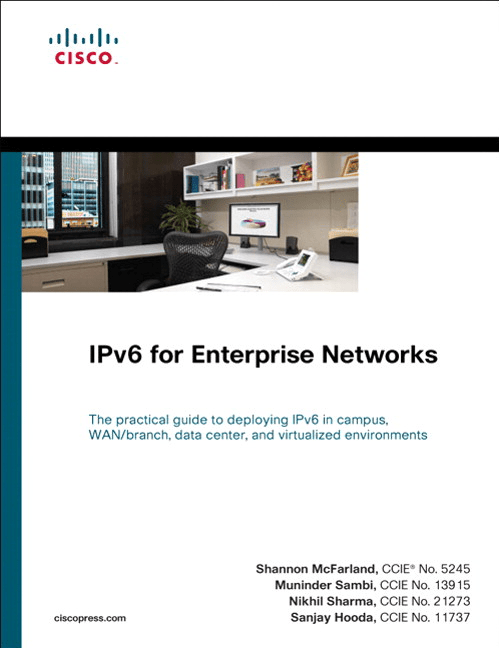
IPv6 for Enterprise Networks Cover

Cisco Press graciously provided a copy of this book for my evaluation.  Clocking in at a svelte 361 pages, this tome has a great wealth of IPv6 information from a design perspective.  There are some code examples for your networking gear, but much of the discussion in this book revolves around IPv6 design and building your network right the first time.

Chapter 1 starts off the same way many network rock stars will start off pitching IPv6 to their company, with a discussion of the market drivers for IPv6 adoption.  Even though networking professionals know IPv6 is inevitable, the C-level executives will most likely need some additional convincing.  This chapter is great for them to hear about the reasons why IPv6 is necessary.  Chapter 2 is an overview of the Cisco hierarchical network design, now expanded to include IPv6 content.  If you’ve seen any network design documentation in the past decade, this should be a review for you.  Just note the IPv6 sections.

Chapter 3 starts the meat of the book.  This chapter discusses the coexistence mechanisms that you are likely to face when prepping your network, since we are going to need to run IPv4 alongside IPv6 no matter how much we might not want to.  Tunnels and NAT64 get some discussion, along with running IPv6 over MPLS.  Chapter 4 discusses the various network services that will need to be IPv6 aware to help run your network, such as OSPFv3 or BGP.  Great discussion is made about multicast, since multicast is such a crucial component in IPv6.  Chapter 5 is a short one, discussing the planning that one will need to go through for implementing an IPv6 infrastructure.  This is more of the paperwork and staging behind the scenes that might be boring, but in an enterprise is critical for painless IPv6 deployment.

Chapter 6 is the largest chapter and will most likely be where you spend most of your time.  This is a soup-to-nuts campus IPv6 deployment.  The authors analyze the deployment from three different perspectives, the dual stack (my favorite), the hybrid model that is useful for non-IPv6 applications, and the service block model, which allows you to bring IPv6 online in sections.  Every facet of your network is analyzed in this chapter, from VLANs to routing protocols to QoS and other network services.  If you are going to be deploying IPv6 in your network in the future, you’d do well to just dog ear Chapter 6 so you can turn back to it quickly.

Chapters 7 through 10 deal with specific cases of IPv6 deployment to support use-cases, such as virtualization, branch offices, datacenters, or remote access.  They exist so that you can quickly reference these scenarios as needed, since you may not need to worry about deployment of IPv6 in a datacenter in your environment for instance.  The authors do a wonderful job of explaining all the things you might need to take into account in your deployment of ancillary technologies, such as Microsoft protocols to be aware of or application requirements that may not necessarily be network dependent.

Chapter 11 is all about managing your shiny new IPv6 network through things like Netflow and SNMP.  Careful attention should be paid if you don’t want to find yourself chasing poltergeists in your network at 3 a.m. on a Sunday.  Chapter 12 gives you a great breakdown of parts and pieces that would be great to construct a lab to pilot your IPv6 implementation before unleashing it on your live network.  That way, IPv6 doesn’t call the Resume Generating Event (RGE) protcol.

Tom’s Take

I liked this book quite a bit.  There is a ton of good information to be found inside for all levels of network rock star, from those just learning about deploying IPv6 to the poor souls that find themselves mired in a remote access IPv6 deployment gone wrong.  With a big focus on proper network design, IPv6 for Enterprise Networks ensures that you don’t have to rebuild your IPv6-enabled network after a short time due to bad design decisions or compromises. Every scenario I’ve seen discussed concerning IPv6 deployment is laid out in clear language, with both pros and cons for deployment.  I highly recommend picking up this book as soon as you can so your journey down the IPv6 yellow brick road starts off smoothly and you can avoid the pitfalls before you encounter them.

As a bonus, if you are going to Cisco Live 2011 in Las Vegas, Shannon McFarland is giving a session based around this book, BRKRST-2301 Enterprise IPv6 deployment.  If you aren’t adverse to 8 a.m. sessions the morning after the Customer Appreciation Event you should sign up and check it out.  I plan on bringing my book so that Shannon can autograph it.  That way, I can claim I met him before he became a gigantic IPv6 rock star.

So? So, so-so.

By now, many of you have read my guidelines to presentations HERE and HERE.  I sit through enough presentations that I have my own opinions of how they should be done.  However, I also give presentations from time to time.  With the advent of my new Flip MinoPRO, I can now record my presentations and upload to whatever video service I choose to annoy this week.  As such, allow me to present you with the first Networking Nerd presentation:

47 minutes of me talking.  I think that’s outlawed by the Geneva Convention in some places.  So you can follow along, here’s a link to my presentation in PowerPoint format.

I don’t like looking at pictures of myself, and I don’t like hearing myself talk.  You can imagine how much fun it was for me to look at this.  I tried to give an IPv6 presentation to a group of K-12 technology directors that don’t spend  a lot of time dealing with routing and IP issues.  I wanted to give them some ideas about IPv6 and what they needed to watch out for in their networks in the coming months.  I have about a month to prepare for this, and I spent a good deal of that time practicing so my delivery was smooth.

What’s my opinion of my performance?  Well, as you can tell by the title of this post, I immediately picked up on my unconscious habit of saying “so”.  Seems I use that word to join sections of conversation.  I think if I put a little more conscious thought into things, I might be able to cut that part down a bit.  No sense putting words like “so”, “um”, and “uh” in places where they don’t belong.  They are crutches that need to be removed whenever possible.  That’s one of the reasons I like writing blog posts much more than spoken presentations: I can edit my writing if I think I’ve overused a word.  Plus, I don’t have to worry about not saying “um” while I type.

You’ll notice that I try to inject some humor into my presentation.  I feel that humor helps lighten the mood in presentations where the audience may not grasp everything all at once.  Humor has it’s place, so it’s best to leave it out of things like eulogies and announcing the starting lineup at a Yankees game.  But if you watch a lot of “serious” types of presentations, a little levity goes a long way toward making things feel a lot less formal and way more fun.

I also try to avoid standing behind a lectern or a podium when I speak.  I tend to use my hands quite a bit to illustrate points and having something sitting in front of me that blocks my range of motion tends to mess with my flow a little.  I also tend to pace and wander around a bit as I talk.  Having to be held to a physical object like a lectern would drive me nuts.  I would have preferred to have some kind of remote in my pocket that I could advance the slides with and use a laser pointer to illustrate things on the slides, but I lost mine some time ago and it has yet to turn up.  Luckily, I had someone in the room that was willing to advance my slide deck.  Otherwise, there would have been a lot of walking back and forth and out of frame.  Note to presenters, invest in a remote or two so you can keep the attention focused on you and your presentation without the distraction of walking back and forth or being forced to stay close to your laptop.

Let me know what you think, good or bad.  If you think I spaced out on my explanation of the content, corrections are always welcomed.  If you don’t like my gesticulations, I want to know.  Even tell me if you thought my Spinal Tap joke was a little too corny.  The only way I can get better as a presenter is to get feedback.  And since there were 8 people in the room, 7 of which I knew quite well, I don’t think I’m going to get any feedback forms.

IPv4, My Old Comfy T-Shirt

I have a t-shirt in my closet that I’ve owned since my freshman year of college.  It’s a plain gray shirt, full of holes and practically threadbare.  It’s a size or two too small at this point, not quite having survived the assault waged by my increasing appetite and decreased physical activity.  It’s stained and faded.  It also happens to be the most comfortable shirt that I own despite all of the above statements.  No matter what, when I dig down to the bottom of the vendor t-shirt pile, it’s always there waiting for me.  And every time I see it, I can’t help but put it on and wear it around for the rest of the day.  Because it brings back good memories and it still feels good, small and worn-out though it may be.  And no matter how many times my wife tells me to throw it out or hides it in the back of the closet, I’ll still hold on to it for years to come.

And now you ask yourself, “What was the whole point of that tangent???”  Well, dear readers, IP version 4 is a lot like my old t-shirt.  It’s familiar.  It’s been around forever.  Yes, it’s full of holes and has some ugly dirtiness about it that we’d rather not have to deal with (**cough NAT cough**).  It’s too small, having been outgrown by the very Internet it helped to found.  Our appetites for devices and connectivity have outpaced our activity in keeping current with addresses to consume.  But, it’s still a comfortable old friend to look upon and experience nostalgia.  The first time you “got” subnetting.  The day you read RFC 1918.  The first time you accidentally configured a host with the broadcast address of a subnet.  The day you figured out what those Class E addresses were REALLY for (Shhh…it’s a secret to everybody.)  And it still works for the majority of the world at large.

IP version 6 isn’t just a pie-in-the-sky vision, it’s a cold hard reality of the world we live in.  We’re going to have to move, and we have to do it sooner rather than later.  Pretty soon, all my appliances are going to have IP addresses, and if my toaster can’t talk to the microwave, there’ll be hell to pay.  But in order to facilitate that kind of universal connectivity, we have to make some hard choices.  We have to go back and add on to the years of work we’ve done making our grand Internet.  And it scares the hell out of a lot of us.  Most network, um, rock stars can tell you their IP scheme off the top of their head.  They’ve spent time and effort and reams of paper documenting the management VLAN IPs and loopbacks.  And the thought of wrecking all that for the new, shiny protocol that still a little mysterious frightens and downright pisses them off.  Or, implementing IPv6 on top of all their hard work makes them upset they’re having to reinvent the wheel all over again.  And so, they dig down into the pile of t-shirts and find their old friend, IPv4.  They find ways of making it work for a few more months.  Carrier NAT, class A reallocation, class E allocation, call it what you want.  It’s like telling yourself that if you go to the gym that old t-shirt will fit again, only saying it while you’re eating Doritos.  We all know it’s time for IPv4 to go.  Yes, it will still be around for a long time to come so users can access the Internet.  Similar to good old DOS, it’ll be here in one form or another well past it’s useful life.  And much like my wife, everyone is saying that the old IPv4 has to go.  And much like I do when my wife tells me that, I nod my head in agreement and then promptly ignore her (Shhh…don’t tell her I said that).  Because as long as IPv4 is still around, we’ll still be able to remember the glory days.

So maybe in 2011, it’s time to really take a look at IPv6 and what it’s going to take to pull our networks into a new generation.  Finally enable dual-stack on our devices and stop consuming so many IP addresses.  Drive a stake through the heart of NAT and sweep it under the rug where it belongs.  But when I go through all of that, you can rest assured I’m going to be wearing my comfy old t-shirt.  That is, if my wife doesn’t find it first.