Chipping Away At Technical Debt

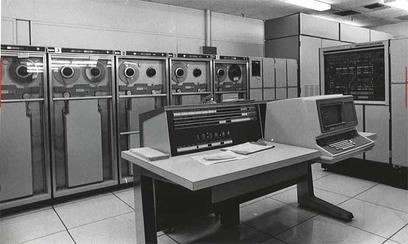
We’re surrounded by technical debt every day. We have a mountain of it sitting in distribution closets and a yard full of it out behind the data center. We make compromises for budget reasons, for technology reasons, and for political reasons. We tell ourselves every time that this is the last time we’re giving in and the next time it’s going to be different. Yet we find ourselves staring at the landscape of technical debt time and time again. But how can we start chipping away at it?

Time Is On Your Side

You may think you don’t have any time to work on the technical debt problem. This is especially true if you don’t have the time due to fixing problems caused by your technical debt. The hours get longer and the effort goes up exponentially to get simple things done. But it doesn’t have to be that way.

Every minute you spend trying to figure out where a link goes or a how a server is connected to the rest of the pod is a minute that should have been spent documenting it somewhere. In a text document, in a picture, or even on the back of a napkin stuck to the faceplate of said server!

I once watch an engineer get paid an obscene amount of money to diagram a network. Because it had never been done. He didn’t modify anything. He didn’t change a setting. All he did was figure out what went where and what the interface addresses were. He put it in Visio and showed it to the network administrators. They were so thrilled they had it printed in poster size and framed! He didn’t do anything above and beyond showing them what they already had.

It’s easy to say that you’re going to document something. It’s hard to remember to do it. It’s even harder when you forget to do it and have to spend an hour remembering why you did it in the first place. So it’s better to take a minute to write in an interface description. Or perhaps a comment about why you did a thing the way you did it. Every one of those minutes chips away a little more technical debt.

Ask yourself this question next time: If I spent less time solving documentation problems, what could I do to reduce debt overall?

Mad As Hell And Not Going To Design It Anymore

The other sources of technical debt are money and politics. And those usually come into play in the design phase. People jockeying for position or trying to save money for something else. I don’t mind honest budget saving measures. What I mind is trying to cut budgets for things like standing desks and quarterly bonuses. The perception of IT is that it is still a budget sink with no real purpose to support the business. And then the email server goes down. That’s why IT’s real value comes out.

When you design a network, you need to take into account many factors. What you shouldn’t take into account is someone dictating how things are going to be just because they like the way that something looks or sounds. When I worked at a VAR there were always discussions like this. Who should we use for the switching hardware? Which company has a great rebate this quarter? I have a buddy that works at Vendor X so we should throw him a bone this time.

As the networking professional, you need to stand up for your decisions. If you put the hard work and effort into making something happen you shouldn’t sit down and let it get destroyed by someone else’s bad idea. That’s how technical debt starts. And if you let it start this way you’ll never be able to get rid of it. Both because it will be outside of your control and because you’ll always identify someone else as the source of the problem.

So, how do you get mad and fix it before it starts? Know your project cold. Know every bolt and screw. Justify every decision. Point out the mistakes when they happen in front of people that don’t like to be embarrassed. In short, be a jerk. The kind of self-important, overly cerebral jerk that is smug because he knows he’s right. And when people know you’re right they’ll either take your word for things or only challenge you when they know they’re right.

That’s not to say that you should be smug and dismissive all the time. You’re going to be wrong. We all are. Well, everyone except my wife. But for the rest of us, you need to know that when you’re wrong you need to accept it and discuss the situation. No one is 100% infallible, but someone that can’t recognize when they are wrong can create a whole mountain range of technical debt before they’re stopped.


Tom’s Take

Technical Debt is just a convenient term for something we all face. We don’t like it, but it’s part of the job. Technical Debt compounds faster than any finance construct. And it’s stickier than student loans. But, we can chip away at it slowly with some care. Take a little time to stop the little problems before they happen. Take a minute to save an hour. And when you get into that next big meeting about a project and you see a huge tidal wave of technical debt headed your way, stand up and let it be known. Don’t be afraid to speak out. Just make sure you’re right and you won’t drown.

Does Juniper Need To Be Purchased?

You probably saw the news this week that Nokia was looking to purchase Juniper Networks. You also saw pretty quickly that the news was denied, emphatically. It was a curious few hours when the network world was buzzing about the potential to see Juniper snapped up into a somewhat larger organization. There was also talk of product overlap and other kinds of less exciting but very necessary discussions during mergers like this. Which leads me to a great thought exercise: Does Juniper Need To Be Purchased?

Sins of The Father

More than any other networking company I know of, Juniper has paid the price for trying to break out of their mold. When you think Juniper, most networking professionals will tell you about their core routing capabilities. They’ll tell you how Juniper has a great line of carrier and enterprise switches. And, if by some chance, you find yourself talking to a security person, you’ll probably hear a lot about the SRX Firewall line. Forward thinking people may even tell you about their automation ideas and their charge into the world of software defined things.

Would you hear about their groundbreaking work with Puppet from 2013? How about their wireless portfolio from 2012? Would anyone even say anything about Junosphere and their modeling environments from years past? Odds are good you wouldn’t. The Puppet work is probably bundled in somewhere, but the person driving it in that video is on to greener pastures at this point. The wireless story is no longer a story, but a footnote. And the list could go on longer than that.

When Cisco makes a misstep, we see it buried, written off, and eventually become the butt of really inside jokes between groups of engineers that worked with the product during the short life it had on this planet. Sometimes it’s a hardware mistake. Other times it’s software architecture missteps. But in almost every case, those problems are anecdotes you tell as you watch the 800lb gorilla of networking squash their competitors.

With Juniper, it feels different. Every failed opportunity is just short of disaster. Every misstep feels like it lands on a land mine. Every advance not expanded upon is the “one that got away”. Yet we see it time and time again. If a company like Cisco pushed the envelope the way we see Juniper pushing it we would laud them with praise and tell the world that they are on the verge of greatness all over again.

Crimes Of The Family

Why then does Juniper look like a juicy acquisition target? Why are they slow being supplanted by Arista as the favored challenger of the Cisco Empire? How is it that we find Juniper under the crosshairs of everyone, fighting to say alive?

As it turns out, wars are expensive. And when you’re gearing to fight Cisco you need all the capital you can. That forces you to make alliances that may not be the best for you in the long run. And in the case of Juniper, it brought in some of the people that thought they could get in on the ground floor of a company that was ready to take on the 800lb gorilla and win.

Sadly, those “friends” tend to be the kind that desert you when you need them the most. When Juniper was fighting tooth and nail to build their offerings up to compete against Cisco, the investors were looking for easy gains and ways to make money. And when those investors realize that toppling empires takes more than two quarters, they got antsy. Some bailed. Those needed to go. But the ones that stayed cause more harm than good.

I’ve written before about Juniper’s issues with Elliott Capital Management, but it bears repeating here. Elliott is an activist investor in the same vein as Carl Ichan. They take a substantial position in a company and then immediately start demanding changes to raise the stock price. If they don’t get their way, they release paper after paper decrying the situation to the market until the stock price is depressed enough to get the company to listen to Elliott. Once Elliott’s demands are met, the company exits their position. They get a small profit and move on to do it all over again, leaving behind a shell of a company wonder what happened.

Elliott has done this to Juniper in droves. Pulse VPN. Trapeze. They’ve demanded executive changes and forced Juniper to abandon good projects that have long term payoffs because they won’t bounce the stock price higher this quarter. And worse yet, if you look back over the last five years you can find story in the finance industry about Juniper being up for sale or being a potential acquisition target. Five. Years. When’s the last time you heard about Cisco being a potential target for buyout? Hell, even Arista doesn’t get shopped as much as Juniper.


Tom’s Take

I think these symptoms are all the same root issue. Juniper is a great technology company that does some exciting and innovative things. But, much like a beautiful potted plant in my house, they are reaching the maximum amount of size they can grow to without making a move. Like a plant, you can only grow as big as their container. If you leave them in a small one, they’ll only ever be small. You can transfer them to something larger but you risk harm or death. But you’ll never grow if you don’t change. Juniper has the minds and the capability to grow. And maybe with the eyes of the Wall Street buzzards looking elsewhere for a while, they can build a practice that gives them the capability to challenge in the areas they are good at, not just being the answer for everything Cisco is doing.

Complexity Isn’t Always Bad

I was reading a great post this week from Gian Paolo Boarina (@GP_Ifconfig) about complexity in networking. He raises some great points about the overall complexity of systems and how we can never really reduce it, just move or hide it. And it made me think about complexity in general. Why are we against complex systems?

Confusion and Delay

Complexity is difficult. The more complicated we make something the more likely we are to have issues with it. Reducing complexity makes everything easier, or at least appears to do so. My favorite non-tech example of this is the carburetor of an internal combustion engine.

Carburetors are wonderful devices that are necessary for the operation of the engine. And they are very complicated indeed. A minor mistake in configuring the spray pattern of the jets or the alignment of them can cause your engine to fail to work at all. However, when you spend the time to learn how to work with one properly, you can make the engine perform even above the normal specifications.

Carburetors have been largely replaced in modern engines by computerized fuel injectors. These systems accomplish the same goal of injecting the fuel-air mixture into the engine. However, they are completely controlled by a computer system instead of being mechanically configured. It’s a great leap forward for people that aren’t mechanics or gear heads. The system either works or it doesn’t. There’s no configuration parameters. Of course, if it doesn’t work there’s also very little that you as a non-mechanic can do to rectify the situation. As Gian Paolo points out, the complexity in the system has just been moved from the carburetor to the computer system running it.

But why is that a bad thing? If the standard user is never supposed to fiddle with the system why is moving the complexity a bad thing? It could be argued that removing complications from the operation and diagnostics of the system are good, but only if you ever intend untrained people to ever work on the system. A non-mechanic might never be able to fix a fuel injector system, but a trained person should be able to fix it quickly. Here, the complexity isn’t a barrier to the people who have been trained properly to anticipate it.

Complexity is only a problem for people who don’t understand it. Whether it’s a routing protocol or a file system, complex things are going to exist no matter what we do. Understanding them doesn’t have to be the job of everyone that uses the system.

A Tangled Web

I remember briefly working with Novell’s original identity management system back when it was still called DirXML. It was horribly complicated. It required a number of XML drivers importing information into eDirectory, which itself had quirks. And that identity repository fed multiple systems via XML rules to populate those data structures. It was a complicated nightmare to end all nightmares.

Except when it worked. When the system did the job properly, it looked like magic. Information entered for a new employee in the HR system automatically created an Active Directory user account in a different system, provisioned an email account in a third different system, and even created a time card entry in a fourth totally different system. The complexity under the hood churned its way through to provide usability to the people that relied on the system. Could they have manually entered all of that information? Sure. But having it automatically happen was a huge time saver for them. And when you apply it to a school where those actions needed to be repeated dozens of times for new students you can see how it would save a significant amount of time.

Here, complexity is the reason the system exists. You didn’t have the capability to feed those individual systems at the time because of the lack of API support or various other reasons. You had to find a way to force feed the information to a system that wasn’t expecting to get it any other way. Complexity here was required. And it worked. Until it didn’t.

Troubleshooting the XML issues in the system and keeping it running with new updates and broken links consumed a huge amount of time for the people I knew that were good at using it. So much time, in fact, that a couple of them made a business out of remotely supported DirXML for customers that utilized it and either didn’t know how to use it or didn’t have the specific knowledge necessary to make it work the way they wanted. Here, the complexity wasn’t only a necessity of the system, but it was a driver to create a new support level for it.

Ultimately, DirXML went away as it was consumed by the Novell Identity Manager. And now, the idea of these systems not having an API is silly. We focus our efforts more on the programming of the API and not on the extra complexity of the layers on top of it. But even those API interactions can be complex. So, we’ve essentially traded one complexity for another. We have simplified some aspects of the complexity while introducing others. We’ve also standardized things without necessarily making them an easier to do.


Tom’s Take

Complexity is bad when we don’t understand it. Trying to explain lagrange points and orbital dynamics is a huge pain when you aren’t talking to rocket scientists. However, most people that understand the complexities of the college football playoff system are more than happy to explain it to you in depth simply because they “get it”. Complexity isn’t always the enemy. If the people working on the system understand it enough to get the reasons why it needs to be complex to fulfill a job requirement then it’s not a bad thing. Instead of trying to move or reduce complexity, we should instead to try to ensure that we don’t add any additional complexity to the system. That’s how you keep the complexity snowball from rolling you over.

Predictions As A Service

It’s getting close to the end of the year and it’s time once again for the yearly December flood of posts that will be predicting what’s coming in 2018. Long time readers of my blog know that I don’t do these kinds of posts. My New Year’s Day posts are almost always introspective in nature and forward looking from my own personal perspective. But I also get asked quite a bit to contribute to other posts about the future. And I wanted to tell you why I think the prediction business is a house of cards built on quicksand.

The Layups

It’s far too tempting in the prediction business to play it safe. Absent a ton of research, it’s just easier to play it safe with some not-so-bold predictions. For instance, here’s what I could say about 2018 right now:

  • Whitebox switching will grow in revenue.
  • Software will continue to transform networking.
  • Cisco is going to buy companies.

Those are 100% true. Even without having spent one day in 2018. They’re also things I didn’t need to tell you at all. You already knew them. They’re almost common sense at this point. If I needed to point out that Cisco is going to buy at least two companies next year, you are either very new to networking or you’ve been studying for your CCIE lab and haven’t seen the sun in eight months.

Safe predictions have a great success rate. But they say nothing. However, they are used quite a bit for the lovely marketing fodder we see everywhere. In three months, you could see presentation from an SD-WAN vendor that says, “Industry analyst Tom Hollingsworth predicts that 2018 is going to be a big year for software networking.” It’s absolutely true. But I didn’t say SD-WAN. I didn’t name any specific vendors. So that prediction could be used by anyone for any purpose and I’d still be able to say in December 2018 that I was 100% right.

Playing it safe is the most useless kind of prediction there is. Because all you’re doing is reinforcing the status quo and offering up soundbites to people that like it that way.

Out On A Limb

The other kind of prediction that people love to get into is the crazy, far out bold prediction. These are the ones that get people gasping and following your every word to see if it pays off. But these predictions are prone to failure and distraction.

Let’s run another example. Here are four bold sample predictions for 2018:

  • Cisco will buy Arista.
  • VMware will cease to be a separate brand inside Dell.
  • Hackers will release a tool to compromise iPhones remotely.
  • HPE will go out of business.

Those predictions are more exciting! They name companies like Cisco and VMware and Apple. They have very bold statements like huge purchases or going out of business. But guess what? They’re completely made up. I have no insight or research that tells me anything even close to those being true or not.

However, those bold predictions just sit out there and fester. People point to them and say, “Tom thinks Cisco will buy Arista in 2018!” And no one will every call me on the carpet if I’m wrong. If Cisco does end up buying Arista in 2020 or later, people will just say I was ahead of my time. If it never comes to pass, people will forget and just focus on my next bold prediction of VMware buying Cisco. It’s a hype train with no end.

And on the off chance that I do nail a big one, people are going to think I have the inside track. My little predictions will be more important. And if I hit half of my bold ones, I would probably start getting job offers from analyst firms and such. These people are the prediction masters extraordinaire. If they aren’t telling you something you already know, they’re pitching you something that have no idea about.

Apple has a cottage industry built around crazy predictions. Just look back to August to see how many crazy ideas were out there about the iPhone X. Fingerprint sensor under the glass? 3D rear camera? Even crazier stuff? All reported on as pseudo-fact and eaten up by the readers of “news” sites. Even the people who do a great job of prediction based on solid research missed a few key details in the final launch. it just goes to show that no one is 100% accurate in bold predictions.


Tom’s Take

I still do predictions for other people. Sometimes I try to make tongue-in-cheek ones for fun. Other times I try to be serious and do a little research. But I also think that figuring out what’s coming 5 years from now is a waste of my time. I’d rather try to figure out how to use what I have today and build that toward the future. I’d rather be a happy iPhone user than the people that predicted that Apple’s move into the mobile market would fail miserably. Because that’s a headline you’ll never live down.

I’d like to thank my friends at Network Collective for inspiring this post. Make sure you check out their video podcast!

An Opinion On Offense Against NAT

It’s been a long time since I’ve gotten to rant against Network Address Translation (NAT). At first, I had hoped that was because IPv6 transitions were happening and people were adopting it rapidly enough that NAT would eventually slide into the past of SAN and DOS. Alas, it appears that IPv6 adoption is getting better but still not great.

Geoff Huston, on the other hand, seems to think that NAT is a good thing. In a recent article, he took up the shield to defend NAT against those that believe it is an abomination. He rightfully pointed out that NAT has extended the life of the modern Internet and also correctly pointed out that the slow pace of IPv6 deployment was due in part to the lack of urgency of address depletion. Even with companies like Microsoft buying large sections of IP address space to fuel Azure, we’re still not quite at the point of the game when IP addresses are hard to come by.

So, with Mr. Huston taking up the shield, let me find my +5 Sword of NAT Slaying and try to point out a couple of issues in his defense.

Relationship Status: NAT’s…Complicated

The first point that Mr. Huston brings up in his article is that the modern Internet doesn’t resemble the one build by DARPA in the 70s and 80s. That’s very true. As more devices are added to the infrastructure, the simple packet switching concept goes away. We need to add hierarchy to the system to handle the millions of devices we have now. And if we add a couple billion more we’re going to need even more structure.

Mr. Huston’s argument for NAT says that it creates a layer of abstraction that allows devices to be more mobile and not be tied to a specific address in one spot. That is especially important for things like mobile phones, which move between networks frequently. But instead of NAT providing a simple way to do this, NAT is increasing the complexity of the network by this abstraction.

When a device “roams” to a new network, whether it be cellular, wireless, wired, or otherwise, it is going to get a new address. If that address needs to be NATed for some reason, it’s going to create a new entry in a NAT state table somewhere. Any device behind a NAT that needs to talk to another device somewhere is going to create twice as many device entries as needed. Tracking those state tables is complicated. It takes memory and CPU power to do this. There is no ASIC that allows a device to do high-speed NATing. It has to be done by a general purpose CPU.

Adding to the complexity of NAT is the state that we’re in today when we overload addresses to get connectivity. It’s not just a matter of creating a singular one-to-one NAT. That type of translation isn’t what most people think of as NAT. Instead, they think of Port Address Translation (PAT), which allows hundreds or thousands of devices to share the same IP address. How many thousands? Well, as it turns out about 65,000 give or take. You can only PAT devices if you have free ports to PAT them on. And there are only 65,636 ports available. So you hit a hard limit there.

Mr. Huston talks in his article about extending the number of bits that can be used for NAT to increase the number of hosts that can be successfully NATed. That’s going to explode the tables of the NATing device and cause traffic to slow considerably if there are hundreds of thousands of IP translations going on. Mr. Huston argues that since the Internet is full of “middle boxes” anyway that are doing packet inspection and getting in the way of true end-to-end communications that we should utilize them and provide more space for NAT to occur instead of implementing IPv6 as an addressing space.

I’ll be the first to admit that chopping the IPv6 address space right in the middle to allow MAC addresses to auto-configure might not have been the best decision. But, in the 90s when we didn’t have DHCP it was a great idea in theory. And yes, assigning a /48 to a network does waste quite a bit of IP space. However, it does a great job of shrinking the size of the routing table, since that network can be summarized a lot better than having a bunch of /64 host routes floating around. This “waste” echoes the argument for and against using a /64 for a point-to-point link. If you’re worried about wasting several thousand addresses out of a potential billion then there might be other solutions you should look at instead.

Say My Name

One of the points that gets buried in the article that might shed some light on this defense of NAT is Mr. Huston’s championing for Named Data Networking. The concept of NDN is that everything on the Internet should stop being referred to as an address and instead should be tagged with a name. Then, when you want to look for a specific thing, you send a packet with that name and the Internet routes your packet to the thing you want. You then setup a communication between you and the data source. Sounds simple, right?

If you’re following along at home, this also sounds suspiciously like object storage. Instead of a piece of data living on a LUN or other SAN construct, we make every piece of data an object of a larger system and index them for easy retrieval. This idea works wonders for cloud providers, where object storage provides an overlay that hides the underlying infrastructure.

NDN is a great idea in theory. According to the Wikipedia article, address space is unbounded because you just keep coming up with new names for things. And since you’re using a name and not an address, you don’t have to NAT anything. That last point kind of blows up Mr. Huston’s defense of NAT in favor of NDN, right?

One question I have makes me go back to the object storage model and how it relates to NDN. In an object store, every piece of data has an Object ID, usually a UUID of 32 bits or 64 bits. We do this because, as it turns out, computers are horrible at finding names for things. We need to convert those names into numbers because computers still only understand zeros and ones at their most basic level. So, if we’re going to convert those names to some kind of numeric form anyway, why should we completely get rid of addresses? I mean, if we can find a huge address space that allows us to enumerate resources like an object store, we could duplicate a lot of NDN today, right? And, for the sake of argument, what if that huge address space was already based on hexadecimal?

Hello, Is It Me URLooking For?

To put this in a slightly different perspective, let’s look at the situation with phone numbers. In the US, we’ve had an explosion of mobile phones and other devices that have forced us to extend the number of area codes that we use to refer to groups of phone numbers. These area codes are usually geographically specific. We add more area codes to contain numbers that are being added. Sometimes these are specific to one city, like 212 is for New York. Other times they can cover a whole state or a portion of a state, like 580 does for Oklahoma.

It would be a whole lot easier for us to just refer to people by name instead of adding new numbers, right? I mean, we already do that in our mobile phones. We have a contact that has a phone number and an email address. If we want to contact John Smith, we look up the John Smith we want and choose our contact preference. We can call, email, or send a message through text or other communications method.

What address we use depends on our communication method. Calls use a phone number. If you’re on an iPhone like me, you can text via phone or AppleID (email address). You can also set up a video call the same way. Each of these methods of contact uses a different address for the name.

With Named Data Networking, are we going to have different addresses for each resource? If we’re doing away with addresses, how are we going to name things? Is there a name registry? Are we going to be allowed to name things whatever we want? Think about all the names of videos on Youtube if you want an idea of the nightmare that might be. And if you add some kind of rigid structure in the mix, you’re going to have to contain a database of names somewhere. As we’ve found with DNS, having a repository of information in a central place would make an awfully tempting target. Not to mention causing issues if it ever goes offline for some reason.


Tom’s Take

I don’t think there’s anything that could be said to defend NAT in my eyes. It’s the duct tape temporary solution that never seems to go away completely. Even with depletion and IPv6 adoption, NAT is still getting people riled up and ready to say that it’s the best option in a world of imperfect solutions. However, I think that IPv6 is the best way going forward. With more room to grow and the opportunity to create unique IDs for objects in your network. Even if we end up going down the road of Named Data Networking, I don’t think NAT is the solution you want to go with in the long run. Drive a sword through the heart of NAT and let it die.

How Should We Handle Failure?

I had an interesting conversation this week with Greg Ferro about the network and how we’re constantly proving whether a problem is or is not the fault of the network. I postulated that the network gets blamed when old software has a hiccup. Greg’s response was:

https://twitter.com/etherealmind/status/913426974688907265

Which led me to think about why we have such a hard time proving the innocence of the network. And I think it’s because we have a problem with applications.

Snappy Apps

Writing applications is hard. I base this on the fact that I am a smart person and I can’t do it. Therefore it must be hard, like quantum mechanics and figuring out how to load the dishwasher. The few people I know that do write applications are very good at turning gibberish into usable radio buttons. But they have a world of issues they have to deal with.

Error handling in applications is a mess at best. When I took C Programming in college, my professor was an actual coder during the day. She told us during the error handling portion of the class that most modern programs are a bunch of statements wrapped in if clauses that jump to some error condition in if they fail. All of the power of your phone apps is likely a series of if this, then that, otherwise this failure condition statements.

Some of these errors are pretty specific. If an application calls a database, it will respond with a database error. If it needs an SSL certificate, there’s probably a certificate specific error message. But what about those errors that aren’t quite as cut-and-dried? What if the error could actually be caused by a lot of different things?

My first real troubleshooting on a computer came courtesy of Lucasarts X-Wing. I loved the game and played the training missions constantly until I was able to beat them perfectly just a few days after installing it. However, when I started playing the campaign, the program would crash to DOS when I started the second mission with an out of memory error message. In the days before the Internet, it took a lot of research to figure out what was going on. I had more than enough RAM. I met all the specs on the side of the box. What I didn’t know and had to learn is that X-Wing required the use of Expanded Memory (EMS) to run properly. Once I decoded enough of the message to find that out, I was able to change things and make the game run properly. But I had to know that the memory X-Wing was complaining about was EMS, not the XMS RAM that I needed for Windows 3.1.

Generic error messages are the bane of the IT professional’s existence. If you don’t believe me, ask yourself how many times you’ve spent troubleshooting a network connectivity issue for a server only to find that DNS was misconfigured or down. In fact, Dr. House has a diagnosis for you:

Unintuitive Networking

If the error messages are so vague when it comes to network resources and applications, how are we supposed to figure out what went wrong and how to fix it? I mean, humans have been doing that for years. We take the little amount of information that we get from various sources. Then we compile, cross-reference, and correlate it all until we have enough to make a wild guess about what might be wrong. And when that doesn’t work, we keep trying even more outlandish things until something sticks. That’s what humans do. We will in the gaps and come up with crazy ideas that occasionally work.

But computers can’t do that. Even the best machine learning algorithms can’t extrapolate data from a given set. They need precise inputs to find a solution. Think of it like a Google search for a resolution. If you don’t have a specific enough error message to find the problem, you aren’t going to have enough data to provide a specific fix. You will need to do some work on your own to find the real answer.

Intent-based networking does little to fix this right now. All intent-based networking products are designed to create a steady state from a starting point. No matter how cool it looks during the demo or how powerful it claims to be, it will always fall over when it fails. And how easily it falls over is up to the people that programmed it. If the system is a black box with no error reporting capabilities, it’s going to fail spectacularly with no hope of repair beyond an expensive support contract.

It could be argued that intent-based networking is about making networking easier. It’s about setting things up right the first time and making them work in the future. Yet, no system in a steady state works forever. With the possible exception of the tar pitch experiment, everything will fail eventually. And if the control system in place doesn’t have the capability to handle the errors being seen and propose a solution, then your fancy provisioning system is worth about as much as a car with no seat belts.

Fixing The Issues

So, how do we fix this mess? Well, the first thing that we need to do is scold the application developers. They’re easy targets and usually the cause behind all of these issues. Instead of giving us a vague error message about network connectivity, we need more like lp0 Is On Fire. We need to know what was going on when the function call failed. We need a trace. We need context around process to be able to figure out why something happened.

Now, once we get all these messages, we need a way to correlate them. Is that an NMS or some other kind of platform? Is that an incident response system? I don’t know the answer there, but you and your staff need to know what’s going on. They need to be able to see the problems as they occur and deal with the errors. If it’s DNS (see above), you need to know that fast so you can resolve the problem. If it’s a BGP error or a path problem upstream, you need to know that as soon as possible so you can assess the impact.

And lastly, we’ve got to do a better job of documenting these things. We need to take charge of keeping track of what works and what doesn’t. And keeping track of error messages and their meanings as we work on getting app developers to give us better ones. Because no one wants to be in the same boat as DenverCoder9.


Tom’s Take

I made a career out of taking vague error messages and making things work again. And I hated every second of it. Because as soon as I became the Montgomery Scott of the Network, people started coming to me with every more bizarre messages. Becoming the Rosetta Stone for error messages typed into Google is not how you want to spend your professional career. Yet, you need to understand that even the best things fail and that you need to be prepared for it. Don’t spend money building a very pretty facade for your house if it’s built on quicksand. Demand that your orchestration systems have the capabilities to help you diagnose errors when everything goes wrong.


Legacy IT Sucks

In my last few blog posts, I’ve been looking back at some of the ideas that were presented at Future:Net at VMworld this year. While I’ve discussed resource contention, hardware longevity, and event open source usage, I’ve avoided one topic that I think dictates more of the way our networks are built and operated today. It has very little to do with software, merchant hardware, or even development. It’s about legacy.

They Don’t Make Them Like They Used To

Every system in production today is running some form of legacy equipment. It doesn’t have to be an old switch in a faraway branch office closet. It doesn’t have to be an old Internet router. Often, it’s a critical piece of equipment that can’t be changed or upgraded without massive complications. These legacy pieces of the organization do more to dictate IT policies than any future technology can hope to impact.

In my own career, I’ve seen this numerous times. It could be the inability to upgrade workstation operating systems because users relied on WordPerfect for document creation and legacy document storage. And new workstations wouldn’t run WordPerfect. Or perhaps it cost too much to upgrade. Here, legacy software is the roadblock.

Perhaps it’s legacy hardware causing issues. Most wireless professionals agree that disabling older 802.11b data rates will help with network capacity issues and make things run more smoothly. But those data rates can only be configured if your wireless network clients are more modern. What if you’re still running 802.11b wireless inventory scanners? Or what if your old Cisco 7921 phones won’t run correctly without low data rates enabled? Legacy hardware dictates the configuration here.

In other cases, legacy software development is the limiting factor. I’ve run into a number of situations where legacy applications are dictating IT decisions. Not workstations and their productivity software. But enterprise applications like school grade book systems, time tracking applications, or even accounting programs. How about an accounting database that refuses to load if IPX/SPX isn’t enabled on a Novell server? Or an old AS/400 grade book that can’t be migrated to any computer system that runs software built in this century? Application development blocks newer systems from installation and operation.

Brownfields Forever

We’ve reached the point in IT where it’s safe to say that there are no more greenfield opportunities. The myth that there is an untapped area where no computer or network resources exist is ludicrous. Every organization that is going to be computerized is so right now. No opportunities exist to walk into a completely blank slate and do as you will.

Legacy is what makes a brownfield deployment difficult. Maybe it’s an old IP scheme. Or a server running RIP routing. Or maybe it’s a specialized dongle connected to a legacy server for licensing purposes that can’t be virtualized. These legacy systems and configurations have to be taken into account when planning for new deployments and new systems. You can’t just ignore a legacy system because you don’t like the requirements for operation.

This is part of the reason for the rise of modular-based pod deployments like those from Big Switch Networks. Big Switch realized early on that no one was going to scrap an entire networking setup just to deploy a new network based on BSN technology. And by developing a pod system to help rapidly insert BSN systems into existing operational models, Big Switch proved that you can non-disruptively bring new network areas online. This model has proven itself time and time again in the cloud deployment models that are favored by many today, including many of the Future:Net speakers.

Brownfields full of legacy equipment require careful planning and attention to detail. They also require that development and operations teams both understand the impact of the technical debt carried by an organization. By accounting for specialized configurations and needs, you can help bring portions of the network or systems architecture into the modern world while maintaining necessary services for legacy devices. Yes, it does sound a bit patronizing and contrived for most IT professionals. But given the talk of “burn it all to the ground and build fresh”, one must wonder if anyone truly does understand the impact of legacy technology investment.


Tom’s Take

You can’t walk away from debt. Whether it’s a credit card, a home loan, or the finance server that contains those records on an old DB2 database connected by a 10/100 FastEthernet switch. Part of my current frustration with the world of forward-looking proponents is that they often forget that you must support every part of the infrastructure. You can’t leave off systems in the same way you can’t leave off users. You can’t pretend that the AS/400 is gone when you scrap your entire network for new whitebox switches running open source OSes. You can’t hope that the old Oracle applications won’t have screwed up licensing the moment you migrate them all to AWS. You have to embrace legacy and work through it. You can plan for it to be upgraded and replaced at some point. But you can’t ignore it no matter how much it may suck.

The Complexity Of Choice

Russ White had an interesting post this week about the illusion of choices and how herd mentality is driving everything from cell phones to network engineering and design. I understand where Russ is coming from with his points, but I also think that Russ has some underlying assumptions in his article that ignore some of the complexity that we don’t always get to see in the world. Especially when it comes to the herd.

Collapse Into Now

Russ talks about needing to get a new mobile phone. He talks about how there are only really two choices left in the marketplace and how he really doesn’t want either of them. While I applaud Russ and his decision to stand up for his principals, there are more than two choices. He could easily purchase a used Windows mobile phone from eBay. He could choose to run a Palm Tree 650 or a Motorola RAZR from 2005. He could even choose not to carry a phone.

You’re probably saying, “That’s not a fair comparison. He needs feature X on his phone, so he can’t use phone Y.”

And you would be right! So right, in fact, that you’ve already missed one of the complexities behind making choices. We create artificial barriers to reduce the complexity of options because we have needs to meet. We eliminate chaos when making decisions by creating order to limit our available pool of resources.

Let’s return to the mobile phone argument for a moment. Obviously, not having a phone is not an option. But what does Russ need on his phone that pushed him to the iPhone? I’m assuming he needs more than just voice calling capability. That means he can’t use a Jitterbug even though it’s a very serviceable phone for the user base that wants that specific function set. I’m also sure he needs a web browser capable of supporting modern web designs. Perhaps it’s a real keyboard and not T9 predictive text for everything you could want to type. That eliminates the RAZR from contention.

What we’re left with when we develop criteria to limit choices is not two things we feel very ambivalent about. It’s actually the resulting set of operations on chaos to provide order. Android and iPhone don’t strongly resemble each other because of coincidence. It’s because the resulting set of decision making by consumers has led them to this point. Windows Mobile also suspiciously looks like Android/iOS for the same reason. If the mobile OS on Russ’s phone looked more like Windows Mobile 5.0 instead, I’m sure his reasons for not choosing iOS or Android would have been much stronger.

Automatic For The People

So, why is it in networking and mobile phones and even extra value meals that we find our choices “eliminated” so frequently? How is it that we have the illusion of choice without many real choices at all? As it turns out, the illusion is there not to reinforce our propensity to make choices, but instead to narrow our list of possibly choices to something greater than the set of Everything In The World.

Let’s take a hamburger for instance. If you want a hamburger, you will probably go to a place that makes them. You’ve already made a lot of choices in just that one decision, but let’s move past the basic choices. What is your hamburger going to look like? One meat patty? Three? Will it have a special kind of sauce? Will it be round? Square? Four inches thick? These are all unconscious choices that we make. Sometimes, we don’t make these choices by eliminating every option. Instead, we make them by choosing a location and analyzing the options available there. If I pick McDonald’s as my hamburger location because of another factor, like location or time, then I’ve artificially limited my choices to what’s available at McDonald’s at that moment. I can’t get a square hamburger with extra bacon. Not because it’s unfair that McDonald’s doesn’t offer that option. But because I made my choice about available options before I ever got to that point. The available set of my choices will include round meat patties and American cheese. If I want something different, I need to pick a different restaurant, not demand McDonald’s give me more choices.

Artificially limiting choices for people making decisions sometimes isn’t about resource availability. It’s about product creation. It’s about assembly and complexity in making devices. It’s about what people make important in their decision making process. Let’s take a pretty well-known example:

On the left is the way cell phones were designed before 2007. Every one of them looks interesting in some way. Some had keyboards. Some had flip options. Some had pink cases or external antennas. Now, look at the cluster on the right. They all look identical. They all look like Apple Mobile Phone Device that debuted in 2007. Why? Because customers were making a choice based on form factor that informed the rest of their choices. In 2008, if you wanted a mobile device that was a black rectangle with a multi-touch screen and a software keyboard, your options were pretty limited. Now, I challenge you to find a phone that doesn’t have those options. It’s like trying to find a car without power windows. They do exist, but you have to make some very specific choices to find one.


Tom’s Take

Some choices are going to be made for us before we ever make our first decision. We can’t buy networking switches at McDonald’s. We can’t eat our mobile phones. But what we can do to give ourselves more choices is realize that the trade off for that is expending energy. We must do more to find alternatives that meet our requirements. We have to “think outside the box”, whether that means finding a used device we really like somewhere or rolling our own Linux distribution from Slackware instead of taking the default Ubuntu installation. It means that we’re going to have to make an effort to include more choices instead of making choices that automatically exclude certain options. And after you’ve done that for more than a few things, you will realize that the illusion of few choices isn’t really an illusion, but a mask that helps you preserve your energy for other things.

Automating Documentation

Tedium is the enemy of productivity. The fastest way for a task to not be done is to make it long, boring, and somewhat complicated. People who feel that something is tedious or repetitive are the ones more likely to marginalize a task. And I think I speak for the entire industry when I say that there is no task more tedious and boring than documentation. So how can we fix it?

Tell Me What You Did

I’m not a huge fan of documentation. When I decide on a plan of action, I rarely write it down step-by-step unless I’m trying to train someone. Even then, it looks more like notes with keywords instead of a narrative to follow. It’s a habit that has been borne out of years of firefighting in networks and calls to “do it faster”. The essential items of a task are refined and reduced until all that remains is the work and none of the ancillary items, like documentation.

Based on my previous life as a network engineer, I can honestly say that I’m not alone in this either. My old company made lots of money doing network discovery engagements. Sometimes these came because the previous admins walked out the door with no documentation. Other times, it was simply because the network had changed so much since the last person made any notes that what was going on didn’t resemble anything like what they thought it was supposed to look like.

This happens everywhere. It doesn’t take many instances of an network or systems professional telling themselves, “Oh, I’ll write it down later…” for later to never come. Devices get added, settings get changed, and not one word is ever written down. That’s the kind of chaos that causes disorganization at best and outages at worst. And I doubt there’s any networking pro out there that hasn’t been affected by bad documentation at one time or another.

So, how do we fix documentation? It’s tedious for sure. Requiring it as part of the process just invites people to find ways around it. And good documentation takes time. Is there a way to combine the lack of time, lack of requirement, and repetition and make documentation something that is done again? I think there is. And it requires a little help from process.

Not Too Late To Automate

Automation is a big thing right now. SDN is driving it. Network complexity is practically requiring it. Yet networking professionals are having a hard time embracing it. Why?

In part, networking pros don’t like to spend hours solving a problem that can be done in minutes. If you don’t believe me, watch one of the old SNL Nick Burns sketches. Nick is more likely to tell you to move than tell you how to fix your problem. Likewise, if a network pro is spending four hours writing an automation script that is supposed to execute a change that can be made in 20 minutes, they’re not going to want to do it. It’s just the nature of the job and the desire of the network professional to make every minute count.

So, how can we drive adoption of automation? As it turns out, automating documentation can be a huge driver. Automation of tedious tasks is exactly the thing that scripting and automation was designed to solve. Instead of focusing on the automation of the task, like adding VLANs to a set of switches, focus on the ability of the system to create documentation on the fly from the change.

Let’s walk through an example. In order for documentation to matter, it has to answer the 5 Ws. How can we automate that?

Let’s start with Who. Automation can create documentation saying user Hollingsworth made a change through an automated process. That helps the accounting side of the house figure out the person making changes in the network. If that person is actually a script, the Who can be changed to reflect that it was an automated process called by a person related to a change ticket. That gives everyone the ability to track the changes back to a given problem. And it can all be pulled in without user intervention.

What is also an easy automation task. List the configuration being applied. At first, the system can simply list the configuration to be programmed. But for menial and repetitive tasks like VLAN additions you can program the system with a real description like “Adding VLANs to $Switch to support $ticket”. Those variables can be autopopulated based on the work to be done. Again, we reference a ticket number in order to prove that these changes are coming from somewhere.

When is also critical. Are these changes happening in a maintenance window? Or did someone check them in in the middle of the day because they won’t cause any problems? (SPOILER ALERT: They will) By required a timestamp for changes, you can track which professionals are being cavalier with their change management. You can also find out if someone is getting into the system after hours to cause problems or attempt to compromise things. Even if the cause of the change is “immediately” due to downtime or emergency, knowing why it had to be checked in right away is a clue to finding problems that recur in the network.

Where is a two-pronged reason. It’s important to check where the changes are going to be applied. Is it going to be done to all switches in the organization? Or just a set in a remote office. Sanity checking via documentation will keep you from bricking your entire organization in one fell swoop. Likewise, knowing where the change is being checked in from is important. Is a remote office trying to change config on HQ switches? Is a remote engineer dialed in making changes related to an open support case? Is someone from a foreign nation making changes via VPN at 4:30am local time? In every case, you’d really want to know what’s going on before those changes get made.

Why is the one that will trip up everything. If you don’t believe me, I’d like to give you the top two reasons why Windows Server 2003 is shut down and rebooted with the shutdown justification dialog box:

  1. a;lkdjfalkdflasdfkjadlf;kja;d
  2. JUST ****ing SHUT DOWN!!!!!

People don’t like justifying their decisions. Even when I worked for Gateway 2000 on their national help desk, our required call documentation was a bit spotty when it came to justification for changes. Why did you decide to FDISK and reload? Why are you going into the registry to fix the icon colors? Change justification is half of documentation. It gives people something to audit. It gives people a way to look at things and figure out why you started down the path of a particular reasoning for problem solving. It also provides context for you after the fact when you can’t figure out why you did it the way you did.


Tom’s Take

Automation isn’t going to take away your job. Automation is going to do the jobs you hate doing. It’s going to make your life easier to concentrate on the tasks that need to be done by freeing you from the tasks that should be done and aren’t. If we can make automation document our networks for just six months, I think you’ll find the value in programming things to work this way. I also think you’ll be happier with the level of detail on your network. And once you can prove the value of automating just one task to your teams, I’m sure they’ll see the value of increasing automation all around.

Virtual Reality and Skeuomorphism

Remember skeuomorphism? It’s the idea that the user interface of a program needs to resemble a physical a physical device to help people understand how to use it. Skeuomorphism is not just a software thing, however. Things like faux wooden panels on cars and molded clay rivets on pottery are great examples of physical skeuomorphism. However, most people will recall the way that Apple used skeuomorphism in the iOS when they hear the term.

Scott Forrestal was the genius behind the skeuomorphism in iOS for many years. Things like adding a fake leather header to the Contacts app, the wooden shelves in the iBooks library, and the green felt background in the Game Center app are the examples that stand out the most. Forrestal used skeuomorphism to help users understand how to use apps on the new platform. Users needed to be “trained” to touch the right tap targets or to feel more familiar with an app on sight.

Skeuomorphism worked quite well in iOS for many years. However, when Jonny Ive took over as the lead iOS developer, he started phasing out skeuomorphism starting in iOS 7. With the advent of flat design, people didn’t want fake leather and felt any longer. They wanted vibrant colors and integrated designs. As Apple (and others) felt that users had been “trained” well enough, the decision was made to overhaul the interface. However, skeuomorphism is poised to make a huge comeback.

Virtual Fake Reality

The place where skeuomorphism is about to become huge again is in the world of virtual reality (VR) and augmented reality (AR). VR apps aren’t just limited to games. As companies start experimenting with AR and VR, we’re starting to see things emerge that are changing the way we think about the use of these technologies. Whether it be something as simple as using the camera on your phone combined with AR to measure the length of a rug or using VR combined with a machinery diagram to teach someone how to replace a broken part without the need to send an expensive technician.

Look again at the video above of the AR measuring app. It’s very simple, but it also displays a use of skeuomorphism. Instead of making the virtual measuring tape a simple arrow with a counter to keep track of the distance, it’s a yellow box with numbers printed every inch. Just like the physical tape measure that it is displayed beside. It’s a training method used to help people become acclimated to a new idea by referencing a familiar object. Even though a counter with tenths of an inch would be more accurate, the developer chose to help the user with the visualization.

Let’s move this idea along further. Think of a more robust VR app that uses a combination of eye tracking and hand motions to give access to various apps. We can easily point to what we want with hand tracking or some kind of pointing device in our dominant hand. But what if we want to type? The system can be programmed to respond if the user places their hands palms down 4 inches apart. That’s easy to code. But how to do tell the user that they’re ready to type? The best way is to paint a virtual keyboard on the screen, complete with the user’s preferred key layout and language. It triggers the user to know that they can type in this area.

How about adjusting something like a volume level? Perhaps the app is coded to increase and reduce volume if the hand is held with fingers extended and the wrist rotated left or right. How would the system indicate this to the user? With a circular knob that can be grasped and manipulated. The ideas behind these applications for VR training are only limited by the designers.


Tom’s Take

VR is going to lean heavily on skeuomorphism for many years to come. It’s one thing to make a 2D user interface resemble an amplifier or a game table. But when it comes to recreating constructs in 3D space, you’re going to need to train users heavily to help them understand the concepts in use. Creating lookalike objects to allow users to interact in familiar ways will go a long way to helping them understand how VR works as well as helping the programmers behind the system build a user experience that eases VR adoption. Perhaps my kids or my grandkids will have VR and AR systems that are less skeuomorphic, but until then I’m more than happy to fiddle with virtual knobs if it means that VR adoption will grow more quickly.