
Automating Documentation

Tedium is the enemy of productivity. The fastest way for a task to not be done is to make it long, boring, and somewhat complicated. People who feel that something is tedious or repetitive are the ones more likely to marginalize a task. And I think I speak for the entire industry when I say that there is no task more tedious and boring than documentation. So how can we fix it?

Tell Me What You Did

I’m not a huge fan of documentation. When I decide on a plan of action, I rarely write it down step-by-step unless I’m trying to train someone. Even then, it looks more like notes with keywords instead of a narrative to follow. It’s a habit that has been borne out of years of firefighting in networks and calls to “do it faster”. The essential items of a task are refined and reduced until all that remains is the work and none of the ancillary items, like documentation.

Based on my previous life as a network engineer, I can honestly say that I’m not alone in this either. My old company made lots of money doing network discovery engagements. Sometimes these came because the previous admins walked out the door with no documentation. Other times, it was simply because the network had changed so much since the last person made any notes that what was going on didn’t resemble anything like what they thought it was supposed to look like.

This happens everywhere. It doesn’t take many instances of an network or systems professional telling themselves, “Oh, I’ll write it down later…” for later to never come. Devices get added, settings get changed, and not one word is ever written down. That’s the kind of chaos that causes disorganization at best and outages at worst. And I doubt there’s any networking pro out there that hasn’t been affected by bad documentation at one time or another.

So, how do we fix documentation? It’s tedious for sure. Requiring it as part of the process just invites people to find ways around it. And good documentation takes time. Is there a way to combine the lack of time, lack of requirement, and repetition and make documentation something that is done again? I think there is. And it requires a little help from process.

Not Too Late To Automate

Automation is a big thing right now. SDN is driving it. Network complexity is practically requiring it. Yet networking professionals are having a hard time embracing it. Why?

In part, networking pros don’t like to spend hours solving a problem that can be done in minutes. If you don’t believe me, watch one of the old SNL Nick Burns sketches. Nick is more likely to tell you to move than tell you how to fix your problem. Likewise, if a network pro is spending four hours writing an automation script that is supposed to execute a change that can be made in 20 minutes, they’re not going to want to do it. It’s just the nature of the job and the desire of the network professional to make every minute count.

So, how can we drive adoption of automation? As it turns out, automating documentation can be a huge driver. Automation of tedious tasks is exactly the thing that scripting and automation was designed to solve. Instead of focusing on the automation of the task, like adding VLANs to a set of switches, focus on the ability of the system to create documentation on the fly from the change.

Let’s walk through an example. In order for documentation to matter, it has to answer the 5 Ws. How can we automate that?

Let’s start with Who. Automation can create documentation saying user Hollingsworth made a change through an automated process. That helps the accounting side of the house figure out the person making changes in the network. If that person is actually a script, the Who can be changed to reflect that it was an automated process called by a person related to a change ticket. That gives everyone the ability to track the changes back to a given problem. And it can all be pulled in without user intervention.

What is also an easy automation task. List the configuration being applied. At first, the system can simply list the configuration to be programmed. But for menial and repetitive tasks like VLAN additions you can program the system with a real description like “Adding VLANs to $Switch to support $ticket”. Those variables can be autopopulated based on the work to be done. Again, we reference a ticket number in order to prove that these changes are coming from somewhere.

When is also critical. Are these changes happening in a maintenance window? Or did someone check them in in the middle of the day because they won’t cause any problems? (SPOILER ALERT: They will) By required a timestamp for changes, you can track which professionals are being cavalier with their change management. You can also find out if someone is getting into the system after hours to cause problems or attempt to compromise things. Even if the cause of the change is “immediately” due to downtime or emergency, knowing why it had to be checked in right away is a clue to finding problems that recur in the network.

Where is a two-pronged reason. It’s important to check where the changes are going to be applied. Is it going to be done to all switches in the organization? Or just a set in a remote office. Sanity checking via documentation will keep you from bricking your entire organization in one fell swoop. Likewise, knowing where the change is being checked in from is important. Is a remote office trying to change config on HQ switches? Is a remote engineer dialed in making changes related to an open support case? Is someone from a foreign nation making changes via VPN at 4:30am local time? In every case, you’d really want to know what’s going on before those changes get made.

Why is the one that will trip up everything. If you don’t believe me, I’d like to give you the top two reasons why Windows Server 2003 is shut down and rebooted with the shutdown justification dialog box:

  1. a;lkdjfalkdflasdfkjadlf;kja;d
  2. JUST ****ing SHUT DOWN!!!!!

People don’t like justifying their decisions. Even when I worked for Gateway 2000 on their national help desk, our required call documentation was a bit spotty when it came to justification for changes. Why did you decide to FDISK and reload? Why are you going into the registry to fix the icon colors? Change justification is half of documentation. It gives people something to audit. It gives people a way to look at things and figure out why you started down the path of a particular reasoning for problem solving. It also provides context for you after the fact when you can’t figure out why you did it the way you did.


Tom’s Take

Automation isn’t going to take away your job. Automation is going to do the jobs you hate doing. It’s going to make your life easier to concentrate on the tasks that need to be done by freeing you from the tasks that should be done and aren’t. If we can make automation document our networks for just six months, I think you’ll find the value in programming things to work this way. I also think you’ll be happier with the level of detail on your network. And once you can prove the value of automating just one task to your teams, I’m sure they’ll see the value of increasing automation all around.


Virtual Reality and Skeuomorphism

Remember skeuomorphism? It’s the idea that the user interface of a program needs to resemble a physical a physical device to help people understand how to use it. Skeuomorphism is not just a software thing, however. Things like faux wooden panels on cars and molded clay rivets on pottery are great examples of physical skeuomorphism. However, most people will recall the way that Apple used skeuomorphism in the iOS when they hear the term.

Scott Forrestal was the genius behind the skeuomorphism in iOS for many years. Things like adding a fake leather header to the Contacts app, the wooden shelves in the iBooks library, and the green felt background in the Game Center app are the examples that stand out the most. Forrestal used skeuomorphism to help users understand how to use apps on the new platform. Users needed to be “trained” to touch the right tap targets or to feel more familiar with an app on sight.

Skeuomorphism worked quite well in iOS for many years. However, when Jonny Ive took over as the lead iOS developer, he started phasing out skeuomorphism starting in iOS 7. With the advent of flat design, people didn’t want fake leather and felt any longer. They wanted vibrant colors and integrated designs. As Apple (and others) felt that users had been “trained” well enough, the decision was made to overhaul the interface. However, skeuomorphism is poised to make a huge comeback.

Virtual Fake Reality

The place where skeuomorphism is about to become huge again is in the world of virtual reality (VR) and augmented reality (AR). VR apps aren’t just limited to games. As companies start experimenting with AR and VR, we’re starting to see things emerge that are changing the way we think about the use of these technologies. Whether it be something as simple as using the camera on your phone combined with AR to measure the length of a rug or using VR combined with a machinery diagram to teach someone how to replace a broken part without the need to send an expensive technician.

Look again at the video above of the AR measuring app. It’s very simple, but it also displays a use of skeuomorphism. Instead of making the virtual measuring tape a simple arrow with a counter to keep track of the distance, it’s a yellow box with numbers printed every inch. Just like the physical tape measure that it is displayed beside. It’s a training method used to help people become acclimated to a new idea by referencing a familiar object. Even though a counter with tenths of an inch would be more accurate, the developer chose to help the user with the visualization.

Let’s move this idea along further. Think of a more robust VR app that uses a combination of eye tracking and hand motions to give access to various apps. We can easily point to what we want with hand tracking or some kind of pointing device in our dominant hand. But what if we want to type? The system can be programmed to respond if the user places their hands palms down 4 inches apart. That’s easy to code. But how to do tell the user that they’re ready to type? The best way is to paint a virtual keyboard on the screen, complete with the user’s preferred key layout and language. It triggers the user to know that they can type in this area.

How about adjusting something like a volume level? Perhaps the app is coded to increase and reduce volume if the hand is held with fingers extended and the wrist rotated left or right. How would the system indicate this to the user? With a circular knob that can be grasped and manipulated. The ideas behind these applications for VR training are only limited by the designers.


Tom’s Take

VR is going to lean heavily on skeuomorphism for many years to come. It’s one thing to make a 2D user interface resemble an amplifier or a game table. But when it comes to recreating constructs in 3D space, you’re going to need to train users heavily to help them understand the concepts in use. Creating lookalike objects to allow users to interact in familiar ways will go a long way to helping them understand how VR works as well as helping the programmers behind the system build a user experience that eases VR adoption. Perhaps my kids or my grandkids will have VR and AR systems that are less skeuomorphic, but until then I’m more than happy to fiddle with virtual knobs if it means that VR adoption will grow more quickly.

Context From The People

Are you ready for the flood of context-based networking solutions? If not, it’s time to invest in sandbags. After the launch of Cisco’s Intuitive Network solution set at Cisco Live, the rest of the context solutions are coming out to play. Granted, some of them are like Apstra and have been doing this for a while. Others are going to be jumping on the bandwagon of providing a solution that helps with context. But why are we here and why now?

Creating Context

The truth is that we’ve had context in the network for decades now. It’s not a part number that we can order from a vendor. It’s not a command that we type into the CLI to activate. In fact, it’s nothing that you can see at all right now, unless there’s a mirror handy.

The context in networks has been provided by people for as far back as anyone can remember. You do it every day without consciously realizing it. You interpret error messages and disregard those that aren’t important. People know how to program VLANs correctly to segment traffic in certain ways. Security context, application context, and more are delivered by breathing, thinking humans.

We have a massive number of tools to help us create additional context and understand things that are beginning to get out of our control. But these tools are still reliant on a person providing the necessary context to operate. Take red light fatigue, for example. This is a situation in which humans are providing context to a situation being reported. For some cases, the red light means that a condition has passed a threshold and there is a corresponding trigger. However, when the context of that trigger is deemed unimportant, the context applied is “ignore that one”. So much context can be applied to a board full of red lights that we eventually become blind to them and miss a real problem when it pops up.

Humans are great at stretching the bounds of thought to understand why situations need context. Humans know when a link is congested enough to need to be configured for longer routing protocol hello timers. Or when a service policy needs to have a bigger exception for scavenger traffic due to incorrect packet markings. But, the question for the future is “How can humans scale?”

Scaling Context

With the rapid expansion of SDN and programmability, we are quickly seeing that mistakes and errors in context can cause massive issues in a short amount of time. Whether it be a botched upgrade or a script that nullifies interfaces, the system is now capable of making mistakes at a very rapid pace. This sounds like the perfect reason for humans to step into the loop and ensure that mistakes like this can’t happen quickly.

But can humans really scale as fast as needed to keep networks running efficiently? That’s the crux of the issue with modern infrastructure teams. The compute and storage group that is moving toward a DevOps-style frameworks wants to make quick decisions and let the system execute them. When those decisions involve the archaic networking team, the process slows down. Why does the network admin need to put this stuff in manually? Why are they reading through the change orders? Why can’t they just trust us and make it happen?!?

Humans are the current source of context for the network. But, much like many other areas of technology, that context needs to be transferred into a form that can scale. We need to teach the network how to handle exceptions and “think” about how to solve issues. We need to begin the process of training the system to replace us. That’s not because we hope that we will eventually be replaced by a shell script. It’s because we have more important things to apply our knowledge to that need to be solved.

Much like network admins have outgrown the need to manually input VLANs and memorize which ports MySQL needs to have opened on the firewall, so too must we start moving away from constantly checking in on the software running the system to ensure that things are running smoothly. Like the learning television programs that show us what an assembly line looks like when slowed down, we as humans need to let the system operate at the speed it can reach without slowing down to help us understand what it’s doing.


Tom’s Take

I long for the day when I don’t need to look at debug output or error messages and provide my opinion about what might be wrong. Networks with machine learning are still in their infancy. They take way too much processing power to determine issues. But they are getting better. More and more companies are going to start leveraging distributed intelligence to help make low-level decisions about operations. That means humans can start focusing on design matters more. And that’s the kind of context where we shine more than anything else.

Why Do You Still Blog?

After recording an excellent session on social media at Cisco Live with The Network Collective (@NetCollectivePC), I started thinking about blogging and where it stands in the grand scheme of information sharing. With the rise of podcasting and video blogging now in full swing, I was even asked by my friend Michael Stump “Do you see blogging as a dying form of content?” For obvious reasons, I said “no”, but I wanted to explain two major reasons why.

Needle In A Haystack

One of the major reasons why I still blog through written form is searchability. When I started blogging almost seven years ago I wanted to create a place where I could put down my thoughts about topics and share them with everyone. More by accident than design, many of those thoughts became popular topics of conversation. Even today, some of my posts are being used to help people figure out problems and address issues that aren’t well documented in other places.

But why? How can posts many years old still be relevant to audiences today? Because of searching. Use of Google, DuckDuckGo, and even Bing allow people to search for specific error messages or topics and find things that I’ve written down. That’s because text on posts is easily indexed by web crawlers. Even when my posts are excerpted on other sites it just drives more people back to my blog to find my content. The power of being able to find something can’t be understated.

But what about audio and video content? How can it be searched? Sure, you can write down show notes. But show notes are like network and systems documentation. At first, they’re very detailed and useful. But after time passes, they are essentially the bare minimum necessary to be able to move on. That makes it difficult to search for specific content inside of an episode. In fact, the show notes from most podcast episodes would be content for two blogs!

Additionally, the banter and discussion during the episode are hard to capture in text format. If the show notes mention that the guests spend 3-4 minutes talking about some topic, realize that most people speak in conversation at around 125 words per minute (wpm). With two guests debating the topic for 4 minutes, that’s 500 words or more on a topic! How can you capture the essence of the discussion in a single line show note with perhaps one or two links to outside material? Blogs allow all of that to be tracked, indexed, and referenced at a later date without needed to scrub through the audio to find out exactly what was said.

Can I Have Your Attention, Please?

If you’ve been reading along to this point so far, you know that I prefer writing my thoughts out. That is, if you’ve been paying attention. I also prefer reading words instead of podcasts for the most part. Why? Well, that has to do with my full and undivided attention.

When I’m reading something, I’m using my active reading skills. I’m focused the content in front of me. I use my attention to absorb the words and concepts. It does take a lot of concentration to do this. Since part of my job is reading blogs it’s easy for me to set aside time to do this task. But it does take away from other things that I’m doing. I often find myself shutting out other conversation or ignoring things going on around me while I try to digest new topics or evaluate someone’s opinion on a subject.

Conversely, when is the last time you actively listened to a podcast? I mean, you sat down with a pair of headphones and really listened to it? Not just put it on in the background and casually listened to the discussion while you went on with work or something else. I’d bet the answer is that you frequently find yourself splitting your attention. I know I do it. I even split my focus when I’m recording podcasts if they aren’t on video. It’s very easy to lose track of what’s going on without a visual focus point.

Podcasts are active. They project the conversation you. Likewise, the consumers of podcasts are passive. They aren’t seeking knowledge. They are being fed knowledge via an audio (or video) stream. But written words aren’t that aggressive. They require someone to consume them actively. You don’t accidentally click on a link and find yourself full of knowledge ten minutes later without having put in the effort to read what was on the page. You can’t read blog posts without paying attention. If you do, you find yourself missing the point and reading them all over again to find out what you missed in the first place.


Tom’s Take

I love to write. I never did when I was in school or when I was first starting out in technology, but as time has worn on, I find myself growing to love using a keyboard to share what’s in my brain. I’ve recorded podcasts and videos as well, but I keep coming back to the written word. I like the ability to have other people find my content useful years after the fact via a search or a referral. I also enjoy the idea that people are focused on what I’m saying and ingesting it actively instead of having it fed to them via a speaker or headphones. Maybe it’s because I use other media, like TV and music, to provide background noise to focus as I write and do other things. At the end of the day, I blog because it’s the method of communication I most prefer to consume.

Not The Cisco of John Chambers Anymore

I just got back from Cisco Live 2017 last night and I had a blast at the show. There was a lot of discussion about new architectures, new licensing models, and of course, Tech Field Day Extra. However, one of the most interesting topics went largely under the radar. I think we’re fully in the transition of Cisco away from being the Company of John Chambers.

Steering A Tall Ship

John Chambers wasn’t the first CEO of Cisco. But he’s the one that most people would recognize. He transformed the company into the juggernaut that it is today. He watched Cisco ascend to the leader in the networking space and helped it transform into a company that embraced voice, security, and even servers and compute as new business models.

John’s Cisco is a very unique animal. It’s not a single company. It’s a collection of many independent companies with their own structures and goals all competing with each other for resources. If John decided that UCS was more important to his goals this quarter, he shifted some of the support assets to focus on that business unit. It was a featured product, complete with healthy discounts to encourage user adoption.

Product lines that didn’t perform as well were usually shown the door or swept under the rug. Even larger, well-publicized acquisitions tended to disappear under the spotlight of harsh criticism. Flip Video, Cius, and even Umi are not only lackluster products, but I bet you even forgot about one or two of them. John didn’t like highlighting failures any more than any of us, but the failures were often highlighted in spite of their stellar up-front marketing and sudden disappearance.

You can’t run the ship forever, though. Eventually, John knew he would need to step down. He had courted many, many heirs apparent in his time at Cisco. There were literally a dozen or more people inside the organization that saw themselves as the next CEO of the company. And when the time came to name his successor, Chuck Robbins was not the first name on a lot of lists. But his ascension to the throne of the networking powerhouse is turning heads.

Turning The Tall Ship

By all accounts, Cisco is a company in transition. Beset on all sides by cheaper merchant silicon, an industry shift to software-focused architecture, and several upstart companies featuring the best and brightest Cisco talent from years past. Cisco is facing multiple challenges that would have been singularly laughable a decade ago.

Part of this challenge comes from the reliance on the hardware model that John Chambers so proudly touted. John loves hardware. There’s margin in hardware. Hardware occupies space. It reminds people of the importance of things. And hardware eventually needs to be replaced. These all speak to the model of a company like the old IBM run by Tom Watson.

But Chuck Robbins sees Cisco differently. His push toward software is turning the ship away from dwindling hardware margins. The Intuitive Network architecture is setting Cisco up to rely more on software innovation than ever before. These are the kinds of organizational shifts that we’ve seen IBM go through as they focused on becoming more aligned with the direction of the industry. But these massive changes aren’t the only things that show how Cisco has transformed.

John Chambers loved the idea of having many, many business units. They were like sworn vassals pledging their loyalty to a distant king. The more voices showing the allegiance, the better. And those vassals could be courted as the possible successor to the throne should the prove worthy. So, when Chuck ascended to the head of the table, he showed his distaste for the vassal approach. He quietly allowed his competitors for the top job to exit gracefully on their terms. That’s not uncommon in situations where the throne is hotly contested.

Chuck also started collapsing those dozens of business units into organizational structure that makes sense. Not marketing wrappers, but real changes. Where before Networking and Security were two ships passing the night, they now run under the control of one person, David Goeckeler. The old Cisco system would have had two or more people reporting back to Chambers. Now, Robbins has one person to talk to about the direction of both of these key pillars of Cisco’s product lines.

A curious appearance of the shift in organizational focus was visible at Cisco Live 2017. In years past, a vice president has served as “host” for the event. They introduce the keynotes and give statistics about the attendance and other key facts. They also did the “interview” of the celebrity keynote speaker on Thursday. This year, there was no host. Chuck came on stage for his keynote without introduction. He did his speech and closed the session without anyone else on stage aside from his guests. On Thursday, he was the one interviewing the celebrity speaker, Brian Cranston.

It may not sound like much, but all of these little things add up to a very interesting change in Cisco’s organization. Chuck Robbins is going to take a much different role than Chambers. He’s going to be closer to the products. He’s going to be more involved in decisions. He’s going to be the one driving the ship rather than waiting for someone to execute decisions he’s suggested. Will that be enough to help Cisco keep their position in the networking space? Only time will tell.


Tom’s Take

I’ve said before that in the sports world, you never want to be the coach that follows the legend. Everything you do will be scrutinized through their lens and compared negatively. Some very good people can emerge from the shadow of their predecessor, but most are doomed to spend very good years being compared unfairly to the myth of the past.

At first, it looked like Chuck Robbins was headed down the same path. But with the major internal changes, the focus on software instead of hardware, and his more hands-on approach to management, I think we’re quickly going to find ourselves speaking of Cisco in the same way we refer to IBM today as “Not Tom Watson’s IBM”. I hope that the Cisco of Chuck Robbins succeeds and thrives so that in the future people will refer not to Chuck Robbins as the successor of John Chambers but instead refer to John Chambers as the guy who came before the Great Chuck Robbins.

Subscription Defined Networking

Cisco’s big announcement this week ahead of Cisco Live was their new Intent-based Networking push. This new portfolio does include new switching platforms in the guise of the Catalyst 9000 series, but the majority of the innovation is coming in the software layer. Articles released so far tout the ability of the network to sense context, provide additional security based on advanced heuristics, and more. But the one thing that seems to be getting little publicity is the way you’re going to be paying for software going forward.

The Bottom Line

Cisco licensing has always been an all-or-nothing affair for the most part. You buy a switch and you have two options – basic L2 switching or everything the switch supports. Routers are similar. Through the early 15.x releases, Cisco routers could be loaded with an advanced image that ran every service imaginable. Those early 15.x releases gave us some attempts at role-based licensing for packet, voice, and security device routers. However, those efforts were rolled back due to customer response.

Shockingly, voice licensing has been the most progressive part of Cisco’s licensing model for a while now. CallManager 4.x didn’t even bother. Hook things up and they work. 5.x through 9.x used Device License Units (DLUs) to help normalize the cost of expensive phones versus their cheaper lobby and break room brethren. But even this model soon gave way to the current Unified Licensing models that attempt to bundle phones with software applications to mimic how people actually communicate in today’s offices.

So where does that leave Cisco? Should they charge for every little thing you could want when you purchase the device? Or should Cisco leave it wide open to the world and give users the right to decide how best to use their software? If John Chambers had still been in charge of Cisco, I know the answer would have been very similar to what we’ve seen in the past. Uncle John hated the idea of software revenue cannibalizing their hardware sales. Like many stalwarts of the IT industry, Chambers believed that hardware was king and software was an afterthought.

Pay As You Go

But Chuck Robbins has different ideas. Alongside the new capabilities of Cisco’s Intuitive Network plan they have also introduced a software subscription model. Now, if you want to use all these awesome new features for the future of the network according to Cisco you are going to pay for them. And you’re going to pay every year you use them.

It’s not that radical of a shift in mindset if you look at the market today. Cable subscriptions are going away in favor of specialized subscriptions to specific content. Custom box companies will charge you a monthly fee to ship you random (and not-so-random) items. You can even set up a subscription to buy essential items from Amazon and Walmart and have them shipped to your home regularly.

People don’t mind paying for things that they use regularly. And moving the cost model away from capital expenditure (CapEx) to an operational expenditure (OpEx) model makes all the sense in the world for Cisco. Studies from industry companies like Infinity Research have said that Infrastructure as a Service (Iaas) growth is going to be around 46% over the next 5 years. That growth money is coming from organizations shift CapEx budget to OpEx budget. For traditional vendors like Cisco, EMC, and Dell, it’s increasingly important for them to capture that budget revenue as it moves into a new pool designed to be spent a month or year at a time instead of once every five to seven years.

The end goal for Cisco is to replace those somewhat frequent hardware expenditures with more regular revenue streams from OpEx budgets. If you’re nodding your head and saying, “That’s pretty obvious…” you are likely from the crowd that couldn’t understand why Cisco kept doubling down on bigger, badder switching during the formative years of SDN. Cisco’s revenue model has always looked a lot like IBM and EMC. They need to sell more boxes more frequently to hit targets. However, SDN is moving the innovation away from the hardware, where Cisco is comfortable, and into the software, where Cisco has struggled as of late.

Software development doesn’t happen in a vacuum. It doesn’t occur because you give away features designed to entice customers into buying a Nexus 9000 instead of a Nexus 6000. Software development only happens when people are paying money for the things you are developing. Sometimes that means that you get bonus features that they figure out in the process of making the main feature. But it surely means that the people focused on making the software want to get it right the first time instead of having to ship endless patches to make it work right eventually. Because if your entire revenue model comes from software, it had better be good software that people want to buy and continue to pay for.


Tom’s Take

I think Chuck Robbins is dragging Cisco into the future kicking and screaming. He’s streamlined the organization by getting rid of the multitude of “pretenders to the throne” and tightening up the rest of the organization from a collection of competing business units into a logically organized group of product lines that can be marketed. The shift toward a forward-looking software strategy built on recurring revenue that isn’t dependent on hardware is the master stroke. If you ever had any doubts about what kind of ship Chuck was going to sail, this is your indicator.

In seven years, we’re not going to be talking about Cisco in the same way we did before. Much like we don’t talk about IBM like we used to. The IBM that exists today bears little resemblance to Tom Watson’s company of the past. I think that the Cisco of the future will bear the same superficial resemblance to John Chamber’s Cisco as well. And that’s for the better.

CCIE Continuing Education – Learn Your Way To Recertification

It looks like one of the best (or worst) kept secrets about the CCIE has finally come to pass. This week, Cisco announced that there is a new program in place to recertify your CCIE without the need to continually retake the written exam. How is this going to measure up?

The Learning Train

The idea behind continual recertification is very simple. Rather than shut down what you’ve got going on every 18 months to spend time studying for an exam, Cisco is giving current CCIEs and CCDEs the option of applying credit from educational sessions toward recertifying their credentials.
This is very similar to the way that it works in for a doctor or a lawyer. There are courses that you can take that provide a certain number of “points” for a given class. When you accumulate 100 points in a two year span, you can apply those points to recertification.
The credits are good for a maximum of three years from the date earned. You can’t carry them over between recertification periods or bank them in case your certification expires. Once you use the points to recert, you start back up the treadmill again.

We’ll Do It Live!

One of the more interesting pieces to come out of the CCIE/CCDE CPE process is the emphasis on sessions as Cisco Live. Each of the sessions, from one hour breakout to 8-hour Techtorial and labs have a point value assigned. You can earn up to 70 points at Cisco Live every year through this method.
This is huge because it places a focus back on sessions at Cisco Live. A lot of networking professionals that I’ve spoken to recently have questioned the need to come to sessions during Cisco Live. Many are more interested in the DevNet zone as opposed to traditional learning sessions. Still others are buying a social pass and coming to chat with peers instead.
Now, Cisco has made sessions at Cisco Live matter to CCIEs. You get more points for harder sessions. Or longer in-depth dives into Technologies that are up and coming. You could easily recertify with very little effort every second year at Cisco Live.
Additionally, the program includes the flexibility to offer different types of continuing credit. Perhaps it’s for filling out surveys of importance to product teams. Or for tackling a new technology in an in-person instructor format. The possibilities are unlimited and should keep current and Emeritus CCIEs happy.

Tom’s Take

I’m thrilled these changes are finally implemented. CCIEs can finally join the ranks of other professionals in the world. I’ve been talking about getting this done for four years at this point, so hats off to Yusuf and his team. Let’s keep the steam rolling forward and getting more learning opportunities on the list to help get more CCIEs recertified.

How To Make Mistakes

We all make mistakes. We type the wrong command. We use the wrong verb tense in an article. We leave out a critical step when explaining a process. It’s something that happens all the time. It’s avoidable through careful planning, but how do you handle things when the avoidable becomes unavoidable?

Making Amends, Not Mistakes

Once a mistake is out in the open and noticeable, it’s done. You can’t pretend it didn’t happen or that it’s not affecting things. That’s when you need to own up to what happened and fix it. Sometimes that’s not always easy. Even the best person is reticent to admit to being fallible. So the process for fixing a mistake isn’t always easy. But it is important.

  1. Realize You’ve Made A Mistake – As amazing as it sounds, this is sometimes the hardest part of the deal. It’s easy to see that you’ve typed in the wrong command to a router and that the output isn’t what you were expecting. But what about those errors you don’t immediately catch. How about hearing the incorrect name at a dinner party and calling someone by the wrong name for an entire night? Or incorrectly spelling or pronouncing a word for years because you never knew it was wrong. Often, the hardest part of the mistake is realizing you’ve made it. Hopefully, someone will point it out to you in a way that doesn’t immediately put you on the defensive.
  2. Apologizing Specifically For The Mistake – I’m rather tough on my kids when it comes to apologizing for their mistakes. Instead of a simple, “I’m sorry”, they have to apologize specifically for what they did wrong. For example, “I’m sorry for hitting my sister with the inflatable baseball bat after you told me not to swing it.” Why am I so tough? Because putting the action in the apology helps reinforce what happened and why is was wrong or was a mistake. The next time you make a mistake and have to apologize to a manager or a customer, try wording the apology with inclusion of what happened. “I’m sorry I typed in the wrong OSPF command and cause the routing table to disappear.” You’d be surprised how receptive people are to finding out what the mistake was.
  3. Create A Plan Of Remediation – Okay, you admitted what you did wrong. Now, how are you going to fix it? That’s the last part of realizing your mistake. You did something wrong and you admitted it. It’s time to figure out how to not do it again. In the case of incorrect commands, it’s as simple as typing the right command in this time. But in the case of other things, like systemic behaviors, it’s more important to realize that you may need to do something repeatedly to correct the behavior. If you’re constantly using “on-premise” incorrectly, it may take some practice before you’re using it as intended.

Each of these steps is important. You can’t fix the mistake until you realize you’ve made it, apologized for it, and planned on how to fix it.


Tom’s Take

Mistakes will happen. How you overcome them says a lot about your character. The worst thing in the world is a person that believes they are completely infallible. These kinds of people never think they’ve done anything wrong, so they don’t know that they still have much to learn. Experience is what you get when you don’t get what you want. And the best source of experience is mistakes. The key to learning from them is simple: recognize, apologize, and prioritize the fix. If you can manage all of those things, you have the chance to grow and learn.

It’s Not The Size of Your Conference Community

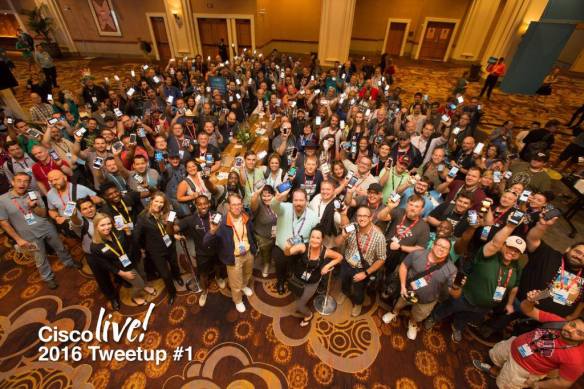
CLUS2016Tweetup

Where do you get the most enjoyment from your conference attendance? Do you like going to sessions and learning about new things? Do you enjoy more of the social aspect of meeting friends and networking with your peers? Maybe it’s something else entirely?

It’s The Big Show

When you look at shows like Cisco Live, VMworld, or Interop ITX, there’s a lot going on. There are diverse education tracks attended by thousands of people. You could go to Interop and bounce from a big data session into a security session, followed by a cloud panel. You could attend Cisco Live and never talk about networking. You could go to VMworld and only talk about networking. There are lots of opportunities to talk about a variety of things.

But these conferences are huge. Cisco and VMware both take up the entire Mandalay Bay Convention Center in Las Vegas. When in San Francisco, both of these events dwarf the Moscone Center and have to spread out into the surrounding hotels. That means it’s easy to get lost or be overlooked. I’ve been to Cisco Live before and never bumped into people I know from my area that said they were going, even when we were at the same party. There are tens of thousands of people roaming the halls.

That means that these conferences only work well if you can carve out your own community. Cisco Live has certainly done that over the years. There’s a community of a few hundred folks that are active on social media and have really changed the direction of the way Cisco engages with the community. VMworld has their various user groups as well as VMUnderground constantly pushing the envelope and creating more organic community engagement.

You Think You Know Me

The flip side is the smaller boutique conferences that have sprung up in recent years. These take a single aspect of a technology and build around it. You get a very laser-focused event with a smaller subset of attendees based on similar interests. It’s a great way to instantly get massive community involvement around an idea. Maybe it’s Monitorama. Or perhaps it’s OSCon. Or even GopherCon. You can see how these smaller communities are united around a singular subject and have great buy in.

However, the critical mass needed to make a boutique conference happen is much greater per person. Cisco Live and VMworld are going to happen every year. There are no less than 10,000 – 15,000 people that would come to either no matter what. Even if 50% of last year’s attendees decided to stay home this year, the conference would happen.

On the flip side, if 50% of the DockerCon or OpenStack Summit attendees stayed home next year, you’d see mass panic in the community. People would start questioning why you’re putting on a show for 2,500 – 3,000 users. It’s one thing to do it when you’re small and just getting started. But to put on a show for those numbers now would be a huge decision point and things would need to be discussed to see what happens going forward.

Cisco Live and VMworld are fun because of their communities. But boutique conferences exist because of their communities. It’s important to realize that and drastic changes in a smaller conference community have huge ripples throughout the conference. Two hundred Twitter users don’t have much impact on the message at Cisco Live. But two hundred angry users at DockerCon can make massive changes happen. Each member of the community is amplified the smaller the conference they attend.


Tom’s Take

Anyone that knows me knows that I love the community. I love seeing them grow and change and develop their own voice. It’s why I work for Tech Field Day. It’s why I go to Cisco Live every year. It’s why I’m happy to speak at VMUnderground events. But I also realize how important the community can be to smaller events. And how quickly things can fall apart when the community is fractured or divided. It’s critical for boutique conferences to harness the power of their communities to get off the ground. But you also have to recognize how important they are to you in the long run. You need to cultivate them and keep the focused on making everything better for everyone.

The Myth of The Greenest Field

A fun anecdote: I had to upgrade my home landline (I know, I know) from circuit switched to packet switched last week. I called the number I was told to call and I followed the upgrade procedure. I told them exactly what I wanted – the bare minimum necessary to move the phone circuit. No more. No less.

When the technician arrived to do the upgrade, he didn’t seem to know what was going on. Instead of giving me the replacement modem I asked for, he tried to give me their “upgraded, Cadillac model” home media gateway router. I told him that I didn’t need it. I had a perfectly good router/firewall. I had wireless in my house. I didn’t need this huge monstrosity. Yet, he persisted. No amount of explanation from me could make him understand I neither wanted or needed what he was trying to install.

Finally, I gave in. I let him finish his appointment and move on. Once he was gone, I disassembled the router and took it to the nearest cable company store. I walked in and explained exactly what I wanted and what I needed. It took the techs there less than five minutes to find my new device without the wireless or media gateway functionality. They provisioned it through their system and gave it to me. I plugged it in at home and everything worked just the way that it had before. No fuss.

The Field Isn’t Always Greener

Why is this story important? Because it should inform us at networking and systems professionals that there is no such thing as a truly greenfield deployment. Even the greenest field is just a covering for the brown dirt below. If you’re thinking to yourself, “But what about those really green installs with new sites or new organizations?” you obviously aren’t thinking about the total impact of what makes an install non-greenfield.

We tend to think of technology as the limiting factor in a deployment. How do we make the New Awesome System work with the Old Busted Stuff? How can we integrate the automated, orchestrated, programmable thingy with the old punchcard system that still requires people to manually touch things to work? When we try to decide how to make it all work together, our challenge is totally focused on the old tech.

But what if the tech isn’t the limiting factor? What if there are a whole host of other things that make this field of green a little harder to work with? What if it’s a completely new site but still requires a modem connection to process credit cards? What if the branch office computers have a mandate to run an anti-virus program and the branch bought all OS X or Linux machines? What if the completely new company wants you to setup a new office but only has $1000 budgeted for networking gear?

What Can Brown Do For You?

The key to a proper installation at a so-called “brownfield” site is to do your homework. You have to know before you ever walk in the door what is waiting for you. You have to have someone do a site evaluation. You need to know what tech is waiting for you and how it all works together. If the organization that you are doing the installation for can’t produce that information, you either need to sell them a service to do it for them or be prepared to walk away.

At the same time, you also need to account for all the other non-technical things that can crop up. You need to get buy in from management and IT for the project you’re doing. If not, you’re going to find that management and IT are going to use you as a scapegoat for every problem that has ever cropped up in the network. You’ll be a pariah before you ever flip a switch or plug in a cable. Ensuring that you have buy in at all levels is the key to ensuring that everyone is on the same page.

You also need to make sure that you’re setting proper expectations. What are people expecting from this installation? Are their assumptions about the outcome reasonable? Are you going to get stuck holding the bag when the New Awesome Thing fails to live up to the lofty goals it was sold on? Note that this isn’t always the “us vs. them” mentality of sales and engineering either. Sometimes a customer has it in their head that something is going to do a thing or act a certain way and there’s nothing you can do to dissuade the customer. You need to know what they are expecting before you ever try to install or configure a device.


Tom’s Take

Greenfield sites are the unicorn that is both mythical and alluring to us all. We want to believe that will one day not have to work under constraints and be free to set things up in a way that we want. Sadly, much like that unicorn, we all know that true greenfield sites will never truly exist. You’re always going to be working under some kind of constraint. Some kind of restriction. It’s not always technically in nature either. But proper planning and communication will prevent your brown grass deployment from becoming a quagmire of quicksand.