The Card Type Command – Don’t Flop

If you’ve ever found yourself staring at a VWIC2-1MFT-T1/E1 or a NM1-T3/E3 module, you know that you’ve got some configuration work ahead of you.  Whether it be for a PRI circuit to hook up that new VoIP system or a DS3 to get a faster network connection, the T1/T3 circuit still exists in many places today.  However, I’ve seen quite a few people that have been stymied in their efforts to get these humble interface cards connected to a router.  I have even returned a T1/E1 card myself when I thought that it was defective.  Imagine the egg on my face when I discovered that the error was mine.

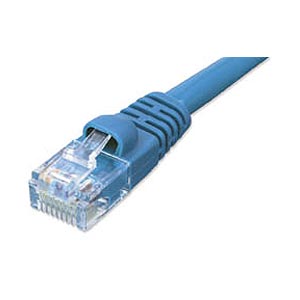
It turns out that ordering the T1/E1 or T3/E3 module from Cisco requires a little more planning on the installation side of things.  These cards can have a dual identity because the delivery mechanism for these circuits is identical.  In the case of a T1/E1, the delivery mechanism is almost always over an unshielded twisted pair (UTP) cable.  Almost all of the T3/E3 circuits that I’ve installed have been delivered over fiber but terminated via coax cables with BNC connectors.  The magic, then, is in the location.  A T1 circuit is typically delivered in North America, while the E1 circuit is European version.  There are also differences in the specifics of each circuit.  A T1 is 24 channels of 64kbits each.  An E1 is 32 channels of the same size.  This means that a T1 has an effective data rate of 1.544 Mbits while an E1 is a bit faster a 2.048 Mbits.  There are also framing differences and a slightly different signaling structure.  The long and short of it is that T1 and E1 circuits are incompatible with each other.  So how does Cisco manage to ship a module that supports both circuit types?

The key is that you must choose which circuit you are going to support when you install the card.  The card can’t automatically flip back and forth based on circuit detection.  Where the majority of issues come from in my line of work is that the card doesn’t show up as a configurable interface until you force a circuit type.  This is accomplished by using the card type command:

RouterA(config)#card type ?
 e1 E1
 e3 E3
 t1 T1
 t3 T3

Choose your circuit type and away you go!  As soon as you enter the card type, the appropriate serial interface is created.  You will still need to enter the controller interface to set parameters like the framing and line code.  However, the controller interface only shows up when the card type has been set as well.  So unless you’ve done the first step, there isn’t going to be a place to enter any additional commands.


Tom’s Take

Sometimes there are things that seem so elementary that you forget to do them.  Checking a power plug, flipping a light switch, or even remembering to look for little blinking lights.  We don’t think about doing all the easy stuff because we’re concentrating on the hard problems.  After all our hard work, we know it has to be something really messed up otherwise it would be fixed by now.  In the case of T1/E1 cards, I made that mistake.  I forgot to check everything before declaring the card dead on arrival.  Now, I find myself spending a lot of time providing that voice of reason for others when they’re sure that it has to be something else.  The little voice of reason doesn’t always have to be loud, sometimes it just has to say something at the right time.

Device Naming Conventions

At some point or another, we’ve all been faced with the ominous screen asking us to name a device.  Whether it be a NetBIOS name or a DNS hostname, in those critical minutes we’ve been under as much pressure as any other time in our careers.  What should we call this thing?  Should I name it something memorable?  Should it be useful?  What about some kind of descriptive codename?  I wanted to share a few things with you that I’ve found over the years that might get a chuckle or two.  Hopefully, they’ll also serve as a yardstick for naming things in the future.

More often than not, desktops that are deployed straight out of the box keep the name that they were programmed with at the factory.  This can be some strange combination of manufacturer or serial number or phases of the moon.  Unless you’re on top of things or you have a VAR doing the installation for you (yay me!), you’ve left the name alone because it’s something that you don’t necessarily care about.  Infrastructure devices, on the other hand, are devices that have to be named to function.  These are the ones that engender the most thought into what they should be called.  My first run-in with an odd naming convention came back in high school.  When I was but a wee lad trying out this scary Internet thing for the first time (through Compuserve, no less), I started emailing a friend that went to more tech-savvy school.  Her email address was hosted by the local university on a mail server they built.  It seems that the seven mail servers that hosted the university and its users were named after Disney’s seven dwarfs.  In particular, this server was named Bashful.  I always thought that was interesting, since my friend was anything but bashful.  As time went on, I realized that people started naming their computers funny things because they wanted to remember what it did or make it have some kind of special significance to them.  When it came time to name a whole set of networked computers, that’s when you usually delved into the depths of literature or popular culture to come up with naming sets.  Groups of collected individuals of diverse skill sets that help you remember what it is that your devices do.  It also affords you the chance to show how clever you think you might be.

Far and away, the most popular naming set for servers/routers/stuff is Greek Mythology.  I’ve worked on more Apollos and Zeus’s and Athenas that I have any other device in history.  Usually, you can figure out what a server is doing based on which deity it’s named after.  Zeus is the domain controller/master server.  Athena is the ticketing database or Sharepoint server.  Hermes is the VoIP server.  Funny thing though.  You hardly ever see Hades doing something.  Usually, it’s a server on the fifth or sixth reload that they don’t really care about.  Also, don’t ask what Tartarus is doing.  It’s never anything good, I assure you.  While the Greeks are popular when it comes to server naming, I’m seeing a huge uptick in Lord of the Rings characters.  This is a bit more problematic for me, since I’m not usually inclined to figure out why someone named a server Merry or Pippin.  Depending on how much server sprawl you have, you may even need to reach down to find characters that weren’t in the movies, like Tom Bombadil.  Of course, every time I see a LotR naming setup, I very much want to change the name of the primary domain controller to Mordor and then disable all user accounts on it.  Why?  Because no one simply logs into Mordor.

On the flip side, I’ve seen users that understand that naming things after Greek gods and Ian McKellen characters can be a bit confusing at times.  So they’ve swung to the complete opposite side of the spectrum and come up with their own naming convention for things.  Normally, I applaud this kind of forward-thinking approach.  However, if your code names only make sense to you, it’s not much better than naming your servers after Best Support Actor Academy Award winners.  For instance, does the server name SW2K332DC050 jump right out and tell you anything meaningful?  It took me many tries to finally figure out that this particular server is running Windows Server 2003 32-bit and is serving as a domain controller.  Of course, that was when the server was first installed.  Now, it’s a Windows Server 2008 R2 machine that’s not a domain controller and is instead running some web-based application.  Faced with a whole page full of names like that is like trying to read the phone book.  Someone coming into this environment would need a cheat sheet or at least access to the server admin team to figure out what server you were working on.

I’m a huge fan of naming conventions that convey the device’s type and purpose on one short line.  Being a VAR, it’s usually critical to me to be able to scan an environment quickly and determine what exactly I’m working with.  Calling a switch 7K-Core-1 allows me to know almost instantly that I’m working on a Nexus 7000 in the core and that there should be at least one other switch (Core-2) somewhere close by.  Naming a switch 2960S-IDC1-1 is almost as effective but can lead to issues when I don’t know where IDC1 is located.  Since I work mostly with K-12 education institutions, I usually fall back on familar location info, such as 3560-Lib-1 or 4500-Caf-2 to help me figure out where I need to start my search for these devices.  I’ve always told people that my documentation habits arise from the need for me to remember exactly what was going on when I did something six months ago.  This goes for naming conventions as well.  I may be looking at this device from a stuffy hotel room three time zones away and not have access to all of the pertinent information before a critical change must be made.  The more descriptive I can make a device name, the better the chances that I won’t accidentally remove EIGRP from the core router.

What types of naming conventions do you use?  Are you a dwarf/deity/fictional character type of person?  How about washing the hostname through an MD5 hash tool before applying it?  Maybe you just name it the first thing you see on your desk when you power it up.  I’d be curious to see what your ideas are.

VADD – Video Attention Deficit Disorder

While I was at Cisco Live, I heard a lot about video.  In fact, “video is the new voice” was the center square on my John Chambers Keynote Bingo card.  With the advances that Cisco has been making with the various Jabber clients across all platforms, Cisco really wants to drive home the idea that customers want to use video in every aspect of their life.  This may even be borne out when you think about all the social networks that have been adding video capabilities, such as Facebook or Skype.  Then there’s the new launch of AirTime from the guys that brought you Napster.  AirTime is a social network that is built entirely around video and how you can interact with complete strangers that share your interests.

I started thinking about video and the involvement that it has in everyone’s life today.  It seems that everything has a video-capable camera now.  Mobile phones, tablets, and laptops come standard with them.  They are built into desktop monitors and all-in-one computers.  It seems that video has become ubiquitous.  So too have the programs that we use to display video.  I can remember all the pain and difficulty of trying to setup programs like AIM and Yahoo! Messenger to work with a webcam not all that long ago.  Now we have Skype and Facetime and Google+ Hangouts.  On the business side we have things like Cisco Jabber for Telepresence (formerly Movi) and Webex.  I even have a dedicated video endpoint on my desk.  However, the more and more I thought about it, the more that I realized that I hardly used video in my everyday life.  I’ve done maybe two Facetime calls with my family since my wife and I purchased Facetime-capable devices last year.  My Skype calls never involve video components.  My Webex sessions always have video features muted.  Even my EX90 gathers dust most of the time unless it gets dialed to test a larger Telepresence unit.  If video is so great, why does it feel so neglected?

For me, the key came in an article about AirTime.  In the press conference, the founders talked about how social media today consists of “asynchronous communications”.  We leave messages on walls and timelines.  We get email or instant messages when people try to communicate with us that sit there, beckoning to us to respond.  In some cases, we even have voicemail messages or transcriptions thereof that call to our attention.  The AirTime folks claim that this isn’t a natural method of communication and that video is how we really want to talk to people.  Nuances and body language, not text and typing.  That’s a good a noble goal, but when I thought about how many Facetime devices are out there and how many people I knew with the capability that weren’t really using it, something didn’t add up.  Why does everyone have access to video and yet not want to use it?  Why do we prefer to stick to things like Twitter timelines or instant messages via your favorite service?

I think it’s because people today have Video Attention Deficit Disorder (VADD).  People don’t like using video because it forces them to focus.  Now that all my communications can happen without direct dependence on someone else, I find my attention drifting to other things.  I can fire off emails or tweets aimed at people I want to communicate with and go on about my other tasks without waiting for an answer.  Think about how easy it is to just say something via instant message versus waiting for a response in real time.  Twitter doesn’t really have awkward silence during a conversation.  Twitter doesn’t require me to maintain eye contact with the person I’m talking to, and that’s when I can even figure out if I’m supposed to be looking at the camera or the eyes of the projected video image.  When I’m on a video camera, I have to worry about how I look and what I’m doing when I’m not talking to someone.  Every time I watch a Google+ hangout that consists of more than two or three people, I often see people not directly speaking having wandering attention spans.  They look around the room for something to grab their attention or get distracted by other things.  That’s why asynchronous communication is so appealing.  I can concentrate on my message and not on the way it’s delivered.  In real-time conversations, I often find myself subconsciously thinking about things like making eye contact or concentrating on the discussion instead of letting my focus drift elsewhere.  Sometimes I even miss things because I’m more focused on paying attention than what I should be paying attention to.  Video conversation is much the same way.  Add in the fact that most conversation takes place on a computer that provides significant distraction and you can see why video is not an easy thing for people like me.


Tom’s Take

I’ve wanted to have a video phone ever since I first watched Blade Runner.  The idea that I can see the person that I’m talking to while I converse them was so far out back then that I couldn’t wait for the future.  Now, that future is here and I find myself neglecting that amazing technology in favor of things like typing out emails and tweets.  I’d much rather spend my time concentrating on the message and not the presentation.  Video calling is a hassle because I can’t hide anymore.  For those that don’t like personal interaction, video is just as bad and being there.  While I don’t deny that video will eventually win out because of all the extra communication nuances that it provides, I doubt that it will be anytime soon.  I figure it will take another generation of kids growing up with video calling being ubiquitous and commonplace for it to see any real traction.  After all, it wasn’t that long ago that the idea of using a mobile phone not tied to a landline was pretty far fetched.  The generation prior to mine still has issues with fully utilizing those types of devices.  My generation uses them as if they’d always been around.  I figure my kids will one day make fun of me when they try to call me on their fancy video phone and their dad answers with video muted or throws a coat over the camera.  If they really want to talk to me, they can always just email me.  That’s about all the attention I can spare.

Upgrading to Cisco Unified Presence Server 8.6(4) – Caveat Jabber

With the Jabber for Everyone initiative that Cisco has been pushing as of late, the question about compatibility between the Jabber client and Cisco Unified Presence Server (CUPS) has come into question more than once.  Cisco has been pretty clear on the matter since May – you must upgrade to CUPS 8.6(4) [PDF Link] to take advantage of the Jabber for Everyone.  This version was released on June 16th, and being the diligent network engineer that I am, I had already upgraded to 8.6(3) previously.  This week I finally had enough down time to upgrade to 8.6(4) to support Jabber for Everyone as well as some of the newer features of the Jabber client for Windows.  Of course, that’s where all my nightmares started.

I read the release notes and found that 8.6(4) was a refresh upgrade.  I’ve already done one of these previously on my CUCM server so I knew what to expect.  I prepped the upgrade .COP file for download prior to installing the upgrade itself.  Luckily for me, 8.6(3) is the final version prior to the refresh upgrade, so it doesn’t require the upgrade .COP file to perform the upgrade.  The necessary schema extensions and notification fields are already present.  With all of the release note prerequisites satisfied, I fired up my FTP server and began the upgrade process.  As is my standard procedure, I didn’t let the server upgrade to the new version automatically.  I figured I’d let the upgrade run for a while and reboot afterwards.  After a couple of hours, I ordered the server to reboot and perform the upgrade.  Imagine my surprise when the server came back up with 8.6(4) loaded, but none of the critical services were running.  Instead, the server reported that only backups and restorations were possible.  I was puzzled at this, as the upgrade had appeared to work flawlessly.  After tinkering with things for a bit, I decided to revert my changes and roll back to 8.6(3).  After a quick reboot, the old version came back up.  Only this time, the critical services were stuck in the “starting” state.  Seemed that I was doomed either way.  After I verified the MD5 checksum of the upgrade file, I started the upgrade for the second time.  While I waited for the server to install the second time, I strolled over to the Internet to find out if anyone was having issues with this particular upgrade.

After some consulting, it turns out that Cisco pulled a bone-headed mistake with this upgrade.  Normally, one can be certain that any hardware-specific changes will be contained to major version upgrades.  For instance, upgrading from Windows XP to Windows 7 might entail hardware requirement changes, like additional RAM.  Point releases are a little more problematic.  Cisco uses the minor version to constitute bi-annual system releases.  So CUCM 8.0 had a certain set of hardware requirements, but CUCM 8.5 had different ones.  In that particular case, it was a higher RAM requirement.  However, for CUPS 8.6(4), the RAM requirement doubled to 4 GB.  For a sub-minor point release.  Worse yet, this information didn’t actually appear in the release notes themselves.  Instead, I had to stumble across a totally separate page that listed specific hardware requirements for MCS server types.  Even within that page, the particular model of server that I am using (MCS-7825-I3) is listed as compatible (with caveats).  Turns out that any 8.6(x) release is supposed to require more than 4GB of RAM to function correctly.  Except I was able to install 8.6(3) with no issues on 2GB of RAM.  Since I knew I was going to need to test 8.6(4), I rummaged around the office until I was able to dig up the required RAM (PC2-5300 ECC in case you’re curious).  Without the necessary amount of RAM, the server will only function in “bridge mode” for migrations to new hardware.  This means that your data is still intact on the CUPS server, but none of the services will start to begin processing user requests.  At least knowing that might prevent some stress.

For those of you that aren’t lucky enough to have RAM floating around the office and you’ve gotten as far as I have, reverting the server back to 8.6(3) isn’t the easiest thing to do.  Turns out that moving back to 8.6(x) from 8.6(4) requires a little intervention.  As found on the Cisco Support Forums, rolling back can only be accomplished by installing the ciscocm.cup.pe_db_install.cop file.  But there are two problems.  First, this file is not available anywhere on Cisco’s website.  The only way you can get your hands on it is to request it from TAC during a support call.  That’s fortunate, because problem number 2 is that the file is unsigned.  That means that it will fail the installation integrity check when you try to install it on the CUPS server.  You have to have TAC remote connect to the server and work some support voodoo to get it working.  Now, I suppose if you have a way to gain root access to a Cisco Telephony OS shell, you could do something like the outlined steps in the forum post (as follows):

Here what's required to temporarily install unsigned COP files

cd /usr/local/bin/base_scripts
mv SIGNED_FILTER SIGNED_TEMP

Here what's required in Remote Access to remove the temporary fix

cd /usr/local/bin/base_scripts
mv SIGNED_TEMP SIGNED_FILTER

Note: This is totally unsupported by me.  I’m putting it here for posterity.  Don’t call me if you blow up your server.  Also, I don’t have the TAC .COP file either, so don’t bother asking for it.

That being said, the above instructions should get you back up and running on 8.6(3) until you can buy some RAM from Newegg or your other preferred vendor.


Tom’s Take

Yes, I should have read the release notes a little more closely.  Yes, I should have verified the compatibility before I ran wild with this upgrade.  However, having fallen on my sword for my own mistakes, I think it’s well within my rights to call Cisco out on this one as well.  How do you not put a big, huge, blinking red line in the release notes warning people that you need to check the amount of RAM in the server before performing an upgrade?  You figure something like this would be pretty important to know?  Worse yet, why did you do this on a sub-minor point release?  When I install Windows 7 Service Pack 1 or OS X 10.7.4, I feel pretty confident that the system requirements for the original OS version will suffice for the minor service pack.  Why up the hardware requirements for CUPS for a minor upgrade at best?  Especially one that you’re driving all your people to be on to support your big Jabber initiative?  Why not hold off on the requirement until the CUCM 9 system release became final (which happened about a week later)?  If I’m moving from 8.6 to 9.0, I would at least expect a bunch of hardware to be retired and for things to not work correctly when moving to a new, big major version.  From now on I’m going to be a lot more careful when checking the release notes.  Cisco, you should be a lot more diligent in using the release notes to call attention to things that are important for that release.  The more caveats we know about up front, the less likely we are to jabber about them afterwards.

Fix The Problem, Not The Blame

Courtesy of Zazzle.com

Ethan Banks is really turning out some good blog posts as of late.  His latest one about failure in particular really got me to thinking.  You should head over and read it before you continue.

After I read through Ethan’s post, I started thinking about why people tend to shift responsibility and fire up the “blamethrower” from time to time.  It reminded me of Rising Sun, a movie based on a Michael Crichton book of the same name.  The movie in particular stands out to me because of a quote from Sean Connery:

“The Japanese have a saying: ‘Fix the problem, not the blame.’ Find out what’s [screwed] up and fix it.  Nobody gets blamed.  We’re always after who [screwed] up.  Their way is better.”

This is the kind of thing that leads to people shirking failure.  People are so worried about getting blamed for things that they won’t admit to them.  Whether it be for something simple like misspelling someone’s name or something major like crashing the core router, people don’t want to get blamed.  Most of the time, I can’t fault them for that.  Think about what happens when something goes wrong.  More often than not someone higher up in the organization starts head hunting.  They stalk the halls asking, “Whose fault is this? I want them in my office now!”  How many times have you seen a situation where yelling at the responsible party took precedence over fixing things?  As a VAR providing support to multiple different types of customers, I can tell you that I’ve witnessed first hand several occasions where my job couldn’t begin until the responsible parties were dealt with.  Precious seconds and minutes can tick by while blame is appropriately assigned.

Personally, I take the opposite approach to things.  When I find myself in a situation of troubleshooting or solving problems, I make sure that blame is the last thing that is discussed.  When the CxO comes stalking through the office looking for someone to yell at, I always make sure to direct attention away from the people doing the work.  In my mind, the key to any successful problem resolution lies not in assigning blame but in fixing the problem.  After the crisis is over and cooler heads are prevalent is the time to begin examining causes discussing resolutions to prevent repeat performances.  The above quote from Rising Sun not only reflects my views about the uselessness of blame in a professional environment but serves to show how useful and refreshing fixing problems can be.  At times, I even assume more blame than necessary if it means moving things along.  My goal as a network engineer is problem resolution, not blame assignment.  That’s not to say that I won’t give someone a stern reprimand if necessary.  I’d just rather not have that happening in the heat of the moment when the network team is trying their best to keep the core from melting into a pile of slag.

To be an effective problem solver, make sure to focus all your efforts on fixing the problems.  By forcing all the stakeholders to expend their efforts on the real source of stress, your reputation will grow into something amazing.  People will talk about your ability to solve any problem.  They’ll comment that you’re cool under pressure and great at motivating people when things are at their worst.  You’ll be known as the person that solves problems quickly and makes sure that your team knows what went wrong to prevent it from happening in the future.  These are all very desired traits for people in a troubleshooting capacity.  They can all be yours provided you spend your time looking at the real issues and not worrying about those that are generated from them.

CCDE and CCAr – Why All The Hate?

Cisco Live 2012 gave me an opportunity to sit in a session dedicated to the newer Cisco expert certfications.  BRKCRT-8862 is for CCIEs that are looking at moving to the Cisco Certified Design Expert (CCDE) and maybe even the Cisco Certified Architect (CCAr).  The CCDE is a pretty well known certification at this point.  Developed in large part by Russ White, the CCDE tests a candidate on their knowledge of taking a set of requirements and producing a valid design for a given scenario.  Originally envisioned as a board certification exam not unlike the VMware Certified Design Expert (VCDX), the CCDE is instead an 8-hour exam with some multiple choice and some fill-in-the-blank type questions.  The CCDE is a prerequisite for the CCAr, which is the culmination of something Cisco is trying to do with focusing on solutions.  The CCAr tends to focus more on the Planning and Preparation areas of the PPDIOO model.  Cisco tends to see them as “big picture” solutions engineers that focus on more conceptual ideas that revolve around things like business contraints and specific use cases.  From what Cisco was describing, it appears that the role of the CCAr is to gather information about the customer desires that will then be given to the CCDEs to generate a design.  The CCAr is a 5-month long board exam that is graded by three judges (mostly existing CCArs) that are with you during the entire process, from the initial submission of your application up until the final board review.  Note that not all those that apply to the program will be selected for review.

The BRKCRT session highlighted a lot of hesitation in the CCIE ranks where the CCAr is concerned.  Cisco has spent a lot of time over the last three years attempting to have the CCDE reach parity with the CCIE in terms of importance.  Had they simply called it the CCIE: Design it would likely have been much more accepted in the community.  However, there is a legacy of the original failed CCIE: Design track from a decade ago, so I’m sure that Cisco wanted to avoid carrying the negativity forward.  Instead, they’ve had to fight the reputation that the exam has gotten for being too focused on very specific technologies or being a bad representation of what a design test should be.  Much of this criticism focuses on the major test developer, Russ White.  When I first heard of the exam going live, many people said it was easy so long as you asked yourself “What Would Russ White Do?”  With the new version of the exam being recently released, as well as Cisco offering the exam at new locations, the CCDE may very well be on the road to gaining a little more respect.

The CCAr, on the other hand, is a pretty big target.  CCIEs are upset that the CCDE is the only prerequisite for the exam.  After almost twenty years of being told that the CCIE is the most important certification inside of Cisco, if not the world, now we’re told that the CCIE isn’t even good enough for us to get our foot in the door of the Architect board.  I think some of this comes from the reality that many CCIEs are called upon to do designs in their every day work.  Often, after a CCIE goes through all the training necessary to pass the lab exam, they have a very good idea of the capabilities of the product set within their particular track.  Therefore, many companies call on them to produce designs, as they are usually the best suited to make the decision between using a particular model of switch or router or firewall.  However, not all CCIEs are good at design.  Many of them have a “bottom up” view of things that tends to lead them down the path of point solutions without regard for higher-level thinking.  Call it a “forest for the trees” type of mentality.  They get so bogged down on the decisions between what line cards to use or why they’d rather use a 4500 in place of a 6500 that they lose sight of the bigger goals.  There’s also no guarantee that a CCIE will be able to produce a valid design from a pile of non-technical interviews and business requirements instead of data sheets and performance specs.  The CCDE teaches engineers how to keep a bigger view of things in mind when planning a design.

The problem, however, is that both the CCDE and CCIE are still focused on providing their respective documents, whether they be for design or implementation.  Someone still has to lay the groundwork for the project and figure out how to focus the task of the designers.  Without an even bigger picture, design is just throwing things at the wall until something sticks.  Some designers understand that and ask specific questions before diving into their work.  These are the folks that are the target of the CCAr program.  Cisco doesn’t just want a bill of materials or a pretty Visio document handed to the customer.  They want a cohesive plan and design delivered to sell a vision, whether it be an architecture like a connected sports stadium or a connected energy grid.  Architects take into account more than just technology.  They are constantly thinking about esoteric things like regulatory laws and other logistic restraints.  These are the kinds of things that CCIEs and CCDEs either shy away from or would rather not think about.

Look at it like this:  The CCAr is like the CEO of the team.  They have the vision and the desire to go out and kickstart things by looking at the big picture.  They have to play the role of project manager and pre-sales at the same time.  They keep a handle on the non-technical aspects of the project.  Once they’ve determined the direction, the send in the CCDEs.  These guys take all the documentation the CCAr has generated and meld it with the best practices needed to create a valid, working design.  Once the CCDEs have everything in order, it’s up to the CCIEs to go out and make it all work.  They are the technical piece that gets the hard work accomplished.  The CCAr may not be typing commands in on the CLI, but they are the ones running interference from the other side by keeping customers appraised and kicking over rocks to find things the designers need to know.

If you’d like to read a few more takes on the CCDE, check out Russ White’s Why CCDE? post at the Packet Pushers site.  Also, read about the journey to CCDE success from CCDE 2012::1, Ronnie Angello (@rangello)

Tom’s Take

I’ll be shocked if there are ever more than a hundred Cisco Certified Architects.  The level of thinking required for this exam isn’t something that can be taught.  You are either born to be a technical architect or you aren’t.  With that being said, I think that the skills that are crucial to having a well rounded view of architecture are best served by requiring both the CCIE and CCDE as a prerequisite for the CCAr.  Design without technical know-how is a dicey proposition at best, but trying to attain and architecture role without knowing how to design is equally capable of colossal folly.  Just like any recipe, you need a good mix of both to make the final product come out right.

The Google Glass Ceiling

I finally got around to watching the Charlie Rose interview with Sebastian Thrun.  Thrun is behind a lot of very promising technology, the least of which is the Google Glass project.  Like many, I kind of put this out of my mind at the outset, dismissing it as a horrible fashion trend at best and a terribly complicated idea at worst.  Having seen nothing beyond the concept videos that are currently getting lots of airplay, I was really tepid about the whole concept and wanted to see it baked a little more before I really bought into the idea of carrying my smartphone around on my head instead of my hip.  Then I read another interesting piece about the future of Google and Facebook.  In and of itself, the blog post has some interesting prognostications about the directions that Facebook and Google are headed.  But one particular quote caught my eye in both the interview and the future article.  Thrun says that the most compelling use case for Google Glass right now that they can think of is for taking pictures and sharing them with people on Google+.  Charlie Rose even asked about other types of applications, like augmented reality.  Thrun dismissed these in favor of talking about how easy it was to take pictures by blinking and nodding your head.  Okay, I’m going to have to take a moment here…

Sebastian Thrun, have you lost your mind?!?

Seriously.  You have a project sitting on your ears that has the opportunity to change the way that people like me view the world and the best use case you can think of today is taking pictures of ice cream and posting it to a dying social network?  Does. Not. Compute.  Honestly, I can’t even begin to describe how utterly dumbstruck I am by this.  After spending a little more time looking into Google Glass, I’m giddy with anticipation with what I can do with this kind of idea.  However, it appears that the current guardians of the technology seem fit to shoehorn this paradigm-shifting concept into a camera case.

When I think of augmented reality applications, I think of the astronomy apps I see on the iPad that let me pick out constellations with my kids.  I can see the ones in the Southern Hemisphere just by pointing my Fruity Tablet at the ground.  Think of programs like Word Lens that allow me to instantly translate signs in a foreign language into something I can understand.  That’s the technology we have today that you can buy from the App Store.  Seriously.  No funky looking safety glasses required.  Just imagine that technology in a form factor where it’s always available without the need to take out your phone or tablet.  That’s what we can do at this very minute.  That doesn’t take much imagination at all.  Google Glass could be the springboard that launches so much more.

Imagine having an instant portal to a place like Wikipedia where all I have to do is look at an object and I can instantly find out everything I need to know about it.  No typing or dictating. All I need to do is glance at the TARDIS USB hub on my desk and I am instantly linked to the Wikipedia TARDIS page.  Take the Word Lens idea one step further.  Now, instead of only reading signs, let the microphone on the Google Glass pick up the foreign language being spoken and provide real-time translation in subtitles on the Glass UI.  Instant understanding with possibilities of translating back into the speaker’s language and display of phrases to respond with.  How about the ability to display video on the UI for things like step-by-step instructions of disassembling objects or repairing things?  I’d even love to have a Twitter feed displayed just outside my field of vision that I can scroll through with my eye movements.  That way, I can keep up with what’s going on that’s important to me without needing to lift a finger.  The possibilities are endless for something like this.  If only you can see past the ability to post pointless pictures to your Picasa account.

There are downsides to Google Glass too.  People are having a hard time interacting as it is today with the lure of instant information at their fingertips.  Imagine how bad it will be when they don’t have to make the effort of pulling out their phone.  I can see lots of issues with people walking into doors or parked cars because they were too busy paying attention to their Glass information and not as much time watching where they were walking.  Google’s web search page has made finding information a fairly trivial issue even today.  Imagine how much lazier people will be if all they have to do is glance at the web search and ask “How many ounces are in a pound?”.  Things will no longer need to be memorized, only found.  It’s like my teacher’s telling me not to be reliant on a calculator for doing math.  Now, everyone has a calculator on their phone.

Tom’s Take

In 2012, the amount of amazing technology that we take for granted astonishes me to no end.  If you had told me in the 1990s that we would have a mini computer in our pocket that has access to the whole of human knowledge and allows me to communicate with my friends and peers around the world instantly, I’d have scoffed at your pie-in-the-sky dreams.  Today, I don’t think twice about it.  I no longer need an alarm clock, GPS receiver, pocket camera, or calculator.  Sadly, the kind of thinking that has allowed technology like this to exist doesn’t appear to be applied to new concepts like Google Glass.  The powers that be at GoogleX can’t seem to understand the gold mine they’re sitting on.  Sure, maybe applying the current concepts of sharing pictures might help ease transition of new users to this UI concept.  I would hazard that people are going to understand what to do with Google Glass well beyond taking a snapshot of their lunch sushi and sharing with their Foodies circle.  Instead, show us the real groundbreaking stuff like the ideas that I’ve already discussed.  Go read some science fiction or watch movies like The Terminator, where the T-800s have a very similar UI to what you’re developing.  That’s where people want to see the future headed.  Not reinventing the Polaroid camera for the fifth time this year.  And if you’re having that much trouble coming up with cool ideas or ways to sell Google Glass to the nerds out there today, give me a call.  I can promise you we’ll blast through that glass ceiling you’ve created for yourself like the SpaceX Dragon lifting off for the first time.  I may not be able to code as well as other people at GoogleX, but I can promise you I’ve got the vision for your project.

My Thoughts on the Macbook Pro with Retina Display

At their annual World Wide Developer’s Conference (WWDC), Apple unveiled a new line of laptops based on the latest Intel Ivy Bridge chipset. The Macbook Air and Macbook Pro lines received some upgrade love, but the most excitement came from the announcement of the new Macbook Pro with Retina Display. Don’t let the unweildy moniker fool you, this is the new king of the hill when it comes to beastly laptops. Based on the 15.4″ Macbook Pro, Apple has gone to task to slim down as much as possible. It’s just a wee bit thicker than the widest part of a Macbook Air (MBA) and weighs less than the Macbook Pro (MBP) it’s based on. It is missing the usual Ethernet and Firewire ports in favor of two Thunderbolt ports on the left side and USB3 ports on either side. There’s also an HDMI-out port and an SXHD card reader on the right side. Gone as well is the optical drive, mirroring its removal in the MBA. Instead, you gain a very high resolution display that is “Retina Class”, meaning it is a 2880×1800 display in a 15.4″ screen, gaining enough pixels per inch at the average viewing angle to garner the resolutionary Retina designation. You also gain a laptop devoid of any spinning hard disks, as the only storage options in the Macbook Pro with Retina Display (RMBP) are of the solid state disk (SSD) variety. the base model includes a 256 GB disk, but the top end model can be upgraded to an unheard of 768 GB swath of storage. The RAM options are also impressing, starting at 8 GB and topping out at 16 GB. All in all, from the reviews that have been floating around so far, this thing cooks. So, why are so many people hesitant to run out to the Apple Store and shower the geniuses with cash or other valuable items (such as kidneys)?

The first thing that springs to mind is the iFixit article that has been circulating since day 1 that describes the RMBP as “the most unhackable, untenable, and unfixable laptop ever”. They cite that the RAM and SSD are soldered to the main system board just like in the little MBA brother. They also note the the resolutionary Retina Display is glued to the surrounding case, making removal by anyone but a trained professional impossible. Given the smaller size and construction, it’s entirely possible that there will be very few (if any) aftermarket parts available for repairs or upgrades. That begs the question in my case:

Who Cares?

Yep, I said it. I really don’t give a crap if the RMBP is repairable. I’ve currently got a 13″ MBA that I use mostly for travel and typing blog posts. I know that in the event that anything breaks, I’m going to have to rely on AppleCare to fix it for me. I have a screwdriver that can crack the case on it, but I shudder to think what might happen if I really do get in there. I’m treating the MBA just like an iPad – a disposable device that is covered under AppleCare. In contrast, my old laptop was a Lenovo w701. This behemoth was purchased with upgradability in mind. I installed a ton of RAM at the time, and ripped out the included hard disk to install a whopping 80 GB SSD and run the 500 GB HDD beside it. Beyond that, do you know how many upgrades I have performed in the last two years? Zero. I haven’t added anything. Laptops aren’t like desktops. There’s no graphics card upgrades or PCI cards to slide in. There’s no breakout boxes or 75-in-1 card readers to install. What you get with a laptop is what you get, unless you want to use USB or Thunderbolt attachments. In all honesty, I don’t care that the RMBP is static as far as upgradability. If and when I get one, I’m going to order it with the full amount of RAM, as the 4 GB on my MBA has been plenty so far and I’ve had to work my tail off to push the 12 GB in my Lenovo, even owing to the hungry nature of Windows. The SSD might give some buyers a momentary pause, but this is a way for Apple to push two agendas at the same time. The first is that they want you to use iCloud as much as possible for storage. By giving you online storage in place of acres of local disk, Apple is hoping that some will take them up on the offer of moving documents and pictures to the cloud. A local disk is a one time price or upgrade purchase. iCloud is a recurring sunk cost to Apple. Every month you have your data stored on their servers is a month they can make money to eventually buy more disks to fill up with more iCloud customers. This makes the Apple investors happy. The other reason to jettison the large spinning rust disks in favor of svelt SSD sexiness is the Thunderbolt ports on the left side. Apple upgraded the RMBP to two of them for a reason. So far, the most successful Thunderbolt peripheral has been the 27″ Thunderbolt display. Why? Well, more screen real estate is always good. But is also doubles as a docking station. I can hang extra things off the back of the monitor. I can even daisy chain other Thunderbolt peripherals off the back. With two Thunderbolt ports, I no longer have to worry about chaining the devices. I can use a Thunderbolt display along with a Thunderbolt drive array. I can even utilize the newer, faster USB3 drive arrays. So having less local storage isn’t exactly a demerit in my case.

Tom’s Take

When the new Macbook Pro with Retina Display was announced, I kept saying that I was looking for a buyer for my kidney so I could rush out and buy one. I was only mostly joking. The new RMBP covers all the issues that I’ve had with my excellent MBA so far. I don’t care that it’s a bit bigger. I care about the extra RAM and SSD space. I like the high resolution and the fact that I can adjust it to be Retina-like or really crank it up to something like 1680×1050 or 1920×1200. I couldn’t really care less about the supposed lack of upgradability. When you think about it, most laptops are designed to be disposable devices. If it’s not the battery life going caput, it’s the screen or the logic boards the eventually burn out. We demand a lot from our portable devices, and the stress that manufactures are under to make them faster and smaller forces compromises. Apple has decided that giving users easy access to upgrade RAM or SSD space is one of those compromises. Instead, they offer alternatives in add-on devices. When you think about it, most of the people who are walking into the Apple store are never going to crack the case open on their laptop. Heck, I’m an IBM certified laptop repair technician and even I get squeamish doing that. I’d rather rely on the build quality that I can be sure that I’ll get out of the Cupertino Fruit and Computer Company and let AppleCare take care of the rest.

Cisco Live 2012 – Recap

Cisco Live 2012 Social Media

I knew it was going to be hard to top the great time I had at Cisco Live 2011, but I had great hopes for this year. I flew into San Diego early on Sunday morning. I figured I didn’t do much on Saturday the year before, so Sunday would be a great arrival time. I didn’t even make it out of the airport before I ran into Bob McCouch (@bobmccouch) in the Super Shuttle van. We caught up as we made our way to our respective hotels. The hotel situation in San Diego has been the source of some real consternation, even causing some folks to not be able to attend due to high lodging costs. I think the San Diego area hotels realize that they have their visitors at a premium, so they are charging appropriately for the privilege of staying so close to the convention center and the Gaslamp entertainment area. I’ll definitely be more considerate of places like San Francisco and Las Vegas in the future. Sunday was a bit of a whirlwind. I had been working with the great Cisco Live Social Media Team to try and schedule some times for the people that communicate together on Twitter to meet up and have a little time to catch up before we started the conference proper. I showed up to the convention center and checked in to receive my bag and materials. I then ran into Tony Mattke (@tonhe) and Jeff Fry (@fryguy_pa). We talked for a bit while deciding what to do. I knew the tweetup was going to be at 3 p.m., but I also wanted to take some time to check out other areas, like the NetVet lounge. One of the benefits of coming to Cisco Live as often as I do it the NetVet status. This allows for things like priority seating and access to special lounge. Inside, I picked up my free NetVet Cisco Press book, NX-OS Switching. I’m sure I’m going to need some more stick time on that particular subject. I also quickly linked up with the Cisco website team, as they setup in the NetVet lounge to do surveys and get feedback on the user experience. I work with them frequently as well, so it was good to see them in person once again. I realized that I didn’t have enough time to grab lunch before my scheduled exam, so I rushed over to get in line. I have started taking my exams on Sunday or Monday to cut down on the pressure to find time to study during the week of Cisco Live, as that’s usually impossible. This year, I wanted to attempt the CCIE Data Center Beta written exam, as I’ve blogged about the certification before. I figured it was about time to put my money where my mouth is, even though I’ve got less familiarity with the various platforms (hence the NX-OS book).

It was here that I had my first strange moment. As I was talking with Amy Arnold (@amyengineer) and others, someone came up and told me that they read my blog all the time and thanked me for all the writing that I do. I have to say this was a humbling experience. I still think of myself more as an occasional prognosticator and part-time snarky tech analyst. To have someone approach me out of the blue and give me good feedback about what I’m doing here makes me feel great. Afterwards, I jumped in and took my best shot at the beta. While I can’t disclose what was there, I can say that the test was a great indicator of what will be covered on the exam and I now know where some of my weak areas are when it comes to figuring out what I’m going to need to work on. I got out of the test just in time to get down to the Tweetup area. The Cisco Live team moved things from where I thought we were going to be to a more suitable area. We ended up having about 50-60 people show up, which was a great turnout. The Social Media team provided some refreshments in the form of Frappucinos and Red Bull, along with cookies and other sugary snacks. I had some great conversations and met some outstanding people that I hadn’t talked to before on Twitter. We stuck around for about three hours, since some fellow tweeps were coming from Techtorial sessions. We also wanted to wait for Jay Franklin (@jay25f), as he was taking his CCIE lab on site. Once everyone had caught up, several of us went into the Gaslamp district and had dinner at Mary Jane’s. One thing I will say for social media gatherings: while it’s great to catch up and hang out at dinner together, it’s a bit of pain to try to find a table for 25-30 almost anywhere. Better planning next year, I suppose. The staff at Mary Jane’s was great, and I had an opportunity to talk to @grinthock. After dinner, I went on a mission to a local grocery store to acquire supplies for a joke that would play out on Monday. A walk back to the hotel tired me out enough to make me turn in well before midnight.

Monday started off with me bolting out of bed at 5:15 a.m. local time. Guess my internal clock wasn’t quite adjusted to PDT. I grabbed all my supplies for the day and headed down to the convention center. Breakfast wasn’t served until 7 a.m., so I had a bit of time to catch up on some email and other tasks. After breakfast, I headed up to the NetVet lounge and spent some time talking with the web team. It was there that Jeff Fry and I were told that none other than Carlos Dominguez (@carlosdominguez) wanted to meet up with us and ask us some questions. Opportunities like that don’t come around every day. I skipped my 10:00 session but we were unable to meet up, as Carlos is a very busy guy. Back in the NetVet area, I ran into Shannon McFarland (@eyepv6), who’s class on IPv6 Enterprise Deployment is always good. I was afraid my afternoon schedule might cause me to miss a portion of his class, so I decided to let him in on my joke. I told him on Twitter a few weeks before that I was coming to his class to heckle him. He responded in jest that I was free to do so as long as I didn’t throw fruit. I replied that I was bring watermelons and cantaloupes, and his retort was that was fine so long as I didn’t throw coconuts. Remember my Sunday night trip for supplies? Guess what? I had two coconuts in my backpack. I reminded him that if he didn’t bring the good stuff in his session, I was more than willing to send the projectiles his way. We had a good laugh and set off in separate directions. Alas, I ended up missing his session, as I was called away to do an impromptu Packet Pushers episode. Greg Ferro (@etherealmind) and Ethan Banks (@ecbanks) had come out to Cisco Live to record some great Cisco Virtual Symposium material with Omar Sultan (@omarsultan) from the Data Center and Virtualization team. I just happened to get invited to something a little different. I walked into a podcast with Greg, Ethan, Amy, Wendell Odom (@wendellodom), Scott Morris (@ScottMorrisCCIE), Russ White, and Natalie Timms. The brainpower around the table was overwhelming. We spent a good amount of time talking about certifications, and I was pleased to have a chance to share thoughts with some real stars in the certification arena. I also stayed over to record a Virtual Symposium show with the Packet Pushers team.

Once out of the podcasting, I made it down to the opening of the World of Solutions. I knew that I was going to be running short on time, so I made my way over to the Certifications Lounge to get my CCIE ribbon and spiffy CCIE hat. They once again had the tattoo artist. There were many that were calling for me to get my infamous tattoo once again. There was even talk that Carlos wanted to stop by and see me getting it.  The fates decided to conspire against us and Carlos was delayed. That might have been for the best, as I was going to try to convince Carlos to get one too. Right before I needed to leave for a briefing, I was able to talk Blake Krone (@blakekrone) into doing it with me. We had a great laugh or two and more than a couple of pictures were taken. We sent Twitter buzzing once again with pictures that no one really wanted to see. At this point, though, it’s practically tradition. After a briefing, I finally had a chance to unwind with some friends. Monday night is historically meetup party night, as it’s the only night without an official party scheduled. I had three of them on my calendar and managed to only make the tail end of the INE event. I made it up to the roof just in time to have a quick drink before people started heading for the door. We ended up hanging out with the IP Expert team as well, and many bourbons were had with lots of laughs and good discussion. Little did I know that I would pay for that fun.

Tuesday morning was someone I was both looking forward to and dreading at the same time. Colin McNamara (@colinmcnamara) decided to put together a charity 5K run to benefit the Wounded Warrior Project. Being a wounded warrior himself, Colin understands the benefits of helping out. I had been working my way towards running a 5K for many weeks, so I figured I’d put it all out on the line for such a great cause. Alas, 6 a.m. came early for me after a night of revelry. I managed to make it down for breakfast before rushing over to the run course along the oceanside. Colin and the fellow runners were great fun. I pushed myself to keep going the whole way, and Colin helped out by pacing my the whole way. We both crossed the line to the cheers of the assembled runners some thirty minutes or so after we started. I felt drained but exhilarated at being able to do some great things for a deserving charity. Colin was also able to exceed his hopes for funds, as he ended up raising $1700! I know it will go a long way to helping out. I grabbed a quick shower before heading over to the John Chambers keynote address. Mr. Chambers is still a dynamic speaker, and his talk about the directions that he wants to take Cisco in the coming year really set a tone in some areas. I was also interested that the big demo this year involved Location/ID Separation Protocol (LISP), which is a much-discussed technology for reducing routing table size and increasing mobility. You can check out a very in-depth discussion about LISP on Jeff’s Blog. After the keynote, we met up for lunch before heading back into the World of Solutions. I spent some time walking around, but I had to go back to the Certifications Lounge and get a new CCIE Ribbon. Seems they aren’t as water resistant as I might have liked. While in there, I managed to work my magic and talk Marko Milivojevic (@icemarkom) and Colin McNamara into getting my famous CCIE tattoo. I’d managed to increase the CCIE Tramp Stamp club membership by 50% in just a single day, so I was mighty happy to post for yet more pictures. I got a quick chance to meet Amy Lewis (@CommsNinja) of the DCV team and her roving reporter Josh Atwell (@Josh_Atwell). They are a hilarious duo that had me in stitches for a bit.

I really wanted to attended my Nexus 5500 architecture class, but I had to miss it due to the CCIE NetVet reception. I walked over to the event with none other than Terry Slattery himself, which is always an honor and a privilege. We rode up to the Ultimate Skybox and enjoyed some refreshment before Mr. Chambers arrived. I got up to go to the restroom, and when I came back John was sitting in my spot. I couldn’t very well ask him to move, so I knelt down beside him as he started asking our group if we had any questions. This really floored me, as the CEO of a major networking company was having one-on-one discussions with engineers about issues that affected them. While he normally has a Q&A, the personal attention this year with a small group really set a tone for things. While I respect the setting and the candor with which the discussion takes place, I can say that Mr. Chambers is very aware of many of the pressing issues that we all feel and things are being examined even as we speak. After our discussion, we headed back to the Tweetup area to gather people before our trip to the CCIE party at the USS Midway museum. We got a chance to get on board a floating aircraft carrier and walk around. There were even some pretty impressive planes on the flight deck that many people were taking pictures next to. While this party was better than the Wax Museum the year before, there were still some issues. San Diego can be chilly at night, especially on the water. The flight deck was a bit cold, even under the provided heaters. The lines for food were also longer than expected, and many people were going back to the end of the line right away, as some portions weren’t large enough to satisfy. I’m still trying to think of logistics on the scale of the CCIE party, and no easy answers come right to mind. Still, I know that Cisco tries hard to have fun and do interesting things for their flagship engineers. We decided to jump out a bit early and head over to Brian’s 24 to meet up with Amy Lewis and the rest of the Data Center team for a “bacon & waffles” tweetup. This consisted of hanging out with a smaller group in a great little diner and stuffing our faces full of breakfast food. Thanks to a warning from Ethan, I manage to not order a large portion of food, but the Stuffed French Toast that I did get was like eating a plate-sized club sandwich. I packed away what I could before calling it a night and heading back to the hotel. Blake Krone’s hotel was so far away that I told him he could room with me, as I had two queen beds and ample room to save him the long walk back to his hotel.

Wednesday was another packed day. We attended the Padma Warrior keynote discussing new technologies like Cisco’s approach to Software Defined Networking (SDN). There’s been some recent buzz around things like OpenFlow and network programmability, so seeing Cisco enter the conversation about them made me perk up and bit and start paying attention. This is certainly something I’ll be looking more into in the future. I also managed to get my picture on the big screen during Carlos’s introduction. Colin, Marko, and I were once again famous for our proud display of the CCIE logo in an embarrassing location. After the keynote, I had the chance to meet up with the Cisco Demo team for a small Q&A session. We talked about the pressure to have demos going off without a hitch on stage and the fun that can be had making new technology accessible to a big audience. I also got the chance to meet Jim Grubb (@jimgrubb) as well as Padma Warrior (@padmasree). I even managed to finally catch up with Carlos! We had a great time, and I supplied Jim and Carlos with little Twitter ribbons for their conference badges to show the power of social media to Cisco Live. I went back to the World of Solutions after lunch to try and grab a t-shirt or two before yet another briefing. My hectic schedule was really cutting into my session time, but the valuable information that I lucked into is going to help a lot down the road. I jumped back into the WoS Social Media lounge to meet up with Mike Fratto (@mfratto) and Narbik Kocharians (@NarbikK). I always love chatting with my good buddy Narbik and picking his brain about some challenging scenarios. With the Customer Appreciation Event looming, I elected to go to dinner with the website user interaction team and give them some feedback about things. I made sure to draw on some of the things that my friends and readers had been telling me in the past few months that have been bothering them about the website. Here’s hoping that we can have some positive changes down the road. However, that made me about two hours late to the CAE, well into the start of Weezer’s program. I worked my way up to the exclusive CAE Tweetup skybox and enjoyed a view of the stage from the comfort of a chair. The CAE ended about 10:30 or so and a good time was had by all. A few of us ventured out into the wilds of San Diego, but I quickly realized that a noisy bar packed with people is not the place for me. I came back to the hotel and crashed due to an 8 a.m. session the next day.

Thursday was a much slower day thankfully. I managed to catch my 8 a.m. class, a great discussion about the CCDE exam as well as the Cisco Certified Architect exam. I’m thinking about writing a blog post specifically about this session, as there were a lot of things discussed that I want to talk about. My session ended and I headed back to the World of Solutions to record a special edition of the Packet Pushers Podcast. With many of the great minds of social media in the WoS, Packet Pushers and the NSA Show thought it would be a great idea to do a kind of “round table interview” style of podcast to get some thoughts and discussion around the things we’d heard about at Cisco Live. I really liked the interaction of the assembled guests and the format worked better than I could have hoped. I’m really looking forward to seeing the final product, so stay tuned to the Packet Pushers. A quick lunch was followed by once again returning for a last swag run through the WoS. I didn’t really come away with much this year, but that’s fine, as I’m still on t-shirt probation with my wife anyway. The closing keynote this year was from none other than the Mythbusters, Adam Savage (@donttrythis) and Jamie Hyneman (@jamienotweet). There were some great stories from them, as well as a couple of special videos that hadn’t been seen before. It was a special chance to hear from some real “geek” legends that inspire people to dig deeper and not accept things at face value. Afterwards, we hopped over to the tweetup area to enjoy a refreshment or two before walking down to the Cisco Live sign to take the picture above. I was really happy to see that this year’s picture was even bigger than last year, even if it didn’t include the occasional random person.

I want to take an opportunity to say a special thanks to the Cisco Live Social Media team for making all of this fun possible. They worked their tails off to address issues and answer questions all week. They were the driving force behind the Tweetup area and the lounge in the WoS. Without their support, this year’s corner wouldn’t have been nearly as successful as it was. I was once again humbled that people were referring to the area as “Tom’s Corner”. However, without the amazing people that I am friends with from social media, it would just be a guy sitting in a chair making snarky comments on Twitter. I’ve said it time and again: Cisco Live is the best because of the people. Whether it be the army of Twitter or the tireless efforts of the social media team, I think we showed the top people at Cisco this year that social media is a big part of what we do. I hope someday to have participation like EMC World or VMWorld. I know that every one of you in the picture above, as well as many others out there have really stepped up to help make the networking pieces of social media such an amazing place. I am once again honored and excited to know each and every one of you and I can’t wait until June 2013 to see you all again in Orlando.

The CCIE Spelling Bee

I’ve seen a lot of discussion recently about the CCIE with regards to how “hard” the test really is.  There is no denying that the exam is of a very high difficulty level.  The discussion revolves around application.  It has been said that one of the reasons the CCIE lab exam is so difficult is because it doesn’t test the candidate on “real world” network designs.  According to these folks, the CCIE lab tests you on things that you would never see yourself doing in reality outside a lab environment solely for the purpose of seeing how well you can follow directions.  There is some merit to this, as the overview for the CCIE clearly states that this is not a “best practices” examination of networking theory.  It’s a practical implementation test with a given set of parameters and instructions.  There was also a story told in one of my bootcamps with Narbik Kocharians about a student taking a mock lab that took two hours to finish the first section because he spent all his time doing it the “right” way and ensuring there couldn’t be any possible problems down the road.  He thought like an engineer working on a production network instead of a CCIE candidate.  Those clues tend to lend credence to the idea that the CCIE is hard because you are doing things you might not do otherwise.

The more I thought about this, the more I realized the CCIE lab exam is a lot like another type of test that almost every one of us has taken at some point in our lives – a spelling bee.  The time honored tradition of rounding up a group of students and giving them strange words out of the dictionary to see how well they can disassemble them and regurgitate them back in serialized order.  When you think about it, there’s a lot in common with the granddaddy of networking exams.  Both are practical, in that multiple choice isn’t allowed (curiously, the first round of the Scripps National Spelling Bee uses a multiple choice format sometimes, similar to the CCIE written qualification exam).  Both exams don’t give any points for partial credit.  Transposing two letters of a word gets you the same number of points as forgetting to enable mls qos on a switch in the lab (zero).  Both exams give you all the answers up front.  For the CCIE, it’s all there in the documentation. In the spelling bee, you usually get a word list of some kind, either the Spell It! book or Webster’s Third International Dictionary.  In both cases, the amount of documentation that must be sorted through is rather large.  Both tests tend to introduce a large amount of performance anxiety.  And finally, both tests tend to focus on things you wouldn’t normally see for the sake of testing the candidate’s abilities.

Think about this for a moment.  The winning words for the last three National Spelling Bee winners were (in order) cymotrichous, Stromuhr, and Laodicean.  I can’t even pronounce those words, let alone use them in general conversation.  There are even differences in the vocabulary I use in my blog posts versus the words I use in conversation.  Does it make the above words any less valid if the only appear in a dictionary?  No, it doesn’t.  Yes, many of the constructs in the CCIE lab are presented in such a way as to test the candidate’s grasp on applying concepts.  Yes, the lab is crafted in such a way as to eliminate several obvious choices that make life easier.  Just like a spelling bee doesn’t give you access to the dictionary.  Yes, there is a time crunch in the lab.  Just like a spelling bee doesn’t give you three hours to think about how to spell the word.  You only have 2.5 minutes to spell the word from the time it’s first pronounced.  Overall, both the spelling bee and the CCIE lab exam take specific examples that demonstrate advanced concepts and give the test takers a short amount of time to produce results.  It shouldn’t matter that I may never configure multi-router redistribution or RIP neighbor relationships across RSPAN VLANs.  The point is that these examples are designed to test my knowledge of a subject, just like cymotrichous is designed to test my spelling ability a lot better than dog or cat.

Tom’s Take

There’s no denying the CCIE is a hard exam.  The question of real word application versus crafted lab scenarios is a semantic one at best.  While many feel that making the exam reflect scenarios that you might encounter in your job every day would be more appropriate, I feel that having it test a broad subject matter with intricate questions is a better application.  I’d much rather be looking at a problem and think to myself, “Hey! I’ve seen this in the lab before!”  That way, I feel more comfortable having seen it work in a controlled environment before.  At the end of the day, making the CCIE lab a “real world” test is as bad an idea as making the National Spelling Bee only test over words used in everyday conversation.  The test would soon become a very rigid and insular example of the mythical “real world” that would either need to be updated every six months to stay current or it wouldn’t be updated frequently enough and eventually become what people are accusing it of today, namely being a “bad” example of the real world.  I think it’s better to stretch our horizons and spend a little time thinking outside the box for solutions that may not apply in every day life but force us to think about our methods and processes.  Whether that involves routing protocol configuration or challenging the “I before E except after C” rule, the end result is the same.  People question more and dig deeper rather than just accepting someone’s idea of what reality looks like.  And, after all, we know that in our world, I and E really come after two Cs.