IPv6, NAT, and the SME – A Response

I think my distaste for NAT is pretty well known by now. I’ve talked time and again about how I believe that NAT is a bad idea, especially where IPv6 is concerned. I’d said my peace and had time for good conversations with my friends Ivan Pepelnjak (@ioshints) and Ed Horley (@ehorley) about the subject. I was content to just wear my “I HATE NAT” t-shirts to conferences and let bygones be bygones. Then, suddenly…

IPv6 Sucks for SMEs – The Register

Some of you have seen my responses before. Maybe you’ve even been amused by them. Coupled with the fact that I tend to lean toward the snarky side of things, I can see where I might come off as a bit of a smart ass. But “belitted?” “chastened?” Wow. Maybe I’ve let my passion blind me to the plight of the Small-to-Medium Enterprise/Business (SME/B) network/server folks. Maybe we really should stop trying to undo years of duct tape patches to networking and embrace the fact that NAT is a great thing because it allows the little guys to spend less time changing ISPs and deciding to renumber their internal networks on a whim. In fact, I’m even considering calling all my buddies at the IETF and rescinding the whole idea of IPv6. I mean, after all what good is renumbering the Internet if it breaks such a fundamentally important protocol like NAT?

Oh, sorry. I just couldn’t keep a straight face anymore…

In all seriousness, Trevor Pott (@cakeis_not_alie) brings up some very interesting points in his discourse on the impact of IPv6 for the Small-to-Medium Enterprise/Business (SME/B). I’m even willing to admit that we might have glazed over some of the lower-end aspects of what a change like this will mean to people on the razor’s edge of IT. But in the article, the painting of networking professionals as uncaring dictators of fiat laws is almost as silly as characterizing me as a belittling jackass. Yes, I write some pretty pointed posts about NAT and IPv6. Sure, I have a lot of fun playing the heel. But I would hope that my points are made from somewhat sound networking reasoning and not simply blind hatred of NAT and those that use it.  Yes, especially those on the edge of networking.

When I was an intern at IBM Global Services in 2001, I had my first real exposure to the way networking operates. I spent a lot of time configuring static IP addresses on devices and using DHCP on others. I got a real eye opening experience. It even colored my perception of networking for a few years to come, although I didn’t know it at the time. You see, as one of the “old guard” networking companies, IBM has their own registered /8 (Class A) network prefix. Everything inside IBM runs on 9.0.0.0/8. Apple similarly has 17.0.0.0/8. These folks have the luxury of a globally routable IP space large enough that they never (realistically) have to worry about running out. For many years afterwards, I couldn’t understand why I was unable to reach my 192.168.1.0/24 network at home from my university network. It wasn’t until I really started learning more about networking that I realized that RFC1918 existed and NAT was in place to allow ever-growing LANs to have Internet access in absence of registered IP space like I had enjoyed at IBM. As time moved on and I started becoming involved with more and more network services that are affected by NAT, I began to see what IBM’s /8 could offer an enterprise. The flexibility of being static. By having their own IP space, IBM didn’t have to change their address structure to suit the needs of users. They never had to worry about changing ISPs and renumbering their network. Everything just stayed the same and we went on with our lives. But, as Trevor Pott pointed out in the article, IBM and Cisco and Juniper and Apple are enterprises. They aren’t…small.

On the polar opposite end of the scale, we have the little guys. The folks that keep law offices running on a SOHO router/firewall/DHCP server. The accounting offices that can only get a /28 or a /29 IPv4 block from their ISP. Folks that look at duct tape as a solution and not a patch. The “cost conscious” customer as one might say. I can identify with many of these customers because their are my customers in my day job. I’ve had to renumber a publicly addressed network on the fly on a Saturday morning. I’ve had to reconfigure firewalls because the ISP decided to reclaim IP space from a customer. It’s a giant pain in the exhaust port. It’s not glamorous or fun. It’s a necessary evil. But is it a reason to rail against IPv6?

In my previous posts, I talked about the issues with IPv6 on the small end of the scale. Sure, we’ve got a lot of addresses to hand out. We’ve also got a lot of configuration to do. We have to reexamine our stand on firewalls and routes and DNS and a lot of other things. Yes, I will freely admit that this isn’t going to be cheap. I’ve already started building the costs of these analyses into the contracts I sign with my customers for the coming year because I know it will need to be done and I don’t want them to be surprised when they get the message from their provider that the time has come to renumber. But I’ve also got another solution in mind for some of my most “cost conscious” customers and readers. I don’t really want to spill the secret sauce, but here goes:

If it’s going to bother you that much, don’t use IPv6.

Plain and simple in black and white (and red). Unless your ISP is going to start charging you an inordinately high monthly fee to keep an IP block you’ve had for years, don’t change. Stay on IPv4. There’s a whole world out there that is never going to move from IPv4 and be perfectly happy. People who run equipment that will never have enough memory or CPU power to process a naked IPv6 packet (let alone a NATed or NPTed packet). People who are mandated to use translated addresses because of some kind of regulatory oversight like the Payment Card Industry (PCI). I really don’t mean to sound like I’m snorting derisively with this advice. If the additional cost of maintaining an IPv6 network with things like link local addresses and proper DNS resolution and multiple firewall translations isn’t worth it to you and your customer base, then stay where you are. No one will come to your office and put a gun to your head to make you move. The issues we have with address space exhaustion inside enterprises are a wholly different animal than keeping the small office going. Honestly, you folks will stay in business for years to come serving a subset of the Internet populace. There may come a time when there is an  opportunity cost of being able to reach new customers that are IPv6-only, but that cost will either be balanced by the need to trade out your “low cost” equipment for something that will run newer IPv6 features or it will be balanced out by your need to get any business to offset falling revenues due to IPv6-only customers no longer being able to reach your site on IPv4.

If you’re an SME/B network admin that’s still reading this, I’d highly recommend that you take a moment to think about something though. Is IPv6’s insistence on one-to-one communications and move away from NAT really disrupting the way the Internet works? Or is it moving back to the way things were before? Setting right what once went wrong? One of the funny things about information technology that I’ve noticed can best be summed up by a quote from the new Battlestar Galactica, “All of this has happened before. All of this will happen again.” Think about mainframes. We used to do all of our work from a dumb terminal that gave us a window to a large processing system that housed everything. Then we decided we didn’t like that and wanted all the processing power to live locally in minicomputers and client/server architecture. Now, with the advent of things like virtualization and virtual desktop infrastructure (VDI), we’ve once again come back to using dumb terminals to access resources on large central computers. All of this has happened before. And when we get constrained on our big hypervsior/VDI servers, we’ll go right back to decentralized processing in a minicomputer or client/server model once more. All of this will happen again.

In networking, we moved from globally routable address space on all of our nodes to running them all behind a translated boundary. At first we did it to prevent exhaustion of the address pool before a suitable replacement was ready. But as often is the case in networking (and information technology for that matter), we patched something and forgot to really fix the problem. NAT became a convenient crutch that allowed network admins to not have to worry about address renumbering and creating complex (even if appropriate) firewall rules. I’m just as guilty of this as anyone. It was only when I realized that many of the things that I want to do with networking, such as video conferencing, require more effort to work with NAT than they would otherwise. We spent so much time trying to patch things to work with the patch that we forgot what things looked like before the patch. I’d argue that getting back to end-to-end communications to “fix” protocols like SIP and FTP is just as important as anything. Relying on Skype to do VoIP/video communications just because it doesn’t care about NAT and firewalls isn’t good design. It’s just an inexpensive way to avoid the problem for a little longer. The funny thing about IPv6 is that while there is a huge amount of configuration up front and a lot of design work, when things are configured correctly, stuff just works. Absent of a firewall in the middle, I can easily configure an end-to-end connection directly to a system. Before you say that something like that is only important to an enterprise, think about something like remotely supporting a small office. I no longer have to poke holes in firewalls and create one-to-one NAT translations to remotely connect to servers. I can just fire up my RDP client (or your screen sharing tool of choice) and connect easily. No fuss, no muss, and no NAT needed.

I’ve also said before that I now see that there is a use case for Network Prefix Translation (NPT). Ivan has talked about it before and showed me the light from the networking side. Ed Horley has also given me a perspective from the Microsoft side of things that has changed my mind. But exhorting NPT as a solution to all of our NAT problems in IPv6 is like using a butter knife as a screwdriver. NPT was designed to solve one really huge issue – IPv6 multihoming. Announcing address space to two different upstream providers, which is easier to do with NAT in IPv4 than it currently is in IPv6 absent of the solution provided in RFC6296. NPT for multihoming is a good idea in my mind because of the inherent issues with advertising multiple address spaces to different providers and configuring those addresses on all the internal links in an organization. I also believe that NPT is a transition mechanism and will allow us to start “doing it right” down the road when we’ve overcome some of the thinking that we’ve used with IPv4 for so long. One-to-one NAT makes no sense to me in IPv6. Why are you hiding your address? The idea is that the device is reachable, whether it be a web server or a video conferencing unit. Why force a translation at the edge for no apparent reason? Is it because you don’t want to have to re-address your internal network devices?

Absent the aforementioned multihoming issues, let’s talk about renumbering for a second. How often to you really renumber your internal network? At the company that I work for, we’ve done it once in ten years. That’s not because we were forced to. It was because we ran out of space and needed to move from a /24 to a /23 (and now maybe to a /22). We didn’t even renumber half the devices in the network. We just changed a couple of subnet masks and started adding things in new subnets that were created. Now, granted, that was with an RFC1918 private address space internally. However, with SLAAC/DHCPv6 and IPv6, renumbering isn’t that big of a pain. You just change the network ID that is being handed to your end nodes. Thanks to EUI-64 addressing, the host portion of the address won’t change one bit. And Trevor Pott points out in the article that enterprises assume that DNS resolution will take care of the changeover just before he snorts derisively about how no one has managed to make it work yet. I’d argue that he’s more right than he knows. I have the IP addresses of hundreds of customers memorized. Most of them are RFC1918. Some are not. All of them are dotted decimal octets. I know that when I move these customers to IPv6, I will be relying on DNS resolution to reach these end nodes. My days of memorizing IP addresses are most definitely coming to a middle. And for those that might scoff at the ability of a DHCP server to register and maintain a database of DNS-to-host address mappings, you might take a look at what Active Directory has been doing for the last twelve years. I say that because in my experience, many SME/B networks run some form of Microsoft operating systems, even if it is just for directory services.

I’d like to take a moment to talk about “small” enterprises versus “large” enterprises. For most people, the breaking point is usually measure in costs or in devices. As an example, if you have more than 1000 devices, you’re large. If you have less than 50, you’re small. Otherwise, you’re in the middle (medium). Me? I don’t like those definitions. 10,000 devices in a flat Layer 2 network is (relatively) simple. A 10-person shop doing BGP multihoming and DMVPN is more of an enterprise than the previous example. For those networking admins that are running tens or even hundreds of servers, ask yourself what you really consider yourself to be. Are you a small enterprise because you have a Linksys/D-Link/Netgear Swiss Army Box at your edge? Or are you really a medium-to-large enterprise because of what you’re doing with all that horsepower? Now ask yourself if you want your network to be easy to configure because that’s the way networks should be, or is it really because you’re understaffed and running far more infrastructure that you should be? I’m not going to sit here and say that you just throw more people at the problem. That’s never the right answer. In fact, it’s usually the one that gets you laughed at (or worse). Instead, you should examine what you’re doing to see why wholesale renumbering or network changes are even necessary in the first place. One of the main points of the article is that IPv6 will allow network admins to finally be able to create hundreds of VMs on a single physical server and make them reachable from the global Internet. I would counter with the idea that if the only thing truly holding you back from doing that has been address space, the SME/B that you work for has really been a large enterprise wolf in small enterprise sheep’s clothing all along.

Now, if you’re still with me this far you should congratulate yourself. I’ve expounded a lot of thoughts about the technical reasons behind the way IPv6 behaves and why there are difficulties in applying it to the SME/B. I also wrote all that in isolation on an airplane. As soon as I stepped off and got my Internet lifeline back, I checked up on the original article and noticed that Trevor Pott had clarified his original intent at the bottom of the post with a long comment. Being no stranger to this myself, I read on with measured intent. What I came away with galvanized my original thoughts even further. Allow me to restate my original point a little more pointedly:

If “cheap” and “simple” are your two primary design goals, IPv6 probably isn’t for you.

We’ve gone through this whole problem before in the infancy on the Internet. Last year, Vint Cerf gave a talk at Interop about the problem of protocol adoption.  One of the stories I love from this talk involved Mr. Cerf’s attempt to spur the adoption of TCP/IP over the then-dominant NCP protocol. He needed to drive people away from NCP, which wouldn’t scale into the future, and force them to adopt TCP/IP. But adoption rates plateaued quite often as network operators just became comfortable that NCP would always be there to do all the work. Mr. Cerf eventually solved his adoption issues. How did he do it? He turned off NCP for a couple of hours. Then for a day. Then for a week. He drove adoption of a better protocol through sheer force of will and an on/off switch. Now, we all know that we can’t do that today. The Internet is too vital to our global economy to just start shutting things off willy-nilly. Despite that, “cheap” and “simple” aren’t design goals for the Internet core or even the ISP distribution layer. We have to have a protocol that will scale out to support the explosion of connected devices both now and in the coming years. Enterprise providers like Cisco and Juniper and Brocade are leading the charge to provide equipment and services to support this in-state transition. There will be no shutdown of IPv4. This is a steady-state parallel migration to IPv6. These kinds of things don’t come without a cost of some kind. It may not be in the form of a purchase order for a new network core. It may not even be in the form of a service contract to a consultant to help engineer a renumbering and migration plan. The cost may be extra hours reconfiguring servers. It may be taking more time to read RFCs and understand the challenges inherent in reconfiguring the largest single creation in the history of mankind at a fundamental level.

Economies of scale are a good thing. They bring us amazing products every day. They also enable us to spend less time configuring or working and spend more time on creating solutions. The first time you tried to ride a bicycle was probably difficult. As you practiced and progressed it became easier. Soon, you could ride a bike without thinking about it. You might even be able to ride a bike with holding the handlebars or ride it standing on the seat (I never could). That kind of practice and refinement is what is needed in IPv6. We have to make it work on a large scale first to get the kinks worked out. Every network vendor does this. Yes, even the ones that only sell their wares at the local big box retailer. Once you can make something work on a big scale, you can start winnowing down the pieces that are necessary to make it work on the small scale. That’s where “cheap” and “simple” come from. No magic wand. No easy button. Just hard work and investment of time and money.


Tom’s Take

Spurring us “priestly” networking people to change the way things work is a very valid goal and should be lauded. Doing it by accusing us of being obstinate and condescending is the wrong way to do things. I don’t consider myself to be a member of the Cabal of IETF High Priests. I’m not even a member of the IETF. Or the IEEE. I’m a solutions guy. I take what the academics come up with and I make it work in real life. Yes, much like Trevor Potts, I’m a blogger. I like to take positions on things and write interesting articles. Yes, I lampoon those that would seek to hobble a protocol I have high hopes for with thinking from fifteen years ago for the sake of making things “simple”. I’d rather be spending my time working on ways to reduce the time and effort needed to roll out IPv6 everywhere. I’d rather focus on ways to make it easier to renumber the “hundreds” of VMs I typically see at my local small business. In the end, I want what everyone else wants. I want an Internet that works. I know that it may take the rest of my career to get there. But at the end of the day, if I’m forced to choose between making the best Internet I can for the sake of everyone or making it “cheap” or “simple”, then I’ll sacrifice and pay a little more in time and costs. It’s the least I can do.

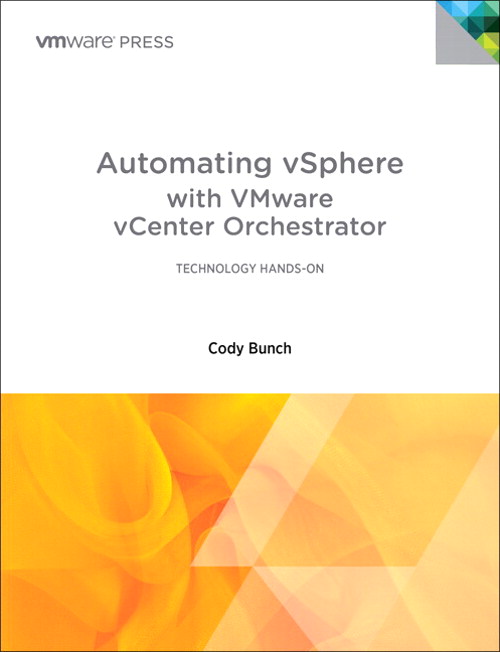
Automating vSphere with VMware vCenter Orchestrator – Review

I’ll be honest.  Orchestration, to me, is something a conductor does with the Philharmonic.  I keep hearing the word thrown around in virtualization and cloud discussions but I’m never quite sure what it means.  I know it has something to do with automating processes and such but beyond that I can’t give a detailed description of what is involved from a technical perspective.  Luckily, thanks to VMware Press and Cody Bunch (@cody_bunch) I don’t have to be uneducated any longer:

One of the first books from VMware Press, Automating vSphere with VMware vCenter Orchestrator (I’m going to abbreviate to Automating vSphere) is a fine example of the type of reference material that is needed to help sort through some of the more esoteric concepts surrounding virtualization and cloud computing today.  As I started reading through the introduction, I knew immediately that I was going to enjoy this book immensely due to the humor and light tone.  It’s very easy to write a virtualization encyclopedia.  It’s another thing to make it readable.  Thankfully, Cody Bunch has turned what could have otherwise been a very dry read into a great reference book filled with Star Trek references and Monty Python humor.

Coming in at just over 200 pages with some additional appendices, this book once again qualifies as “pound cake reading”, in that you need to take your time and understand that length isn’t the important part, as the content is very filling.  The author starts off by assuming I know nothing about orchestration and filling me in on the basics behind why vCenter Orchestrator (vCO) is so useful to overworked server/virtualization admins.  The opening chapter makes a very good case for the use of orchestration even in smaller environments due to the consistency of application and scalability potential should the virtualization needs of a company begin to increase rapidly.  I’ve seen this myself many times in smaller customers.  Once the restriction of one server to one operating system is removed, virtualized servers soon begin to multiply very quickly.  With vCO, managing and automating the creation and curation of these servers is effortless.  Provided you aren’t afraid to get your hands dirty.  The rest of Part I of the book covers the installation and configuration of vCO, including scenarios where you want to split the components apart to increase performance and scalability.

Part II delves into the nuts and bolts of how vCO works.  Lots of discussions about workflows that have containers that perform operations.  When presented like this, vCO doesn’t look quite as daunting to an orchestration rookie.  It’s important to help the new people understand that there really isn’t a lot of magic in the individual parts of vCO.  The key, just like a real orchestra, is bringing them together to create something greater than the sum of its parts.  The real jewel of the book to me was Part III, as case study with a fictional retail company.  Case studies are always a good way to ground readers in the reality and application of nebulous concepts.  Thankfully, the Amazing Smoothie company is doing many of the things I would find myself doing for my customers on a regular basis. I enjoyed watching the workflows and Javascript come together to automate menial tasks like consolidating snapshots or retiring virtual machines.  I’m pretty sure that I’m going to find myself dog-earing many of the pages in this section in the future as I learn to apply all the nuggets contained within to real life scenarios for my own environment as well as that of my customers.

If you’d like to grab this book, you can pick it up at the VMware Press site or on Amazon.


Tom’s Take

I’m very impressed with the caliber of writing I’m seeing out of VMware Press in this initial offering.  I’m not one for reading dry documentation or recitation of facts and figures.  By engaging writers like Cody Bunch, VMware Press has made it enjoyable to learn about new concepts while at the same time giving me insight into products I never new I needed.  If you are a virtualization admin that manages more than two or three servers, I highly recommend you take a peak at this book.  The software it discusses doesn’t cost you anything to try, but the sheer complexity of trying to configure it yourself could cause you to give up on vCO without a real appraisal of its capabilities.  Thanks to VMware Press and Cody Bunch, the amount of time and effort you save from buying this book will easily be offset by gains in productivity down the road.

Book Review Disclaimer

A review copy of Automating vSphere with VMware vCenter Orchestrator was provided to me by VMware Press.  VMware Press did not ask me to review this book as a condition of providing the copy.  VMware Press did not ask for nor were they promised any consideration in the writing of this review.  The thoughts and opinions expressed herein are mine and mine alone.

Cisco ASA CX – Next Generation Firewall? Or Star Trek: Enterprise Firewall?

There’s been a lot of talk recently about the coming of the “next generation” firewall.  A simple firewall is nothing more than a high-speed packet filter.  You match on criteria such as access list or protocol type and then decide what to do with the packet from there.  It’s so simple in fact that you can setup a firewall on a Cisco router like Jeremy Stretch has done.  However, the days of the packet filtering firewall are quickly coming to an end.  Newer firewalls must have the intelligence to identify traffic not by IP address or port number.  In today’s network world, almost all applications tunnel themselves over HTTP, either due to their nature as web-based apps or the fact that they take advantage of port 80 being open through almost every firewall.  The key to being able to identify malicious or non-desired traffic attempting to use HTTP as a “common carrier” is to inspect the packet at a deeper level than just port number.  Of course, many of the firewalls that I’ve looked at in the past that claim to do deep packet inspection either did a very bad job of it or did such a great job inspecting that the aggregate throughput of the firewall dropped to the point of being useless.  How do we balance the need to look more closely at the packet with the desire to not have it slow our network to the point of tears?

Cisco has spent a lot of time and money on the ASA line of firewalls.  I’ve installed quite a few of them myself and they are pretty decent when it comes to high speed packet filtering.  However, my customers are now asking for the deeper packet inspection that Cisco hasn’t yet been able to provide.  Next-Gen vendors like Palo Alto and Sonicwall (now a part of Dell) have been playing up their additional capabilities to beat the ASA head-on in competitions where blocking outbound NetBIOS-over-TCP is less important than keeping people off of Farmville.  To answer the challenge, Cisco recently announced the CX addition to the ASA family.  While I haven’t yet had a chance to fire one of these things up, I thought I’d take a moment to talk about it and aggregate some questions and answers about the specs and capabilities.

The ASA CX is a Security Services Processor (SSP) module that today runs on the ASA 5585-X model.  It’s a beastly server-type device that has 12GB or 24GB or RAM, 600GB of RAID-1 disk space and 8GB of flash storage.  The lower-end model can take up to 2Gbps throughput and the bigger brother can handle 5Gbps.  It scans over 1000 applications and more than 75,000 “micro” applications to determine whether the user is listening to iTunes in the cloud or watching HD video on Youtube.  The ASA CX also utilizes other products in the Cisco Secure-X portfolio to feed it information.  The Cisco AnyConnect Secure VPN client allows the CX to identify traffic that isn’t HTTP-based, as right now the CX can only identify traffic via HTTP User Agent in the absence of AnyConnect.  In addition, the Cisco Security Intelligence Operation (SIO) Manager can aggregate information from different points on the network to give the admins a much bigger picture of what is going on to prevent things such as zero-day attack outbreaks and malware infections.

One of the nice new features of the ASA CX that’s been pointed out by Greg Ferro is the user interface for the CX module.  Rather than relying on the Java-based ADSM client or forcing users to learn yet another CLI convention, Cisco decided to include a copy of the Cisco Prime Security Manager on-box to manage the CX module.  This is arguably the best way for Cisco to have created an easy way for customers to easily utilize the features of the new CX module.  I’ve recently had a chance to play around with the Identity Services Engine (ISE) and while the UI is very slick and useful, I cried a little when I started using the ADE-OS interface on the CLI.  It’s not the same as the IOS or CUCM CLI that I’m used to, so I spent much of my time figuring out how to do things I’ve already learned to do twice before.  Instead, with the CX Prime Security Manager interface, Cisco has allowed me to take a UI that I’m already comfortable with and apply it to the new features in the firewall module.  In addition, I can forego the use of the on-box Prime instance and instead register the CX to an existing Prime installation for a single point of management for all my security needs.  I’m sure that the firewall itself still needs to use ASDM for configuration and that the Prime instance is only for the CX module but this is still a step in the right direction.

There are some downsides to the CX right now.  That’s to be expected in any 1.0-type launch.  Firstly, you need an ASA 5585-X to run the thing.  That’s a pretty hefty firewall.  It’s an expensive one too.  It makes sense that Cisco will want to ensure that the product works well on the best box it has before trying to pare down the module to run effectively on the lower ASA-X series firewall.  Still, I highly doubt Cisco will ever port this module to run on the plain ASA series.  So if you want to do Next-Gen firewalling, you’re going to need to break out the forklift no matter what.  In the 1.0 CX release, there’s also no support for IPS, non-web based application identification without AnyConnect, or SSH decryption (although it can do SSL/TLS decryption on the fly).  It also doesn’t currently integrate with ISE for posture assessment and identity enforcement.  That’s going to be critical in the future to allow full integration with the rest of Secure-X.

If you’d like to learn more at the new ASA CX, check out the pages on Cisco’s website.  There’s also an excellent Youtube walkthrough:


Tom’s Take

Cisco has needed a Next-Gen firewall for quite a while.  When the flagship of your fleet looks like the Stargazer instead of the Enterprise-D, it’s time for a serious upgrade.  I know that there have been some challenges in Cisco’s security division as of late, but I hope that they’ve been sorted out and the can start moving down the road.  At the same time, I’ve got horrible memories of the last time Cisco tried to extend the Unified Threat Management (UTM) profile of the ASA with the Content Security and Control (CSC) module.  That outsourced piece of lovely was a source of constant headache for the one or two customers that had it.  On top of it all, everything inside was licensed from Trend Micro.  That meant that you had to pay them a fee every year on top of the maintenance you were paying to Cisco!  Hopefully by building the CX module with Cisco technologies such as Network-Based Application Recognition (NBAR) version 2, Cisco can avoid having the new shiny part of it’s family being panned by the real firewall people out there and languish year-to-year before finally being put out of it’s misery, much like the CSC module or Star Trek: Enterprise.  I’m sure that’s why they decided to call the new module the CX and not the NX.  No sense cursing it out of the gate.

Minimizing MacGyver

I’m sure at this point everyone is familiar with (Angus) MacGyver.  David Lee Zlotoff created a character expertly played by Richard Dean Anderson that has become beloved by geeks and nerds the world over.  This mulletted genius was able to solve any problem with a simple application of science and whatever materials he had on hand.  Mac used his brains before his brawn and always before resorting to violence of any kind.  He’s a hero to anyone that has ever had to fix an impossible problem with nothing.  My cell phone ringtone is the Season One theme song to the TV show.  It’s been that way ever since I fixed a fiber-to-Ethernet media converter with a paper clip.  So it is with great reluctance that I must insist that it’s time network rock stars move on from my dear friend MacGyver.

Don’t get me wrong.  There’s something satisfying about fixing a routing loop with a deceptively simple access list.  The elegance of connecting two switches back-to-back with a fiber patch cable that has been rigged between three different SC-to-ST connectors is equally impressive.  However, these are simply parlor tricks.  Last ditch efforts of our stubborn engineer-ish brains to refuse to accept failure at any cost.  I can honestly admit that I’ve been known to say out loud, “I will not allow this project to fail because of a missing patch cable!”.  My reflexes kick in, and before I know it I’m working on a switch connected to the rest of the network by a strange combination of bailing wire and dental floss.  But what has this gained me in the end?

Anyone that has worked in IT knows the pain of doing a project with inadequate resources or insufficient time.  It seems to be a trademark of our profession.  We seem like miracle workers because we can do the impossible from less than nothing.  Honestly though, how many times have we put ourselves into these positions because of hubris or short-sightedness?  How many times have we equivocated to ourselves that a layer 2 switch will work in this design?  Or that a firewall will be more than capable of handling the load we place on it even if we find out later that the traffic is more than triple the original design?  Why do we subject ourselves to these kinds of tribulations knowing that we’ll be unhappy unless we can use chewing gum and duct tape to save the day?

Many times, all it takes is a little planning up front to save the day.  Even MacGyver does it. I always wondered why he carried a roll of duct tape wherever he went.  The MacGyver Super Bowl Commercial from 2009 even lampooned his need for proper preparation.  I can’t tell you the number of times I’ve added an extra SFP module or fiber patch cable knowing that I would need it when I arrived on site.  These extra steps have saved me headaches and embarrassment.  And it is this prior proper planning that network engine…rock stars must rely on in order to do our jobs to the fullest possible extent.  We must move away from the bailing wire and embrace the bill of materials.  No longer should we carry extra patch cables.  Instead we should remember to place them in the packages before they ship.  Taking things for granted will end in heartache and despair.  And force us to rely less on our brains and more on our reflexes.

Being a Network MacGyver makes me gleam with pride because I’ve done the impossible.  Never putting myself in the position to be MacGyver makes me even more pleased because I don’t have to break out the duct tape.  It means that I’ve done all my thinking up front.  I’m content because my project should just fall into place without hiccups.  The best projects don’t need MacGyver.  They just need a good plan.  I hope that all of you out there will join me in leaving dear Angus behind and instead following a good plan from the start.  We only make ourselves look like miracle workers when we’ve put ourselves in the position to need a miracle.  Instead, we should dedicate ourselves to doing the job right before we even get started.

Janetter – The Twitter Client That Tweetdeck Needs To Be

Once I became a regular Twitter user, I abandoned the web interface and instead started using a client.  For a long while, the de facto client for Windows was Tweetdeck.  The ability to manage lists and segregate users into classifications was very useful for those that follow a very eclectic group of Twitterers.  Also very useful to me was the multiple column layout, which allowed me to keep track of my timeline, mentions, and hashtag searches.  This last feature was the most attractive to me when attending Tech Field Day events, as I tend to monitor the event hashtag closely for questions and comments.  So it was that I became a regular user of Tweetdeck.  It was the only reason I installed Adobe Air on my desktop and laptop.  It was the first application I launched in the morning and the last I closed at night.

That was before the dark times.  Before…Twitter.

Last May, Twitter purchased Tweetdeck for about $40 million.  I was quite excited at first.  The last time this happened, Twitter turned the Tweetie client for iPhone and Mac into the official client for those platforms.  I liked the interface in the iPhone and hoped that Twitter would pour some development into Tweetdeck and turn it into the official cross-platform client for power users.  Twitter took their time consolidating the development team and updating Tweetdeck as they saw fit.  About six months later, Twitter released Tweetdeck 1.0, and increase from Tweetdeck’s last version of 0.38.2.  Gone was the dependency on Adobe Air, instead using HTML5.  That was probably the only good thing about it.  The interface was rearranged.  Pieces of critical information, like date and time of tweets was gone.  The interface defaulted to using “real” names instead of Twitter handles.  The multiple column layout was broken.  All in all, it took me about a day to delete the 1.0 app from my computer and go back to the version 0.38 Air app.  I’d rather have an old client that works than a newer broken client.

As the weeks passed, I realized that Tweetdeck Air was having a few issues.  People would randomly be unfollowed.  Tweets would have issues being posted.  Plus, I knew that I would eventually be forced to upgrade if Twitter released a killer new feature.  I wanted a new client but I wanted it to be like the old Tweetdeck.  I was about to give up hope when Matthew Norwood (@MatthewNorwood) mentioned that he’d been using a new client.  Behold – Janetter:

It even looks like the old Tweetdeck!  It uses the Chromium rendering engine (Webkit on Mac) to display tweets.  This also means that the interface is fully skinnable with HTML5 and CSS.  Support for multiple accounts, multiple columns, lists, and filtering/muting make it just as useful as the old Tweetdeck.  Throw in in-line image previews and the ability to translate highlighted phrases and you see that there’s a lot here to utilize.  I started using it as my Windows client full time and I use the Mac version when I need to monitor hashtags.  I find it very easy to navigate and use.

That’s not to say there aren’t a couple of caveats.  Keeping up with a large volume of tweets can be cumbersome if you step away from the keyboard.  The auto scrolling is a bit buggy sometimes.  As well, sometimes I get random tweets that were read being marked as unread.  The default user interface is a bit of a trainwreck (I recommend the Deep Sea theme).  Despite these little issues, I find Janetter to be a great replacement overall for the Client Formerly Known As Tweetdeck for those of you that miss the old version but can’t bring yourself to install what Twitter released a very “1.0 product”.  Perhaps with a little time and some proper feedback, Twitter will remake their version of Tweetdeck into what it used to be with some polish and new features.

Head over to http://janetter.net to see more features or download a copy for your particular flavor of operating system.  You can also download Janetter through the Mac App Store.

Is Dell The New HP? Or The Old IBM?

Dell announced it’s intention today to acquire Sonicwall, a well-respected firewall vendor.  This is just a latest in a long line of fairly recent buys for Dell, including AppAssure, Force10, and Compellent.  There’s been a lot of speculation about the reasons behind the recent flurry of purchases coming out of Austin, TX.  I agree with the majority of what I’m hearing, but I thought I’d point out a few things that I think make a lot of sense and might give us a glimpse into where Dell might be headed next.

Dell is a wonderful supply chain company.  I’ve heard them compared to Walmart and the US military in the same breath when discussing efficiency of logistic management.  Dell has the capability of putting a box of something on your doorstep within days of ordering.  It just so happens that they make computer stuff.  For years, Dell seemed to be content to partner with companies to utilize their supply chain to deliver other people’s stuff.  After a while, Dell decided to start making that stuff for themselves and cut out the middle man.  This is why you see things like Dell printers and switches.  It didn’t take long for Dell to change it’s mind, though.  It made little sense to devote so much R&D to copying other products.  Why not just spend the money on buying those companies outright?  I mean, that’s how HP does it, right?  And so we start the acquisition phase for Dell.  Since acquiring Equallogic in 2008, they’ve bought 5 other companies that make everything from enterprise storage to desktop management. They only thing they’ve missed on was acquiring 3PAR, which happened because HP threw a pile of cash at 3PAR to not go to Dell.  I’m sure that was more about denying Dell an enterprise storage vendor than it was using 3PAR to its fullest capabilities.

Dell still has a lot of OEM relationships, though.  Their wireless solution is OEMed from Aruba.  They resell Juniper and Brocade equipment as their J-series and B-series respectively.  However, Dell is trying to move into the data center to fight with HP, Cisco, and IBM.  HP already owns a data center solution top to bottom.  Cisco is currently OEMing their solution with EMC (vBlock).  I think Dell realizes that it’s not only more profitable to own the entire solution in the DC, it’s also safer in the long term.  You either support all your own equipment, or you have to support everyone’s equipment.  And if you try to support someone else’s stuff, you have to be very careful you don’t upset the apple cart.  Case in point: last year many assumed Cisco was on the outs with EMC because they started supporting NetApp and Hyper-V.  If you can’t keep your OEM DC solution partners happy, you don’t have a solution.  From Dell’s perspective, it’s much easier to appease everyone if they’re getting their paychecks from the same HR department.  Dell’s acquisitions of Force10 and, now, Sonicwall seem to support the idea that they want the “one throat to choke” model of solution delivery.  Very strategic.

They only problem that I have with this kind of Innovation by Acquisition strategy is that it only works when upper management is competent and focused.  So long as Michael Dell is running the show in Austin, I’m confident that Dell will make solid choices and bring on companies that complement their strategies.  Where the “buy it” model breaks down is when you bring in someone that runs counter to your core beliefs.  Yes, I’m looking at HP now.  Ask them how they feel about Mark Hurd basically shutting down R&D and spending their war chest on Palm/WebOS.  Ask them if they’re still okay with Leo Apotheker reversing that decision only months later and putting PSG on a chopping block because he needed some cash to buy a software company (Autonomy) because software is all he knows.  If the ship has a good captain, you get where you’re going.  If the cook’s assistant is in charge, you’re just going to steam in circles until you run out of gas.  HP is having real issues right now trying to figure out who they want to be.  A year of second guessing and trajectory reversals (and re-reversals) have left many shell shocked and gun shy, afraid to make any more bold moves until the dust settles.  The same can be said of many other vendors.  In this industry, you’re only as successful as your last failed acquisition.

On the other hand, you also have to keep moving ahead and innovating.  Otherwise the mighty giants get left behind.  Ask IBM how it feels to now be considered an also-ran in the industry.  I can remember not too long ago when IBM was a three-letter combination that commanded power and respect.  After all, as the old saying goes “No one every got fired for buying IBM.”  Today, the same can’t be said.  IBM has divested all of its old power to Lenovo, spinning off the personal systems and small server business to concentrate more on the data center and services division.  It’s made them a much leaner, meaner competitor.  However, it’s also reaved away much of what made them so unstoppable in the past.  People now look to companies like Dell and HP to provide top-to-bottom support for every part of their infrastructure.  I can speak from experience here.  I work for a company founded by an ex-IBMer.  For years we wouldn’t sell anything that didn’t have a Big Blue logo on it.  Today, I can’t tell you the last time I sold something from IBM.  It feels like the industry that IBM built passed them by because they sold off much of who they were trying to be what they wanted.  Now that they are where they want to be, no one recognizes who they were.  They will need to start fighting again to regain their relevance.  Dell would do good to avoid acquiring too much too fast to avoid a similar fate.  Once you grow too large, you have to start shedding things to stay agile.  That’s when you start losing your identity.


Tom’s Take

So far, reaction to the Sonicwall purchase has been overwhelmingly positive.  It sets the stage for Dell to begin to compete with the Big Boys of Networking across their product lines.  It also more or less completes Dell’s product line by bringing everything they need in-house.  They only major piece they are still missing is wireless.  They OEM from Aruba today, but if they want to seriously compete they’ll need to acquire a wireless company sooner rather than later.  Aruba is the logical target, but are they too big to swallow so soon after Sonicwall?  And what of their new switching line?  No sense trampling on PowerConnect or Force10.  That leaves other smaller vendors like Aerohive or Meraki.  Either one might be a good fit for Dell.  But that’s a blog post for another day.  For right now, Dell needs to spend time making the transition with Sonicwall as smooth as possible.  That way, they can just be Dell.  Not the New HP.  And not the Old IBM.

DST Configuration – Just In the Nick of Time

Today is the dreaded day in the US (and other places) when we must sacrifice an hour of our precious time to the sun deity so that he might rise again in the morning.  While this is great for being outdoors and enjoying the sunshine all the way into the late evening hours, it does wreak havoc on our networking equipment that relies on precise timing to let us know when a core dump happened or when that last PRI call came in when running debug isdn q931.  However, getting the right time running on our devices can be a challenge.  In this post, I will cover configuring Daylight Savings Time on Cisco, HP, and Juniper network equipment for the most pervasive OS deployments.  Note that some configurations are more complicated than others.  Also, I will be using Central Time (CST/CDT) for my examples, which is GMT -6 (-5 in DST).  Adjust as necessary for your neck of the woods.  I’m also going to assume that you’ve configured NTP/SNTP on your devices.  If not, read my blog post about it and go do that first.  Don’t worry, I’ll still be here when you get back.  I have free time.

Cisco

I’ve covered the basics of setting DST config on Cisco IOS before, but I’ll put it here for the sake of completeness.  In IOS (and IOS XR), you must first set the time zone for your device:

R1(config)# clock timezone <name> <GMT offset>
R1(config)# clock timezone CST -6

Easy, right?  Now for the fun part.  Cisco has always required manual configuration of DST on their IOS devices.  This is likely due to them being shipped all around the world and various countries observing DST (or not) and even different regions observing it differently.  At any rate, you must the clock summer-time command to configure your IOS clock to jump when needed.  Note that in the US, DST begins at 2:00 a.m. local time on the second Sunday in March and ends a 2:00 a.m. local time on the first Sunday in November.  That will help you decode this code string:

R1(config)# clock summer-time <name> recurring <week number start> <day> <month> <time to start> <week number end> <day> <month> <time to end>
R1(config)# clock summer-time CDT recurring 2 Sun Mar 2:00 1 Sun Nov 2:00

Now your clock will jump when necessary on the correct day.  Note that this was a really handy configuration requirement to have in 2007, when the US government decided to change DST from the previous requirement of the first Sunday in April at the start and the last Sunday in October to end.  With Cisco, manual reconfiguration was required, but no OS updates were needed.

HP (Procurve/E-Series and H3C/A-Series)

As near as I can tell, all HP Networking devices derive their DST settings from the OS.  That’s great…unless you’re working on an old device or one that hasn’t been updated since the last presidential administration.  It turns out that many old HP Procurve network devices still have the pre-2007 US DST rules hard-coded in the OS.  In order to fix them, you’re going to need to plug in a config change:

ProCurve(config)# time daylight-time-rule user-defined begin-date 3/8 end-date 11/1

I know what you’re thinking.  Isn’t that going to be a pain to change every year if the dates are hard-coded?  Turns out the HP guys were ahead of us on that one too.  The system is smart enough to know that DST always happens on a Sunday.  By configuring the rule to occur on March 8th (the earliest possible second Sunday in March) and November 1st (the earliest possible first Sunday in November), the system will wait until the Sunday that matches or follows that date to enact the DST for the device.  Hooray for logic!  Note that if you upgrade the OS of your device to a release that supports the correct post-2007 DST configuration, you won’t need to remove the above configuration.  It will work correctly.

Juniper

Juniper configures DST based on the information found in the IANA Timezone Database, often just called tz.  First, you want to get your device configured for NTP.  I’m going to refer you to Rich Lowton’s excellent blog post about that.  After you’ve configured your timezone in Junos, the system will automatically correct your local clock to reflect DST when appropriate.  Very handy, and it makes sense when you consider that Junos is based heavily on BSD for basic OS operation.  One thing that did give me pause about this has nothing to do with Junos itself, but with the fact that there have been issues with the tz database, even as late as last October.  Thankfully, that little petty lawsuit was sidestepped thanks to the IANA taking control of the tz database.  Should you find yourself in need of making major changes to the Junos tz database without the need to do a complete system update, check out these handy instructions for setting a custom timezone over at Juniper’s website.  Just don’t be afraid to get your hands dirty with some BSD commands.


Tom’s Take

Daylight Savings Time is one of my least favorite things.  I can’t see the advantage of having that extra hour of daylight to push the sunlight well past bedtime for my kids.  Likewise, I think waking up to sunrise is overrated.  As a networking professional, DST changes give me heartburn even when everything runs correctly.  And I’m not even going to bring up the issues with phone systems like CallManager 4.x and the “never going to be patched” DST issues with Windows 2000.  Or the Java issues with 79xx phones that still creep up to this day and make DST and confusing couple of weeks for those that won’t upgrade technology. Or even the bugs in the iPhone with DST that cause clocks to spring the wrong way or alarms to fail to fire at the proper time.  In the end though, network enginee…rock stars are required to pull out our magical bags and make everything “just work”.  Thanks to some foresight by major networking vendors, it’s fairly easy to figure out DST changes and have them applied automagically.  It’s also easy to change things when someone decides they want their kids to have an extra hour of daylight to go trick-or-treating at Halloween (I really wish I was kidding).  If you make sure you’ve taken care of everything ahead of time, you won’t have to worry about losing more than just one hour of sleep on the second Sunday in March.

Cisco CoLaboratory – Any Questions? Any Answers?

Cisco has recently announced the details of their CoLaboratory program for the CCNP certification.  This program is focused on those out there certified as CCNPs with a couple of years of job experience that want to help shape the future of the CCNP certification.  You get to spend eight weeks helping develop a subset of exam questions that may find their way into the question pool for the various CCNP or CCDx tests.  And you’re rewarded for all your hard work with a one-year extension to your current CCNP/CCDx certification.

I got a chance to participate in the CCNA CoLab program a couple of years ago.  I thought it would be pretty easy, right?  I mean, I’ve taken the test.  I know the content forwards and backwards.  How hard could it be to write questions for the test?  Really Hard.  Turns out that there are a lot of things that go into writing a good test question.  Things I never even thought of.  Like ensuring that the candidate doesn’t have a good chance of guessing the answer.  Or getting rid of “all of the above” as an answer choice.  Turns out that most of the time “all of the above” is the choice, it’s the most often picked answer.  Same for “none of the above”.  I spent my eight weeks not only writing good, challenging questions for aspiring network rock stars, but I got a crash course in why the Cisco tests look and read the way they do.  I found a new respect for those people that spend all their time trying to capture the essence of very dry reading material in just a few words and maybe a diagram.

I also found that I’ve become more critical of shoddy test writing.  Not just all/none of the above type stuff either.  How about questions that ask for 3 correct answers and there are only four choices?  There’s a good chance I’ll get that one right even just guessing.  Or one of my favorite questions to make fun of: “Each answer represents a part of the solution.  Choose all correct steps that apply.”  Those questions are not only easy to boil down to quick binary choices, but I hate that often there is one answer that sticks out so plainly that you know it must be the right answer.  Then there’s the old multiple choice standby: when all else fails, pick the longest answer.  I can’t tell you how much time I spent on my question submissions writing “good” bad answers.  There’s a whole methodology that I never knew anything about.  And making sure the longest answer isn’t the right one every time is a lot harder than you might think.

Tom’s Take

In the end, I loved my participation in the Cisco CoLaboratory program.  It gave me a chance to see tests from the other side of the curtain and learn how to better word questions and answers to extract the maximum amount of knowledge from candidates.  If you are at all interested in certifications, or if you’ve ever sat in a certification test and said to yourself, “This question is stupid!  I could write a better question than this.”, you should head over to the Cisco CoLaboratory page and sign up to participate.  That way you get to come up with good questions.  And hopefully better answers.

CCIE Data Center – The Waiting Is The Hardest Part

By now, you’ve probably read the posts from Jeff Fry and Tony Bourke letting the cat out of the CCIE bag for the oft-rumored CCIE Data Center (DC) certification.  As was the case last year, a PDF posted to the Cisco Live Virtual website spoiled all the speculation.  Contained within the slide deck for BRKCRT-1612 Evolution of Data Centre Certification and Training is a wealth of confirmation starting around slide 18.  It spells out in bold letters the CCIE DC 1.0 program.  It seems to be focused around three major technology pillars: Unified Computing, Unified Fabric, and Unified Network Services.  As people who have read my blog since last year have probably surmised, this wasn’t really a surprise to me after Cisco Live 2011.

As I surmised eight months ago, it encompasses the Nexus product line top to bottom, with the 7009, 5548, 2232, and 1000v switches all being represented.  Also included just for you storage folks is a 9222i MDS SAN switch.  There’s even a Catalyst 3750 thrown in for good measure.  Maybe they’re using it to fill an air gap in the rack or something.  From the UCS server side of the house, you’ll likely get to see a UCS 6248 fabric interconnect and a 5148 blade chassis.  And because no CCIE lab would exist without a head scratcher on the blueprint there is also an ACE 4710 module.  I’m sure that this has to do with the requirement that almost every data center needs some kind of load balancer or application delivery controller.  As I mentioned before and Tony mentioned in his blog post, don’t be surprised to see an ACE GSS module in there as well.  Might be worth a two point question.

Is the CCIE SAN Dead?

If you’re currently studying for your SAN CCIE, don’t give up just yet.  While there hasn’t been any official announcement just yet, that also doesn’t mean the SAN program is being retired any time soon.  There will be more than enough time for you SAN jockeys to finish up this CCIE just in time to start studying for a new one.  If you figure that the announcement will be made by Cisco Live Melbourne near the end of March, it will likely be three months for the written beta.  That puts the wide release of the written exam at Cisco Live San Diego in June.  The lab will be in beta from that point forward, so it will be the tail end of the year before the first non-guinea pigs are sitting the CCIE DC lab.  Since you SAN folks are buried in your own track right now, keep heading down that path.  I’m sure that all the SAN-OS configs and FCoE experience will serve you well on the new exam, as UCS relies heavily on storage networking.  In fact, I wouldn’t be surprised to see some sort of bridge program run concurrently with the CCIE SAN / CCIE DC candidates for the first 6-8 months where SAN CCIEs can sit the DC lab as an opportunity and incentive to upgrade.  After all, the first DC CCIEs are likely to be SAN folks anyway.  Why not try to certify all you can?

Expect the formal announcement of the program to happen sometime between March 6th and March 20th.  It will likely come with a few new additions to the UCS line and be promoted as a way to prove to the world that Cisco is very serious about servers now.  Shortly after that, expect an announcement for signups for the beta written exam.  I’d bank on 150-200 questions of all kinds, from FCoE to UCS Manager.  It’ll take some time to get all those graded, so while you’re waiting to see if you’ve hit the cut score, head over to the Data Center Supplemental Learning page and start refreshing things.  Maybe you’ll have a chance to head to San Jose and sit in my favorite building on Tasman Drive to try and break a brand new lab.  Then, you’ll just be waiting for your score report.  That’s the hardest part.

Partly Cloudy – A Hallmark Presentation

One of the joys of working for an education-focused VAR is that I get to give technical presentations.  More often than not, I try to get a presentation slot at the Oklahoma Technology Association annual conference.  I did one last year over IPv6 to a packed house…of six people.  This year, I jumped at the chance to grab a slot and talk about something new and different.

The Cloud.

Yes, I figured it was about time to teach the people in education about some of the basics behind cloud.  When the call for presentations came out, I registered almost immediately.  This year, I had 12 months worth of analysis and experience at Tech Field Day to drive me in my presentation preparations.  The first think I knew I needed to do was come up with a catchy title.  People get numbed to the descriptive, SEO-friendly titles that get put on conference agendas.  As you can tell from the titles of my blog posts, I want something that’s going to pop.  I decided to sort of theme my presentation after a weather report.   Therefore, calling it “Partly Cloudy” seemed like a no-brainer.  I added “Forecast For Your Technology Future” as a subtitle to ensure that people didn’t think I was talking strictly about meteorology.  I spent a bit of time laying out slides and putting some thoughts down.  I hate when people read their bullet points from a slide deck, so I use mine more as discussion points.  They serve as a way to keep me on track and help focus me on what I want to say to my audience.  I also decided to do something fun for the audience.  I shamelessly stole this idea from Cisco Press author Tim Szigeti.  Tim wrote a very good guide to QoS and when he gives a presentation at Cisco Live, he gives away a copy of said book to the first person to ask a question during his presentation.  I loved the idea and wanted to do something similar.  However, I’m not an author.  I wracked my brain trying to come up with a good idea.  That was where I came up with the idea of using an umbrella as a prop.  You’ll see why in just a minute.

When I got to the room to do my presentation, I was astonished.  There were almost 90 people in the audience!  I got a little jittery from realizing how many people were there, especially the ones I didn’t know.  I got everything setup and started my video camera so I could go back after the fact and not only post about it on my blog, but have a reference for what I did right and what I could have done better.  Here’s me:

If you’d like to follow along with my slide deck, you can download the PDF HERE.

Compared to last year, I desperately wanted to avoid using the word “so” as much as I did.  I practiced a lot to try and leave it out as a pause word or a joining word.  If you’ve ever talked to me in real life, you can understand how hard that is for me.  Unfortunately, I think I jumped on the word “hallmark” and used it a little more than I should.  Not sure why I did that to be honest.  But as far as things go, it could have been much worse.  One thing that did unnerve me a little was the fact that people started walking out of my presentation about about ten minutes.  Having left a few presentations early in my lifetime, I started thinking in the back of my mind what could be causing people to leave.  Was I boring?  Was the subject matter too elementary?  Did people just hate the sound of my voice?  All in all, about twenty people left before the end, although to be honest if my company hadn’t been giving away a gift card, it might have been higher than that.  I caught up with several of the early departures during the conference and asked them why they decided to bail.  Their response was almost universal and caught me a little off guard – “You were just talking way over our heads.”  I had never even considered that approach.  I’d spent so much time making sure my content touched on many areas of the cloud that I forgot most of my audience doesn’t talk to Christofer Hoff (@Beaker) about cloud regularly.  My audience consisted of people that found out about cloud technology from a Microsoft commercial or on their new iPhone.  These people don’t care about instantiation of vCloud Director instances or vApp deployments.  They’re still amazed they can put a contact on their iPhone and have it show up on their iPad.  That was my failing.  I never want to be the guy that talks down to an audience.  In this case, however, I think I needed to take a step back and ensure my audience was on the same ground I was on when it came to talking about the cloud.  Lesson learned.

There were a number of other little things that bugged me.  I didn’t like standing behind a lectern since I’m usually an animated presenter.  However, the room design forced me to have a microphone.  I was forced to insert a couple of things into my slides.  I’ll let you guess where those were.  Overall though, I was complimented by several audience members and I had lots of people come up to me afterwards and ask me questions about cloud-based software and virtualization.  I think I’m going to do another one of these at the Fall OTA conference focused on something like virtual desktop infrastructure.  This time I’ll have demos.  And fewer weather-related jokes.

Feedback from my readers is always welcome.  I value each opinion about my presentation and I always strive to get better at them.  I doubt I’ll ever be the most effective public speaker out there, but I want to avoid boring most people to death.