Keep It In The Family

kids-fighting

I have a brother.  We act like brothers.  We argue and fight with each other fairly often.  We get along in our own way.  One thing we do *not* tolerate is anyone else picking on us. We’ve been known to have a disagreement, but when someone comes up and starts something, we will put aside our disagreement and band together to fight against whoever thought it was a good idea to mess with either one of us.  That’s what brothers do.  Right or wrong, you back your brother.

The Work Family

Managers aren’t all that different from family.  We spend a lot of our lives working in proximity with managers.  The middle of the road types are like family members we tolerate.  Those that aren’t so good tend to be like family members we don’t really get along with at all.  There are some that end up being just like a close family member, like a brother or sister.  It doesn’t mean that the relationship isn’t still managerial.  What makes it key is what happens when someone comes down on you.

My last manager was a great person.  He was calm and thoughtful.  He saw every side of a problem and did what was right.  Those qualities make him great to work for.  But to transcend above that, you have to do something to set yourself apart.  For me, it was the way he corrected behavior.

He tended to give what I like to call “Do Better” talks.  He never yelled.  He never got upset.  In fact, all he usually said was, “I’m disappointed.”  For guys like me, disappointment is ten times worse than getting yelled at.  After chats like that, we agreed to not do whatever it was again and move on.  That’s the essence of a Do Better talk.  No blame, just do better next time.

Backing Your Family

Where he shined was what happened when the other managers came hunting for heads.  You’ve seen this all the time.  Someone screws up and the issue is dealt with.  However, some higher manager feels the need to exert control do they find the person responsible for the issue and give them a dressing down for it.  That doesn’t really serve to correct the behavior.  It’s more about dominance.

Weak willed middle managers will sit back and let the higher manager have their way with employees.  That doesn’t foster a supportive atmosphere.  If you’re never sure who is going to come head hunting, it doesn’t make you want to admit failure.  Which means the issues never get corrected, just covered up.

My old manager was different.  Whenever I screwed up and someone at the top of the food chain came looking for me I never had to worry.  The same man that would call me on the carpet for making mistakes would turn right around and defend me to those that came looking to chew me out again.  In his eyes, he’d dealt with the problem.  Picking on me served no purpose.  Just like my brother, he’d take up arms with me to defend our “family” against others.  It didn’t take long for everyone to learn that my manager dealt with things his way.  And there was no point to trying to deal with his employees against him.

Managers that are willing to defend you right after chewing you out are a special breed.  Those are the kind of folks that employees will walk across broken glass to work for.  It’s not for everyone, though.  Standing up to the heat to defend someone that did something wrong is never easy.  Especially if the higher manager is upset and emotional.  The key is to trust in your instincts as a manager and believe that dealing with the situation your way is the right way.  Having someone come in and undermine you management skills makes you look ineffective.  It’s better to weather the storm of yelling from one person than to lose the respect of everyone in your department.

Treating your employees like family doesn’t mean you can’t be their manager.  You can still  be in charge and have a good relationship with them.  You can win their respect time and time again by backing them even after you’d had to correct them.  When they see you standing up for them against all comers, they’ll have someone they can believe in.  And they’ll be as close to you as any family member.


If you’d like to see more thoughts about management and some great career advice, be sure to check out The Tech Interview.  It’s a great site with great articles and run by awesome people.  Take it to heart and you’ll go far in this world.

Why Do We Tolerate Bad Wireless?

HotelSpeedConnection

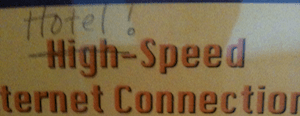
If there is one black eye on the hospitality industry, it has to be wireless.  I don’t think I’ve ever talked to anyone that is truly happy with the wireless connectivity they found in a hotel.  The above picture from an unnamed hotel in Silicon Valley just serves to underscore that point.  When I was on a recent speaking trip in New England, I even commented about the best hotel wireless I’d ever seen:

Granted, that was due to a secluded hotel on MIT‘s university network, but the fact remains that this shouldn’t be the exception.  This should be the rule.

Thanks to advances in mobile technology like LTE, we have a new benchmark for what a mobile device is capable of producing.  My LTE tablet and phone outrun my home cable connection.  That’s fine for browsing on a picture frame.  However, when it’s time to get real work done I still need to fire up my laptop.  And since there isn’t an integrated LTE/4G hotspot in my MacBook, I have to rely on wireless.

Wireless access has gone from being a kitschy offering at specialized places to being an everpresent part of our daily lives.  When I find myself in need of working outside the office, I can think of at least five different local establishments that offer me free wireless access.  Signing up for mobile hotspot services easily doubles that number.  There are very few places that I go any more that don’t give me the ability to use WiFI.  However, there is a difference between having availability and having “good” availability.

Good Enough Wireless

I would never upload video at a coffee shop or an airport.  The sheer number of folks using the network causes massive latency and throughput issues.  Connections are spotty and it’s not uncommon to see folks throw their hands up in the air because something just randomly stopped working.  However, the most telling statistic is how often we will go back to that same location to use the free wifi again.

Hotels have a captive audience.  You’re there to attend a conference during the day or spend the night.  You are geographically isolated.  You get what you get when it comes to connectivity.  Newer hotel chains that focus on business travelers understand the need for wireless connectivity.  They usually offer it for free with your room.  That’s because they usually have the infrastructure to support wireless coverage from large numbers of guests.  Older hotels that aren’t quite up to snuff or don’t understand why travelers need Internet access usually charge exorbitant fees or bundle the wireless into a “resort” package that gives you a whole bunch of high-margin useless services to get what you want.  Sometimes they use those fees to upgrade the infrastructure.  Or they just pocket the money and go on with their day.

Internet In My Pocket

As much as we complain about terrible wireless at hotels, it’s not like we have an alternative.  Wireless hotspot devices, commonly called “MiFis” after the Verizon branding, are popular with real road warriors.  Why hunt for a coffee shop when you can fire up a wireless network in your pocket?  Most current mobile devices even come with hotspot functionality built in.  But the carriers haven’t gotten the message yet.  For every one that allows hotspot usage (Verizon), you have those that don’t believe in hotspot and want to gouge you with higher fees or data plan changes to revamp bad mobile data decisions in the past.  Yes, I’m looking right at you AT&T.

Mobile hotspots can fix wireless problems in isolated cases, but loading a hotel full of people on MiFis will inevitably end in disaster.  Each of them uses a portion of the LTE/4G spectrum.  Think about a large gathering where everyone’s mobile phones cause spotty reception.  Not because they are all in use, but because they just happen to be occupying the same space.  Towers get overloaded, backhaul networks slow down, and service suffers for everyone.  If you don’t believe me, try making a phone call at Cisco Live some time.  It’s not pretty.

As long as there are no options for solving the problem, hospitality will go right on offering the same terrible coverage they do now.  As far as they are concerned, wireless is best effort.  Best effort should never be acceptable.  You can fix this problem by going to the front desk and telling them all about it.  No, don’t yell at the desk attendant.  They have zero control over what’s going on.  There’s a better way.

Satisfaction Not Guaranteed

Ask for a satisfaction survey.  Fill it out and be brutally honest when you get to the “Are You Pleased” section.  Those surveys go right up the chain into the chain satisfaction ratings.  If they start getting disgruntled comments about bad wireless coverage, I can promise that some Quality Champion somewhere is going to look into things.  Hotels hate black eyes on their satisfaction ratings.  Bad reviews keep people from staying at a hotel.  If you want to get the wireless fixed, tell them how important it is.  Tell them you’ll stay somewhere else next time because you can accomplish anything.  Voting with your wallet is a sure fire way to make an impact.

Tom’s Take

I remember the old Cingular/AT&T Wireless commercials with the cell phones cutting out during calls.  I laughed and thought about all the times it had happened to me.  It because such a sticking point that every carrier worked to upgrade their network and provide better call quality.  No one would stand for spotty service any more as they began to rely on their mobile phones as their primary communications devices.

Wireless is the same now as cell phones were then.  We need a concerted effort to upgrade the experience for everyone to make it usable for things like Hotspot 2.0, which will offload traffic from LTE to WiFI seemlessly.  We can’t let terrible wireless rule us like spotty cell phone coverage did years ago.  Do everything you can to make wireless useful for everyone.

Your Data Center Isn’t Facebook And That’s Just Fine

FBLike

While at the Software Defined Data Center Symposium, I had the good fortune to moderate a panel focused on application focused networking in the data center. There were some really smart engineers on that panel. One of the most impressive people was Najam Ahmad from Facebook. He is their Director of Technical Operations. He told me some things about Facebook that made me look at what they are doing a in a new light.

Najam said when I asked him about stakeholder perceptions that he felt a little out of sorts on stage because Ivan Pepelnjak (@IOSHints) and David Cheperdak (@DavidCheperdak) had spent the last fifteen minutes talking about virtual networking. Najam said that he didn’t really know what a hypervisor or a vSwitch were because they don’t run them at Facebook. All of their operating systems and servers run directly on bare metal. That shocked me a bit. Najam said that inserting anything in between the server and what its function was added unnecessary overhead. That’s a pretty unique take on things when you look at how many data centers are driving toward full virtualization.

Old Tools, New Uses

Facebook also runs BGP to the top-of-rack (ToR) switches in their environment. That means that they are doing layer 3 all the way to their access layer. What’s funny is that while BGP in the ToR switches provides for scalability and resiliency, they don’t use BGP as their primary protocol when exchanging routes with providers.  For Facebook, BGP at the edge of doesn’t provide enough control over network egress. They take the information that BGP is providing and they crunch it a bit further before adding that all into a controller-based solution that applies business logic and policies to determine the best solution for a given network scenario.

Najam also said that they had used NetFlow for a while to collect data from their servers in order to build a picture of what was going on inside the network. What they found is that the collectors were becoming overwhelmed by the amount of data that they were being hammered with. So instead of installing bigger, faster collectors the Facebook engineers broke the problem apart by putting a small shim program on every server to collect the data and then forward to a system designed to collect data inputs, not just NetFlow inputs. Najam lovingly called their system “FBFlow”.

I thought about this for a while before having a conversation with Colin McNamara (@ColinMcNamara). He told me that this design was a lot more common than I previously thought and that he had implemented it a few times already. At service providers. That’s when things really hit home for me.

Providing Services

Facebook is doing the same things that you do in your data center today. They’re just doing it at a scale that’s one or two orders of magnitude bigger. The basics are all still there: Facebook pushes packets around a network to feed servers and provide applications for consumption by users. What is so different is that the scale at which Facebook does this begins to look less and less like a traditional data center and more and more like a service provider. After all, they *are* providing a service to their users.

I’ve talked before about how Facebook’s Open Compute Project (OCP) switch wasn’t going to be the death knell for traditional networking. Now you see some of that validated in my opinion. Facebook is building hardware to meet their needs because they are a strange hybrid of data center and service provider. Things that we would do successfully in a 500 VM system don’t scale at all for them. Crazy ideas like running exterior gateway routing protocols on ToR switches work just fine for them because of the scale at which they are operating.

Which brings me to the title of the post. People are always holding Facebook and Google in such high regard for what they are doing in their massive data centers. Those same people want to try to emulate that in their own data centers and often find that it just plain doesn’t work.  It’s the same set of protocols.  Why won’t this work for me?

Facebook is solving problems just like a service provider would.  They are building not for continuous uptime, but instead for detectable failures that are quickly recoverable.  If I told you that your data center was going to be down for ten minutes next month you’d probably be worried.  If I told you that those outages were all going to be one minute long and occur ten times, you’d probably be much less worried.  Service providers try to move around failure instead of pouring money into preventing it in the first place.  That’s the whole reasoning behind Facebook’s “Fail Harder” mentality.

Failing Harder means making big mistakes and catching them before they become real problems.  Little issues tend to get glossed over and forgotten about.  Thing about something like Weighted Random Early Detection (WRED).  WRED works because you can drop a few packets from a TCP session and it will keep chugging and request the missing bits.  If you kill the entire connection or blow up a default gateway then you’ve got a real issue.  WRED fixes a problem, global TCP synchronization, by failing quietly once in a while.  And it works.


Tom’s Take

Instead of comparing your data center to Facebook or Google you should be taking a hard look at what you are actually trying to do.  If you are doing Hadoop your data center is going to look radically different than a web services company.  There are lessons you can learn from what the big boys are doing.  Failing harder and using old tools in novel new ways are a good start your own data center analysis and planning.  Just remember that those big data centers aren’t alien environments.  They just have different needs to meet.

Here’s the entire SDDC Symposium Panel with Najam if you’d like to watch it.  He’s got a lot of interesting insights into things besides what I wrote about above.

The Vision Of A ThousandEyes

ThousandEyes_Logo

Scott Adams wrote a blog post once about career advice and whether is was better to be excellent at one thing or good at several things. Basically, being the best at something is fairly hard. There’s always going to be someone smarter or faster than you doing it just a bit better. Many times it’s just as good to be very good at what you do. The magic comes when you take two or three things that are very good and combine them in a way that no one has seen before to make something amazing. The kind of thing that makes people gaze in wonder then immediately start figuring out how to use your thing to be great.

During Networking Field Day 6, ThousandEyes showed the delegates something very similar to what Scott Adams was talking about. ThousandEyes uses tools like Traceroute, Ping, and BGP data aggregation to collect data. These tools aren’t overly special in and of themselves. Ping and Traceroute are built into almost every networking stack. BGP looking glass servers and data analysis have been available publicly for a while and can be leveraged in a tool like BGPMon. All very good tools. What ThousandEyes did was combine them in a way to make them better.

ThousandEyes can show data all along the path of a packet. I can see response times and hop-by-hop trajectory. I can see my data leave one autonomous system (AS) and land in another. Want to know what upstream providers your ISP is using? ThousandEyes can tell you that. All that data can be collected in a cloud dashboard. You can keep tabs on it to know if you service level agreements (SLAs) are being met. Or, you could think outside the box and do something that I found very impressive.

Let’s say you are a popular website that angered someone. Maybe you published an unflattering article. Maybe you cut off a user doing something they should have. Maybe someone out there just has a grudge. With the nuclear options available to most “hackers” today, the distributed denial of service (DDoS) attack seems to be a popular choice. So popular that DDoS mitigation services have sprung up to shoulder the load. The basic idea is that when you determine that you’re being slammed with gigabits of traffic, you just swing the DNS for your website to a service that starts scrubbing away attack traffic and steering legitimate traffic to your site. In theory it should prevent the attackers from taking you offline. But how can you prove it’s working?

ThousandEyes can do just that. In the above video, they show what happened when Bank of America (BoA) was recently knocked offline by a huge DDoS attack. The information showed two of the three DDoS mitigation services were engaged. The third changeover didn’t happen. All that traffic was still being dumped on BoA’s servers. Those BoA boxes couldn’t keep up with what they were seeing, so even the legitimate traffic that was being forwarded on by the mitigation scrubbers got lost in the noise. Now, if ThousandEyes can tell you which mitigation provider failed to engage then that’s a powerful tool to have on your side when you go back to them and tell them to get their act together. And that’s just one example.

I hate calling ISPs to fix circuits because it never seems to be their fault. No matter what I do or who I talk to it never seems to be anything inside the provider network. Instead, it’s up to me to fiddle with knobs and buttons to find the right combination of settings to make my problem go away, especially if it’s packet loss. Now, imagine if you had something like ThousandEyes on your side. Not only could you see the path that your packets are taking through your ISP, you can check latency and see routing loops and suboptimal paths. And, you can take a screenshot of it to forward to the escalation tech during those uncomfortable phone arguments about where the problem lies. No fuss, no muss. Just the information you need to make your case and get the problem fixed.

If you’d like to learn more about ThousandEyes and their monitoring solutions, check out their website at http://www.thousandeyes.com. You can also follow them on Twitter as @ThousandEyes.


Tom’s Take

Vision is a funny thing. Some have it. Some don’t. Having vision can mean many things. It can be someone who assembles tools in a novel way to solve a problem. It can be the ability to collect data and “see” what’s going on in a network path. It can also mean being able to take that approach and use it in a non-obvious way to provide a critical service to application providers that they’ve never had before. Or, as we later found out at Networking Field Day 6 during a presentation with Solarwinds, it can mean having the sense to realize when someone is doing something right, as Joel Dolisy said when asked about ThousandEyes, “Oh, we’ve got our eye on them.” That’s a lot of vision. A ThousandEyes worth.

Special thanks to Ivan Pepelnjak (@IOSHints) for giving me some ideas on this review.

Networking Field Day Disclaimer

While I was not an official delegate at Networking Field Day 6, I did participate in the presentations and discussions. ThousandEyes was a sponsor of Networking Field Day 6. In addition to hosting a presentation in their offices, they provided snacks and drink for the delegates. They also provided a gift bag with a vacuum water bottle, luggage tag, T-shirt, and stickers (which I somehow managed to misplace). At no time did they ask for any consideration in the writing of this review, nor were they offered any. Independence means no restrictions.  The analysis and conclusions contained in this post are mine and mine alone.

Know the Process, Not the Tool

rj45process

If there is one thing that amuses me as of late, it’s the “death of CLI” talk that I’m starting to see coming from many proponents of software defined networking. They like to talk about programmatic APIs and GUI-based provisioning and how everything that network engineers have learned is going to fall by the wayside.  Like this Network World article. I think reports of the death of CLI are a bit exaggerated.

Firstly, the CLI will never go away. I learned this when I stared working with an Aerohive access point I got at Wireless Field Day 2. I already had a HiveManager account provisioned thanks to Devin Akin (@DevinAkin), so all I needed to do was add the device to my account and I would be good to go. Except it never showed up. I could see it on my local network, but it never showed up in the online database. I rebooted and reset several times before flipping the device over and finding a curious port labeled “CONSOLE”. Why would a cloud-based device need a console port. In the next hour, I learned a lot about the way Aerohive APs are provisioned and how there were just some commands that I couldn’t enter in the GUI that helped me narrow down the problem. After fixing a provisioning glitch in HiveManager the next day, I was ready to go. The CLI didn’t fix my problem, but I did learn quite a bit from it.

Basic interfaces give people a great way to see what’s going on under the hood. Given that most folks in networking are from the mold of “take it apart to see why it works” the CLI is great for them. I agree that memorizing a 10-argument command to configure something like route redistribution is a pain in the neck, but that doesn’t come from the difficulty of networking. Instead, the difficulty lies in speaking the language.

I’ve traveled to a foreign country once or twice in my life. I barely have a grasp of the English language at times. I can usually figure out some Spanish. My foreign language skills have pretty much left me at this point. However, when I want to make myself understood to people that speak another language, I don’t focus on syntax. Instead, I focus on ideas. Pointing at an object and making gestures for money usually gets the point across that I want to buy something. Pantomiming a drinking gesture will get me to a restaurant.

Networking is no different. When I started trying to learn CLI terminology for Brocade, Arista, and HP I found they were similar in some respects but very different in others. When you try to take your Cisco CLI skills to a Juniper router, you’ll find that you aren’t even in the neighborhood when it comes to syntax. What becomes important is *what* you’re trying to do. If you can think through what you’re trying to accomplish, there’s usually a help file or a Google search that can pull up the right way to do things.

This extends its way into a GUI/API-driven programming interface as well. Rather than trying to intuit the interface just think about what you want to do instead. If you want two hosts to talk to each other through a low-cost link with basic security you just have to figure out what the drag-and-drop is for that. If you want to force application-specific traffic to transit a host running an intrusion prevention system you already know what you want to do. It’s just a matter of find the right combination of interface programming to accomplish it. If you’re working on an API call using Python or Java you probably have to define the constraints of the system anyway. The hard part is writing the code to interface to accomplish the task.


Tom’s Take

Learning the process is the key to making it in networking. So many entry level folks are worried about *how* to do something. Configuring a route or provisioning a VLAN are the end goal. It’s only when those folks take a step back and think about their task without the commands that they begin to become real engineers. When you can visualize what you want to do without thinking about the commands you need to enter to do it, you are taking the logical step beyond being tied to a platform. Some of the smartest people I know break a task down into component parts and steps. When you spend more time on *what* you are doing and less on *how* you are doing it, you don’t need to concern yourself with radical shifts in networking, whether they be SDN, NFV, or the next big thing. Because the process will never change even if the tools might.

IT Jugglers

Juggle Balls

I once interviewed for a job where the interviewer asked how I decided to work on tasks. He said, “There are two kinds of workers. The first concentrates on a task and does nothing else until it is completed. They can only do one thing at a time. Then, there are the jugglers. Which one are you?” When I responded that I tended toward the latter, the interviewer smiled.  That was obviously the answer he was looking for.

IT is very much defined by focus. Being able to work on a project until it is totally finished is a very admirable quality to be desired. In my experience, especially in the VAR world, it is equally as important to be able to shift your focus quickly to other tasks that require attention. As indicated above, it’s not unlike juggling. Being able to focus on a project for a few hours or days and then move to a different project for a few hours can be a very critical skill for high level engineers.

Technology has been doing this for years. Think about a preemptive multitasking CPU. It appears to be many things at once. It’s really executing instructions for a given process for a period of time (a timeslice). Because you can process enough instructions in that time to accomplish a function it all appears to work like magic. The key is to tune the processor to use the right timeslices. If the timeslice is too long the processor will sit idle waiting for the program to generate new instructions. If the time slice is too short the program won’t be able to execute enough instructions during the window and the program will appear unresponsive. Just like a juggler, it’s all about the timing.

Choosing what to juggle in IT is almost as important as knowing how to do it. When you are just starting out with juggling, you use safe, soft objects to contain the damage. You don’t start off with chainsaws and molotov cocktails. When juggling IT projects, be sure to juggle those that don’t have hard deadlines or require critical path updates on a regular basis. If you’re required to provide a weekly update on an installation, be sure you’ve allocated enough time during the week to do something. Otherwise, that weekly installation report is going to look pretty thin.

When learning to juggle, most people spend entirely too much time worrying about the ball in their hand.  They tend to lose focus of all the other objects floating in the air.  That’s why they tend to start dropping them.  In the same way, you can’t be so dialed in on one project that you completely neglect all the other things going on.  Finding a good point to stop one task and start working on another is a very fine art.

This isn’t for everyone.  If you’re a person that can’t shift focus fast enough to keep all the balls (or projects) in the air without dropping something, you should avoid working on many things at once.  There’s no shame in having laser focus on something.  It works well for a lot of folks.  It gets hard things done right.  It’s just another way to do get the job done.


Tom’s Take

I’m a juggler.  I try to keep everything going at once while I wrap up what I can.  I do my best to avoid dropping things, but something slips through from time to time.  I also taught myself to juggle in real life.  I can keep three tennis balls going with no issues.  I realize my limitations, though.  I know that more than that is too many.  In the project space, I know that having more than I can handle is bad for everything, so I try to keep my focus on a manageable about of juggled things.  It’s better to juggle a few things well than juggle an impressive number of things poorly.  I’ll let you know when I work my way up to the chainsaws.

I Can Fix Gartner

MQFix

I’ve made light of my issues with Gartner before. From mild twitching when the name is mentioned to outright physical acts of dismissal. Aneel Lakhani did a great job on an episode of the Packet Pushers dispelling a lot of the bad blood that most people have for Gartner. I listened and my attitude toward them softened somewhat. It wasn’t until recently that I I finally realized that my problem isn’t necessarily with Gartner. It’s with those that use Gartner as a blunt instrument against me. Simply put, Gartner has a perception problem.

Because They Said So

Gartner produces a lot of data about companies in a number technology related spaces. Switches, firewalls, and wireless devices are all subject to ranking and data mining by Gartner analysts. Gartner takes all that data and uses it to give form to a formless part of the industry. They take inquiries from interested companies and produce a simple ranking for them to use as a yardstick for measuring how one cloud hosting provider ranks against another. That’s a good and noble cause. It’s what happens afterwards that shows what data in the wrong hands can do.

Gartner makes their reports available to interested parties for a price. The price covers the cost of the analysts and the research they produce. It’s no different that the work that you or I do. Because this revenue from the reports is such a large percentage of Gartner’s income, the only folks that can afford it are large enterprise customers or vendors. Enterprise customers are unlikely to share that information with anyone outside their organization. Vendors, on the other hand, are more than willing to share that information with interested parties. Provided that those parties offer up their information as a lead generation exercise and the Gartner report is favorable to the company. Vendors that aren’t seen as a leader in their particular slice of the industry aren’t particularly keen on doing any kind of advertising for their competitors. Leaders, on the other hand, are more than willing to let Gartner do their dirty work for them. Often, that conversation goes like this:

Vendor: You should buy our product. We’re the best.
Customer: Why are you the best? Are you the fastest or the lowest cost? Why should I buy your product?
Vendor: We’re the best because Gartner says so.

The only way that users outside the large enterprises see these reports is when a vendor publishes them as the aforementioned lead generation activity. This skews things considerably for a lot of potential buyers. This disparity becomes even more insulting when the club in question is a polygon.

Troubling Trigonometry

Gartner reports typically include a lot of data points. Those data points tell a story about performance, cost, and value. People don’t like reading data point. They like graphs and charts. In order to simplify the data into something visual, Gartner created their Magic Quadrant (MQ). The MQ distills the entire report into four squares of ranking. The MQ is the real issue here. It’s the worst kind of graph. It doesn’t have any labels on either axis. There’s no way to rank the data points without referring to the accompanying report. However, so many readers rarely read the report that the MQ becomes the *only* basis for comparison.

How much better is Company A at service provider routing than Company B? An inch? Half an inch? $2 billion in revenue? $2,000 gross margin? This is the key data that allows the MQ to be built. Would you know where to find it in the report if you had to? Most readers don’t. They take the MQ as the gospel truth and the only source of data. And the vendors love to point out that they are further to the top and right of the quadrant than their competitors. Sometimes, the ranking seems arbitrary. What makes a company be in the middle of the leaders quadrant versus toward the middle of the graph? Are all companies in the leaders quadrant ranked and placed against each other only? Or against all companies outside the quadrant? Details matter.

Assisting the Analysis

Gartner can fix their perception problems. It’s not going to be easy though. They have the same issue as the Consumer’s Union, producer of Consumer Reports. Where the CU publishes a magazine that has no advertising, they use donations and subscription revenues to offset operating costs. You don’t see television or print ads with Consumer Reports reviews pasted all over them. That’s because the Consumer’s Union specifically forbids their inclusion for commercial purposes.

Gartner needs to take a similar approach if they want to fix the issues with how they’re seen by others. Sell all the reports you want to end users that want to know the best firewall to buy. You can even sell those reports to the firewall vendors themselves. But the vendors should be forbidden from using those reports to resell their products. The integrity you gain from that stance may not offset the loss of vendor revenue right away. But it will gain you customers in the long run that will respect your stance refusing the misuse of Gartner reports as 3rd party advertising copy.

Put a small disclaimer at the bottom of every report: “Gartner provides analysis for interested parties only. Any use of this information as a sales tool or advertising instrument is unintended and prohibited.” That shows what the purpose of the report is about as well as discouraging use simply to sell another hundred widgets.

Another idea that might work to dispel advertising usage of the MQ is releasing last year’s report for little to no cost after 12 months.  That way, the small-to-medium enterprises gain access to the information without sacrificing their independence from a particular vendor.  I don’t think there will be any loss of revenue from these reports, as those that typically buy them will do so within 6-8 months of the release.  That will give the vendors very little room to leverage information that should be in the public domain anyway.  If you feel bad for giving that info away, charge a nominal printing fee of $5 or something like that.  Either way, you’ll blunt the advertising advantage quickly and still accomplish your goal of being seen as the leader in information gathering.


Tom’s Take

I don’t have to whinny like a horse every time someone says Gartner. It’s become a bit of legend by now. What I do take umbrage with is vendors using data points intended for customers to rank purchases and declare that the non-labeled graph of those data points is the sole arbiter of winners and losers in the industry. What if your company doesn’t fit neatly into a Magic Quadrant category? It’s hard to call a company like Palo Alto a laggard in traditional firewalls when they have something that is entirely non-traditional. Reader discretion is key. Use the data in the report as your guide, not the pretty pictures with dots all over them. Take that data and fold it into your own analysis. Don’t take anyone’s word for granted. Make your own decisions. Then, give feedback. Tell people what you found and how accurate those Gartner reports were in making your decision. Don’t give your email address to a vendor that wants to harvest it simply to gain access to the latest report that (surprisingly) show them to be the best. When the advertising angle dries up, vendors will stop using Garter to sell their wares. When that day comes, Gartner will have a real opportunity to transcend their current image and become something more. And that’s a fix worth implementing.

Objective Lessons

PipeHammer

“Experience is a harsh teacher because it gives the test first and the lesson afterwards.” – Vernon Law

When I was in college, I spent a summer working for my father.  He works in the construction business as a superintendent.  I agreed to help him out in exchange for a year’s tuition.  In return, I got exposure to all kinds of fun methods of digging ditches and pouring concrete.  One story that sticks out in my mind over and over taught me the value of the object lesson.

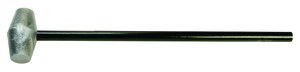
One of the carpenters that worked for my father had a really bad habit of breaking sledgehammer handles.  When he was driving stakes for concrete forms, he never failed to miss the head of the 2×4 by an inch and catch the top of the handle on it instead.  The force of the swing usually caused the head to break off after two or three misses.  After the fourth or fifth broken handle, my father finally had enough.  He took an old sledgehammer head and welded a steel pipe to it to serve as a handle.  When the carpenter brought him his broken hammer yet again, my father handed him the new steel-handle hammer and said, “This is your new tool.  I don’t want to see you using any hammer but this one.”  Sure enough, the carpenter started driving the 2×4 form stakes again.  Only this time when he missed his target, the steel handle didn’t offer the same resistance as the wooden one.  The shock of the vibration caused the carpenter to drop the hammer and shake his hand in a combination of frustration and pain.  When he picked up the hammer again, he made sure to measure his stance and swing to ensure he didn’t miss a second time.  By the end of the summer, he was an expert sledgehammer swinger.

Amusing as it may be, this story does have a purpose.  People need to learn from failure.  For some, the lesson needs to be a bit more direct.  My father’s carpenter had likely been breaking hammer handles his entire life.  Only when confronted with a more resilient handle did he learn to adjust his processes and fix the real issue – his aim.  In technology, we often find that incorrect methods are as much to blame for problems as bad hardware or buggy software.

Thanks to object lessons, I’ve learned to never bridge the two terminals of an analog 66-block connection with a metal screwdriver lest I get a shocking reward.  I’ve watched others try to rack fully populated chassis switches by brute force alone.  And we won’t talk about the time I watched a technician rewire a 220 volt UPS receptacle without turning off the breaker (he lived).  Each time, I knew I needed to step in at some point to prevent physical harm to the person or prevent destruction of the equipment.  But for these folks, the lesson could only be learned after the mistake had been made.  I think this recent tweet from Teren Bryson (@SomeClown) sums it up nicely:

Some people don’t listen to advice.  That’s a fact born out over years and years of working in the industry.  They know that their way is better or more appropriate even against the advice of multiple experts with decades of experience.  For those people that can’t be told anything, a lesson in reality usually serves as the best instructor.  The key is not to immediately jump to the I Told You So mentality afterward.  It is far too easy to watch someone create a bridging loop against your advice and crash a network only to walk up to them and gloat a little about how you knew better.  Instead of stroking your own ego against an embarrassed and potentially worried co-worker, instead take the time to discuss with them why things happened the way they did and coach them to not make the same mistakes again.  Make them learn from their lesson rather than covering it up and making the same mistake again.


Tom’s Take

I’ve screwed up before.  Whether it was deleting mailboxes or creating a routing loop I think I’ve done my fair share of failing.  Object lessons are important because they quickly show the result of failure and give people a chance to learn from it.  You naturally feel embarrassed and upset when it happens.  So long as you gather your thoughts and channel all that frustration into learning from your mistake then things will work out.  It’s only the people that ignore the lesson or assume that the mistake was a one-time occurrence that will continually subject themselves to object lessons.  And those lessons will eventually hit home with the force of a sledgehammer.

Disruption in the New World of Networking

This is the one of the most exciting times to be working in networking. New technologies and fresh takes on existing problems are keeping everyone on their toes when it comes to learning new protocols and integration systems. VMworld 2013 served both as an annoucement of VMware’s formal entry into the larger networking world as well as putting existing network vendors on notice. What follows is my take on some of these announcements. I’m sure that some aren’t going to like what I say. I’m even more sure a few will debate my points vehemently. All I ask is that you consider my position as we go forward.

Captain Over, Captain Under

VMware, through their Nicira acquisition and development, is now *the* vendor to go to when you want to build an overlay network. Their technology augments existing deployments to provide software features such as load balancing and policy deployment. In order to do this and ensure that these features are utilized, VMware uses VxLAN tunnels between the devices. VMware calls these constructs “virtual wires”. I’m going to call them vWires, since they’ll likely be called that soon anyway. vWires are deployed between hosts to provide a pathway for communications. Think of it like a GRE tunnel or a VPN tunnel between the hosts. This means the traffic rides on the existing physical network but that network has no real visibility into the payload of the transit packets.

Nicira’s brainchild, NSX, has the ability to function as a layer 2 switch and a layer 3 router as well as a load balancer and a firewall. VMware is integrating many existing technologies with NSX to provide consistency when provisioning and deploying a new sofware-based network. For those devices that can’t be virtualized, VMware is working with HP, Brocade, and Arista to provide NSX agents that can decapsulate the traffic and send it to an physical endpoint that can’t participate in NSX (yet). As of the launch during the keynote, most major networking vendors are participating with NSX. There’s one major exception, but I’ll get to that in a minute.

NSX is a good product. VMware wouldn’t have released it otherwise. It is the vSwitch we’ve needed for a very long time. It also extends the ability of the virtualization/server admin to provision resources quickly. That’s where I’m having my issue with the messaging around NSX. During the second day keynote, the CTOs on stage said that the biggest impediment to application deployment is waiting on the network to be configured. Note that is my paraphrasing of what I took their intent to be. In order to work around the lag in network provisioning, VMware has decided to build a VxLAN/GRE/STT tunnel between the endpoints and eliminate the network admin as a source of delay. NSX turns your network in a fabric for the endpoints connected to it.

Under the Bridge

I also have some issues with NSX and the way it’s supposed to work on existing networks. Network engineers have spent countless hours optimizing paths and reducing delay and jitter to provide applications and servers with the best possible network. Now, that all doesn’t matter. vAdmins just have to click a couple of times and build their vWire to the other server and all that work on the network is for naught. The underlay network exists to provide VxLAN transport. NSX assumes that everything working beneath is running optimally. No loops, no blocked links. NSX doesn’t even participate in spanning tree. Why should it? After all, that vWire ensures that all the traffic ends up in the right location, right? People would never bridge the networking cards on a host server. Like building a VPN server, for instance. All of the things that network admins and engineers think about in regards to keeping the network from blowing up due to excess traffic are handwaved away in the presentations I’ve seen.

The reference architecture for NSX looks pretty. Prettier than any real network I’ve ever seen. I’m afraid that suboptimal networks are going to impact application and server performance now more than ever. And instead of the network using mechanisms like QoS to battle issues, those packets are now invisible bulk traffic. When network folks have no visibility into the content of the network, they can’t help when performance suffers. Who do you think is going to get blamed when that goes on? Right now, it’s the network’s fault when things don’t run right. Do you think that moving the onus for server network provisioning to NSX and vCenter is going to forgive the network people when things go south? Or are the underlay engineers going to be take the brunt of the yelling because they are the only ones that still understand the black magic outside the GUI drag-and-drop to create vWires?

NSX is for service enablement. It allows people to build network components without knowing the CLI. It also means that network admins are going to have to work twice as hard to build resilient networks that work at high speed. I’m hoping that means that TRILL-based fabrics are going to take off. Why use spanning tree now? Your application and service network sure isn’t. No sense adding any more bells and whistles to your switches. It’s better to just tie them into spine-and-leaf CLOS fabrics and be done with it. It now becomes much more important to concentrate on the user experience. Or maybe the wirless network. As long as at least one link exists between your ESX box and the edge switch let the new software networking guys worry about it.

The Recumbent Incumbent?

Cisco is the only major networking manufacturer not publicly on board with NSX right now. Their CTO Padma Warrior has released a response to NSX that talks about lock-in and vertical integration. Still others have released responses to that response. There’s a lot of talk right now about the war brewing between Cisco and VMware and what that means for VCE. One thing is for sure – the landscape has changed. I’m not sure how this is going to fall out on both sides. Cisco isn’t likely to stop selling switches any time soon. NSX still works just fine with Cisco as an underlay. VCE is still going to make a whole bunch of money selling vBlocks in the next few months. Where this becomes a friction point is in the future.

Cisco has been building APIs into their software for the last year. They want to be able to use those APIs to directly program the network through devices like the forthcoming OpenDaylight controller. Will they allow NSX to program them as well? I’m sure they would – if VMware wrote those instructions into NSX. Will VMware demand that Cisco use the NSX-approved APIs and agents to expose network functionality to their software network? They could. Will Cisco scrap OnePK to implement NSX? I doubt that very much. We’re left with a standoff. Cisco wants VMware to use their tools to program Cisco networks. VMware wants Cisco to use the same tools as everyone else and make the network a commodity compared to the way it is now.

Let’s think about that last part for a moment. Aside from some speed differences, networks are largely going to be identical to NSX. It won’t care if you’re running HP, Brocade, or Cisco. Transport is transport. Someone down the road may build some proprietary features into their hardware to make NSX run better but that day is far off. What if a manufacturer builds a switch that is twice as fast as the nearest competition? Three times? Ten times? At what point does the underlay become so important that the overlay starts preferring it exclusively?


Tom’s Take

I said a lot during the Tuesday keynote at VMworld. Some of it was rather snarky. I asked about full BGP tables and vMotioning the machines onto the new NSX network. I asked because I tend to obsess over details. Forgotten details have broken more of my networks than grand design disasters. We tend to fuss over the big things. We make more out of someone that can drive a golf ball hundreds of yards than we do about the one that can consistently sink a ten foot putt. I know that a lot of folks were pre-briefed on NSX. I wasn’t, so I’m playing catch up right now. I need to see it work in production to understand what value it brings to me. One thing is for sure – VMware needs to change the messaging around NSX to be less antagonistic towards network folks. Bring us into your solution. Let us use our years of experience to help rather than making us seem like pariahs responsible for all your application woes. Let us help you help everyone.