You Can Call Me Al (or not)

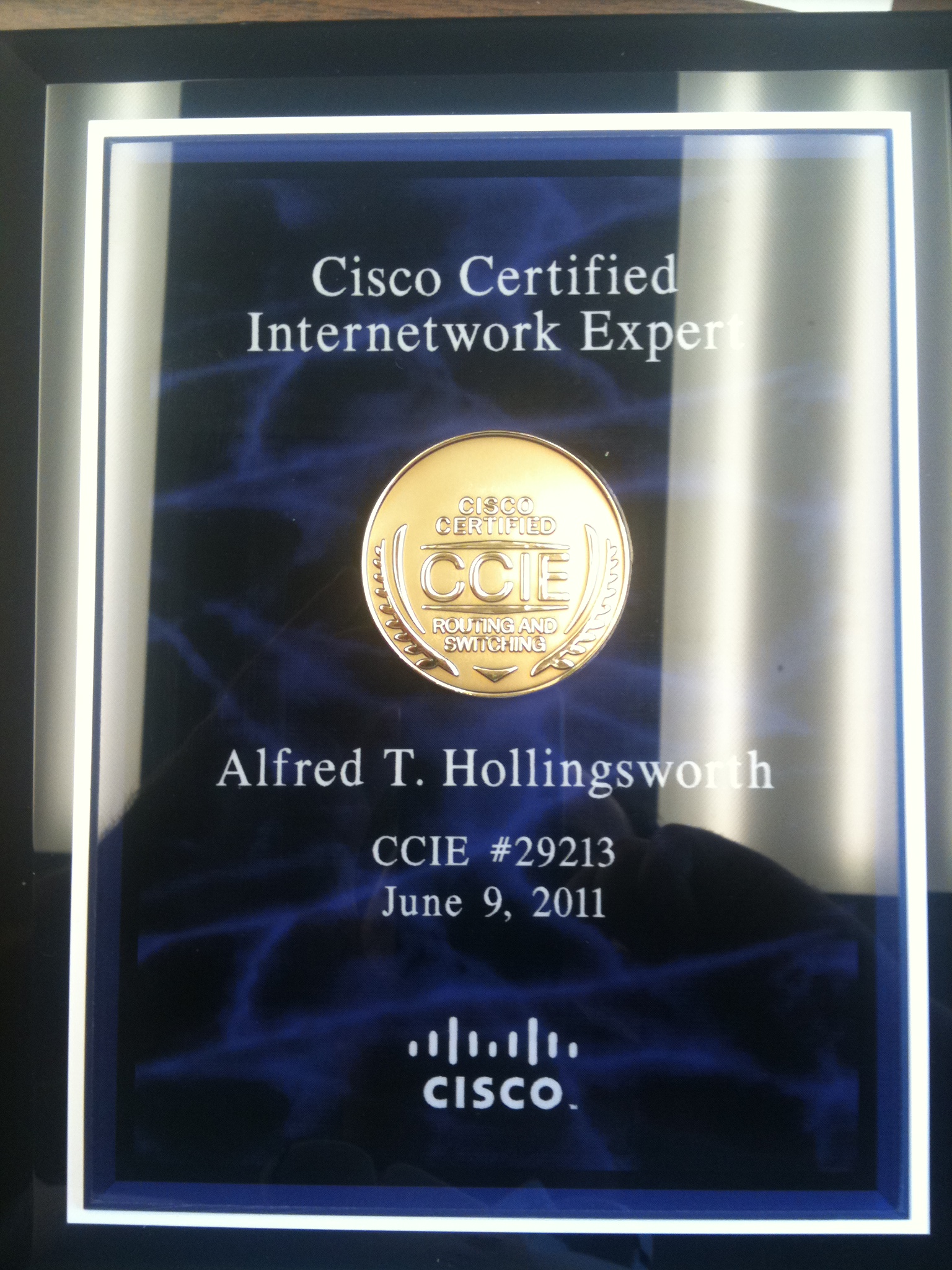
My CCIE plaque arrived today.  I’m happy that it weighed more than my usual certificates, as it can now be a handy weapon to wield when salesmen intrude on my solitude of studying:

Purdy, Ain't It?

There was one thing that did seem to generate some discussion, though.  Yes, my plaque says “Alfred” because my legal first name is indeed Alfred.  It’s a fun story.

I am the first male grandchild born to my both sides of my family.  Therefore, it is my responsibility to carry on the family name and legacy.  My mother and father had already agreed to name me after my grandfathers.  My paternal grandfather was named Alfred.  My maternal grandfather was named Tommy, so they decided on Thomas.  Right up to the point where my mom went into labor they both knew what my name was going to be.  Or so they thought.

I was a particularly difficult child, even before I was born.  20-some-odd hours of labor and an emergency C-section later, and Mom found herself sitting in the Intensive Care Unit (ICU).  When the nurses presented my father with the birth certificate, he filled it out according to what he thought was going to be the correct name.  They had discussed the names, but not the order.  Naturally, my father picked his dad’s name as my first name (Alfred) and put Thomas as my middle name.  In Mississippi (where I was born), the practice at that time was to file the birth certificate with the state and provide a stamped copy to the parents as the official birth certificate.  So three days later when Mom finally came around, she was presented with a new baby boy and a Xeroxed copy of the birth certificate proudly proclaiming me as Alfred Thomas Hollingsworth.  To which she replied, “He named our son WHAT?!?!”  The nurse jumped back and assured my mother that since she pushed me out, she could name me whatever she wanted.  My mother politely declined, knowing that she would later name my brother something normal, like John.  I’ve gone by Tom most of my life.  The only time I heard Alfred as a boy was when I was in trouble.  The only time I hear it now is when the government or a telemarketer calls my house.  But it always seems to be a great source of fun when people find out my “real name”.

There’s a moral in this for IT people as well.  Communication is very important, even on the little details.  My parents knew what two names they were going to use for me, but they forgot the important detail of what order to put them in.  When faced with a decision, my father chose what he thought was the logical order.  My mother had always assumed I would be Thomas Alfred, but never communicated that to my father.  And now when people try to verify my CCIE number, I constantly have to tell them to use Alfred as the verification name.  If you glaze over the details in any type of communication, you will invariably end up with results that aren’t quite what you expected, even if the majority of the project/trouble ticket/birth certificate is correct.  Then, being called “Al” is the least of your worries.

Nerd Icons

A while back, I took Angry Cisco Guy’s Cisco Geek picture and turned it into a Cisco Nerd picture.  You know, for branding purposes.  Afterwards, I noticed two things.  Firstly, Solarwinds has some great stickers that say things like “Network Geek” or “IOS Geek”.  They seem to be popular with my co-workers.  The other is Netpappy’s current Twitter avatar.  It looked very appealing to me, as it boldly stated who he was and what he was all about.  Taking my preference for nerdiness into account, I figured I’d come up with my own icon set for displaying my talents.  I took the Cisco marketing icons that are almost universally recognized in the networking industry and added a little Photoshop magic.

Routers:

Switches:

Voice:

CallManager (Per request of Erik Peterson)

Security:

Wireless:

And even one for the VDCBadgers out there:

Thoughts?  Ideas?  Let me here em!

EDIT: Due to several people using these as Twitter avatars, I’ve resized them so that no dimension is more than 128 pixels, which means it shouldn’t be cut off when you put it into Twitter.  Enjoy!

Yet Another Edit:

Seems that I’ve got a few more icons to add to the pile thanks to some submissions of other vendors material.  I’ll be happy to keep churning these out, but remember that marketing icons make much better source material than wireframes in Visio.  You want something that can be recognized on sight, like the Aircraft Recognition Guides.

Juniper Router:

Juniper L2/L3 Switch:

Juniper Secured Router/Firewall:

So…The Tattoo

Probably the most talked about thing at Cisco Live, at least from my perspective, was this little joke that took on a life of its own.  Since a lot of people asked about it, and since it still keeps popping up all over the place, I figured I’d take the time to say something about it.

In the World of Solutions (WoS), Cisco usually has a lounge for any Cisco Certified individuals to come in and chat and hang out.  A couple of years ago, they started making the CCIEs go into this lounge to get their silver CCIE ribbon for their badge holder.  This usually means there is a long line of CCIEs waiting to pick up their shinies.  This year, Cisco hired an airbrush artist to put fake CCIE logo tattoos on any CCIE that wanted one.  You could get the basic new CCIE logo, or a specific logo with any track name, such as Routing and Switching or ISP Dial.  People started getting tattoos put on their arms and calves right away.  Some people, like Marko Milivojevic, got two tattoos on each arm for his dual CCIE accomplishments.  I skipped getting at tattoo on Monday night, due to the long line and the desire to get as many codes as I could for the Destination Collaboration game (which I ended up winning on day one).

The next day (Tuesday), I was just getting out of a class and decided to go back to the WoS to pick up a few t-shirts and other pieces of swag.  Along the way, I saw a tweet from Mr. Tugs aimed at the Learning@Cisco people asking if anyone had gotten the “tramp stamp” CCIE tattoo yet.  From Wikipedia:

lower back tattoo is a body decoration, sometimes intended to emphasize sexual attractiveness. Such tattoos have become popular since the late 1990s. They are sometimes derided as suggestive of promiscuity and often referred to as “tramp stamps”[1] and other slang terms.[2] The German term Arschgeweih can be translated as ‘ass antlers’. Such tattoos are primarily seen on women, although a small but increasing number of men have them as well.

While the lower back is not the widest area of the human back, it has abundant space for a large design and horizontal tattoo designs can be worked easily. In contrast to the abdomen, which is otherwise a similar location, the lower back does not stretch significantly during pregnancy or other weight gains, thus providing a more stable site for a design. Lower back tattoos are often left uncovered by individuals wearing crop tops that are designed to expose the midriff and low-rise jeans that are worn low around the hips.

For those that might not be too familiar with the term “tramp stamp”.  At first it appeared to be a joke in good fun, pointing out that since the majority of attendees are male, the possibility of someone getting a tattoo in an area usually associated with someone feminine was out of the question.  The Cisco Learning folks decided to up the ante by offering a free t-shirt to the first person to get said tattoo in the lower back region.  As I walked into the Certification Lounge, I asked if anyone had gotten it yet, and I was told that no one had.  Julia, the Certification lady, asked if I was thinking about going for it.

To take a moment here to explain my thinking…I was pretty sure this would be a funny little joke for everyone.  I couldn’t care less about the position of the tattoo.  I figured Learning@Cisco would tweet about it and my name would get attached to it somehow.  My friends would have a good laugh about it and I’d be on the receiving end of some good-natured ribbing about it for the next couple of days.  I’ve been known to do silly things before, so this wasn’t entirely out of character for me.  However, the confluence of events rose to make this somewhat of the Perfect Tramp Stamp Storm.

Once I had committed to getting said tattoo, Marko walked over and said that if I would get it, he would get it too, provided there was a t-shirt in it for him as well.  Once he got the green light for his t-shirt, we went about the business of getting stamped.  When I looked up halfway through the process, I noticed a bunch of my friends sitting on the couches in the Certification Lounge.  What was originally going to be a bit of a shock to them turned into them crowding around to see and start taking pictures.  I was doomed from the moment I stood up.  A couple of quick photos followed while Marko got his matching tattoo.  Once we had completed the process, Julia asked us for a quick picture so she could tweet it out to the world to show that two CCIEs had stepped up and sacrificed a little dignity for a t-shirt.  When she posted the pic to twitter, she not only used the conference hashtag of #cl11, but she also appended the hashtag #CCIE2011, which was to be used for pictures taken at the CCIE party that night.  This was the beginning of the end.

As word spread about the tattoo, the picture kept getting retweeted over and over again.  Because the hashtag for the CCIE party pictures was embedded in the original tweet (and subsequent retweets), the picture kept popping up on the monitors at the party.  It wasn’t all that uncommon to see the picture three or four times in a row while walking around the party.  It ended up being so popular that Carlos Dominguez put it up on the big screen during his introduction at the Wednesday keynote by Padmassree Warrior.  He said it was his favorite picture at Cisco Live so far and he called Marko and I “two of our brightest CCIEs”.  For Marko and I, this was praise enough to make it worth it.

The picture keeps cropping up even a week later, as people find it and retweet it or my friends keep bringing it back up as a punchline in a joke.  Frankly, I’m more than amused.  If my jovial behavior during Cisco Live didn’t already make me popular, going to the lengths that I did to get my backside up on a giant screen in front of 15,000 live guests and who knows how many thousand around the world virtually sealed the deal.  I’ll always be known as the “Tramp Stamp CCIE”.  And I’m perfectly fine with that.

Tom’s Take

Never be afraid to make an ass out of yourself.  It takes a lot of confidence to put yourself out there and to be ready to weather the storm of criticism and jeers.  I’m pale and a little chunkier than I could stand to be.  I’m also not afraid to have fun and use some self deprecation to accomplish good humor.  If all I’m ever known for is one famous tattoo, I can die a happy man.

Should you really want to see the evidence of my little bit of humor, I’ll link to it rather than putting the pictures in this post.  Be aware, though, that what has been seen cannot be unseen.  Do not observe my paleness while under the influence of medication or while operating heavy machinery.  My back has been known to cause blindness and discomfort in test subjects and small children.  Do not expose yourself to these pictures for more than a few minutes.  Should your find yourself with blindness lasting for more than four hours, please consult a physician.

With that out of the way, check out my tattoo HERE (thanks Amy and Greg) and HERE (Thanks Learning@Cisco).

Tech Movies

On occasion, a trending hashtag pops up on Twitter that I think is quite funny.  Today, it was #TechMovies.  However, I know that most people that follow me probably don’t care to listen to my inane ramblings about these kinds of things.  I’m pretty sure that if I gave it my all, I’d have about 2 followers by the end of the day.  In an effort to spare my followers the horrors that swim around in my mind, I decided instead to post my list to my blog.  Read ahead at your own peril…

Still here?  Okay, here come the #TechMovies:


A Root Bridge Too Far

A View to a TRILL

On Her Majesty’s Shared Secret Service

Event Split Horizon

SDLC Punk!

Friday the 0xd

Licesne to Kill -9

Fort httpd

The ’emerge world’ according to ARP (two for one)

BGP Neighbors

The Matrix “shutdown -r now”

DNS the Menace

The OS X 10.7 Lion King

SLAXers

Hard Route Target

Harry Potter and the Chamber of Enable Secrets

A League of Their PWN

Chitty Chitty ! !

DOS Bootdisk

Universal Image Soldier

Major Version League

ntop Gun

10 Fast 10 Furious

What About Microsoft Bob?

Visual BASIC Instinct

The EIGRP Sanction

Manos: Hands of Fate Sharing

Under Siege 2: Dark Fiber Territory

The (Trendy) Games People Play

A few weeks ago, Twitter decided to push out an update to the iOS client software that helped them better monitize their service.  The quick bar at the top of the window that has now become infamously known as the “Dick Bar” forced me to look at all the trending topics on Twitter at the present time.  I don’t normally care for the junk that starts trending on Twitter, and after taking a good look at some of the inane things that kept popping up, I thought I was going to go insane.  It was right then and there that I had to take drastic measures to restore my sanity.

My distaste for Network Address Translation (NAT) is no secret to the people that follow me on Twitter.  That in and of itself could be a whole series of blog posts.  Instead, I decided to take my hatred of all things NAT and combine it with a trending hashtag in an attempt to have a little fun with things.  Usually, the hashtags I pick are simple questions or statements.  I figure by tacking on something about NAT, I’ll either confuse the non-network rock star people on Twitter or get a few laughs out of my followers.  Either way, it keeps me from doing more devious things in my insanity.  As such, some examples of what I have come up with so far:

#ifitwasuptome NAT would require an advanced feature license. That way, if you really want to use it, it’s gonna cost you.

NAT is a really bad idea. #SixWordFact

#saynoto NAT. It’s a gateway drug that leads to NAT-on-a-stick, policy-based NAT, and worst of all carrier-grade NAT.

As you can see, a seemingly innocuous hashtag has been corrupted for my crusade against the WD-40 of the network world.  WD-40 because if the packets are stuck on an RFC 1918 network, NAT helps get them unstuck.  I plan on having a lot more fun with this game.  I’ll even start adding in more topics, like IPv4.  If you have suggestions, don’t hesitate to shout them out.  If nothing else, it’ll help make Twitter a little more sensible for those of us in the networking profession.

Any Transport over Unicorn (AToU)

I spent most of my Friday assisting a fellow engineer with a curious issue.  Packets were being sent from one network to a default gateway on a totally different subnet.  Efforts to investigate the issue turned out to be mostly futile.  Due to a strange interaction of proxy ARP and a dying router bridging network segments, I was frazzled to the limit of my patience.  Then the customer asked me what was going on.  Rather than admit that this networking problem had me baffled, I came up with something that I hoped explained my consternation:

“Your packets are being ferried to the Internet by unicorns.”

Now, my friend Greg Ferro is fond of saying that certain “magical” technologies must be powered by Unicorn Tears™, so when it came time for me to tell this non-technical person how the packets were jumping from one subnet to a gateway on another, I knew the only explanation that made sense involved those single-horned mythical creatures loading the packets up and carrying them across the network.  It sufficed for the time being until I could actually resolve the problem by shutting down the dying router and tossing it into a river.  Plus, the look of utter shock on my co-worker’s face when I explained the issue was worth the price of admission.

Afterwards, I started thinking that you could use unicorns to transport all kinds of protocols.  IPX/SPX, Appletalk, even SNA.  Once you get the right kind of unicorn trained to ferry IPX, for example, you just point him to the right stable (gateway) and off he goes.  He should be able to carry large payloads quickly and efficiently.  As well, since unicorns are mythical creatures, there’s no need to worry about encryption, since people can’t see them anyway.  If you could build up an entire herd of unicorns, you could be capable of transporting massive amounts of data at once.  I’m not sure what unicorns eat, but being mythical creatures means they shouldn’t eat too much.  Then there’s the issue of having lots of stars and glitter all over the floor of your data center.  But I think that’s a small price to pay for the advantage of such a fabulous transport method.

Do We Need A New Metaphor For Saving?

If I asked you to click on the following icon, what would you expect it to do?

Odds are good that you said “Save whatever I’m working on”.  A thought struck me a few months ago when I was working in an unfamiliar GUI and needed to save my config before I went to lunch.  I didn’t know what the keyboard shortcut was, and the buttons didn’t have text labels.  Instinctively, I looked for the ubiquitous floppy disk icon, and sure enough it saved the config.

If you’ve been in technology for a while, you know what that picture is.  More importantly, you recognize the metaphor that it represents.  When we click on that icon, whether it be in MS Office or any other GUI toolbar, we expect that icon to save our document or our configuration or whatever the focus of our efforts might be.  It’s a metaphor that has been drilled into our heads ever since we first started “saving” documents to a 3.5″ floppy disk back in DOS (or other older OSes).  For grins, why don’t you see if you can still buy a 3.5″ floppy disk.  Go ahead, I’ll wait…

Back so soon?  Couldn’t find one, could you?  Floppy disks have gone the way of their larger 8″ and 5.25″ cousins.  They are practically impossible to find.  I still carry a couple in my backpack for strange emergencies, but they are starting to get old and unreadable.  I still have a 3.5″ drive on my desktop PC, but it’s more for legacy reasons that anything else.  The last thing I even used it for was a BIOS update, but since those are done in the OS now, I don’t even need it for that.  I remember the uproar a few years ago when PC manufacturers started removing them from systems.  Now, finding a drive is next to impossible.

Now extend that idea further.  I have a young son who has never seen a floppy disk.  How am I supposed to explain to him what that little icon means?  He’s going to grow up saving documents to USB drives or network shares, or even…the cloud.  He’ll know what that button does because he will be taught to save his documents with it.  He won’t understand why that icon means “save” though.  He won’t remember the sound of the drive head skittering across as it reads and writes data.  He won’t hear the anguished sound of a drive that is reading a bad disk screeching over and over as it tries to find data that isn’t there.  He won’t shout in anger as he finds out the file he needs to save is 1.6MB and he can’t save it to the disk.

So, for the upcoming generation, do we need to change our save metaphor?  Should we change the icon in the next version of Office something that newer users can relate to?  Maybe a safe icon?  In most applications I’ve used, as safe icon is used to denote a backup option.  Or how about a cloud?  I don’t know about you, but teaching my users that preserving their data involves launching it into the Great Unknown Cloud doesn’t necessarily sit well with me.  Maybe a USB drive, which has now become the de facto portable storage device?  My issue with that is the icon wouldn’t be distinctive at smaller resolutions.  Add in the fact that USB drives don’t come in one universal size or shape, and you might just end up confusing your users.

Tom’s Take

Maybe we don’t need to change our metaphor for saving documents.  Most people today understand what happens when they push the little blue square with the little white square inside it.  I’m afraid that we will eventually reach a point where the context behind the icon will be long gone and people will just be pushing it because they know that if they do, the term paper they’ve been writing doesn’t go KABOOM!  Most of the menus have already done away with the floppy disk metaphor, and power users know that CTRL+S will accomplish the same thing.  Until we can find something universal that speaks to everyone and says “Click me to save your document”, I suppose we’ll have to carry on with our little floppy disk.  Just remind me to put one in a museum somewhere so I can show my son what Daddy used to keep his WordPerfect for DOS documents on.

Nerd Badges

Every nerd needs a badge to proudly display to others to let everyone know to approach with care lest you be regaled with tales of the true origins of Superman or the proper way to denote port address in IPv6 URIs.  It should be something simple that screams to the world that you know way more about something than most people would find useful.  Nick the Angry Cisco Guy came up with a really fun one that people love:

It says everything that it needs to in one simple statement.  And it looks pretty spiffy too.  However, since I style myself as the Networking Nerd and not the Networking Geek, I needed to change it just a bit to conform to my OCD tendencies.  So, with apologies to Nick…:

Cisco Nerd

I think it announces to the rest of the world that you shouldn’t speak to me unless you are prepared to discuss MPLS, BGP, IRDP, GLBP, or any number of esoteric acronyms.

Feel free to use it if you want.

My Buzzword Security Blanket

If you’ve been following the networking world for a while, you’re probably getting sick of hearing the words cloud and fabric.  The former is something of a nebulous term used to describe all manner of strange things.  Hosted e-mail, hosted websites, hosted storage, infrastructure as a service (IAAS), software as a service (SAAS), virutal machine hosting, and so on.  Every major networking and server player has some sort of cloud-based strategy.  Yet, when I think of clouds, I think of the little white fluffy things I put on network diagrams when I denote a section outside my control that I don’t really care about, like a WAN frame relay section or the Internet.  So when I hear about providers telling me to move “to the cloud”, I laugh.  I think about hosted Hotmail account I’ve had for 13 years.  Or the services like Dropbox that I’m starting to use for many things now.  But I don’t think of them as cloud services, per se.  Just software that is useful.

Fabric is another overused term, especially in the datacenter.  Fabric is the term that describes connecting nodes in the network together in a meshed-type of environment, like a rug or a shirt.  The resulting output is termed fabric.  This term used to be very popular with the storage people back in the day.  Now that the storage network has been unified with the server network the term seems to be leaking into our little world.

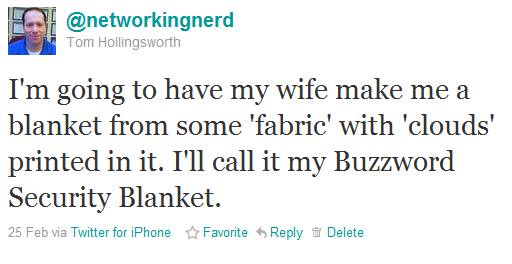
With all this in mind, I tweeted a little joke a week or so ago:

And then people came out of the woodwork.  Someone suggested I make it borderless to be compliant with Cisco’s Borderless Networks initiative.  A couple of people told me that I should send them one.  Greg Ferro even thought it was a good idea.  So, after a little shopping with my wonderful wife this past weekend, we came up with this:

Pretty, isn’t it?  I thought the bears added a little something.  Also, no stitching on the edges so it really is “borderless”.  This is my Buzzword Security Blanket.  I’m going to carry it with me everywhere I go.  Anytime someone talks to me about “Cloud this” or “Fabric that”, I’m going to curl up with my blanket and wait until all the mean people leave me alone.  I think of my nice secure data centers where my packets can cozy up with their Buzzword Security Blankets at night, safe and sound and right where I want them to be, protected from the evil in the cloud.  And when someone carries on about the new exciting fabric options in their strategies, I’ll nuzzle my Buzzword Security Blanket against my cheek and remind myself that it’s all the fabric I’m ever going to need.

Who knows?  If this takes off, I could do a whole line of baby-themed networking buzzword items.  Let me know what you think.

I Am A Network Ninja

I am a network ninja.

I appear meek and uninteresting.  My stealth and guile are my weapons.  I have succeeded in my task if you never knew I fixed the network.  My khakis and polo shirt allow me to blend into the crowd of salespeople and marketing drones, yet hide my knowledge of BGP and MPLS.  I care not for the ritual troubleshooting combat of TAC engineers.  I use whatever methods I can to achieve victory over that which might harm my network.

My tools appear deceptive at first.  A laptop. A console cable. Simple business cards.  Yet, when in my hands, they become the weapons of legend.  Repeating Youtube videos to distract the masses while I work my network ninja magic.  A console cable to garrote those who question my skill with OSPF.  Business cards to use as shurikens to force back the account managers who dare to be technical and disrupt my troubleshooting chi.

My SNMP spies report every movement of the enemy to me.  I know what the battlefield will look like before the battle is even commenced.  With a flash of light from my LED iPhone camera flash, I mysteriously appear at your side, asking you why you are downloading a torrent on my network.  Before you can speak your lies, my honed reflexes have rate-limited your switchport.  I give you the choice of no choice.  Continue downloading at your peril, for your fate is in your own hands.  Before you can put up a fight explaining why you need a copy of Harry Potter before it’s released in theaters, I disappear with a puff of smoke, off to sow havoc in the server room.

I train my students without training.  I give them difficult configuration tasks and force them to gather information about switches by hand.  I make them learn from experience and recognize danger before they can perceive it.  I create spanning tree loops and redistribution quagmires so my students will never fear the hell of a network gone wrong.  When they realize that my difficult tasks and exacting manner have in fact taught them the way of network ninjitsu,  I send them into the world, knowing they will carry on my legacy and teach other network ninjas as they have been taught.

My deception is my strength.  When the C-level shoguns ask why the network is slow, I appear to give them many answers, yet I reveal none.  The questions for me become questions.  I ask him for his opinion of what might be wrong.  I feign ignorance in his presence, knowing how to use his ego and strength as a weapon of my own.  As he explains how the network needs his experience, I wait for the opening. When confusion reigns and all appears cloudy, I strike.  I turn off the shogun’s Internet radio and appear demure, claiming all should be well thanks to his enlightenment.  As I retreat to my network dojo, the shogun feels content, knowing he fixed the problems and showed his network serf a thing or two about the way things work.  My greatest work is fixing the network without fixing the network.

When others speak of the mysterious forces that weave magic and make the network bend in ways they never dreamed of, I shall laugh and tell them they must be dreaming.  There is no such thing as a network ninja.

Yet, I AM a network ninja…