Objective Lessons

PipeHammer

“Experience is a harsh teacher because it gives the test first and the lesson afterwards.” – Vernon Law

When I was in college, I spent a summer working for my father.  He works in the construction business as a superintendent.  I agreed to help him out in exchange for a year’s tuition.  In return, I got exposure to all kinds of fun methods of digging ditches and pouring concrete.  One story that sticks out in my mind over and over taught me the value of the object lesson.

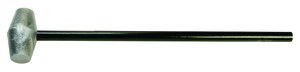
One of the carpenters that worked for my father had a really bad habit of breaking sledgehammer handles.  When he was driving stakes for concrete forms, he never failed to miss the head of the 2×4 by an inch and catch the top of the handle on it instead.  The force of the swing usually caused the head to break off after two or three misses.  After the fourth or fifth broken handle, my father finally had enough.  He took an old sledgehammer head and welded a steel pipe to it to serve as a handle.  When the carpenter brought him his broken hammer yet again, my father handed him the new steel-handle hammer and said, “This is your new tool.  I don’t want to see you using any hammer but this one.”  Sure enough, the carpenter started driving the 2×4 form stakes again.  Only this time when he missed his target, the steel handle didn’t offer the same resistance as the wooden one.  The shock of the vibration caused the carpenter to drop the hammer and shake his hand in a combination of frustration and pain.  When he picked up the hammer again, he made sure to measure his stance and swing to ensure he didn’t miss a second time.  By the end of the summer, he was an expert sledgehammer swinger.

Amusing as it may be, this story does have a purpose.  People need to learn from failure.  For some, the lesson needs to be a bit more direct.  My father’s carpenter had likely been breaking hammer handles his entire life.  Only when confronted with a more resilient handle did he learn to adjust his processes and fix the real issue – his aim.  In technology, we often find that incorrect methods are as much to blame for problems as bad hardware or buggy software.

Thanks to object lessons, I’ve learned to never bridge the two terminals of an analog 66-block connection with a metal screwdriver lest I get a shocking reward.  I’ve watched others try to rack fully populated chassis switches by brute force alone.  And we won’t talk about the time I watched a technician rewire a 220 volt UPS receptacle without turning off the breaker (he lived).  Each time, I knew I needed to step in at some point to prevent physical harm to the person or prevent destruction of the equipment.  But for these folks, the lesson could only be learned after the mistake had been made.  I think this recent tweet from Teren Bryson (@SomeClown) sums it up nicely:

Some people don’t listen to advice.  That’s a fact born out over years and years of working in the industry.  They know that their way is better or more appropriate even against the advice of multiple experts with decades of experience.  For those people that can’t be told anything, a lesson in reality usually serves as the best instructor.  The key is not to immediately jump to the I Told You So mentality afterward.  It is far too easy to watch someone create a bridging loop against your advice and crash a network only to walk up to them and gloat a little about how you knew better.  Instead of stroking your own ego against an embarrassed and potentially worried co-worker, instead take the time to discuss with them why things happened the way they did and coach them to not make the same mistakes again.  Make them learn from their lesson rather than covering it up and making the same mistake again.


Tom’s Take

I’ve screwed up before.  Whether it was deleting mailboxes or creating a routing loop I think I’ve done my fair share of failing.  Object lessons are important because they quickly show the result of failure and give people a chance to learn from it.  You naturally feel embarrassed and upset when it happens.  So long as you gather your thoughts and channel all that frustration into learning from your mistake then things will work out.  It’s only the people that ignore the lesson or assume that the mistake was a one-time occurrence that will continually subject themselves to object lessons.  And those lessons will eventually hit home with the force of a sledgehammer.

Disruption in the New World of Networking

This is the one of the most exciting times to be working in networking. New technologies and fresh takes on existing problems are keeping everyone on their toes when it comes to learning new protocols and integration systems. VMworld 2013 served both as an annoucement of VMware’s formal entry into the larger networking world as well as putting existing network vendors on notice. What follows is my take on some of these announcements. I’m sure that some aren’t going to like what I say. I’m even more sure a few will debate my points vehemently. All I ask is that you consider my position as we go forward.

Captain Over, Captain Under

VMware, through their Nicira acquisition and development, is now *the* vendor to go to when you want to build an overlay network. Their technology augments existing deployments to provide software features such as load balancing and policy deployment. In order to do this and ensure that these features are utilized, VMware uses VxLAN tunnels between the devices. VMware calls these constructs “virtual wires”. I’m going to call them vWires, since they’ll likely be called that soon anyway. vWires are deployed between hosts to provide a pathway for communications. Think of it like a GRE tunnel or a VPN tunnel between the hosts. This means the traffic rides on the existing physical network but that network has no real visibility into the payload of the transit packets.

Nicira’s brainchild, NSX, has the ability to function as a layer 2 switch and a layer 3 router as well as a load balancer and a firewall. VMware is integrating many existing technologies with NSX to provide consistency when provisioning and deploying a new sofware-based network. For those devices that can’t be virtualized, VMware is working with HP, Brocade, and Arista to provide NSX agents that can decapsulate the traffic and send it to an physical endpoint that can’t participate in NSX (yet). As of the launch during the keynote, most major networking vendors are participating with NSX. There’s one major exception, but I’ll get to that in a minute.

NSX is a good product. VMware wouldn’t have released it otherwise. It is the vSwitch we’ve needed for a very long time. It also extends the ability of the virtualization/server admin to provision resources quickly. That’s where I’m having my issue with the messaging around NSX. During the second day keynote, the CTOs on stage said that the biggest impediment to application deployment is waiting on the network to be configured. Note that is my paraphrasing of what I took their intent to be. In order to work around the lag in network provisioning, VMware has decided to build a VxLAN/GRE/STT tunnel between the endpoints and eliminate the network admin as a source of delay. NSX turns your network in a fabric for the endpoints connected to it.

Under the Bridge

I also have some issues with NSX and the way it’s supposed to work on existing networks. Network engineers have spent countless hours optimizing paths and reducing delay and jitter to provide applications and servers with the best possible network. Now, that all doesn’t matter. vAdmins just have to click a couple of times and build their vWire to the other server and all that work on the network is for naught. The underlay network exists to provide VxLAN transport. NSX assumes that everything working beneath is running optimally. No loops, no blocked links. NSX doesn’t even participate in spanning tree. Why should it? After all, that vWire ensures that all the traffic ends up in the right location, right? People would never bridge the networking cards on a host server. Like building a VPN server, for instance. All of the things that network admins and engineers think about in regards to keeping the network from blowing up due to excess traffic are handwaved away in the presentations I’ve seen.

The reference architecture for NSX looks pretty. Prettier than any real network I’ve ever seen. I’m afraid that suboptimal networks are going to impact application and server performance now more than ever. And instead of the network using mechanisms like QoS to battle issues, those packets are now invisible bulk traffic. When network folks have no visibility into the content of the network, they can’t help when performance suffers. Who do you think is going to get blamed when that goes on? Right now, it’s the network’s fault when things don’t run right. Do you think that moving the onus for server network provisioning to NSX and vCenter is going to forgive the network people when things go south? Or are the underlay engineers going to be take the brunt of the yelling because they are the only ones that still understand the black magic outside the GUI drag-and-drop to create vWires?

NSX is for service enablement. It allows people to build network components without knowing the CLI. It also means that network admins are going to have to work twice as hard to build resilient networks that work at high speed. I’m hoping that means that TRILL-based fabrics are going to take off. Why use spanning tree now? Your application and service network sure isn’t. No sense adding any more bells and whistles to your switches. It’s better to just tie them into spine-and-leaf CLOS fabrics and be done with it. It now becomes much more important to concentrate on the user experience. Or maybe the wirless network. As long as at least one link exists between your ESX box and the edge switch let the new software networking guys worry about it.

The Recumbent Incumbent?

Cisco is the only major networking manufacturer not publicly on board with NSX right now. Their CTO Padma Warrior has released a response to NSX that talks about lock-in and vertical integration. Still others have released responses to that response. There’s a lot of talk right now about the war brewing between Cisco and VMware and what that means for VCE. One thing is for sure – the landscape has changed. I’m not sure how this is going to fall out on both sides. Cisco isn’t likely to stop selling switches any time soon. NSX still works just fine with Cisco as an underlay. VCE is still going to make a whole bunch of money selling vBlocks in the next few months. Where this becomes a friction point is in the future.

Cisco has been building APIs into their software for the last year. They want to be able to use those APIs to directly program the network through devices like the forthcoming OpenDaylight controller. Will they allow NSX to program them as well? I’m sure they would – if VMware wrote those instructions into NSX. Will VMware demand that Cisco use the NSX-approved APIs and agents to expose network functionality to their software network? They could. Will Cisco scrap OnePK to implement NSX? I doubt that very much. We’re left with a standoff. Cisco wants VMware to use their tools to program Cisco networks. VMware wants Cisco to use the same tools as everyone else and make the network a commodity compared to the way it is now.

Let’s think about that last part for a moment. Aside from some speed differences, networks are largely going to be identical to NSX. It won’t care if you’re running HP, Brocade, or Cisco. Transport is transport. Someone down the road may build some proprietary features into their hardware to make NSX run better but that day is far off. What if a manufacturer builds a switch that is twice as fast as the nearest competition? Three times? Ten times? At what point does the underlay become so important that the overlay starts preferring it exclusively?


Tom’s Take

I said a lot during the Tuesday keynote at VMworld. Some of it was rather snarky. I asked about full BGP tables and vMotioning the machines onto the new NSX network. I asked because I tend to obsess over details. Forgotten details have broken more of my networks than grand design disasters. We tend to fuss over the big things. We make more out of someone that can drive a golf ball hundreds of yards than we do about the one that can consistently sink a ten foot putt. I know that a lot of folks were pre-briefed on NSX. I wasn’t, so I’m playing catch up right now. I need to see it work in production to understand what value it brings to me. One thing is for sure – VMware needs to change the messaging around NSX to be less antagonistic towards network folks. Bring us into your solution. Let us use our years of experience to help rather than making us seem like pariahs responsible for all your application woes. Let us help you help everyone.

Why An iPhone Fingerprint Scanner Makes Sense

silver-apple-thumb

It’s hype season again for the Cupertino Fruit and Phone Company.  We are mere days away from a press conference that should reveal the specs of a new iPhone, likely to be named the iPhone 5S.  As is customary before these events, the public is treated to all manner of Wild Mass Guessing as to what will be contained in the device.  WIll it have dual flashes?  Will it have a slow-motion camera?  NFC? 802.11ac?  The list goes on and on.  One of the most spectacular rumors comes in a package the size of your thumb.

Apple quietly bought a company called AuthenTec last year.  AuthentTec made fingerprint scanners for a variety of companies, including those that included the technology in some Android devices.  After the $365 million acquisition, AuthenTec disappeared into a black hole.  No one (including Apple) said much of anything about them.  Then a few weeks ago, a patent application was revealed that came from Apple and included fingerprint technology from AuthenTec.  This sent the rumor mill into overdrive.  Now all signs point to a convex sapphire home button that contains a fingerprint scanner that will allow iPhones to use biometrics for security.  A developer even managed to ferret out a link to a BiometrickKitUI bundle in one of the iOS 7 beta releases (which was quickly removed in the next beta).

Giving Security The Finger

I think adding a fingerprint scanner to the hardware of an iDevice is an awesome idea.  Passcode locks are good for a certain amount of basic device security, but the usefulness of a passcode is inversely proportional to it’s security level.  People don’t make complex passcodes because they take far too long to type in.  If you make a complex alphanumeric code, typing the code in quickly one-handed isn’t easy.  That leaves most people choosing to use a 4-digit code or forgoing it altogether.  That doesn’t bode well for people whose phones are lost or stolen.

Apple has already publicly revealed that it will include enhanced security in iOS 7 in the form of an activation lock that prevents a thief from erasing the phone and reactivating it for themselves.  This makes sense in that Apple wants to discourage thieves.  But that step only makes sense if you consider that Apple wants to beef up the device security as well.  Biometric fingerprint scanners are a quick method of inputting a unique unlock code quickly.  Enabling this technology on a new phone should show a sharp increase in the number of users that have enabled an unlock code (or finger, in this case).

Not all people thing fingerprint scanners are a good idea.  A link from Angelbeat says that Apple should forget about the finger and instead use a combination of picture and voice to unlock the phone.  The writer says that this would provide more security because it requires your face as well as your voice.  The writer also says that it’s more convenient than taking a glove off to use a finger in cold weather.  I happen to disagree on a couple of points.

A Face For Radio

Facial recognition unlock for phones isn’t new.  It’s been in Android since the release of Ice Cream Sandwich.  It’s also very easy to defeat.  This article from last year talks about how flaky the system is unless you provide it several pictures to reference from many different angles.  This video shows how snapping a picture on a different phone can easily fool the facial recognition.  And that’s only the first video of several that I found on a cursory search for “Android Facial Recognition”.  I could see this working against the user if the phone is stolen by someone that knows their target.  Especially if there is a large repository of face pictures online somewhere.  Perhaps in a “book” of “faces”.

Another issue I have is Siri.  As far as I know, Siri can’t be trained to recognize a users voice.  In fact, I don’t believe Siri can distinguish one user from another at all.  To prove my point, go pick up a friend’s phone and ask Siri to find something.  Odds are good Siri will comply even though you aren’t the phone’s owner.  In order to defeat the old, unreliable voice command systems that have been around forever, Apple made Siri able to recognize a wide variety of voices and accents.  In order to cover that wide use case, Apple had to sacrifice resolution of a specific voice.  Apple would have to build in a completely new set of Siri APIs that query a user to speak a specific set of phrases in order to build a custom unlock code.  Based on my experience with those kinds of old systems, if you didn’t utter the phrase exactly the way it was originally recorded it would fail spectacularly.  What happens if you have a cold?  Or there is background noise?  Not exactly easier that putting your thumb on a sensor.

Don’t think that means that fingerprints are infallible.  The Mythbusters managed to defeat an unbeatable fingerprint scanner in one episode.  Of course, they had access to things like ballistics gel, which isn’t something you can pick up at the corner store.  Biometrics are only as good as the sensors that power them.  They also serve as a deterrent, not a complete barrier.  Lifting someone’s fingerprints isn’t easy and neither is scanning them into a computer to produce a sharp enough image to fool the average scanner.  The idea is that a stolen phone with a biometric lock will simply be discarded and a different, more vulnerable phone would be exploited instead.


Tom’s Take

I hope that Apple includes a fingerprint scanner in the new iPhone.  I hope it has enough accuracy and resolution to make biometric access easy and simple.  That kind of implementation across so many devices will drive the access control industry to take a new look at biometrics and being integrating them into more products.  Hopefully that will spur things like home door locks, vehicle locks, and other personal devices to being using these same kind of sensors to increase security.  Fingerprints aren’t perfect by any stretch, but they are the best option of the current generation of technology.  One day we may reach the stage of retinal scanners or brainwave pattern matches for security locks.  For now, a fingerprint scanner on my phone will get a “thumbs up” from me.

SDN and NFV – The Ups and Downs

TopSDNBottomNFV

I was pondering the dichotomy between Software Defined Networking (SDN) and Network Function Virtualization (NFV) the other day.  I’ve heard a lot of vendors and bloggers talking about how one inevitably leads to the other.  I’ve also seen a lot of folks saying that the two couldn’t be further apart on the scale of software networking.  The more I thought about these topics, the more I realized they are two sides of the coin.  The problem, at least in my mind, is the perspective.

SDN – Planning The Paradigm

Software Defined Networking telegraphs everything about what it is trying to accomplish right there in the name.  Specifically, the “Definition” part of the phrase.  I’ve made jokes in the past about the lack of definition in SDN as vendors try to adapt their solutions to fit the buzzword mold.  What I finally came to realize is that the SDN folks are all about definition. SDN is the Top Down approach to planning.  SDN seeks to decompose the network into subsystems that can be replaced or reprogrammed to suit the needs of those things which utilize the network.

As an example, SDN breaks the idea of switch down into things like “forwarding plane” and “control plane” and seeks to replace the control plane with alternative software, whether it be a controller-based architecture like OpenFlow or an overlay network similar to that of VMware/Nicira.  We can replace the OS of a switch with a concept like OpenFlow easily.  It’s just a mechanism for determining which entries are populated in the Content Addressable Memory (CAM) tables of the forwarding plane.  In top down design, it’s easy to create a stub entry or “black box” to hold information that flows into it.  We don’t particularly care how the black box works from the top of the design, just that it does its job when called upon.

Top Down designs tend to run into issues when those black boxes lack detail or are missing some critical functionality.  What happens when OpenFlow isn’t capable of processing flows fast enough to keep the CAM table of a campus switch populated with entries?  Is the switch going to fall back to process switching the packets?  That could be an big issue.  Top Down designs are usually very academic and elegant.  They also have a tendency to lack concrete examples and real world experience.  When you think about it, that does speak a lot about the early days of SDN – lots of definition of terminology and technology, but a severe lack of actual packet forwarding.

NFV – Working From The Ground Up

Network Function Virtualization takes a very different approach to the idea of turning hardware networks into software networks.  The driving principle behind NFV is replication of existing technology in a software state.  This is classic Bottom Up design.  Rather than spending a large amount of time planning and assembling the perfect system, Bottom Up designers tend to build as they go.  They concentrate on making something work first, then making their things work together second.

NFV is great for hands-on folks because it gives concrete, real results almost immediately. Once you’ve converted an load balancer or a router to a purely software-based construct you can see right away how it works and what the limitations might be.  Does it consume too many resources on the hypervisor?  Does it excel at forwarding small packets?  Does switching a large packet locally cause a fault?  These are problems that can be corrected in the individual system rapidly rather than waiting to modify the overall plan to account for difficulties in the virtualization process.

Bottom Up design does suffer from some issues as well.  The focus in Bottom Up is on getting things done on a case-by-case basis.  What do you do when you’ve converted all your hardware to software?  Do your NFV systems need to talk to one another?  That’s usually where Bottom Up design starts breaking down.  Without a grand plan at a higher level to ensure that systems can talk to each other this design methodology falls back to a series of “hacks” to get them connected.  Units developed in isolation aren’t required to play nice with everyone else until they are forced to do so.  That leads to increasing complex and fragile interconnection systems that could fail spectacularly should the wrong thread be yanked with sufficient force.


Tom’s Take

Which method is better?  Should we spend all our time planning the system and hope that our Powerpoint Designs work the right way when someone codes them in a few months?  Or should we say “damn the torpedoes” and start building things left and right and hope that someone will figure out a way to tie all these individual pieces together at some point?

Surprisingly, the most successful design requires elements of both.  People need to have a basic plan at the least when starting out on a plan to change the networking world.  Once the ideas are sketched out, you need a team of folks willing to burn the midnight oil and get the ideas implemented in real life to ensure that the plan works the right way.  The guidance from the top is essential to making sure everything works together in the end.

Whether you are leading from the top or the bottom, remember that everything has to meet in the middle sooner or later.

Layoffs – Blessing or Curse?

LayoffsSM

On August 15, Cisco announced that it would be laying off about 4,000 workers across various parts of the organization.  The timing of the announcement comes after the end of Cisco’s fiscal year.  Most of the times that Cisco has announced large layoffs of this sort, it comes in the middle of August after they analyze their previous year’s performance.  Reducing their workforce by 5% isn’t inconsequential by any means.  For the individual employee, a layoff means belt tightening and resume updating.  It’s never a good thing.  But taking the layoffs in a bigger frame of mind, I think this reduction in force will have some good benefits on both sides.

Good For The Goose

If the headline had instead read “Cisco Removes Two Product Lines No One Uses Anymore” I think folks would have cheered.  Cisco is forever being chastised that it needs to focus on the core networking strategy and stop looking at all these additional market adjacencies.  Cisco made 13 acquisitions in the last twelve months.  Some of them were rather large, like Meraki and Sourcefire.  Consolidating development and bringing that talent on board almost certainly would have required that some other talent be removed.  Suppose that the layoffs really did only come from product lines that had been removed, such as the Application Control Engine (ACE).  Is it bad that Cisco is essentially pruning away unneeded product lines?  With the storm of software defined networking on the horizon, I think a slimmer, more focused Cisco is going to come out better in the long run.  Given that the powers that be at Cisco are actively trying to transform into a software company, I’d bet that this round of layoffs likely serve to refocus the company towards that end.

Good For The Gander

Cisco’s loss is the greater industry’s gain.  You’ve got about 4,000 very bright people looking for work in the industry now.  Startups and other networking companies should be snapping those folks up as soon as they come onto the market.  I’m sure there’s a hotshot startup out there yelling at their screen as I type this about how they don’t want to hire some washed-up traditional network developer and their hidebound thinking.  You know what those old fuddy duddies bring to your environment?  Experience.  They’ve made a ton of mistakes and learned from all of them.  Odds are good they won’t be making the same ones in your startup.  They also bring a calm voice of reason that tells you not ship this bug-ridden batch of code and instead tell the venture capital mouthpieces to shove it for a week while you keep this API from deleting all the data in the payroll system when you query it from Internet Explorer.  But, if you don’t want that kind of person keeping you from shooting yourself in the foot with a Howitzer then you don’t really care who is being laid off this week.  Unless it just happens to be you.


Tom’s Take

Layoffs suck.  Having been a part of a couple in my life I can honestly say that the uncertainty and doubt of not having a job tomorrow weighs heavily on the mind.  The bright side is that you have an opportunity to go out and make an impact in the world that you might not have otherwise had if you had been at your old position.  Likewise, if a company is laying off folks for the right reasons then things should work out well for them.  If the layoffs serve to refocus the business or change a line of thinking that is an acceptable loss.  If it’s just a cost cutting measure to serve the company up on a silver platter for acquisition or a shameless attempt to boost the bottom line and get a yearly bonus that’s not the right way to do things.  Companies and talent are never immediately better off when layoffs occur.  In the end you have to hope that it all works out for everyone.

IPv4? That Will Cost You

ipvdollar

After my recent articles on Network Computing, I got an email from Fred Baker.  To say I was caught off guard was an understatement.  We proceeded to have a bit of back and forth about IPv6 deployment by enterprises.  Well, it was mostly me listening to Fred tell me what he sees in the real world.  I wrote about some of it over on Network Computing.

One thing that Fred mentioned in a paragraph got me thinking.  When I heard John Curran of ARIN speak at the Texas IPv6 Task Force meeting last December, he mentioned that the original plan for IPv6 (then IPng) deployment involved rolling it out in parallel with IPv4 slowly to ensure that we had all the kinks worked out before we ran out of IPv4 prefixes.  This was around the time the World Wide Web was starting to take off but before RFC 1918 and NAT extended the lifetime of IPv4.  Network engineers took a long hard look at the plans for IPv6 and rightfully concluded that it was more expensive to run IPv6 in conjunction with IPv4 and instead it was more time and cost effective to just keep running IPv4 until the day came that IPv6 transition was necessary.

You’ve probably heard me quote my old Intro to Database professor, Dr. Traci Carte.  One of my favorite lessons from her was “The only way to motivate people is by fear or by greed.”  Fred mentioned that an engineer at an ISP mentioned to him that he wanted to find a way to charge IPv4 costs back to the vendors.  This engineer wants to move to a pure IPv6 offering unless there is a protocol or service that requires IPv4.  In that case, he will be more than willing to enable it – for a cost.  That’s where the greed motivator comes into play.  Today, IPv6 is quickly becoming equivalent in cost to IPv4.  The increased complexity is balanced out by the lack of IPv4 prefixes.

What if we could unbalance the scales by increasing the cost of IPv4?  It doesn’t have to cost $1,000,000 per prefix.  But it does have to be a cost big enough to make people seriously question their use of IPv4.  Some protocols are never going to be ported to have IPv6 versions.  By making the cost of using them higher, ISPs and providers can force enterprises and small-to-medium enterprises (SMEs) to take a long hard look at why they are using a particular protocol and whether or not a new v6-enabled version would be a better use of resources.  In the end, cheaper complexity will win out over expensive ease.  The people in charge of the decisions don’t typically look at man-hours or support time.  They merely check the bottom line.  If that bottom line looks better with IPv6, then we all win in the end.

I know that some of you will say that this is a hair-brained idea.  I would counter with things like Carrier-Grade NAT (CGN).  CGN is an expensive, complicated solution that is guaranteed to break things, at least according to Verizon.  Why would you knowingly implement a hotfix to IPv4 knowing what will break simply to keep the status quo around for another year or two?  I would much rather invest the time and effort in a scaling solution that will be with us for another 10 years or more.  Yes, things my break by moving to IPv6.  But we can work those out through troubleshooting.  We know how things are supposed to work when everything is operating correctly.  Even in the best case CGN scenario we know a lot of things are going to break.  And end-to-end communications between nodes becomes one step further removed from the ideal.  If IPv4 continuance solutions are going to drain my time and effort they become as costly (or moreso) that implementing IPv6.  Again, those aren’t costs that are typically tracked by bean counters unless they are attached to a billable rate or to an opportunity cost of having good engineering talent unavailable for key projects.


Tom’s Take

Dr. Carte’s saying also included a final line about motivating people via a “well reasoned argument”.  As much as I love those, I think the time for reason is just about done.  We’ve cajoled and threatened all we can to convince people that the IPv4 sky has fallen.  I think maybe it’s time to start aiming for the pocketbook to get IPv6 moving.  While the numbers for IPv6 adoption are increasing, I’m afraid that if we rest on our laurels that there will be a plateau and eventually the momentum will be lost.  I would much rather spend my time scheming and planning to eradicate IPv4 through increased costs than I would trying to figure out how to make IPv4 coexist with IPv6 any longer.

Spanning Tree Isn’t Evil

In a recent article I wrote for Network Computing, I talked about how licensing costs for advanced layer 2 features were going to delay the adoption of TRILL and its vendor-specific derivatives. Along the way I talked about how TRILL was a much better solution for data centers than 802.1D spanning tree and its successor protocols. A couple of people seemed to think that I had the same distaste for spanning tree that I do for NAT:

Allow me to claify. I don’t dislike spanning tree. It has a very important job to do in a network. I just think that some networks have eclipsed the advantages of spanning tree.

In a campus network, spanning tree is a requirement. There are a large number of ports facing users that you have no control of beyond the switch level. Think about a college dorm network, for instance. Hundreds if not thousands of ports that students could be plugging in desktops, laptops, gaming consoles, or all other manner of devices. Considering that most student today have a combination of all of the above it stands to reason that many of them are going to try to circumvent polices in place allowing one device per port in each room. Once a tech-savvy student goes out and purchases a switch or SOHO router network admins need to make sure that the core network is as protected as it can be from accidental exposure.

Running 802.1w rapid spanning tree functions like Portfast and BPDUGuard on all user facing ports is not only best practice but should be the rule at all times. Radia Perlman gave an excellent talk about the history of spanning tree a few years ago about 10 minutes in (watch the whole thing if you haven’t already; it’s that good):

She talks about the development of spanning tree as something to mollify her bosses at DEC in the off chance that someone did something they weren’t supposed to with these fancy new Ethernet bridges. I mean, who would be careless enough to plug a bridge back into itself and flood the network with unknown unicast frames? As luck would have it, that’s *exactly* what happened the first time it was plugged in. You can never be sure that users aren’t going to shoot themselves in the foot. That’s what spanning tree really provides: peace of mind from human error.

A modern data center is a totally different animal from a campus network. Admins control access to every switch port. We know exactly where things are plugged in. It takes forms and change requests to touch anything in the server farm or the core. What advantage is spanning tree providing here? Sure, there is the off chance that I might make a mistake when recabling something. Odds are better I’m going to run into blocked links or disabled multipath connections to servers because spanning tree is doing the job it was designed to do decades ago. Data centers don’t need single paths back to a root bridge to do their jobs. They need high speed connections that allow for multiple paths to carry the maximum amount of data or provide for failover in the event of a problem.

In a perfect world, everything down to the switch would be a layer 3 connection. No spanning tree, no bridging loops. Unfortunately, this isn’t a perfect world. The data center has to be flat, sometimes flat across a large geographic area. This is because the networking inside hypervisors isn’t intelligent enough right now to understand the world beyond a MAC address lookup. We’re working on making the network smarter, but it’s going to take time. In the interim, we have to be aware that we’re reducing the throughput of a data center running spanning tree to a single link back to a root bridge. Or, we’re running without spanning tree and taking the risk that something catastrophic is going to blow up in our faces when disaster strikes.

TRILL is a better solution for the data center by far because of the multipath capabilities and failover computations. The fact that this is all accomplished by running IS-IS at layer 2 isn’t lost on me at all. Solving layer 2 issues with layer 3 designs has been done for years. But to accuse spanning tree of being evil because of all this is the wrong line of thinking. You can’t say that incandescent light bulbs are evil just because new technology like compact florescent (CFL) exists. They both serve the same purpose – to illuminate things. Sure, CFLs are more efficient for a given wattage. They also don’t produce nearly the same amount of heat. But, they are more expensive. For certain applications, like 3-way lamps and lights with dimmer switches, incandescent bulbs are still a much better and cheaper alternative. Is the solution to do away with all the old technology and force people to use new tech in an inefficient way? Or should we design around the old tech for the time being and a way to make the new tech work the way it should when we remodel?


Tom’s Take

As long as Ethernet exists, spanning tree will exist. That’s a fact of life. The risks of a meltdown due to bridging loops are getting worse with new technology. How fast do you think a 40GigE link will be able to saturate a network with unknown unicast frames in a bridging loop? Do you think even a multicore CPU would be able to stand up to that kind of abuse? The answer is instead to find new technology like TRILL and design our future around applying it in the best way possible. Spanning tree won’t go away overnight. Just like DOS, just like IPX. We can’t stop it. But we can contain it to where it belongs.

A Complicated World Without Wires

WFD-Logo2-400x398

Another Field Day is in the books. Wireless Field Day 5 was the first that I’d been to in almost two years. I think that had more to do with the great amount of talent that exists in the wireless space. Of course, it does help that now I’m behind the scenes and not doing my best to drink from the firehose of 802.11ac transitions and channel architecture discussions. That’s not to say that a few things didn’t absorb into my head.

Analysis is King

I’ve seen talks from companies like Fluke and Metageek before at Wireless Field Day. It was a joy to see them back again for more discussion about new topics. For Fluke, that involved plans to include 802.11ac in their planning and analysis tools. This is going to be important going forward to help figure out the best way to setup new high-speed deployments. For Metageek, it was all about showing us how they are quickly becoming the go-to folks for packet analysis and visual diagramming. Cisco has tapped them to provide analysis for CleanAir. That’s pretty high praise indeed. Their EyePA tool is an amazing peek into what’s possible when you take the torrent of data provided by wireless connections and visualize it.

Speaking of analytics, I was very impressed to see what 7signal and WildPackets were pulling out of the air. WildPackets is also using a tool to capture 802.11ac traffic, OmniPeek. A lot of the delegates were happy to see that 11ac had been added in the most recent release. 7signal has some crazy sensors that they can deploy into your environment to give you a very accurate picture of what’s going on. As the CTO, Veli-Pekka Ketonen told me, “You can hope for about 5% assurance when you just walk around and measure manually. We can give you 95% consistently.”

It’s Not Your AP, It’s How You Use It

The other thing that impressed me from the Wireless Field Day 5 sponsors was the ways in which APs were being used. Aerohive took their existing AP infrastructure and started adding features like self-registration guest portals. I loved that you could follow a Twitter account and get your guest PPSK password via DM. It just shows the power of social media when it interacts with wireless. AirTight took the social integration to an entirely different level. They are leveraging social accounts through Facebook and Twitter to offer free guest wifi access. In a world where free wifi is assumed to be a given, it’s nice to see vendors figuring out how to make social work for them with likes and follows in exchange for access.

That’s not to say that software was king of the hill. Xirrus stepped up to the the stage for a first-time appearance at Wireless Field Day. They have a very unique architecture, to say the least. Their CEO weathered the questions from the delegates and live viewers quite well compared to some of the heat that I’ve seen put on Xirrus in the past. I think the delegates came away from the event with a greater respect for what Xirrus is trying to do with their array architecture. Meru also presenter for the first time and talked about their unique perspective with an architecture based on using single-channel APs to alleviate issues in the airspace. I think their story has a lot to do with specific verticals and challenging environments, as outlined by Chris Carey from Bellarmine College, who spoke about his experiences.

If you’d like to watch the videos from Wireless Field Day 5, you can see them on Youtube or Vimeo.  You can also read through the delegates thoughts at the Wireless Field Day 5 page.


Tom’s Take

Wireless growing by leaps and bounds. It’s no longer just throwing up a couple of radio bridges and offering a network to a person or two with laptops in your environment. The interaction of mobility and security have led to dense deployments with the need to keep tabs on what the users are doing through analytics like those provided by Meru and Motorola. We’ve now moved past focusing on protocols like 802.11ac and instead on how to improve the lives of the users via guest registration portals and self enrollment like Aerohive and AirTight. And we can’t forget that the explosion of wireless means we need to be able to see what’s going on, whether it be packet capture or airspace monitoring. I think the group at Wireless Field Day 5 did an amazing job of showing how mature the wireless space has become in such as short time. I am really looking forward to what Wireless Field Day 6 will bring in 2014.

Disclaimer

Wireless Field Day 5 doesn’t happen without the help of the sponsors. They each cover a portion of the travel and lodging costs of the delegates. Some even choose to provide takeaways like pens, coffee mugs, and even evaluation equipment. That doesn’t mean that they are “buying” a review. No Wireless Field Day delegate is required to write about what they see. If they do choose to write, they don’t have to write a positive review. Independence means no restrictions. No sponsor every asks for consideration in a review and they are never promised anything. What you read from myself and the delegates is their honest and uninfluenced opinion.

I’m Awesome. Really.

Awesome Name Tag

I’ve never been one for titles. People tell me that I should be an engineer or an architect or a senior this or that. Me? I couldn’t care less about what it says on my business card. I want to be known more for what I do. Even when I was working in a “management” position in college I would mop the floors or clean things left and right. Part of that came from the idea that I would never ask anyone to do anything that I wouldn’t do myself. Plus, it does tend to motivate people when they see their boss scrubbing dishes or wiping things down.

When I started getting deeper into the whole blogging and influencer aspect of my career, it became apparent that some people put stock into titles. Since I am the only employee at The Networking Nerd I can call myself whatever I want. The idea of being the CEO is too pretentious to me. I could just as easily call myself “janitor”. I also wanted to stay away from analyst, Chief Content Creator, or any other monikers that made me sound like I was working the news desk at the Washington Post (now proudly owned by Jeff Bezos).

That was when I hit on a brilliant idea. Something I could do to point out my feelings about how useless titles truly are but at the same time have one of those fancy titles that I could put on a name badge at a conference to garner some attention. That’s when I settled on my new official title here at The Networking Nerd.

I’m Awesome.

No, really. I’ve put it on every conference name tag I’ve signed up for including Dell Enterprise Forum, Cisco Live, and even the upcoming VMworld 2013 conference. I did it partially so that people will scan my badge on the expo floor and say this:

“So, you’re…awesome? At The Networking Nerd?”
“Yes. Yes I am.”

It’s silly when you think about it. But it’s also a very humorous reaction. That’s when they start asking me what I really do. I get to launch into my real speech about empowering influencers and coordinating vendor interactions. Something that might get lost if the badge scanner simply saw engineer or architect and assumed that all I did was work with CLIs or Visio.

Past a certain point in your career you aren’t your title. You are the work you do. It doesn’t matter if you are a desktop technician. What matters is that you can do IT work for thousands of systems using scripts and automation. It doesn’t matter that you are a support engineer. It matters that you can diagnose critical network failures quickly without impacting uptime for any other systems. When you fill out your resume which part is more important? Your title? Or your work experience? Title on a resume is a lot like GPA. People want to see it but it doesn’t matter one bit in the long run. They’d rather know what you can do for them.

Being Awesome is a way for me to buck the trend of meaningless titles. I’ve been involved with people insisted on being called Director of Business Development instead of Sales Manager because the former sounded more important. I’ve seen managers offer a title in lieu of a monetary raise because having a big title made you important. Titles mean nothing. The highest praise in my career came not because I was a senior engineer or a network architect. It came when people knew who I was. I was simply “Tom”. When you are known for what you do it speaks volumes about who you are.


Tom’s Take

Awesome is a state of mind for me. I’m awesome at everything I do at The Networking Nerd because I’m the only person here. I also Suck equally as much for the same reason. When you’re the only employee you can do whatever you want. My next round of Networking Nerd business cards will be fun to make. Stephen and I will decide on a much less pretentious title for my work at Gestalt IT. But for my own personal brand it really is cool to be awesome.

CPE Credits for CCIE Recertification

conted

Every year at Cisco Live the CCIE attendees who are also NetVets get a special reception with John Chambers where they can ask one question of him (time permitting).  I’ve had hit-or-miss success with this in the past so I wanted to think hard about a question that affected CCIEs the world over and could advance the program.  When I finally did ask my question, no only was it met with little acclaim but some folks actually argued against my proposal.  At that moment, I figured it was time to write a blog post about it.

I think the CCIE needs to adopt a Continuing Professional Education (CPE) route for recertification.

I can hear many of you out there now jeering me and saying that it’s a dumb idea.  Hear me out first before you totally dismiss the idea.

Many respected organizations that issue credentials have a program that records CPEs in lieu of retaking certification exams.  ISACA, (ISC)^2, and even the American Bar Assoication use continuing education programs as a way of recertifying their members.  If so many programs use them, what is the advantage?

CPEs ensure that certification holders are staying current with trends in technology.  It forces certified individuals to keep up with new advances and be on top of the game.  It rewards those that spend time researching and learning.  It provides a method of ensuring that a large percentage of the members are able to understand where technology is headed in the future.

There seems to be some hesitation on the part of CCIEs in this regard.  Many in the NetVet reception told me outright I was crazy for thinking such a thing.  They say that the only real measure of recertification is taking the written test.  CCIEs have a blueprint that they need to know and they is how we know what a CCIE is.  CCIEs need to know spanning tree and OSPF and QoS.

Let’s take that as a given.  CCIEs need to know certain things.  Does that mean I’m not a real CCIE because I don’t know ATM, ISDN, or X.25?  These were things that have appeared on previous written exams and labs in the past.  Why do we not learn them now?  What happened to those technologies to move them out of the limelight and relegate them to the same pile that we find token ring and ARCnet?  Technology advances every day.  Things that we used to run years ago are now as foreign to us as steam power and pyramid construction.

If the only true test of a CCIE is to recertify on things they already know, why not make them take the lab exam every two years to recertify?  Why draw the line at simple multiple choice guessing?  Make them show the world that they know what they’re doing.  We could drop the price of the lab for recertification.  We could offer recert labs in other locations via the remote CCIE lab technology to ensure that people don’t need to travel across the globe to retake a test.  Let’s put some teeth in the CCIE by making it a “real” practical exam.

Of course, the lab recert example is silly and a bit much.  Why do we say that multiple choice exams should count?  Probably because they are easy to administer and grade.  We are so focused on ensuring that CCIEs retrain on the same subjects over and over again that we are blind to the opportunity to make CCIEs the point of the spear when it comes to driving new technology adoption.

CCIE lab revamps don’t come along every six months.  They take years of examination and testing to ensure that the whole process integrates properly.  In the fourth version of the CCIE lab blueprint, MPLS appeared for the first time as a lab topic.  It took years of adoption in the wider enterprise community to show that MPLS was important to all networkers and not just service provider engineers.  The irony is that MPLS appears in the blueprint right alongside Frame Relay, a technology which MPLS is rapidly displacing.  We are still testing on a twenty-year-old technology because it represents so much of a networker’s life as it is ripped out and replaced with better protocols.

Where’s the CCIE SDN? Why are emerging technologies so underrepresented in the CCIE?  One could argue that new tech needs time to become adopted and tested before it can be a valid topic.  But who does that testing and adoption?  CCIEs?  CCNPs? Unwitting CCNAs who have this thrust upon them because the CIO saw a killer SDN presentation and decided that he needed it right now!  The truth is somewhere in the middle, I think.

Rather than making CCIEs stop what they are working over every 18 months to read up and remember how 802.1d spanning tree functions or how to configure an NBMA OSPF-over-frame-relay link, why not reward them for investigating and proofing new technology like TRILL or OpenFlow?  Let the research time count for something.  The fastest way to stagnate a certification program is to force it in upon itself and only test on the same things year after year.  I said as much in a previous CCIE post which in many ways was the genesis of my question (and this post).  If CCIEs know the only advantage of studying new technology is gaining a leg up with the CxO comes down to ask how network function virtualization is going to benefit the company then that’s not much of an advantage.

CPEs can be anything.  Reading an article.  Listening to a webcast.  Preparing a presentation.  Volunteering at a community college.  Even attending Cisco Live, which I have been informed was once a requirement of CCIE recertification.  CPEs don’t have to be hard.  They have to show that CCIEs are keeping up with what’s happening with modern networking.  That stands in contrast to reading the CCIE Certification Guide for the fourth or fifth time and perusing 3-digit RFCs for technology that was developed during the Reagan administration.

I’m not suggesting that the CPE program totally replace the test.  In fact, I think those tests could be complementary.  Let CPEs recertify just the CCIE exam.  The written test could still recertify all the existing CCNA/CCNP level certifications.  Let the written stand as an option for those that can’t amass the needed number of CPE credits in the recertification period.  (ISC)^2 does this as do many others.  I see no reason why it can’t work for the CCIE.

There’s also the call of fraud and abuse of the system.  In any honor system there will be fraud and abuse.  People will do whatever they can to take advantage of any perceived weakness to gain advantage.  Similarly to (ISC)^2, an audit system could be implemented to flag questionable submissions and random ones as well to ensure that the certified folks are on the up and up.  As of July 1, 2013 there are almost 90,000 CISSPs in the world.  Somehow (ISC)^2 can manage to audit all of those CPE submissions.  I’m sure that Cisco can find a way to do it as well.


Tom’s Take

People aren’t going to like my suggestion.  I’ve already heard as much.  I think that rewarding those that show initiative and learn all they can is a valuable option.  I want a legion of smart, capable individuals vetting new technology and keeping the networking world one step into the future.  If that means reworking the existing certification program a bit, so be it.  I’d rather the CCIE be on the cutting edge of things rather than be a laggard that is disrespected for having its head stuck in the sand.

If you disagree with me or have a better suggestion, I implore you leave a comment to that affect.  I want to really understand what the community thinks about this.