Why I Won’t Be Getting Google Glass

google_glass_grey-580-90

You may recall a few months back when I wrote an article talking about Google Glass and how I thought that the first generation of this wearable computing device was aimed way too low in terms of target applications. When Google started a grass roots campaign to hand out Glass units to social media influencers, I retweeted my blog post with the hashtag #IfIHadGlass with the idea that someone at Google might see it and realize they needed to se their sights higher. Funny enough, someone at Google did see the tweet and told me that I was in the running to be offered a development unit of Glass. All for driving a bit of traffic to my blog.

About a month ago, I got the magic DM from Google Glass saying that I could go online and request my unit along with a snazzy carrying case and a sunglass lens if I wanted. I only had to pony up $1500US for the privilege. Oh, and I could only pick it up at a secured Google facility. I don’t even know where the closest one of those to Oklahoma might be. After weighing the whole thing carefully, I made my decision.

I won’t be participating in generation one of Google Glass.

I had plenty of reasons. I’m not averse to participating in development trials. I use beta software all the time. I signed up for the last wave of Google CR-48 Chromebooks. In fact, I still use that woefully underpowered CR-48 to this day. But Google Glass represents something entirely different from those beta opportunities.

From Entry to Profit

Google isn’t creating a barrier to entry through their usual methods of restricting supply or making the program invite only. Instead, they are trying to restrict Glass users to those with a spare $1500 to drop on a late alpha/early beta piece of hardware. I also think they are trying to recoup the development costs of the project via the early adopters. Google has gone from being an awesome development shop to a company acutely aware of the bottom line. Google has laid down some very stringent rules to determine what can be shown on Glass. Advertising is verboten. Anyone want to be that Google finds a way to work AdWords in somewhere? If you are relying on your tried-and-true user base of developers to recover your costs before you even release the product to the masses, you’ve missed big time

Eye of the Beholder

One of the other things that turned me off about the first generation of Glass is the technology not quite being where I thought it would be. After examining what Glass is capable of doing from a projection standpoint, many of my initial conceptions about the unit are way off. I suppose that has a lot to do with what I thought Google was really working on. Instead of finding a way to track eye movement inside of a specific area and deliver results based on where the user’s eye is focused, Google instead chose to simply project a virtual screen on the user’s eye slightly off center from the field of vision. That’s a great win for version one. But it doesn’t really accomplish what I thought Google Glass should do. The idea of a wearable eyeglass computer isn’t that useful to me if the field of vision is limited to a camera glued to the side of a pair of eyeglass frames. Without the ability to track the eye movements of a user it’s simply not possible to filter the huge amount of information being taken in by the user. If Google could implement a function to see what the user is focusing on, I’m sure that some companies would pay *huge* development dollars to be able to track that information or run some kind of augmented reality advertisement directed as an alternative to that brand. Just go and watch Minority Report if you want to know what I’m thinking about.

Mind the Leash

According to my friend Blake Krone (@BlakeKrone), who just posted his first Google Glass update, the unit is great for taking pictures and video without the need to dig out a camera or take your eyes off the subject for more than the half second it takes to activate the Glass camera with a voice command.  Once you’ve gotten those shiny new pictures ready to upload to Google+, how are you going to do it?  There’s the rub in the first generation Glass units.  You have to tether Glass to some kind of mobile hotspot in order to be able to upload photos outside of a WiFi hotspot.  I guess trying to cram a cellular radio into the little plastic frame was more than the engineers could muster in the initial prototype.  Many will stop me here and interject that WiFi hotspot access is fairly common now.  All you have to do is grab a cup of coffee from Starbucks or a milkshake from McDonalds and let your photos upload to GoogleSpace.  How does that work from a mountain top?  What if I had a video that I wanted to post right away from the middle of the ocean?  How exactly do you livestream video while skydiving over the Moscone Center during Google I/O?  Here’s a hint:  You plant engineers on the roof with parabolic dishes to broadcast WiFi straight up in the air.  Not as magical when you strip all the layers away.  For me, the need to upgrade my data plan to include tethering just so I could upload those pics and videos outside my house was another non-starter.  Maybe the second generation of Glass will have figured out how to make a cellular radio small enough to fit inside a pair of glasses.

Tom’s Take

Google Glass has made some people deliriously happy. They have a computer strapped to their face and they are hacking away to create applications that are going to change the way we interact with software and systems in general. Those people are a lot smarter than me. I’m not a developer. I’m not a visionary. I just call things like I see them. To me, Google Glass was shoved out the door a generation too early to be of real use. It was created to show that Google is still on the cutting edge of hardware development even though no one was developing wearable computing. On the other hand, Google did paint a huge target on their face. When the genie came out of the bottle other companies like Apple and Pebble started developing their own take on wearable computing. Sure, it’s not a striking as a pair of sci-fi googles. But evolutionary steps here lead to the slimming down of technology to the point where those iPhones and Samsung Galaxy S 4 Whatevers can fit comfortable into the frame of any designer eyeglasses. And that’s when the real money is going to be made. Not by gouging developers or requiring your users to be chained to a smartphone.

If you want to check out what Glass looks like from the perspective of someone that isn’t going to wear them in the shower, check out Blake’s Google Glass blog at http://FromEyeLevel.com

SDN and Toilets

401186_AutoFlushN5I’ve been thinking a lot about SDN recently, as you can no doubt tell from the number of blog posts that I’ve been putting out about it.  A lot of my thinking is coming from the idea that we need to find better ways to relate SDN to real world objects and processes to help people understand better what the advantages and disadvantages of all the various parts can be.


One example of the apprehension that some feel with SDN occurred to me the other day when I was in a conference center restroom.  Despite all the joking about doing the best thinking in a bathroom I found a nice example based on retrofitted old technology.  You’ve no doubt seen that many restrooms are starting to install touchless flush sensors on their toilets and urinals.  There are a myriad of health and sanitation benefits as well as water cost savings, not to mention saving maintenance costs on the handles of these units.

The part that made me curious during this trip was the complete lack of any buttons on the unit for triggering a manual flush.  Most of the touchless toilets and urinals that I’ve seen have some sort of small button used to flush the unit at the behest of the user.  While these buttons are probably not used all that often, it is a bit reassuring to know they exist if needed.  Imagine my surprise when I found the units in this particular convention center with no button whatsoever.  A completely closed system.  While I was able to finish my business without further incident, it made me start thinking about these kinds of systems in relation to SDN constructs.

Black Boxes

My go-to example for this type of issue used to be an automotive one – the carburetor and the modern fuel injection system.  Carburetors are great ways to deliver a fuel/air mixture into an engine.  They also offer a multitude of customization options and performance tuning capabilities.  They also represent the type of arcane knowledge that’s need to make one work right in the first place.  If you misalign a jet or don’t put things back together correctly, you can very easily cause your engine to run improperly or even cause your car not to start.  The customization ability exists along with the possibility of causing damage if you aren’t properly trained.

A fuel injection system, on the other hand, is tuned perfectly when it is installed.  Once it’s bolted on to the engine, it becomes a cryptic black box that does its job without any further input.  In fact, if something does go wrong with the fuel injection system there’s likely no way you’re going to be able to work on it unless you are an S.A.E. mechanic or fuel injector designer.  The system does its job without input because of the initial tuning.

How do both of these examples relate to SDN?  There are some that say that a properly functioning SDN system will use analysis and inputs to determine the best way to install flows into a device or build overlays in a way to maximize bandwidth to critical systems.  It’s a steady state machine just like a fuel injection system or a buttonless toilet.  It offers no way for people to provide inputs into the system to influence behavior.  You might say that a system of this nature is far fetched and fantastic.  Yet we seem to be leveraging a multitude of technologies for the purpose of removing as much input and decision making from the network as we can.  Is it that much of a leap to decide that we want to remove external variables totally from the equation?  I think that will be a focus on the next wave of SDN once the baselines have been established.

People don’t like steady state black boxes.  They like having an override switch or a manual activation button.  It reassures them to know that they can have an impact on the system no matter how small.  It’s a lot like the crosswalk buttons on street corners.  Even if they are programmed to have no effect at all on the light schedule pedestrians feel more comfortable having them around.  The average engineer hates having no input into a system.  That’s why full network automation is so scary.  What happens when things go off the rails?


Tom’s Take

If you really want to make sure that people feel comfortable with the idea of a fully automated SDN solution, the key is to give them meaningless input.  Make a button or a field that lets them think they are having an impact without really taking anything into account to create the best path through the network.  Routing protocols show what happens when people think they are smarter than algorithms.  Imagine what would happen if that level of interference would happen in a data center.  The fix might not be as easy as backing out a static route.  In truth, I don’t think the data center world is quite ready for a fully automated SDN solution right now.  Maybe once we’ve gotten them used to the idea of buttonless flush toilets, we can introduce the idea of a buttonless data center.

iOS 7 and Labels

wwdc-13-apple-reveals-ios-7

Apple is prepping the release of iOS 7 to their users sometime in the next couple of months. The developers are already testing it out to find bugs and polish their apps in anticipation of the user base adopting Jonathan Ive‘s vision for a mobile operating system. In many ways, it’s still the same core software we’ve been using for many years now with a few radical changes to the look and feel. The icons and lack of skeumorphism are getting the most press. But I found something that I think has the ability to be even bigger than that.

The user interface (UI) elements in the previous iOS builds all look very similar. This is no doubt due to the influence of Scott Forestall, the now departed manager of iOS. The dearth of glossy buttons and switches looked gorgeous back in 2007 when the iPhone was first released. But all UI evolves over time. Some evolve faster than others. Apple hit a roadblock because of those very same buttons. They were all baked into the core UI. Changing them was like trying to correct a misspelled word in a stone carving.  It takes months of planning to make even the smallest of changes.  And those changes have to be looked at on a massive scale to avoid causing issues in the rest of the OS.

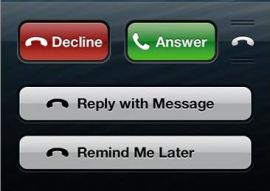
iOS 7 is different to me.  Look at this pic of an incoming call and compare it with the same screen in iOS 6:

iOS 7

iOS 7

iOS 6

iOS 6

The iOS 6 picture has buttons.  The iOS 7 picture is different.  Instead of have chiseled buttons, it looks like the Answer and Decline buttons have been stuck to the screen with labels.  That’s not the only place in the UI that has a label-like appearance.  Sending a new  iMessage or text to someone in the Messages app looks like applying a stamp to a piece of paper.  Taking all that into consideration, I think I finally understand what Ive is trying to do with this UI shift in iOS 7

Labels are easy to reapply.  You just peel them off and stick them back on.  Unlike the chiseled-in-stone button UI, a label can quickly and easily be reconfigured or replaced if it starts to look dated.  Apple made mention of this in Ive’s iOS 7 video where he talked about creating “hierarchical layers (to) establish order“.  Ive commented that this approach gives depth to the OS.  I think he’s holding back on us.

Jonathan Ive created UI layers in the OS so he can change them out more quickly.  Think about it.  If you only have to change a label in an app or change the way they are presented on screen, it allows you to make more rapid changes to the way the OS looks.  If the layers are consistent and draw from the same pool of resources, it allows you to skin the OS however you want with minimal effort.  Ive wasn’t just trying to scrub away the accumulation of Scott Forrestal’s ideas about the UI.  He wanted to change them and make the UI so flexible that the look can be updated in the blink of an eye.  That gives him the ability to change elements at will without the need to overhaul the system.  That kind of rapid configurability gives Apple the chance to keep things looking fresh and accommodate changing tastes.


Tom’s Take

I can almost hear people now saying that making future iOS releases able to be skinned is just another rip off of Android’s feature set.  In some ways, you are very right.  However, consider that Android was always designed with modularity in mind from the beginning.  Google wanted to give manufacturers and carriers the ability to install their own UI.  Think about how newsworthy the announcement of a TouchWiz-free Galaxy S4 was.  Apple has always considered the UI inviolate in all their products.  You don’t have much freedom to change things in iOS or in OS X.  Jonathan Ive is trying to set things up so that changes can be made more frequently in iOS.  Modders will likely find ways to insert their own UI elements and take these ideas in an ever more radical direction.  And all because Apple wanted to be able to peel off their UI pieces as easily as a label.

Nobody Cares

Writing a blog can be very fun and rewarding.  I’ve learned a lot from the things I’ve written.  I’ve had a blast with some of the more humorous posts that I’ve put up.  I’ve even managed to be anointed at the Hater of NAT.  After everything though, I’ve learned something very important about writing.  For the most part, nobody cares.

Now, before you run to your keyboard and respond that you do indeed care, allow me to expound on that idea just a bit.  I’ve written lots of different kinds of posts.  I’ve talked about educational stuff, funny lists, and even activist posts trying to get unpopular policies changed.  What I’ve found is that I can never count on something being popular.  There are days when I sit down in front of my computer and start furiously typing away as if I’m going to change the world with the words that I’m putting out.  When I hit the publish button, it’s as if I’m launching those paragraphs into a black hole.  I’m faced with a reality that maybe things weren’t as important as I thought.

A prime example is the original intent for my blog.  I wanted to write a book about teaching people structured troubleshooting.  I figured if I could get a few of those chapters down as blog posts, it would go a long way to helping me get everything sorted out in my mind.  Now, almost three years later, the two least read posts on my site are those two troubleshooting posts.  There are images on my site that have more hits than those two posts combined.  If I were strictly worried about page views, I’d probably have given up by now.

In contrast, some of the most popular posts are the ones I never put a second thought into.  How about my most popular article about the differences between HP and Cisco trunking?  I just fired that off as a way to keep it straight in my head.  Or how about my post about a throwaway line in a Star Trek movie that exploded on Reddit?  I never dreamed that those articles would be as big as they have ended up being.  I’m continually surprised by the things that end up being popular.

What does this mean for your blogging career?  It means that writing is the most important thing you can do.  You should invest time in creating good quality content.  But don’t get disappointed when people don’t find your post as fascinating as you.  Just get right back on your blogging horse and keep turning out the content.  Eventually, you’re going to find an unintentional gem that people are going to go wild about.

Despite the old adage, lightning does indeed strike twice.  The Empire State Building is hit about 100 times per year.  However, you never know when those strikes are going to hit.  Unless you are living in Hill Valley, California you can never know exactly when that bolt from the blue is going to come crashing down.  In much the same way, you shouldn’t second guess yourself when it comes to posting.  Just keep firing them out there until one hits it big.  Whether it be from endless retweets or a chance encounter with the front page of a news aggregator you just need to put virtual pen to virtual paper and hope for the best.

Cisco Live 2013 Wrap Up

Cisco Live Tweetup Pic 1

Cisco Live 2013 Tweetup Pic 2

Cisco Live 2013 in Orlando is in the books. I’m sitting in the airport once again thinking about what made this year so special. It’s interesting to see the huge number of people coming to events like this. All manner of folks that want to see what Cisco is bringing to the market as well as those that want to talk to the best and brightest in the networking world.

I arrived on Saturday afternoon after taking a direct flight from Tech Field Day 9 in Austin. I made sure to pack a few extra clothes to be sure I’d have something to wear in the Orlando heat. As soon as I arrived and checked into my hotel, I headed down to the registration desk. Once I picked up my NetVet badge, I headed right next door to the Social Media Hub:

CLUSSocMedHub

This area has grown substantially since its introduction at Cisco Live 2012.  And when you consider that my original meet up area was a corner table with three chairs, you can help but feel awed at this presentation. I was very impressed to see the lounge aspect fully realized and the ample amount of seating provided a great place for attendees to hang out between sessions. Many of the Twitter folks at Cisco Live like Justin Cohen (@Grinthock) and Patrick Swackhammer (@swackhap) even used the Social Media Hub to watch the keynote addresses and comment on Twitter as they happened. They might have even exceeded their tweet count for a given time period and gotten silenced. It was impressive to see social media being used as the primary method of giving feedback during these big events.

Speaking of social media, the Sunday evening tweetup was a huge success. We had more than 50 people packed into our little corner of the Social Media Hub enjoy good conversation and amazing company. We even got a surprise visit from the former host of Cisco Live, Carlos Dominguez (@carlosdominguez), who stopped by to chat for a bit. We had a chef making Cherries Jubilee along with all the caffeinated and sugary snacks that one could hope for. I jumped on a chair to say a quick “thank you” to all those that attended. Events like this are the way to show the higher ups at Cisco how important social media is to a coherent and vibrant business strategy going forward.

Transportation seemed to be a commonly discussed theme at the event this year, though not usually in a positive manner. While the hotel shuttle system was keeping up rather well with demand and even offered in-bus wifi connectivity, the whole system seemed to break down when forced to cope with large numbers. The CCIE party on Tuesday and Customer Appreciation Event (CAE) on Wednesday both had large numbers of folks waiting for a very small number of buses. The most commonly heard explanation was heavy traffic around the convention center. I would love to believe that, but the fact that a few hundred people were standing around in the oppressive Florida humidity waiting for one of the dwindling spots on the few running buses was what I remember more than anything else. While San Francisco is a much friendlier city for walking I’d rather avoid the issues from this year.

The best part of Cisco Live is the people. I rekindled so many outstanding friendships this year and made quite a few new ones as well. I was astounded at the number of people that would stop me in the hallway to say hello or thank me for writing. Almost everyone was appreciative of the input that I gave into all the social media events. Truth be told, I didn’t really do that much. I helped out with a couple of things here and there, but for the most part I let the incredible Cisco Live Social Media team led by Kathleen Mudge (@KathleenMudge) do everything possible to make the experience amazing. I just wrote a blog post or two about things. If anyone deserves credit, it’s them.


Tom’s Take

I think Cisco is finally starting to get it when it comes to social media. They are pulling out al the stops to enhance the experience through meeting spaces, additional access, and even real time information gathering. For once, it wasn’t an airbrushed tattoo that announced me to the world of Cisco Live 2013. It was this tweet about hotel wifi:

Others such as Blake Krone (@BlakeKrone) got their tweets in the keynotes as well. VMware has always had an edge when it comes to social media in my opinion. This year, Cisco closed that gap considerably. Some of the conversations that I had with decision makers highlighted the ability to involve large numbers of people in a very personal way. Those influencers then spread the word to others in an honest and genuine manner. They are the soul of Cisco Live.

I’m already starting to plan for Cisco Live 2014 in San Francisco. I plan on putting up a poll in the coming months so we can plan a time for the big sign picture instead of leaving it until the last minute. I want to involve everyone I can in submitting suggestions to the Cisco Live Social Media team. Anything you can think of to enhance the experience for everyone will go a long way to making the event the best it can be. From the bottom of my heart I want to say “thank you” to everyone at Cisco Live. See you next year in San Fran!

The SDNquisition

Inquisition

Network Engineer: Trouble in the data center.
Junior Admin: Oh no – what kind of trouble?
Network Engineer: VLAN PoC for VIP is SNAFU.
Junior Admin: Pardon?
Network Engineer: VLAN PoC for VIP is SNAFU.
Junior Admin: I don’t understand what you’re saying.
Network Engineer: [slightly irritatedly and with exaggeratedly clear accent] Virtual LAN Proof of Concept for the Very Important Person is…messed up.
Junior Admin: Well what on earth does that mean?
Network Engineer: *I* don’t know – the CIO just told me to come in here and say that there was trouble in the data center that’s all – I didn’t expect a kind of Spanish Inquisition.

[JARRING CHORD]

[The door flies open and an SDN Developer  enters, flanked by two junior helpers. An SDN Assistant [Jones] has goggles pushed over his forehead. An SDN Blogger [Gilliam] is taking notes for the next article]

SDN Developer: NOBODY expects the SDNquisition! Our chief weapon is orchestration…orchestration and programmability…programmability and orchestration…. Our two weapons are programmability and orchestration…and Open Source development…. Our *three* weapons are programmability, orchestration, and Open Source development…and an almost fanatical devotion to disliking hardware…. Our *four*…no… *Amongst* our weapons…. Amongst our weaponry…are such elements as programmability, orchestration…. I’ll come in again.

[The Inquisition exits]

Network Engineer: I didn’t expect a kind of Inquisition.

[JARRING CHORD]

[The cardinals burst in]

SDN Developer: NOBODY expects the SDNquisition! Amongst our weaponry are such diverse elements as: programmability, orchestration, Open Source development, an almost fanatical devotion to disliking hardware, and nice slide decks – Oh damn!
[To Cardinal SDN Assistant] I can’t say it – you’ll have to say it.
SDN Assistant: What?
SDN Developer: You’ll have to say the bit about ‘Our chief weapons are …’
SDN Assistant: [rather horrified]: I couldn’t do that…

[SDN Developer bundles the cardinals outside again]

Network Engineer: I didn’t expect a kind of Inquisition.

[JARRING CHORD]

[The cardinals enter]

SDN Assistant: Er…. Nobody…um….
SDN Developer: Expects…
SDN Assistant: Expects… Nobody expects the…um…the SDN…um…
SDN Developer: SDNquisition.
SDN Assistant: I know, I know! Nobody expects the SDNquisition. In fact, those who do expect –
SDN Developer: Our chief weapons are…
SDN Assistant: Our chief weapons are…um…er…
SDN Developer: Orchestration…
SDN Assistant: Orchestration and —
SDN Developer: Okay, stop. Stop. Stop there – stop there. Stop. Phew! Ah! … our chief weapons are Orchestration…blah blah blah. Cardinal, read the paradigm shift.
SDN Blogger: You are hereby charged that you did on diverse dates claim that hardware forwarding is preferred to software definition of networking…
SDN Assistant: That’s enough.
[To Junior Admin] Now, how do you plead?
Junior Admin: We’re innocent.
SDN Developer: Ha! Ha! Ha! Ha! Ha!

[DIABOLICAL LAUGHTER]

SDN Assistant: We’ll soon change your mind about that!

[DIABOLICAL ACTING]

SDN Developer: Programmability, orchestration, and Open Source– [controls himself with a supreme effort] Ooooh! Now, Cardinal — the API!

[SDN Assistant produces an API design definition. SDN Developer looks at it and clenches his teeth in an effort not to lose control. He hums heavily to cover his anger]

SDN Developer: You….Right! Open the IDE.

[SDN Blogger and SDN Assistant make a pathetic attempt to launch a cross-platform development kit]

SDN Developer: Right! What function will you software enable?
Junior Admin: VLAN creation?
SDN Developer: Ha! Right! Cardinal, write the API [oh dear] start a NETCONF parser.

[SDN Assistant stands their awkwardly and shrugs his shoulders]

SDN Assistant: I….
SDN Developer: [gritting his teeth] I *know*, I know you can’t. I didn’t want to say anything. I just wanted to try and ignore your dependence on old hardware constructs.
SDN Assistant: I…
SDN Developer: It makes it all seem so stupid.
SDN Assistant: Shall I…?
SDN Developer: No, just pretend for Casado’s sake. Ha! Ha! Ha!

[SDN Assistant types on an invisible keyboard at the IDE screen]

[Cut to them torturing a dear old lady, Marjorie Wilde]

SDN Developer: Now, old woman — you are accused of heresy on three counts — heresy by having no API definition, heresy by failure to virtualize network function, heresy by not purchasing an SDN startup for your own needs, and heresy by failure to have a shipping product — *four* counts. Do you confess?
Wilde: I don’t understand what I’m accused of.
SDN Developer: Ha! Then we’ll make you understand! SDN Assistant! Fetch…THE POWERPOINT!

[JARRING CHORD]

[SDN Assistant launches a popular presentation program]

SDN Assistant: Here it is, lord.
SDN Developer: Now, old lady — you have one last chance. Confess the heinous sin of heresy, reject the works of the hardware vendors — *two* last chances. And you shall be free — *three* last chances. You have three last chances, the nature of which I have divulged in my previous utterance.
Wilde: I don’t know what you’re talking about.
SDN Developer: Right! If that’s the way you want it — Cardinal! Animate the slides!

[SDN Assistant carries out this rather pathetic torture]

SDN Developer: Confess! Confess! Confess!
SDN Assistant: It doesn’t seem to be advancing to the next slide, lord.
SDN Developer: Have you got all the slides using the window shade dissolve?
SDN Assistant: Yes, lord.
SDN Developer [angrily closing the application]: Hm! She is made of harder stuff! Cardinal SDN Blogger! Fetch…THE NEEDLESSLY COMPLICATED VISIO DIAGRAM!

[JARRING CHORD]

[Zoom into SDN Blogger’s horrified face]

SDN Blogger [terrified]: The…Needlessly Complicated Visio Diagram?

[SDN Assistant produces a cluttered Visio diagram — a really cluttered one]

SDN Developer: So you think you are strong because you can survive the Powerpoint. Well, we shall see. SDN Assistant! Show her the Needlessly Complicated Visio Diagram!

[They shove the diagram into her face]

SDN Developer [with a cruel leer]: Now — you will study the Needlessly Complicated Visio Diagram until lunch time, with only a list of approved Open Flow primitives. [aside, to SDN Assistant] Is that really all it is?
SDN Assistant: Yes, lord.
SDN Developer: I see. I suppose we make it worse by shouting a lot, do we? Confess, woman. Confess! Confess! Confess! Confess
SDN Assistant: I confess!
SDN Developer: Not you!

Devaluing Experts – A Response

I was recently reading a blog post from Chris Jones (@IPv6Freely) about the certification process from the perspective of Juniper and Cisco. He talks about his view of the value of a certification that allows you to recertify from a dissimilar track, such as the CCIE, as opposed to a certification program that requires you to use the same recertification test to maintain your credentials, such as the JNCIE. I figured that any comment I had would run much longer than the allowed length, so I decided to write it down here.

I do understand where Chris is coming from when he talks about the potential loss of knowledge in allowing CCIEs to recert from a dissimilar certification track. At the time of this writing, there are six distinct tracks, not to mention the retired tracks, such as Voice, Storage, and many others. Chris’s contention is that allowing a Routing and Switching CCIE to continue to recertify from the Data Center or Wireless track causes them to lose their edge when it comes to R&S knowledge. The counterpoint to that argument is that the method of using the same (or updated) test in the certified track as the singular recertification option is superior because it ensures the engineer is always up on current knowledge in their field.

My counter argument to that post is two fold. The first point that I would debate is that the world of IT doesn’t exist in a vacuum. When I started in IT, I was a desktop repair technician. As I gradually migrated my skill set to server-based skills and then to networking, I found that my previous knowledge was important to continue forward but that not all of it was necessary. There are core concepts that are critical to any IT person, such as the operation of a CPU or the function of RAM. But beyond the requirement to answer a test question is it really crucial that I remember the hex address of COM4 in DOS 5.0? My skill set grew and changed as a VAR engineer to include topics such as storage, voice, security, and even returning to servers by way of virtualization. I was spending my time working with new technology while still utilizing my old skills. Does that mean that I needed stop what I was working on every 1.5 years to start studying the old CCIE R&S curriculum to ensure that I remembered what OSPF LSA types are present in a totally stubby area? Or is it more important to understand how SDN is impacting the future of networking while not having any significant concrete configuration examples from which to generate test questions?

I would argue that giving an engineer an option to maintain existing knowledge badges by allowing new technology to refresh those badges is a great idea for vendors that want to keep fresh technology flowing into their organization. The risk of forcing your engineers into a track without an incentive to stay current comes in when you have a really smart engineer that is not capable of thinking beyond their certification area. Think about the old telecommunications engineers that have spent years upon years in their wiring closets working with SS7 or 66-blocks. They didn’t have an incentive or need to learn how voice over IP (VoIP) worked. Now that their job function has been replaced by something they don’t understand many of them are scrambling to retrain or face being left behind in the market. As Steven Tyler once sang, “If you do what you’ve always done, you’ll always get what you’ve always got.”

Continuous Learning

The second part of my counterpoint is that the only true way to maintain the level of knowledge required for certification shouldn’t rely on 50-100 multiple choice questions. Any expert-level program should allow for the use of continuing education to recertify the credential on a yearly basis. This is how the legal bar system works. It’s also how (ISC)2’s CISSP program works. By demonstrating that you are acquiring new knowledge continually and contributing to the greater knowledge base you are automatically put into a position that allows you to continue to hold your certification. It’s a smart concept that creates information and ensures that the holders of those certifications stay current on new knowledge. Think for moment about changing the topics of an exam. If the exam is changed every two years there is a potential for a gap in knowledge to occur. If someone were recertified on the last day of the CCIE version 3 exam, it would have been almost two years before they had to take an exam that required any knowledge of MPLS, which is becoming an increasingly common enterprise core protocol. Is it fair that the person that took the written exam the next day was required to know about MPLS? What happens if that CCIEv3 gets a job working with MPLS a few months later. According to the current version 4 curriculum they CCIE should know about MPLS. Within the confines of the certification program the user has failed to demonstrate familiarity with the topic.

Instead, if we ensure that the current certification holders are studying new topics such as MPLS or SDN or any manner of networking-related discussions we can be reasonably sure they are conversant with what the current state of the industry looks like. There is no knowledge gap because new topics can be introduced quickly as they become relevant. There is no fear that someone following the letter of the certification law and recertifying on the same material will run into something they haven’t seen before because of a timing issue. Continuous improvement is a much better method in my mind.


Tom’s Take

Recertification is going to be a sticky topic no matter how it’s sliced. Some will favor allowing engineers to spread their wings and become conversant in many enterprise and service provider topics. Still others will insist that the only way to truly be an expert in a field is to study those topics exclusively. Still others will say that a melding of the two approaches is needed, either through continuous improvement or true lab recertification. I think the end result is the same no matter the case. What’s needed is an agile group of engineers that is capable of not only being an expert at their field but is also encouraged to do things outside their comfort zone without fear of losing that which they have worked so hard to accomplish. That’s valuable no matter how you frame it.

Note that this post was not intended to be an attack against any person or any company listed herein. It is intended as a counterpoint discussion of the topics.

Big Data? Or Big Analysis?

data-illustration

Unless you’ve been living under a rock for the past few years, you’ve no doubt heard all about the problem that we have with big data.  When you start crunching the numbers on data sets in the terabyte range the amount of compute power and storage space that you have to dedicate to the endeavor is staggering.  Even at Dell Enterprise Forum some of the talk in the keynote addresses focused on the need to split the processing of big data down into more manageable parallel sets via use of new products such as the VRTX.  That’s all well and good.  That is, it’s good if you actually believe the problem is with the data in the first place.

Data Vs. Information

Data is just description.  It’s a raw material.  It’s no more useful to the average person than cotton plants or iron ore.  Data is just a singular point on a graph with no axes.  Nothing can be inferred from that data point unless you process it somehow.  That’s where we start talking about information.

Information is the processed form of data.  It’s digestible and coherent.  It’s a collection of data points that tell a story or support a hypothesis.  Information is actionable data.  When I have information on something, I can make a decision or present my findings to someone to make a decision.  They key is that it is a second-order product.  Information can’t exist without data upon which to perform some kind of analysis.  And therein lies the problem in our growing “big data” conundrum.

Big Analysis

Data is very sedentary.  It doesn’t really do much after it’s collected.  It may sit around in a database for a few days until someone needs to generate information from it.  That’s where analysis comes into play.  A table is just a table.  It has a height and a width.  It has a composition.  That’s data.  But when we analyze that table, we start generating all kinds of additional information about it.  Is it comfortable to sit at the table?  What color lamp goes best with it?  Is it hard to move across the floor?  Would it break if I stood on it?  All of that analysis is generated from the data at hand.  The data didn’t go anywhere or do anything.  I created all that additional information solely from the data.

Look at the above Wikipedia entry for big data.  The image on the screen is one of the better examples of information spiraling out of control from analysis of a data set.  The picture is a visual example of Wikipedia edits.  Note that it doesn’t have anything to do with the data contained in a particular entry.  They’re just tracking what people did to describe that data or how they analyzed it.  We’ve generated terabytes of information just doing change tracking on a data set.  All that data needs to be stored somewhere.  That’s what has people in IT sales salivating.

Guilt By Association

If you want to send a DBA screaming into the night, just mention the words associative entity (or junction table).  In another lifetime, I was in college to become a DBA.  I went through Intro to Databases and learned about all the constructs that we use to contain data sets.  I might have even learned a little SQL by accident.  What I remember most was about entities.  Standard entities are regular data.  They have a primary key that describes a row of data, such as a person or a vehicle.  That data is pretty static and doesn’t change often.  Case in point – how accurate is the height and weight entry on your driver’s license?

Associative entities, on the other hand, represent borderline chaos.  These are analysis nodes.  They contain more than one primary key as a reference to at least two tables in a database.  They are created when you are trying to perform some kind of analysis on those tables.  They can be ephemeral and usually are generated on demand by things like SQL queries.  This is the heart of my big data / big analysis issue.  We don’t really care about the standard data entities.  We only want the analysis and information that we get from the associative entities.  The more information and analysis we desire, the more of these associative entities we create.  Containing these descriptive sets is causing the explosion in storage and compute costs.  The data hasn’t really grown.  It’s our take on the data that has.

Crunch Time

What can we do?  Sadly, not much.  Our brains are hard-wired to try and make patterns out of seeming unconnected things.  It is a natural reaction that we try to bring order to chaos.  Given all of the data in the world the first thing we are going to want to do with it is try and make sense of it.  Sure, we’ve found some very interesting underlying patterns through analysis such as the well-worn story from last year of Target determining a girl was pregnant before her family knew.  The purpose of all that analysis was pretty simple – Target wanted to know how to better pitch products to a specific focus groups of people.  They spent years of processing time and terabytes of storage all for the lofty goal of trying to figure out what 18-24 year old males are more likely to buy during the hours of 6 p.m. to 10 p.m. on weekday evening.  It’s a key to the business models of the future.  Rather than guessing what people want, we have magical reports that tell us exactly what they want.  Why do you think Facebook is so attached to the idea of “liking” things?  That’s an advertisers dream.  Getting your hands on a second-order analysis of Facebook’s Like database would be the equivalent of the advertising Holy Grail.


Tom’s Take

We are never going to stop creating analysis of data.  Sure, we may run out of things to invent or see or do, but we will never run out of ways to ask questions about them.  As long as pivot tables exist in Excel or inner joins happen in an Oracle database people are going to be generating analysis of data for the sake of information.  We may reach a day where all that information finally buries us under a mountain of ones and zeroes.  We brought it on ourselves because we couldn’t stop asking questions about buying patterns or traffic behaviors.  Maybe that’s the secret to Zen philosophy after all.  Instead of concentrating on the analysis of everything, just let the data be.  Sometimes just existing is enough.

Software Defined Cars

CarLights

I think everything in the IT world has been tagged as “software defined” by this point. There’s software defined networking, software defined storage, the software defined data center, and so on. Given that the definitions of the things I just enumerated are very hard to nail down, it’s no surprise that many in the greater IT community just roll their eyes when they start hearing someone talk about SD.

I try to find ways to discuss advanced topics like this with people that may not understand what a hypervisor is or what a forwarding engine is really supposed to be doing. The analogies that I come up usually relate to everyday objects that are familiar to my readers. If I can frame the Internet as a highway and help people “get it,” then I’ve succeeded.

During one particularly interesting discussion, I started trying to relate SDN to the automobile. The car is a fairly stable platform that has been iterated upon many times in the 150 years that it has been around. We’ve seen steam-powered single seat models give way to 8+ passenger units capable of hauling tons of freight. It is a platform that is very much defined by the hardware. Engines and seating are the first things that spring to mind, but also wheels and cargo areas. The difference between a sports car and an SUV is very apparent due to hardware, much in the same way that a workgroup access switch only resembles a core data center switch in the most basic terms.

This got me to thinking: what would it take to software define a car? How could I radically change the thinking behind an automobile with software. At first, I thought about software programs running in the engine that assist the driver with things like fuel consumption or perhaps an on-demand traction and ride handling system. Those are great additional features for sure but they don’t really add anything to the base performance of a car beyond a few extra tweaks. Even the most advanced “programming” tools that are offered for performance specialists that allow for the careful optimization of transmission shifting patterns and fuel injector mixture recalibration don’t really fall into the software defined category. While those programs offer a way to configure the car in a manner different from the original intent they are difficult to operate and require a great deal of special knowledge to configure in the first place.

That’s when it hit me like a bolt out of the blue. We already have a software defined car. Google has been testing it for years. Only they call it a Driverless Car. Think about it in terms of our favorite topic of SDN. Google has taken the hardware that we are used to (the car) and replaced the control plane with a software construct (the robot steering mechanism). The software is capable of directing the forwarding of the hardware with no user intervention, as illustrated in this video:

That’s a pretty amazing feat when you think about it. Of course, programming a car to drive itself isn’t easy. There’s a ton of extra data that is generated as a car learns to drive itself that must be taken into account. In much the same way, the network is going to generate mountains of additional data that needs to be captured by some kind of sensor or management platform. That extra data represents the network feedback that allows you to do things like steer around obstacles, whether they be a deer in the road or a saturated uplink to a cloud provider.

In addition, the idea of a driverless software defined car is exciting because of the disruption that it represents. Once we don’t need a cockpit with a steering mechanism or access to propulsion mechanisms directly at our fingertips (or feet), we can go about breaking about the historical construction of a car and make it a more friendly concept. Why do I need to look forward when my car does all the work? Why can’t I twist the seats 90 degrees and facilitate conversation among passengers while the automation is occuring? Why can’t I put in an uplink to allow me to get work done or a phone to make calls now that my attention doesn’t need to be focused on the road? When the car is doing all the driving, there are a multitude of ideas that need to be reconsidered for how we design the automobile.

When I started bouncing this idea off of some people, Stephen Foskett (@SFoskett) mentioned to me that some people would take issue with my idea of a software defined car because it’s a self-contained, closed ecosystem. What about a software defined network that collects data and provides for greater visibility to the management layer? Doesn’t it need to be a larger system in order to really take advantage of software definition? That’s the beauty of the software defined piece. Once we have a vehicle generating large amounts of actionable data, we can now collect that and do something with it. Google has traffic data in their Maps application. What if that data was being fed in real time by the cars themselves? What if the car could automatically recognize traffic congestion and reroute on the fly instead of merely suggesting that the driver take an alternate path? What if we could load balance our highway system efficiently because the car is getting real time data about conditions. Now Google has the capability to use their software defined endpoints to reconfigure as needed.

What if that same car could automatically sense that you were driving to the airport and check you into your flight based on arrival time without the need to intervene? How about inputting a destination, such as a restaurant or a sporting event and having the car instantly reserve a parking spot near the venue based on reports from cars already in the lot or from sensors that report the number of empty spots in a parking garage nearby? The possibilities are really limitless even in this first or second stage. The key is that we capture the generated data from the software pieces that we install on top of existing hardware. We never knew we could do this because the interface into the data never existed prior to creating a software layer that we could interact with.  When you look at what Google has already done with their recent acquisition of Waze, the social GPS and map application it does look like Google is starting down this path.  Why rely on drivers to update the Waze database when the cars can do it for you?


Tom’s Take

I have spent a very large portion of my IT career driving to and from customer sites. The idea of a driverless car is appealing, but it doesn’t really help me to just sit over in the passenger seat and watch a computer program do my old job. I still like driving long distances to a certain extent. I don’t want to lose that. It’s when I can start using the software layer to enable things that I never thought possible that I start realizing the potential. Rather than just looking as the driverless software defined car as a replacement for drivers, the key is to look at the potential that it unlocks to be more efficient and make me more productive on the road. That’s the key take away for us all. Those lessons can also be applied to the world of software defined networking/storage/data center as well. We just have to remember to look past the hype and marketing and realize what the future holds in store.

Dell Enterprise Forum and the VRTX of Change

I was invited by Dell to be a part of their first ever Enterprise Forum.  You may remember this event from the past when it was known as Dell Storage Forum, but now that Dell has a bevy of enterprise-focused products in their portfolio a name change was in order.  The Enterprise Forum still had a fair amount of storage announcements.  There was also discussion about networking and even virtualization.  One thing seemed to be on the tip of everyone’s tongue from the moment it was unveiled on Tuesday morning.

VRTX

Say hello to Dell’s newest server platform – VRTX (pronounced “vertex”).  The VRTX is a shift away from the centralized server clusters that you may be used to seeing from companies like Cisco, HP, or IBM.  Dell has taken their popular m1000 blade units and pulled them into an enclosure that bears more than a passing resemblance to the servers I deployed five or six years ago.  The VRTX is capable of holding up to 4 blade servers in the chassis alongside either 12 3.5″ hard drives or 25 2.5″ drives, for a grand total of up to 48 TB of storage space.  What sets VRTX apart from other similar designs, like the IBM S-class BladeCenter of yore, is the ability for expansion.

Rather than just sliding a quad-port NIC into the mezzanine slot and calling it a day, Dell developed VRTX to expand to meet future needs of customers.  That’s why you’ll find 8 PCIe slots in VRTX (3 full height, 5 half height).  That’s the real magic in this system.  For example, the VRTX ships today with 8 1GbE ports for network connectivity.  While 10GbE is slated for a future release you could slide in a 10GbE PCIe card and attach it to a blade if needed to gain connectivity.  You could also put in a Serial Attached SCSI (SAS) Host Bus Adapter (HBA) and gain more expansion for your on-board storage.  In the future, you could even push that to 40GbE or maybe one of those super fast PCIe SSD cards from a company like Fusion-IO.  The key is that the PCIe slots give you a ton of expandability in such a small form factor instead of limiting you to whatever mezzanine card or expansion adapter has been blessed by the skunkworks labs for your supplying server vendor.

VRTX doesn’t come without a bit of controversy.  Dell has positioned this system as a remote office/branch office (ROBO) solution that combines everything you would need to turn up a new site into one shippable unit.  That follows along with comments made at a keynote talk on the third day about Dell believing that compute power has reached a point where it will no longer grow at the same rate.  Dell’s solution to the issue is to push more compute power to the edge instead of centralizing it in the data center.  What you lose in manageability you gain in power.

The funny thing for me was looking at VRTX and seeing the solution to a small scale data center problem I had for many years.  The schools I used to serve didn’t need an 8 or 10-slot blade chassis.  They didn’t need two Compellent SANs with data tiering and failover.  They needed a solution to virtualize their aging workloads onto a small box built for their existing power and cooling infrastructure.  VRTX fits the bill just fine.  It uses 110v power.  The maximum of four blades fits just perfectly with VMware‘s Essentials bundle for cheap virtualization with the capability to expand if needed later on.  Everything is the same as the enterprise-grade hardware that’s being used in other solutions, just in a more SMB-friendly box.  Plus, the entry level price target of $10,000 in a half-loaded configuration fits the budget conscious needs of a school or small office.

If there is one weakness in the first iteration of VRTX it comes from the software side of things.  VRTX doesn’t have any software beyond what you load on it.  It will run VMware, Citrix, Hyper-V, or any manner of server software you want to install.  There’s no software to manage the platform, though.  Without that, VRTX is a standalone system.  If you truly wanted to use it as a “pay as you grow” data center solution, you need to find a way to expand the capabilities of the system linearly as you expand the node count.  As a counterpoint to this, take a look at Nutanix.  Many storage people at Enterprise Forum were calling the VRTX the “Dell Nutanix” solution.  You can watch an overview of what Nutanix is doing from a session at Storage Field Day 2 last November:

The key difference is that Nutanix has a software management program that allows their nodes to scale out when a new node is added.  That is what Dell needs to work on developing to harness the power that VRTX represents.  Dell developed this as a ROBO solution yet no one I talked to saw it that way.  They saw this as a building block for a company starting their data center build out.  What’s needed is the glue to stitch two or more VRTX systems together.  Harnessing the power of multiple discrete compute units is a very important part of breaking through all the barriers discussed at the end of Enterprise Forum.


Tom’s Take

Bigger is better.  Except when it’s not.  Sometimes good things really do come in small packages.  Considering that Dell’s VRTX was a science project for the last four years being built as a proof-of-concept I’d say that Dell has finally achieved one thing they’ve been wanting to do for a while.  It’s hard to compete against HP and IBM due to their longevity and entrenchment in the blade server market.  Now, Dell has a smaller blade server that customers are clamoring to buy to fill needs that aren’t satisfied by bigger boxes.  The missing ingredient right now is a way to tie them all together.  If Dell can mulitplex their resources together they stand an excellent chance of unseating the long-standing titans of blade compute.  And that’s a change worth fighting for.

Disclaimer

I was invited to attend Dell Enterprise Forum at the behest of Dell.  They paid for my travel and lodging expenses while on site in San Jose.  They also provided a Social Media Influencer pass to the event.  At no time did they place any requirements on my attendance or participation in this event.  They did not request that any posts be made about the event.  They did not ask for nor where they granted any kind of consideration in the writing of this or any other Dell Enterprise Forum post.