Switch SuperNAP – The Super Datacenter

One of the highlights of my trip to Cisco Live 2011 was an invitation from Aneel Lakhani and Brian Gracely of Cisco to take an impromptu tour of the SuperNAP facility in Las Vegas, Nevada.  Now, I must admit that I was a bit ignorant of what SuperNAP was when I accepted the invitation.  That changed quickly, though.

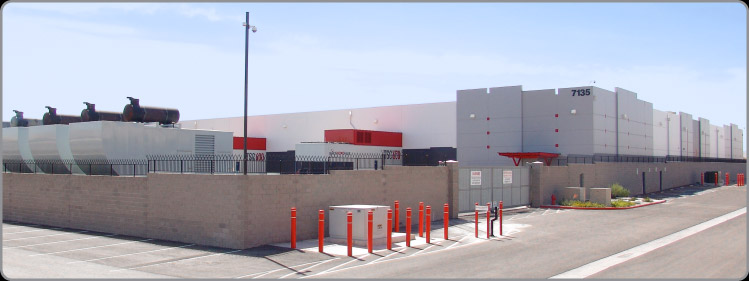
We left the Mandalay Bay hotel on the south end of The Strip and drove over to the facility.  The drive would have been less than fifteen minutes except for some road construction traffic.  Once we turned the corner into the facility, we were greeted with this visage:

This is the kind of facility that just screams “stay away”.  The only entrance is the door in the middle right of the picture.  You must have an appointment to enter the facility, and the voice on the loudspeaker isn’t a friendly one.  Once our tour group gained access, we parked in one of the three parking spots and were immediately greeted by a man in a tactical vest with an assortment of hardware, like a walkie-talkie, flashlight, and sidearm.  He informed us that we needed to have our identification ready and there were ABSOLUTELY no pictures to be taken inside the facility.  While he didn’t confiscate our cell phones, he did question one of our group about an insulin pump on his hip.

Once inside the entrance, I immediately noticed the hardware located behind the security office.  It was more impressive than what I had seen in the FBI buildings I’ve visited.  Behind several inches of bullet resistant glass were M4 assault rifles and what appeared to be shotguns as well.  Coupled with the the posture of the security guards, I was pretty sure this was going to be a rather interesting tour.  Once I surrendered by driver’s license for a visitor pass, we were escorted through the steel mantrap.  The security guard had to buzz each visitor in individually with his access badge and his thumbprint, a very nice combo of two-factor authorization for a security nerd like me.  We were escorted to a conference room filled with industrial-looking tables and comfortable chairs.  The guard asked if we needed to use the restroom, and after no one accepted his offer he asked that we stay in this room until our appointment arrived.  When I heard the door click behind him, I realized that was more of a statement rather than a request.

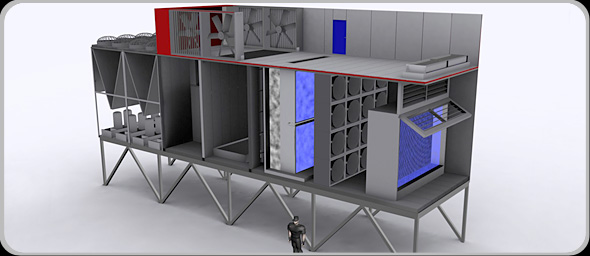
Once the rest of our group arrived, Missy Young came in to start our sightseeing show.  She started out giving us an overview of the facility itself, focusing on the layout and the air handling system.  In most datacenters, keeping the massive amount of equipment cool is one of the more difficult tasks.  When Switch first asked about cooling SuperNAP with the traditional air cooling units, the cooling vendor’s response to their request would have filled half the datacenter floor with A/C units.  So Switch built their own:

Each of those units contains four different types of cooling systems to ensure the most efficient method is used to keep the data center at the appropriate temperature.  There’s even a software program, Living Datacenter, running at all times to monitor the air temperature outside that keeps the air handlers running at peak efficiency and the data center from becoming a greenhouse.  Altogether, there are 44,000 tons of cooling available for the 407,000 square foot facility.  Inside, it was nice and chilly, just like the servers like it.  Thanks to all that cooling power, SuperNAP customers are not required to space their equipment out to allow proper airflow.  The building can deliver the right amount of cooling to every square inch of the floor, therefore allowing Switch to make the most efficient use of the space.

SuperNAP houses lots of equipment from various different companies like Sony and Ebay.  They also host a variety of servers from government agencies as well, many of which they aren’t allowed to talk about.  Because of this, the facility can never be down.  They promise 100% uptime to their customers, and they have the backup systems to deliver.  The facility has 100 MW of power delivered to it for running systems and has almost 150 MW of generator capacity.  Each of those generators is powered by 7,000 gallons of diesel fuel.  In the event of a power outage, SuperNAP has contracts with several fuel companies to start delivering diesel within two hours of the outage report and every eight hours thereafter until power is restored.  In the event that the fuel resupply fails, the security forces are authorized to begin commandeering fuel from the civilian population of Las Vegas.  However, I doubt it would come to that anytime soon.  SuperNAP taps the two national power mains that deliver electricity to Las Vegas upstream of the city.  Even if Sin City starts having brownouts, SuperNAP will stay online.  Due to their level of importance in keeping the lights on, the only facility in Nevada that would get power preference before them is the Hoover Dam.

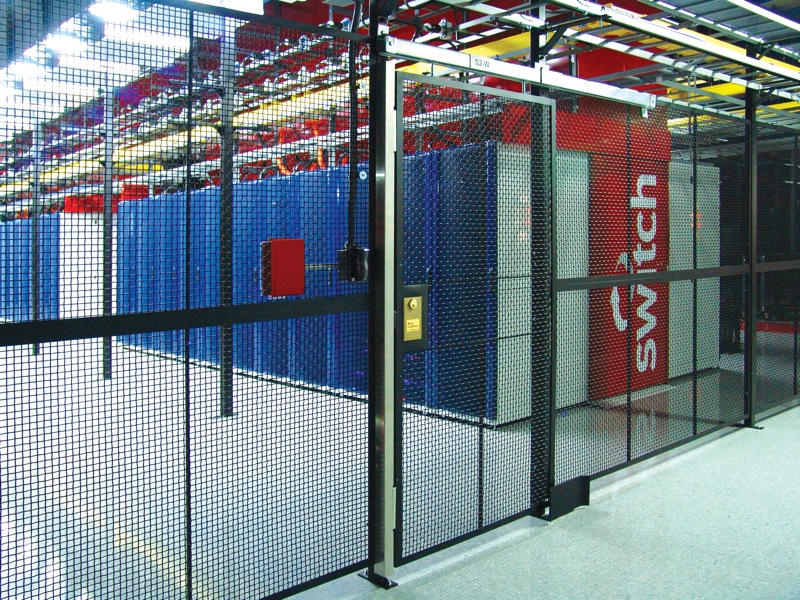
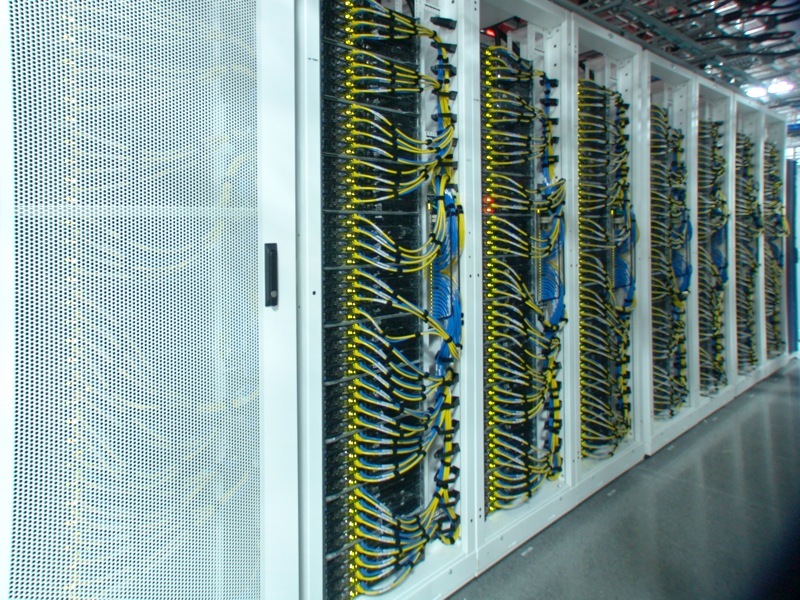
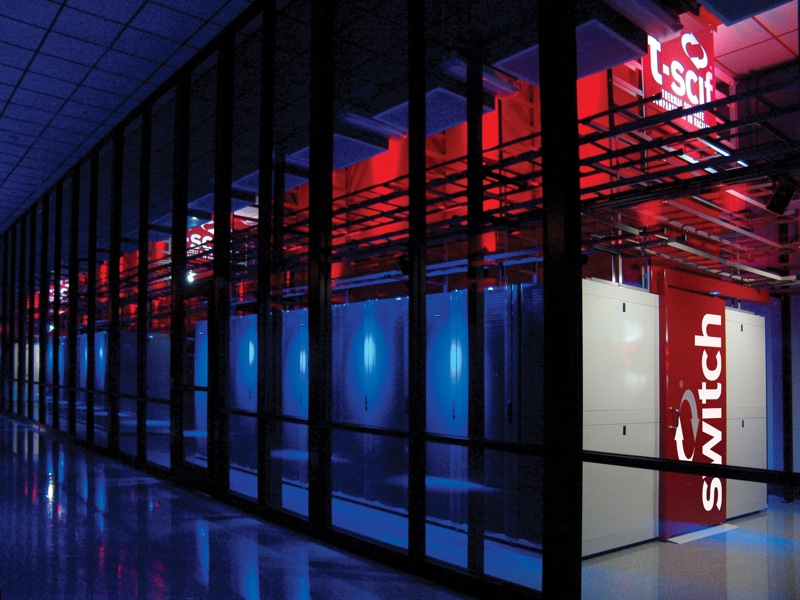
After the overview, we all signed our waivers and walked out a door to begin the tour of the facility.  Since we couldn’t take our own pictures, I’m going to post some of theirs.  Trust me, they’re real.

It’s really impressive in person.  Even though there were only nine of us on the tour, we were followed by an armed guard at all times.  He radioed in every time we walked into a different section of the facility.  It was a little eerie, but I can see how they might want to keep tabs on a shifty fellow like me.

We walked into one of the air handling units and got to see each of the sections bringing air into the facility.  There is a pressure differential inside each unit, so in order to show us the amount of air being pushed by the fans, they had to crack an outside door to equalize things inside.  Somehow, I got stuck on the end nearest the fan door, and when the rather large guard opened it up, I got blasted with hurricane-force cold air for a few seconds.  I felt like Jim Cantore for a bit.  That much air flowing into the facility is a large reason behind its success at keeping the whole thing cool and stable, and they’ve got 30 of these things around the perimeter.  Combined with Living Datacenter, the units are even smart enough to shut off the outside air supply in the event of a dust storm or other unwanted conditions and recirculate the hot exhaust coming back from the server areas.

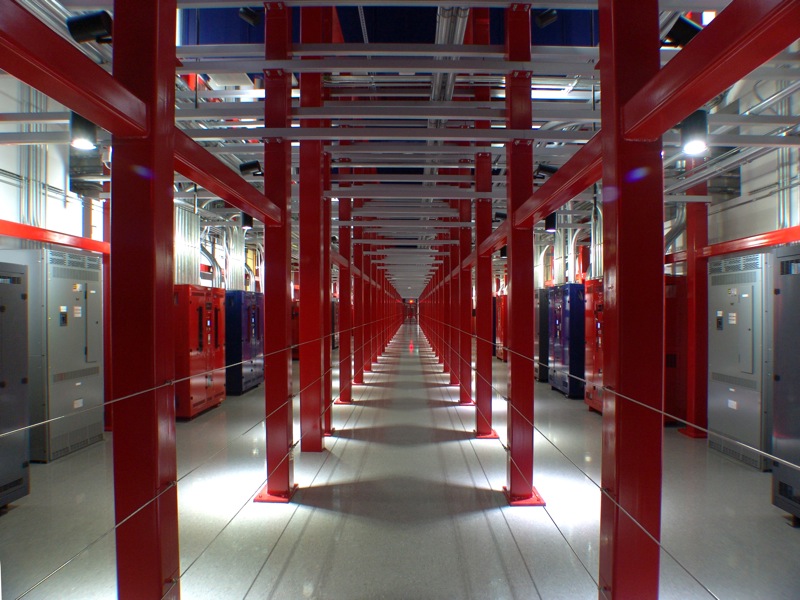
In between areas runs the Power Spine, the location of the large PDUs that distribute the go-go juice to all those hungry servers.  It looked like something out of a sci-fi movie:

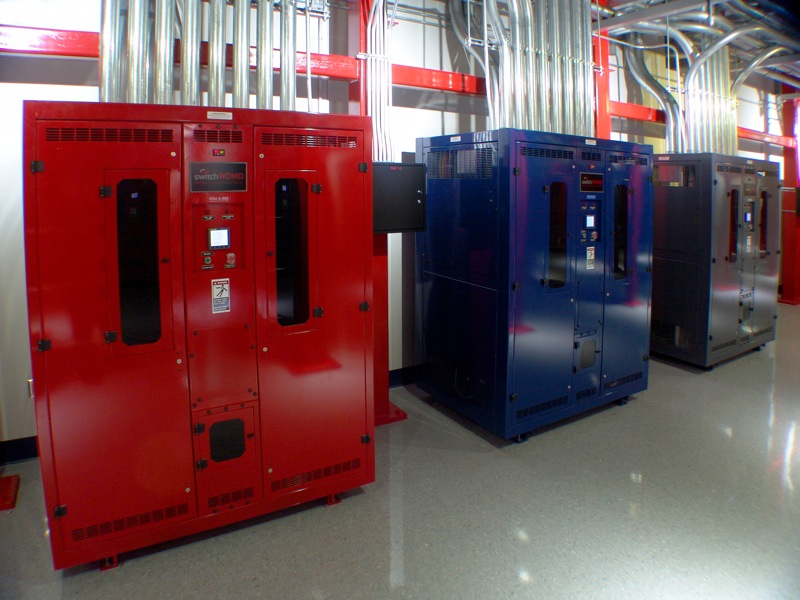
Each rack can be provided 26 Kw of power from each of those color-coded units, and there are two running to each rack to provide redundancy, with a third available just in case.  There’s even enough floor space to double up and provide 200 Mw of power to the whole facility.  The floor itself uses 4,500 psi concrete to be able to support all that weight.  And since there isn’t any raised floor space in the whole facility (all the infrastructure is overhead), it allows customers to pack in some seriously heavy computing power.

One thing I will note here.  You notice that everything in these pictures looks very polished and theatrical.  That’s a bit on purpose.  From the armed guards to the LED lighting to the enamel paint everywhere, this whole facility screams theater from the inside.  Some disbelieve their ability to deliver what they promise.  Missy’s response was “just ask our customers.”  I agree that there is a bit of a show being put on at the facility.  I surmise that it’s most likely due to an extension of will from those that built the facility in the first place.  After all, it’s very impressive to visitors to see all this hardware powering rows and rows of computing power.  Why not take the extra time and effort to make it pretty?  Besides, if someone leaves a mess, you’ve always got the security guards around to shoot the offenders.

Tom’s Take

If there’s ever a zombie apocalypse, I’m getting in the car and heading for SuperNAP.  I’m going to call ahead and make sure that Missy knows I’m coming though, because that could get interesting when the guards don’t know whether or not I’m zombified.  The SuperNAP facility delivers a very impressive profile for a datacenter, both in size and operation.  It was like walking through Toys R Us as a kid, only the toys here are multi-million dollar server equipment and the sales clerks carry assault rifles.  SuperNAP delivers on their promises of 100% uptime and their customer list is rather impressive.  I think that everyone interested in the hows and whys of data center design should take a peek inside to see what it looks like when it’s done right.  Just call ahead first.

Thanks again to Aneel Lakhani and Brian Gracely of Cisco for the invite and thanks to the rest of the group for allowing me to tag along and not get us shot at.

Cisco Live 2011

The Cisco Live 2011 Twitter Army - Thanks to Hank Yeomans

It’s a bittersweet morning for me. I’m sitting in McCarren Aiport in Las Vegas about to leave to head home after Cisco Live 2011. Cisco Live is the annual convention that brings together Cisco customers, partners, and employees for fun and learning. I have been an annual Cisco Live attendee each year since 2006, so I’ve been everywhere from Anaheim to Orlando. This year, however, was the best Cisco Live ever. This is thanks, in no small part, to the amazing people I met in my short six days. I’m going to break things down by day simply because there was so much that happened that it would look like a trainwreck otherwise.  Although, it’s probably going to look like a trainwreck anyway.

Saturday

I arrived Saturday around noon and immediately ran into Jeff Fry. After we collected our baggage and hailed a cab to the Mandalay Bay, I deposited my luggage in my room and decided that watching TV wasn’t the most exciting thing to be doing. Jeff and I grabbed lunch by the Cisco Live registration desk and got to register early when the desk opened about 30 minutes ahead of schedule. Jeff is kind of Cisco-famous thanks to an excellent guide he wrote for first-time Cisco Live attendees, so when we found Leslie, one of the coordinators, she handed both of us a special ribbon for our name badges that allowed us to display our Twitter handles for the world to see. I had my own little addition to the conference badge, a little insert that had the Packet Pushers logo and denoted me as one of the hosts. I figure a little advertising never hurts, right? Once we got the new conference bag, we walked over to the tables just outside the registration desk and just hung out for a bit. I knew that some of my tweeps were coming into town, so I decided to let them know where I was so they could stop by and say hello. I ran into Jon Nelson, my old nemesis from the Cisco Collaboration Code game from last year, where Jon took home an iPad. We chatted with Jon and Jeff and lots of other people that just dropped by to meet me. I even had someone come over from the registration desk because he recognized my voice from Packet Pushers and wanted to tell me how much he enjoyed listening, which always makes me feel good. Darby Weaver stopped by to congratulate me on passing the CCIE, something that a lot of people would do throughout the week. We finally wound down a lazy day one by hitting the buffet. Little did I know what was going to happen…

Sunday

Sunday was interestingly busy. I didn’t have any sessions until the late afternoon, but most everyone else was in Techtorials for the whole day. Left to my own devices for once, I walked back down to the tables outside registration and just parked myself there, hoping to meet some more tweeps arriving that day. What shocked me is the amount of people stopping by to meet me and then sticking around to hang out. I honestly thought it would be a quick “hello” followed by people wandering off to look around. Instead, we got a Tech Field Day-style hangout area that just kept growing and growing throughout the week. Right around lunch, I even got to meet Amy, who remarked, “You’re taller than you sound on Twitter.” After lunch with Amy and her crew, I resumed my post at the registration tables, which quickly became the Unoffical Tweetup location for the first couple of days. This was especially funny, as I had tweeted before the conference that while there might be an official tweetup at the Customer Appreciation Event on Wednesday night, the unofficial location would be wherever I happened to be drinking. As Sunday wound down, those of us registered for the Cisco Collaboration welcome session and reception started filtering to the breakout rooms. We probably should have avoided the session, as Amy, Doug Bineti and I spent more time heckling people than anything else. The reception, on the other hand, was wonderful. Instead of being herded into half the Eyecandy Lounge, we got to spread out and occupy the whole thing. It was also better this year because I wasn’t battling Jon for Collaboration Codes. After we wound that party down, my friends from Wireless Field Day told me I should come hang out with them. After walking all the way to the Bellagio and back, we settled on a few beers at New York, New York and eventually back at Eyecandy. This would be the first of many nights where sleep was merely a suggestion.

Monday

Monday I found out that the Unofficial Tweetup location had been renamed to “Tom’s Corner” in honor of me sitting there for the past two days. It was a little humbling to say the least, but the name caught on like I couldn’t believe. I had a couple of sessions during the day, but I was really looking foward to the opening of the World of Solutions (WoS). I was a little sad this year, though, because I found out that my favorite game, the Cisco Challenge, wasn’t going to be around this year. I ran into my friends from the Cole Group that have done such an amazing job every year doing the Challenge, so at least I got to catch up with them. Monday was also the day that I discovered that my phone was dying rather fast due to my constant use to keep upon Twitter. I usually had to go back to the room and charge it at some point.  Just glad I reverted it to iOS 4.3.3. I recorded a special Cisco Live edition of Packet Pushers with Greg Ferro and Tony Mattke just to let our listeners know what was going on here this week. At noon, I ran into Stephen Foskett hanging outside the registration desk. I walked over and spent some time catching up with him and told him I was excited to attend his party later that evening, a themed affair called “Everyone Comes to Rick’s”, after Casablanca. After more chit-chat with Stephen and Jennifer Huber, the Wireless Queen, I bounded off to take my CCDE written exam. I figured since I had a free shot this year with no pressure to recertify anything, I’d give this exam a shot since it had bested me since I took the beta version two years ago. This time, I squeaked by about twenty points above the mark, so I finally got to best this challenging test. I headed back to my corner to await the WoS repception. At 4:30 on the dot, a sea of nerds streamed into the WoS for free beer and t-shirts. I made a beeline to the Certifications Lounge to pick up my all-important silver CCIE ribbon and glass mug gift. I noticed they were doing airbrush CCIE logo tattoos for a little bit of fun (more on this later). I collected the conference t-shirt, which was once again back to the “US Tour” design this year, a very welcome change. I walked over to the Cisco Collaboration Booth and ran into the people there than recognized me from my previous battle last year. They encouraged me to play the game, and I obliged by entering some codes. Thanks to the experience I had from last year, it didn’t take long for me to find all the codes I could and put them in for a chance to win a Cisco Cius. I departed the WoS and headed up to Paris to hang out at Rick’s (actually Steven’s). Before I departed, I ran into CCIE #1026, Terry Slattery. I always enjoy talking to Terry, and I invited him to Stephen’s party just in case he wanted something to do. Stephen’s party was a great time. I bumped into lots of people I knew from Packet Pushers and Tech Field Day, as well as some new people. Fun was had. Wine was consumed. Pictures were taken of my bald spot (once again). In fact, the pictures from Stephen’s NEX-5 camera were so good, many of them ended up becoming new Twitter avatar pics (mine included). I ended up chatting quite a bit and closing down the reception. After thanking Stephen and Jennifer for such a great time, I caught a cab back to the Luxor with Terry Slattery himself. As we walked through the Luxor, I got a chance to talk shop with this legend and learn quite a few things. It was another humbling experience to get to talk to such a great person, one that was greatly appreciated. On the way back to the Mandalay Bay, I ran into Brandon Carroll, Chris Jones, and Tony Mattke and turned around to go to Ri Ra, a great little Irish Pub in Mandalay Place. After a few more drinks, including some I had to chug in one sitting, we finally called it a night around 2 am, ready for the pain that was coming the next day.

Tuesday

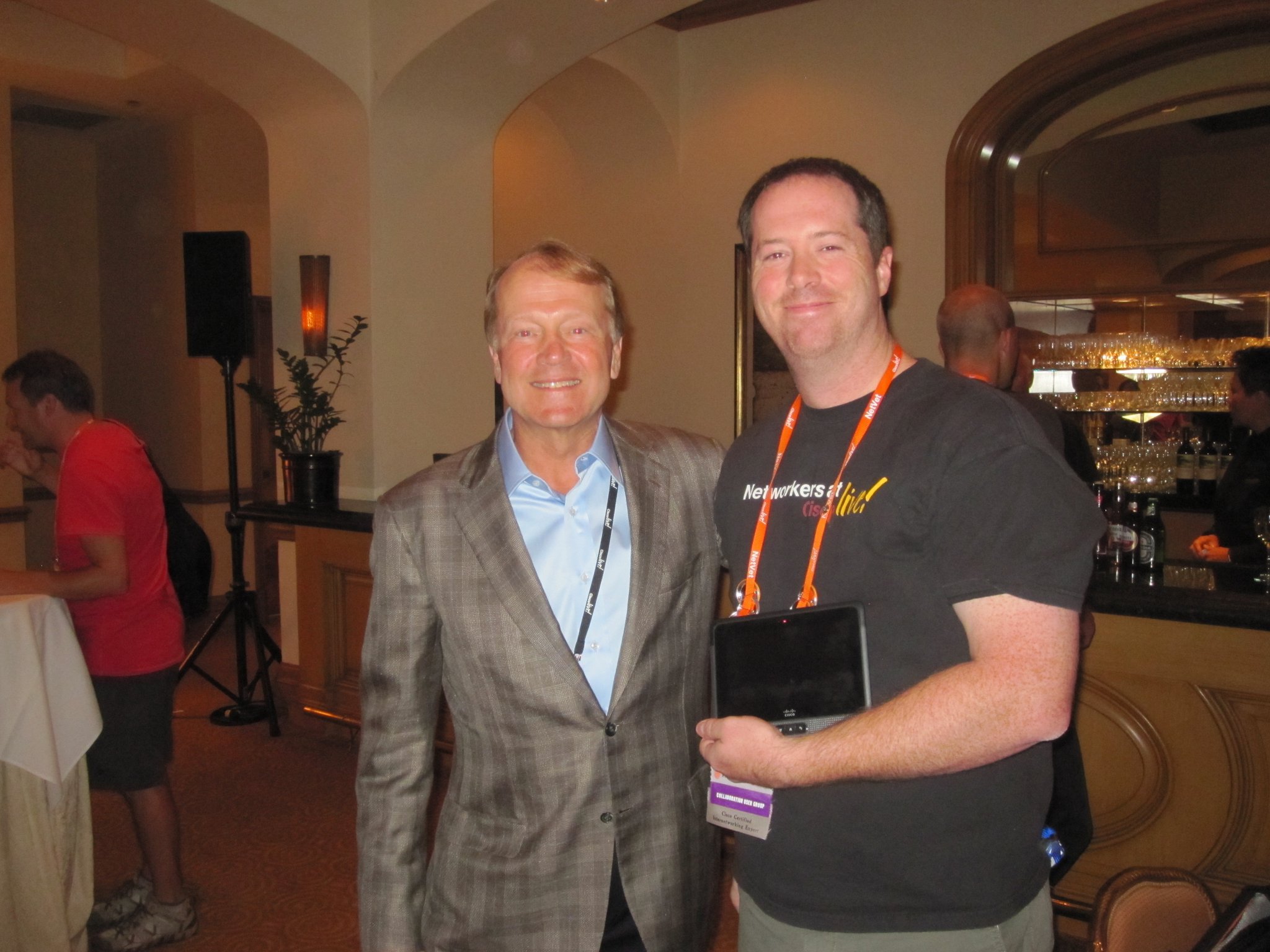
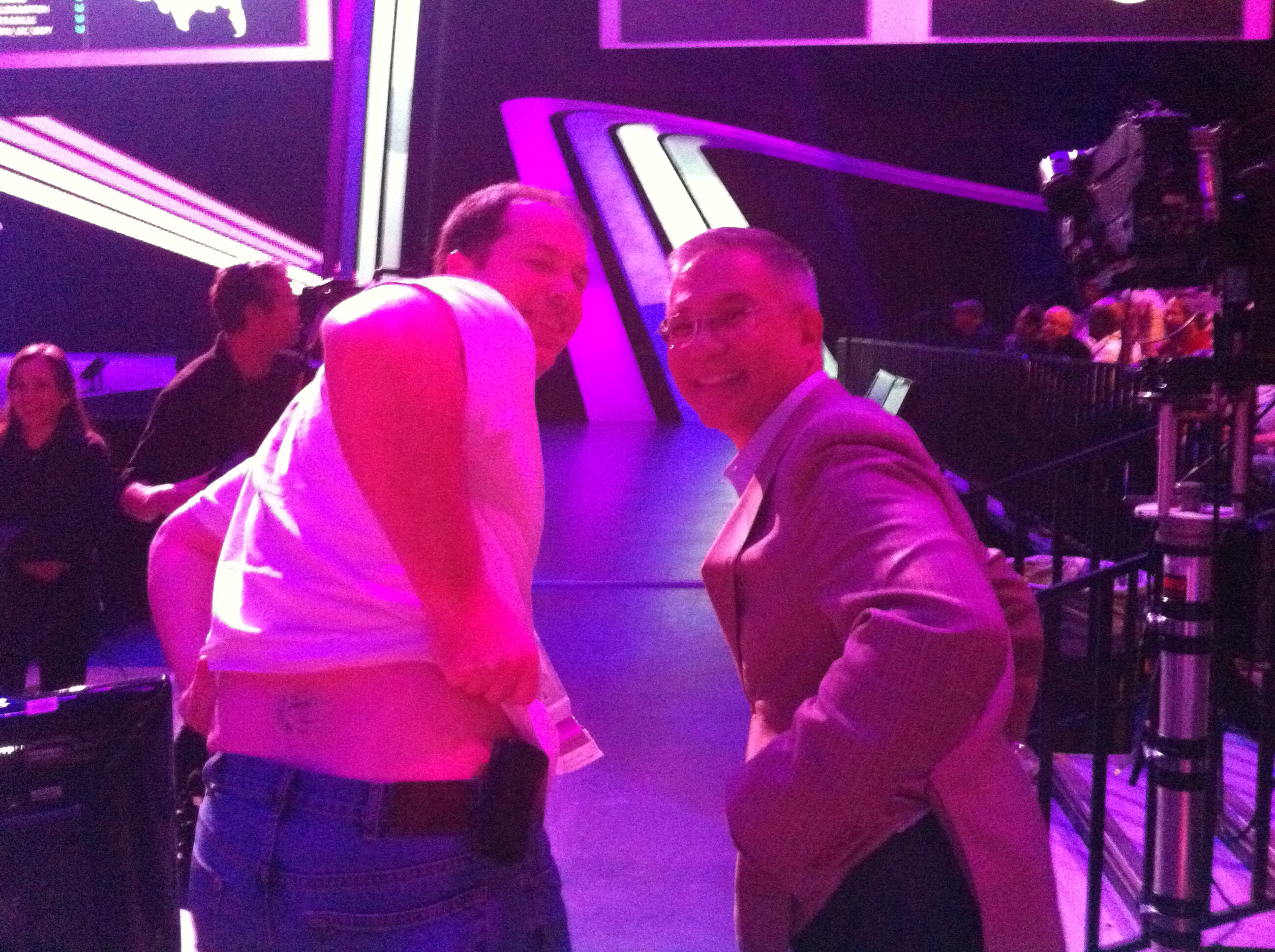
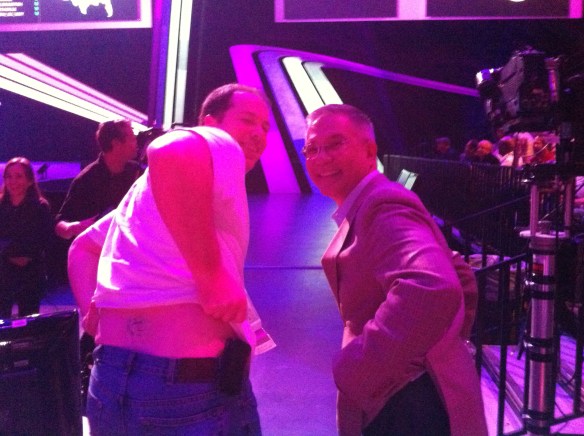
Tuesday morning was better than I thought. I wasn’t hungover, just a little tired. Guess Stephen’s parties aren’t the draining after all.  Either that, or massive amounts of bourbon are a good thing.  I went to my morning session like a good boy, but ended up leaving a little early to head down to Tom’s Corner. Since yesterday, they had made a sign for our tables denoting they were for “Tom and his Twitter Friends”. Kellen Christianson even made Tom’s Corner a 4square check in location. I got a big kick out of that one. Once the John Chambers Keynote got started, I finally got to have a great seat on the floor with the other CCIE NetVets that are annual attendees like myself. The keynote was good, as usual, with John laying out some new areas of focus and talking about his vision for Cisco. After the keynote, we raided the WoS once again for more t-shirts and backpacks. I got a text message from Kira, the wonderful person in charge of the Destination: Collaboration game this year. She told me that she “might” have a cool prize for me and that I should stop by and see her. Once I arrived at the booth, she told me that I had won the first Cisco Cius giveaway! I was elated to be holding this new unified communications endpoint in my hands, as I had seen a big push from Cisco to turn this into a central hub for voice, video, and data communications in the coming months. And now I had my very own to play with! I ran back to the room to start charging it while I recorded yet another Packet Pushers episode with Greg, Ethan Banks, Kurt Bales, and Nicholas Michel about the CCIE exam. My useless hotel internet connection cut out a few times in the recording, but we had a great time overall.  I returned the World of Solutions for a little more exploration and saw that the Learning@Cisco folks were offering a free CCIE t-shirt to anyone willing to get the CCIE airbush tattoo on their lower back, a look commonly referred to as a “tramp stamp”.  When I asked the artist, he said that he hadn’t don’t one yet.  After speaking with Julia, I decided that I would give it a shot.  Once I jumped in with both feet, Marko Milivojevic sacrificed some of his pride as well and got a matching tattoo.  Several pictures were snapped, but little did I know what was in store for me.  I went back to my corner to await another perk of being a CCIE NetVet, the reception with John Chambers. Jeff and Hank Yeomans went with me and we had a good time. While I won’t divulge what was discussed out of respect for John’s candor, I will say that my first CCIE NetVet question was met with a round of applause. I even got to take my picture with John and my new Cius!
Uncle John and I - Thanks to Jeff Fry

After the reception, we headed to the buses for the CCIE party. I was pumped to attend this year, as I had heard good stories about last year. We went to Madame Tussad’s House of Wax for food and drink and socializing. However, the number of people and guests overwhelmed the catering staff and the layout of the museum was not conducive to a living, breathing event. Lots of people knotting up to take pictures and drink beer led to stuffy conditions and more than a little disappointment.  The funniest part of the whole party involved that picture of Marko and me.  Thanks to tagging the original tweet with the Twitter hashtag for the CCIE party, every retweet kept showing up on the monitors there.  It wasn’t uncommon to see the photo four times in a row. We headed back a little early and ended up spending the night at Ri Ra once again, where I ate the largest order of fish and chips I’ve ever seen in my life (and I ordered the small). There was a little more sleep, but I was still running on a deficit.  The week was starting to catch up with me, and my batteries were running low. That would change on Wednesday morning.

Wednesday

Instead of going to my morning session, I was invited by Aneel Lakhani and Brian Gracely to head over and take a tour of the SuperNAP facility in Las Vegas. Besides knowing it was a datacenter, I knew very little about it. I’m going to have a separate blog post about it later, but suffice it to say that I was blown away by what I saw in there.  On the way back from SuperNAP, I found out that someone had created a Twitter account dedicated to my little slice of Cisco Live, @TomsCornerCLLV.  I was completely amused by this little sentiment.  It was once again humbling to see what your friends will come up with sometimes.  When we arrived back and the Mandalay Bay, Stephen and Jennifer showed me a box full of swag leftover from their party two days previous that they were trying to find something to do with.  I volunteered to take it off their hands because last year my coworkers devoured my leftover pile of trinkets before I knew what happened.  I figured 18 pounds of various stuff should be enough to keep them occupied for a few hours at least.  Upon arrival, I was informed the Carlos Dominguez had taken the CCIE Tramp Stamp photo and put it up on the main screen right before Padmasee Warrior’s tech keynote that morning.  Some people might have been mortified having their backside shown to 15,000 people on site and thousands more watching on the Internet, but not me.  Marko and I were happy that Carlos referred to us as “our two brightest CCIEs” in his description. I took my time on Wednesday afternoon, going to one class and lounging around in the NetVet area as well as the Corner.  I was invited to talk to a program manager for the Cisco support website over dinner and spent some productive time giving my opinion about some proposed changes that I can’t wait to see.  Afterwards, it was time to hop on the bus for the Customer Appreciation Event (CAE)!  We rode out to the M Resort just south of Las Vegas proper.  Once on site, we picked up our flashy new hats (literally) and I headed over to find the official tweetup spot in the Chill Lounge.  I spent most of my time there, shooting the breeze with the Twitter folks as they filtered in and out of the party.  Some of my fellow tweeps were lucky enough to have a VIP cabana right by the stage to watch OK Go and Train rocking the house.  By all accounts, this was one of the best CAEs in recorded history.  I had a blast myself just hanging around, occasionally venturing out to listen to some music.  I was later told there was a nefarious plot to introduce me to the pool in a most unflattering way, but I was luckily able to be conspicuously absent during this vile attempt to wash off my newest decoration.  After the buses ran us back to the hotel, we descended on Ri Ra once again to do as much damage to their stocks of beer and bourbon as possible.

Thursday

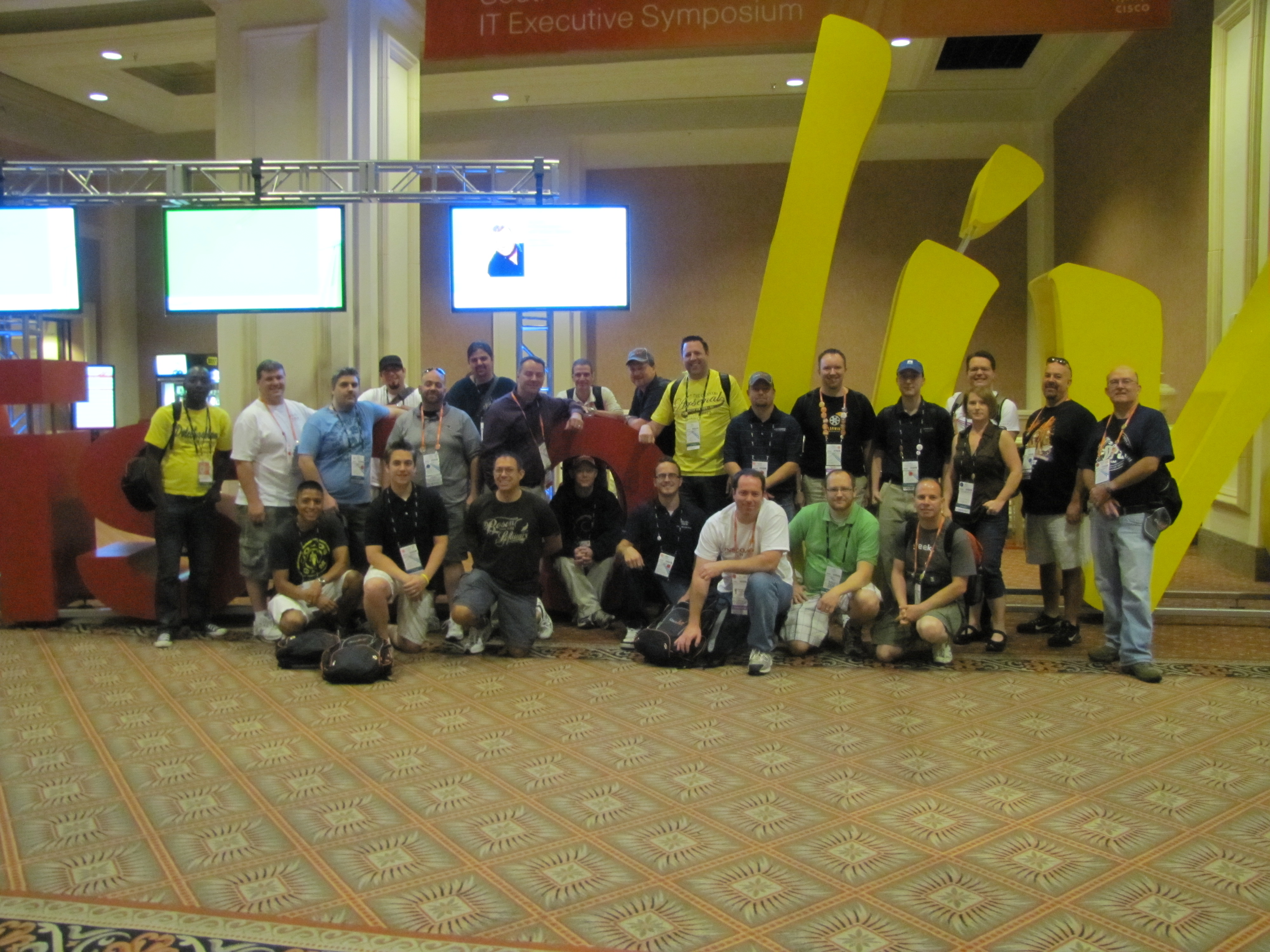
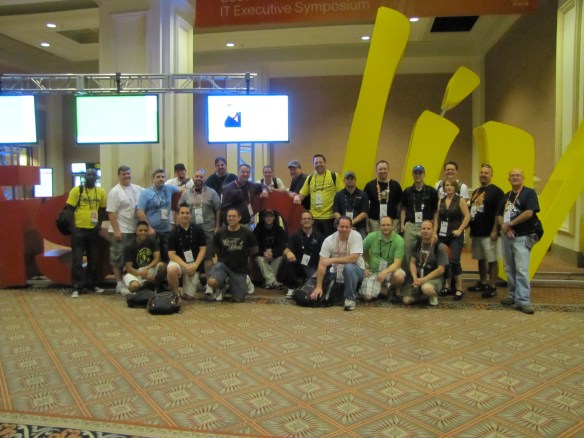
The last day of Cisco Live started out with one cracked eye and Herculean effort to drag myself into Shannon McFarland’s IPv6 class.  I’m glad I hauled my aching body there, as the talk was amazing simply due the amount of great information that was presented, not to mention the extra 140 slides hiding in the material that weren’t presented on.  I went back to the Corner as time ticked down to the closing keynote.  Around noon, all of the Twitter folks around the corner headed over to take a picture with the giant Cisco Live sign that you see at the beginning of this post.  While this is a fairly popular thing for people to do during the conference, I doubt that having 25 people in front of the sign is a common occurrence.  After lunch, we headed over to the closing keynote with Captain Kirk himself, William Shatner.  Literally seconds before Carlos got on stage to interview TJ Hooker, he spotted me in the crowd and ran over for a quick picture.
Hanging with Carlos Dominguez - Thanks to Leslie Hasvold

The Shatner keynote/interview was very good.  He wasn’t afraid to poke fun at his hosts and was a very funny guy overall.  He strikes me as a man that knows his audience and knows how to play to them.  Once we finished up with Denny Crane, I went back to my room and packed up all the swag I could fit into my suitcase in prep for leaving the next day.  I still ended up having to ship myself some things back, a first for me in six years of Cisco Live.  After shipping my junk off to parts unknown, I walked back over to Tom’s Corner for one last hurrah.  We closed the place down in style, only relinquishing our seats when the guy came to take them from us.  Afterwards, we learned that trying to seat 25 people at one restaurant in Vegas is like hitting the progressive jackpots – unlikely under even the best of circumstances.  We ended up splitting the group between two restaurants for one last tweep dinner.  As people left to pack up and get some rest, several Twitter folks gave our last regards to Ri Ra.  We even managed to chase Leslie out of her room for one last hurrah.  This might have been what we in Information Technology like to refer to as “a bad thing”, as Leslie was so entertaining that we ended up nearly closing down the bar.  Good times were had by all and it was a little sad to see everyone heading back to hotel rooms one last time.

Tom’s Take

My previous Cisco Live events have all been fun.  Even so, I only knew five or six people there at best.  This year was nothing short of amazing.  I was hanging out with twenty and thirty people at a time.  There was always something to do or someone to talk to.  Lots of heckling and razzing for everyone.  The parties were that much better with people to hang out with.  And when we didn’t have a place to gather, we made one.  I can wholeheartedly say that this was the most fun I’ve ever had anywhere.  I owe it all to my friends, old and new.  As I said at our last party at Ri Ra, “Thanks to all my imaginary friends for making me want to come to Cisco Live, and thanks to all my new real life friends for making Cisco Live the best ever.”  I honestly can’t wait to go to San Diego in 2012 and see what is in store for us there.  As long as we all show up ready to have fun, I have no doubt that it will be just as amazing as Cisco Live 2011 was.

I would like to thank all of my tweeps that showed up to hang out with me at Tom’s Corner and other places.  In no particular order:

Amy Arnold, Brandon Carroll, Bob McCouch, Chris Jones, Tony Mattke, Aaron Conaway, Teren Bryson, Doug Bineti, Ed Weadon, Scott McDermottKellen ChristensenBlake Krone, Andrew von Nagy, George Stefanick, Jennifer Huber, Stephen Foskett, Terry Slattery, Pilot Mike, Darby Weaver, Chris MargetPatrick Swackhammer, Mario Gingras, Jody Lemoine, Hank Yeomans, Jeff Fry, Dane DeValcourt, Marko Milivojevic, Steve Rossen, Oleg Konovalov, Erik Peterson, Jay Franklin, Ralph Olsen, Gideon TamJohn McAlpine, Ryan Adzima, Mr. Tugs, David West, Matt Reath, Shannon McFarland, Jon Nelson, Joe Papesh, Bryan Baize, James Key, Kira Swain, and last but not least Leslie Hasvold.

Why I Went Back To iOS 4.3.3…For Now

I’ve been an unofficial beta tester of iOS 5 for about two weeks now. There are a lot of interesting features that I think have the capability to make my life easier. First and foremost is the revamped notification system. Not being pulled out of my current thoughts by a modal dialog box is a great thing. Being able to deal with alerts on my schedule is very liberating. Also of great import to me is the integration with Twitter.
Allowing me to tag contacts with Twitter handles helps me keep my nerd friends straight, and the ability to snap pictures and upload them directly to Twitter is very helpful for those that takes tons of snapshots, like Stephen Foskett. There are even more features that have promise, like iMessage.

So why, on the eve of my trip to Cisco Live 2011, did I put my phone into DFU mode and go back to 4.3.3? Well, for all the greatness that I found in the beta, there were a couple of things that gave me pause. Enough pause that when I knew I was going to be at a conference where I would be relying heavily on my phone to be my lifeline to the rest of the world for a week, I had to go back to something a little more polished. My biggest complaint about the beta release of iOS 5 was the abysmal battery life. I wasn’t on beta release 1, which by all accounts had a battery life best measured in minutes. I jumped in during beta 2, where things were much improved, or so the story went. However, I found my battery life to be noticeably worse. I hesitated to use my phone to check my email or Twitter feed for fear it wouldn’t last through the day. If I actually made a call on it, I had to recharge it on the way home from work to be sure it would hold out. My trip to the OSDE tweetup was marred by less than 10% battery power, which made status updates unrealistically optimistic. I know that battery life is always a fine balance to maintain. New features require even more power, and the antiquated battery in my 3GS is quickly approaching the end of its useful life. However, if the next beta doesn’t address the battery life issue with a little more tweaking, it will be a hard choice to make.

Another irritation was the overall lagginess of my phone. Apps would take an extra second or two to launch than normal. Pulling up information inside Facebook or Safari seemed to freeze every time. My new fancy camera app crashed so much it was unusable. The phone just seemed to stall, like a computer with an old, slow processor or inadequate amount of RAM. Again, I know that most of this is due to the code train not being
optimized yet for release and the apps not being optimized for iOS 5. Usually, these are the last things to get fixed before release, so I’m optimistic that things will clear up. However, these are the same complaints that iPhone 3G users had about iOS 4 when it was released. It seems that maybe Apple’s support of 2-year old hardware is spotty in some cases.

Tom’s Take

Beta testing is always a crapshoot. You are agreeing to test something that may not be ready for prime time. I’ve been beta testing things since I got into computers and networking, so I’m never shocked by what I get into. However, in recent years, companies have been using the beta tag a lot differently. They either keep something that’s ready for release in beta forever, like GMail, or they push unfinished code out the door and make
their customers unwilling beta testers, which can best be summed up by the old maxim, “Don’t install a new version of Windows until the first service pack is released.” While I like many of the new features of iOS 5, the lack of polish in the battery life and lag departments were enough to make me reconsider my decision this time. I especially find that part funny, since I’ve never been so attached to a device to care about what revision
of code is running on it. I might give beta 3 a shot (if there is one), but for now I’m going back to something that isn’t going to make me tote around a 500-foot extension cord and curse my phone twice as much as I do already.

TweetPlusBook – Social Media for IT

A year and a half ago, social media was the furthest thing from my mind.  Twitter was for people that shared way too much information in way too few characters.  Facebook was a wasteland littered with Mafia Wars invites.  And Google+ wasn’t yet a gleam in the eye of some Mountain View programmers.  Flash forward to today and social media is a huge part of my day-to-day interaction with the world.  However, in order to keep my sanity when it comes to my online services, it might help to recognize how each of them are used and what their places really are.

Facebook for me is used as a place where my family and real life friends can read about things like my college football commentary and pictures of my kids and their pets.  Most of the people I went to high school with don’t know the true depths of my nerdity.  They would probably unfriend me just as fast if I start blabbering on about MPLS or LISP.  Facebook is where the boring details of my existence go for now.

Twitter is my geek outlet.  Until I signed up, I had to restrain my thoughts about networking and voice and virtualization. No one really wanted to hear about it on Facebook, and my wife’s eyes roll back in her head once I get on a good rant about EIGRP.  Once I realized that I could start expressing my repressed nerdy side, I realized that I had to be equally as cautious about what I put on Twitter.  Just as my nerd side really doesn’t fit in with Facebook, so too does my ‘normal’ side not really jive on Twitter.  I try to consciously avoid things like 4square checkins or useless contest invites cluttering my stream and the feeds of my followers.  I really attempt to avoid talking about things like sporting events or politics or any number of hot button subjects that can set people off without warning.  Those kinds of things can go into Facebook where only those that are interested can see them.

Google+, the latest invention in the Google Skunk Works, presents an altogether different proposition for social media interaction.  The idea that I can separate my social circles into different collections that don’t need to share information is very intriguing.  My family and real life friends can see a stream unpolluted with rants about Apple devices.  My nerd followers don’t need to be bothered by pictures of my terribly built attempts at woodworking.  People can be moved across different lines without much effort and no need to log in and out of five different clients to sync everything up.  It’s not without limitations, though.  Getting my mom and dad on Facebook took and act of Congress that I’d rather not repeat again.  Getting them to join Google+ may be a task of Herculean proportions.  Right now, Google+ is a social media service without much to the “social” part.  There aren’t enough people invited to expand circles much beyond tech people that “get” the idea behind Google+.  Right now, I have a lot of people in my Tech circle and hardly anyone in my other circles.  I’m sure time will win out as the service moves out of preview mode and opens up to a wider audience.  There’s a ton of potential in Google+ and I can’t wait to use it to offload some of my Twitter stream, Facebook status updates, and maybe even blogging topics.

Tom’s Take

I use social media to a large extent every day to gather information, learn about new things, and interact with a group of peers that I might not otherwise have been able to speak to.  At the same time, I realize the importance of compartmentalizing information.  My security background has taught me that much.  When it comes to deciding how to divide up those compartments, I think the Google+ model works rather well.  Using the symbolism of circles allows the users to visualize where their connections are placed in relation to each other.  At least it easily allows me to segregate everyone rather than mashing them all together in one big conflagration.  Because TweetPlusBook is a mouthful.

The OEQs Just Flatlined

Okay, 24 hours after my blog post about the imminent removal of the Open Ended Questions (OEQs) from the CCIE Security Lab, I find out that I was not only right, but it is happening sooner than expected.

According to this post:

Effective August 15, 2011, CCIE Security Lab Exam and CCIE Storage Networking Lab Exam, in all global locations, will no longer include the four open-ended Core Knowledge questions.  The removal of Core Knowledge questions allow candidates to utilize the total lab time for configuration and troubleshooting. The total lab time will remain eight hours.

That pretty much puts the final nail in the coffin.  After additional research, I’ve discovered the Service Provider Operations test doesn’t include a “Core Knowledge” section, which is Cisco shorthand for the OEQs.  Along with the revelation that the SP 3.0 lab no longer includes them, this is indeed the end for CCIE Trivial Pursuit edition.

The OEQs were never really meant to do anything more than stem the tide of people “braindumping” the lab.  Rather than go through the trouble of remaking the lab every few months, they evolved the candidate interview section into a mass-produced cheat buster.  I don’t think it was as successful as Cisco would have liked, but it was really just a stop-gap measure until the statistics from the troubleshooting sections could be compiled.  Plus, they needed lead time to get the labs changed before they hemmoraged numbers well north of 30,000.

If you’ll excuse me, I’m going to take the opportunity this weekend to enjoy the long overdue death of my least favorite section of the CCIE lab exams.  Stay tuned, though.  I’ve got some interesting CCIE news coming up after the holiday.

Death to OEQs!

Just when you think things can’t get any more interesting, a little nugget of news slips out and makes your day fun.  An announcement about changes to the CCIE Security exam leaked out this morning and was quickly retracted to be polished before being reissued tomorrow or the next day.  However, Natalie Timms, the CCIE Security Program Manager confirmed in this thread that the changes were the removal of the Open Ended Questions (OEQs) and more addition of hands-on configuration.  As soon as I saw this, my wheels starting spinning.

Note: What follows is mostly conjecture based on opinions and conversations I’ve had with people in the industry.  Many of these facts are not confirmed as solid, but will be cited where appropriate.  Please don’t go telling people that my words are the gospel truth.  I don’t know any more than anyone else.

I think this movement is the beginning of the end of the OEQs.  They’ve been gone from the R&S lab for over a year now. The Voice lab has done away with them as well.  In the case of the R&S lab, they kept the new troubleshooting section in place as it served the same purpose as the OEQs, a section that could be rapidly changed to provide a method of varying the difficulty of the lab quickly.  The Voice lab introduced troubleshooting into the lab itself, either by making you diagnose broken things in your equipment or by forcing you to debug errors and do things like copy them to text files like you would if you were going to forward the files to TAC.  Integration of troubleshooting allows Cisco to have a good gauge of the candidate’s abilities and more closely ties the exam to the real world skills of a network enginee…rock star.

The remaining CCIE tracks (Wireless, Service Provider/Operations, Storage, and Security) still have OEQs attached to them.  Makes for an interesting briefing in the morning when the proctor has to give 3 different sets of instructions based on what the initial setup of your lab might look like.  Candidates hate the OEQs.  They are a trivia section at best.  People say that they are easy, CCNA-to-CCNP level questions that any CCIE candidate should be able to answer.  I find the lack of specificity in the old OEQs I took to be maddening in some cases, and the lack of proctor assistance was irritating.  In fact, the continued inclusion of OEQs on the other CCIE tracks has made them a little less appealing to me, should I find myself crazy enough to even think about attempting it all over again.

With the announcement, retraction, and eventual re-announcement of the removal of the OEQs from the Security track, I’ve got high hopes now.  I think Cisco has enough data based on their year of R&S and Voice troubleshooting to see it as a viable alternative to Trivial Pursuit: CCIE Edition.  I’ll bet that there is going to be a section similar to the Voice lab where faults are injected (or user-created) in the lab and you’ll be required to diagnose and perhaps log them in files on the desktop.  This makes the most sense, as some of the hardware can be emulated like the IOU images that run in the troubleshooting section but emulation of the specific ASICs and software on something like an ASA would be problematic at best.  By adding troubleshooting, the Security lab will start feeling more like a real-world scenario.

The Wireless track is due for a revamp in November.  Don’t be shocked to see the OEQs get stripped from it as well.  Wireless is a hard track with all the specific hardware required and would also lend itself well to a Voice-style troubleshooting inside the lab exam.  The CCIE Storage exam is on its last legs and is most likely about to be replaced by a new CCIE track more focused around Cisco’s Unified Computing System (UCS), along with Nexus switching, Wide-Area Application Services (WAAS) as well as Fiber Channel over Ethernet (FCoE) storage that will require the MDS switches from the old Storage lab.  This CCIE Data Center track (if that’s what it ends up being called) is probably one of the worst-kept ‘secrets’ in the CCIE world, as I’ve had several people mention to me, and a couple of candidates even ask the proctors when the lab would be retooled to include it.  In the interest of complete fairness, the proctor’s comment was “No comment.”

That leaves Service Provider and Service Provider Operations left as the only OEQ-enabled labs here.  I doubt that Cisco will leave the OEQs here if it removes them from other tracks.  The SP lab recently received a refresh and the SPO lab is very new.  I think that there will be an announcement very similar to the Security lab that removes the OEQs, but I think rather than injecting faults in this lab, they may try for a troubleshooting section down the road similar to the R&S lab.  This could be accomplished with the IOU images that are in use now for the R&S TS section.  Addition of the IOS-XR content would require something different, perhaps the mythical “Titanium” emulator for XR that I keep hearing about yet have never seen (much like IOU only a few months ago).  The addition of a real TS section would change the content drastically though, so it would require 6 months notice before being implemented.  In that time, however, they could use an in-lab troubleshooting method just like the other tracks.

——————————————————————————————————————–

*EDIT*

Thanks to Youssef El Fathi for pointing out that the SP lab has not had OEQs since the 3.0 revision early in 2011.  The thread confirming this from June 8th is HERE.  If that truly is the case, then I don’t see any reason why there should continue to be OEQs in any other tracks.

——————————————————————————————————————–

Tom’s Take

There you have it.  A road map for eliminating the OEQs and banishing them to the same circle of hell as ARCNet and MicroChannel buses.  While I can’t confirm any of my suspicions outside the semi-firm announcement of the removal of OEQs from the Security exam, it makes the most sense that Cisco is ready to implement this change track-wide in the lab.  OEQs take a lot of time to grade and are slightly subjective.  Troubleshooting is pretty easy in comparison – it either works or it doesn’t.  By standardizing on troubleshooting instead of OEQs as the preferred rapid-change method of candidate testing, it makes things a little more fair all around.  I plan on finding the CCIE program managers when I go to Cisco Live this year and asking them about upcoming changes to the tracks so that I can nail down what might be happening.  If they tell me that the OEQs really are going away please don’t mistake my tears for sorrow.  They’ll be tears of unadulterated joy.

I’m going to say it again to avoid an international incident: This is all conjecture at this point.  If I turn out to be wrong, so be it.  However, I feel the time of the OEQs is over.  Don’t tell everyone on Groupstudy or or OSL that this is the absolute truth until you get a confirmed press release from someone whose name ends in “@cisco.com”.

BYOD: High School Never Ends

There is a lot of buzz around about the porting of applications to every conceivable platform.  Most of it can be traced back to a movement in the IT/user world known as Bring Your Own Device (BYOD), the idea that a user can bring in their own personal access device and still manage to perform their job functions.  I’m going to look at BYOD and why I think that it’s more of the same stuff we’ve been dealing with since lunch period in high school.

BYOD isn’t a new concept.  Contractors and engineers have been doing it for years.  Greg Ferro and Chris Jones would much prefer bringing their own Macbooks to a customer’s site to get the job done.  Matthew Norwood would prefer to have just about anything other than the corporate dinosaur that he babies through boot up and shut down.  Even I have my tastes when it comes to laptops.  Recently though, the explosion of smartphones and tablets has caused a shift toward more ubiquitous computing.  It now seems to be a bullet point requirement that your software or hardware has a support app in a cloud app repository or the capability to be managed from a 3.5″ capacitive touch screen.  Battle lines are drawn around whether or not your software is visible on a Fruit Company Mobile Device or a Robot Branded Smarty Phone.  Users want to drag in any old tablet and expect to do their entire job function from 7″ screen.

However, while BYOD is all about running software from any endpoint, the driving forces behind it aren’t quite as noble.  I think once I start describing how I see things, you’ll start noticing a few parallels, especially if you have teenagers.

– BYOD is about prestige.  Who usually starts asking about running an app on an iPad?  Well, besides the office Gadget Nerd that ran out and stood in line for 4 hours and ran out of the store screeching like kid in a candy store?  Odds are, it’s the CxO that comes to you and informs you that they’ve just purchased a Galaxy Tablet and they would like it setup.  The device is gingerly handed to you to perform your IT voodoo on, all while the executive waits patiently.  Usually, there is some kind of interjection from them about how they got a good deal and how the drone at the store told them it had a lot of amazing features.  The CxO usually can’t wait to show it around after you’ve finished syncing their mail and calendar and pictures of their expensive dogs.  Wanna know why?  Because it’s a status symbol.  They want to show off all the things it can do to those that can’t get one.  Whether it be due to being overpriced or unavailable from any supply chain, there are some people that revel in rubbing people’s noses in opulence.  By showing off how their tablet or smartphone gets emails and surfs the web, they are attempting to widen the IT class gap.  Sound like high school to you?  Air Jordans? Expensive blue jeans? Ringing any bells?  The same kind of people that liked to crow that their parents bought them a BMW in high school are the same ones that will gladly show off their iPad or Galaxy Tab solely for the purpose of snubbing you.  They could really care less about doing their job from it.

– BYOD is about entitlement.  I could go on and on about this one, but I’ll try to keep it on topic.  There seems to be a growing movement in the younger generation that you as a company owe them something for coming to work for you.  They want things like nap time or gold stars next to their names for doing something.  No, really.  This naturally extends to their choice of work device.  I’m going to pick on Mac users here because that particular device comes up more often that not, but it extends to Linux users and Windows users as well.  The “entitled” user thinks that you should change your entire network architecture to suit their particular situation.  Something like this:

User: I can’t get my mail.

Admin: You’re using the Fail Mail client.  We’re on Exchange.  You’ll need to use Outlook.

User: I’m not installing Office on my system!  Microsoft is a cold-hearted company that murders orphans in Antarctica.  Fail Mail donates $.25 of every shareware license to the West Pacific Tree Slug Preservation Society.  I want to use my mail client.

Admin: I guess you could use the webmail…

User: How about you use the Fail Mail Server instead?  They donate $2 of every purchase to fungus research.  I think it’s a much more capable server than dumb old Exchange anyway.

Admin: <facepalm>

I hope this doesn’t sound familiar.  One of the great joys of IT is telling users you aren’t going to reinvent the wheel just to mollify them.  However, in many cases the user demanding your change everything happens to sign your paycheck.  That does have the effect of ripping out one mail server or reprogramming a whole tool because it used/didn’t use Flash/HTML 5.

– BYOD is about never changing your perspective.  I have an iPad.  And an iPhone.  And a behemoth Lenovo w701 laptop.   And I use them all.  Often, I use them at the same time.  I see each as a very capable tool for what it’s designed to do.  I don’t read ebooks on my iPhone.  I don’t run virtual machines on my iPad.  And I don’t use my laptop for texting or phone calls.  Just like I don’t use screwdrivers like chisels or use a pipe wrench like a hammer.  However, there are some people that like picking up one device and never putting it down.  These people seem to believe that the world would be a more perfect place if they could sit in their chair and do their whole job from a touch screen.  They feel that moving to a laptop to type a blog post is a travesty.  Being forced to use a high-powered graphical desktop for CAD work is unthinkable.  I have to admit that I’ve tried to see things from their perspective.  I’ve tried to use my iPad to take notes and remotely administer servers.  Guess what?  I just couldn’t do it.  I’m a firm believer that tools should be used according to their design, rather than having a 56-in-one tool that does a lot of things poorly.

Tom’s Take

I think keeping your tools capable and portable is a very good thing.  I hate software that can only be run from a Windows 2000 server or needs a special hardware dongle to even start.  I love that tools are becoming web-enabled and can be used from any PC/Mac/toaster.  However, I also think that things need to be kept in perspective.  BYOD is a Charlie Foxtrot just waiting to happen if the motivations behind it aren’t honest and sincere.  Simply porting your management app to the App Store so the CxO can show off his new iPad while complaining that we need to scrap the company website because it uses Flash and no one will bother using their dumb old laptop ever again is really, really bad.  Give me a compelling reason to use your app, like a new intuitive interface or a remote capability I wouldn’t normally have.  Just putting your tablet app out so you can sound cool or fit in with the popular crowd won’t work any better than wearing parachute pants did in high school.  Except, this time you won’t get stuffed into a locker.  You’ll just lose my business.

Adrift In A Sea of Lulz

As I write this, it’s been about 24 hours since the hacking collective known as Lulzsec scuttled their ship and scattered to the four winds.  There’s been a lot of speculation as to what motivated the 50 days of hacking that has stirred up quite a bit of talk about exploiting security holes as well as what would cause the poster children of anti-sec hacking to disappear as quickly as they emerged.

Lulzsec emerged almost two months ago from the fires of the now-infamous Sony PSN hack.  It appears to have been formed by some of the Gn0sis people that hacked into the Gawker Media database and some other disaffected members of Anonymous.  After they popped up on the radar, they started posting a lot of supposedly secured information about all manner of things, from X-Factor contestant databases to FBI security contractors.  They also participated in other hacks, like taking cia.gov offline for a few hours.  Most recently, they posted a dump of the Arizona Department of Public Safety servers and some 750,000 AT&T subscriber accounts.  Their activities have caused a lot of questions about perimeter security and probably cost a few security professionals their jobs.

To Lulzsec, this was all a game.  A giant F-you to the whole security community at large.  Their manifesto reads a lot like some teenagers I know.  They do what they want, how they want, when the want.  At first, there was no rhyme or reason to their attacks.  Later, they started talking about their “anti-sec” agenda, the idea that information shouldn’t be buried and needs to be disseminated by whatever means necessary.  Indeed, their anti-sec agenda also extended to the idea that people with inadequate security needed to be exposed and publicly embarrassed to resolve these issues.

Just as soon as they burst into the limelight, Lulzsec announced they were disbanding.  Theories abound as to the reason for their dissolution.  Did the feds get to close?  Was the lifting of the anonymous veil through leaking of personal information the last straw?  Did they simply get bored?  Answers won’t be forthcoming from the members themselves.  They seem to have faded right back into the anonymity they spawned from.  I think the answer to what is going on probably lies somewhere in the middle of all these things.

The Lulzsec hacks appear to have mostly centered around SQL injections.  The time-honored tradition of exploiting databases with carefully crafted packet strings continues to be quite popular even today.  I think Lulzsec used this attack vector to great success against Sony and a couple of other choice targets up front.  After their initial success, their patterns seemed to be haphazard.  I think this is due to the nature of using their one attack against a variety of sites rather than targeting specific ones.  It was a brute force method of anarchy, kind of like using a screwdriver to do all your tool-related tasks.  It works really well for screwing, but not so well for hammering or sawing.  Once they managed to expose the FBI partner databases and take down the CIA’s small public facing webserver, that brought significant attention from all angles, not typically something you want if you are trying to stay anonymous.  Then, other groups inside the scene started either getting jealous of the attention or decided to fight fire with fire.  That led to d0xing, the term used to describe the leaking of personal information that can be used to identify someone.  Through exposure in the public and the looming investigation from some upset 3-letter agencies, I think the first members to jump the Lulz Boat left here.  Rather than face what might be coming, they ducked out and headed back to the darkness that had protected them so well.  This has been somewhat confirmed in interviews with the publicly-known members.

The remaining Lulzsec members then seemed to have gone on a recruitment drive.  They tried to bring more talent into the fold.  I don’t think this newer group was quite as determined or successful as the first, though.  That led to a slowdown in target penetration.  You might argue that they’ve been releasing stuff right up to the end.  True…but all we know is that those sites were hacked, we don’t know when.  For all we know, AT&T could have been the second site they hacked.  AT&T was their ace in the hole.  If they were for real and ready to keep going for a long time to come, they would have released AT&T right away.  By putting it away and saving it for last, it appears they wanted one big splash before they were forgotten.  A vigorous, active Lulzsec would have been able to keep hitting bigger targets than AT&T.  After their success rate started dropping off, I think the remaining “old” members of Lulzsec probably did get bored.  Without new conquests to fuel their fame, the rush wasn’t there any more.  They decided to go out with a bang and quit while they were still ahead.  The remaining new recruits will probably go on to be folding into newer organizations that spring up in place of Lulzsec, the new breed to SQL injectors (or whatever is next), just like the Lulz Boat appears to have sailed with many Gn0sis crew members on board.

Tom’s Take

The black hat in me cheered Lulzsec for what they’ve accomplished.  The white hat is appalled.  Again, the truth lies somewhere in the middle.  I look at Lulzsec like the Joker in The Dark Knight.  A group of anarchist hackers that just want to have fun and burn everything down around them.  No agenda, no statements, just exploitation for fun.  A group of chaotic neutral script kiddies.  However, the very limelight they sought burned them enough to force them back into the shadows.  The way I look at it, the key to being a successful hacker is to not get caught.  Don’t get famous, and definitely don’t draw attention to yourself.  Kevin Mitnick had to learn that the hard way.  Something tells me that more than one of the passengers of the good ship Lulz will learn it the same way sooner rather than later.

My Phone Number is AAA-BCDA

Anyone that’s used a phone knows that there are letters on the keypad that make it handy to spell out words for those not gifted with the ability to remember long strings of numbers.  It’s also handy for marketing, for instance 1-800-FLOWERS.  Those that still use T9 predictive texting from a digit keypad probably have the letter positions memorized by now.  But what you may not know is that there are actually four letters on a telephone dialpad.

Dual-Tone Multi Frequency (DTMF) dialing is the modern way telephones signal the voice network over analog telephone lines.  Each keypress is a combination of two specific tones that correspond to the pitch of a key.  For instance, the ‘1’ key on a keypad is a combination of 697Hz played in conjunction with 1209Hz.  The ‘2’ key uses the same 697Hz signal, but plays is with a 1336Hz tone.  The ‘4’ key under the ‘1’ key uses a 770Hz tone in conjunction with the 1209Hz tone.  Each DTMF tone is a combination of high-pitched tones and low pitched tones.  Normal telephone keypads are laid out like this:

1209 HZ 1336 HZ 1477 HZ
697 Hz 1 2 3
770 Hz 4 5 6
852 Hz 7 8 9
941 Hz * 0 #

You can click on each of those links to listen to the tone they make (Thanks Wikipedia!!!).

The military once used a special kind of phone system known as AutoVon (Thanks to Matthew Norwood for the correction and Jason Schmidt for pointing it out as well).  This was a phone system designed to survive a nuclear attack.  One of the key differentiators of AutoVon besides being hardened against the Russians was the addition of another column of DTMF keys.  These allowed the person dialing the phone to find an open line quickly, or in the event of a full network, to boot users off that were on lower-priority calls.  The keys were denoted with the letters A-D and had functions with suspiciously familiar sounding names: Flash Override (A), Flash (B), Immediate (C), and Priority (D). I’m sure most of you networking people out there know where those names are used in our little world.  Users that dialed a C before their number could boot those on regular calls or on Priority calls off in the event of line congestion.  Flash Override was reserved for use by the President of the United States, as it could boot off anyone on a call.  This same kind of preemption capability lives on in CUCM as Multilevel Precedence and Preemption (MLPP).  AutoVon was eventually replaced in the 1990s with a newer telephone network for use by the Defense Department.  However, the legacy of the additional keys that most of us have never seen lives on.

This is the above table, including the new A-D DTMF tones:

1209 Hz 1336 Hz 1477 Hz 1633 Hz
697 Hz 1 2 3 A
770 Hz 4 5 6 B
852 Hz 7 8 9 C
941 Hz * 0 # D

If you are a user of Cisco Unified Communications Manager Express (CUCME), you have access to the AutoVon A-D DTMF tones (from here on out, I’m going to call this “Army Dialing”).  The system can replicate the tones from these four keys.  You might say, “Cool.  What in the hell would I ever use this for?  No one can dial these numbers.”  Yep.  No one can dial these numbers from a regular phone keypad.  Think about it like this: you have access to a whole group of numbers that can only be dialed by the people you allow access.  The most popular use of this setup is for phone-to-phone intercoms.  By restricting the intercom number to an “Army Dial” number, no one can dial that intercom number on accident unless they have a button on their phone that speed dials the number.  Here’s an example:

CUCME(config)# ephone-dn 13
CUCME(config-ephone-dn)# number A100
CUCME(config-ephone-dn)# intercom A101 label “Networking Nerd”
CUCME(config-ephone-dn)# exit
CUCME(config)# ephone-dn 14
CUCME(config-ephone-dn)# number A101
CUCME(config-ephone-dn)# intercom A100 label “Junior Admin”
CUCME(config-ephone-dn)# exit
CUCME(config)# ephone 2
CUCME(config-ephone)# button 2:13
CUCME(config-ephone)# exit
CUCME(config)# ephone 3
CUCME(config-ephone)# button 2:14

This way, my intercom line can only be dialed from a phone with a speed dial button associated with the number.  I control who can call me (mwa ha ha…).  This could also be used for multicast paging directory numbers.  That way, only the designated phones have the ability to page and you can prevent unnecessary chatter on the speakers.

I’m sure if you put your mind to it, you could find all sorts of interesting applications for this kind of feature.

Happy Twitterversary To Me!

Today marks the one year anniversary of my first tweet on Twitter.  I’d sing the “Happy Birthday” song, but the royalties on that little gem would cost me a fortune.  Instead, I’m going to spend some time talking about why I think Twitter is so very useful for IT people.

I have always spent a lot of time reading blogs.  Great content in concise, easy-to-digest format.  Especially when I started studying for my CCIE lab.  However, last year I noticed that some of my CCIE blogs weren’t being updated anymore, specifically CCIE Candidate and CCIE Pursuit.  I figured that CCIE Candidate wasn’t being updated quite as regularly anymore due to Ethan getting his number, so I decided to do a little digging.  Turns out Ethan had a new, non-CCIE focused blog at PacketAttack, but also had an account on Twitter (@ecbanks).  Now, I had my misgivings about Twitter.  It was a microblogging site dedicated to people telling me what the had for lunch or when they were taking a constitutional.  All the previous experiences I had seen on Twitter led me to believe that it wasn’t exactly a fun place to be.

However, after reading through Ethan’s tweets, I realized that there was a lot of good information and discussion that was being posted there.  I searched around and found a couple of other good tweet streams, including one from a real-life friend that I didn’t get to see much, Brad Stone (@bestone).  After mulling the decision back and forth for a day or two, I decided to take the plunge.  I tried several names before I finally came up with one that I thought personified both my desire for technical discussion and my outlook on things, @networkingnerd.  Once I signed up for Twitter, I started following a few people that I had found, like Ethan, Brad, and Narbik Kocharians (@narbikk).  I knew that the only way I could get more involved with what was going on was to start talking and see if anyone was listening.  At first, it felt like the guys in the park standing on a soapbox with a bullhorn, shouting for all the world to hear but no one really listening.  Once I figured out how to address someone with a tweet to get their attention, the followers started taking off a little more.  Part of the key for me was staying focused on networking and tech and injecting a little snarkiness and humor along the way (something that would pay off later when I started blogging).

Another part of the reason I got involved with Twitter was to feel like a larger part of the IT community.  Last year, my annual sojurn to Cisco Live was coming up fast, and Cisco had been releasing a lot of good information and tips for Cisco Live attendees on Twitter.  Now, when I go to Cisco Live, I have a group of 5-6 people that I usually hang out with and do things like take the Cisco Challenge in the World of Solutions or heckle the bands at the Customer Appreciation Event.  However, thanks to Twitter this year I’ve got 50-60 people that I’m going to be hanging out with and meeting for the first time in real life.  Twitter also helped me get more information about events like Tech Field Day, which I had no idea about.  Later, Twitter helped me get my first invite to Tech Field Day, both through my involvement in the community and Twitter’s gateway effect that drove me to start blogging out my longer thoughts (like this one).

Twitter isn’t for everyone.  Some people have a hard time keeping up with the firehose of information that you get blasted with.  Others have a really hard time condensing thoughts down to less that 140 characters.  Still others never really find the right group to get involved in and write Twitter of as stupid or childish.  My counter to thinking such as that is “You get what you put into it.”  I search out new and fun people to follow all the time.  I’m not afraid to unfollow someone if their tweets become pointless and overly distracting.  Twitter, for me, is about discussion.  Helping answer questions, learning about industry news before my bosses, even railing against hated protocols.  All of these things have increased the payoff I have received from Twitter in the last year.

At the same time, I make sure to respect the wishes of those that follow me.  I tend to relegate my non-IT related posts to something like Facebook.  I may post personal things on Twitter from time to time, but I tend to think of them more as little details about my life that help fill in the dark spots about me.  I don’t post about sports, even though my Facebook wall in the fall is a virtual commentary on college football every week. I don’t let applications tweet things for me if I can help it.  I don’t link my 4square account or let an unfollower app shout things no one else is interested in.  I have total control over my Twitter account to be sure that those that take time out of their schedules to listen to what I have to say will hear my words and not those of some robot.  Those that let their Twitter streams become a wasteland of contest entries and “I just unfollowed X people that didn’t follow me back” updates from applications usually fall by the wayside sooner or later.

Tom’s Take

People I know in real life make fun of me when I tell them I’m on Twitter.  They crack jokes about updates from the water closet or useless junk spamming my Twitter feed.  However, when the joking stops and they ask me what’s so compelling about it, I tell them “On Twitter, I learn things I actually WANT to know.”  My Facebook feed is a bunch of game updates and garbage about stuff I really don’t care to know most of the time.  Until my Twitter followers started friending me on Facebook, no one on Facebook knew about the depths of my nerdiness.  On Twitter, I feel free to talk about things like BGP or NAT without fear that I’m going to be deluged with comments from people who are hopelessly lost or would rather talk about the Farmville animals.  On Twitter, I’m free to indulge myself.  And the community that I’ve become a part of helps me develop and become a better person.  Without Twitter, I would never have been able to find so many people across the world that share my interests.  I never would have been pushed to increase the depth of my knowledge.  Dare I say it, I probably wouldn’t have been driven to get my CCIE nearly as much as I was thanks to the help of my Twitter friends.  In short, I’m glad I’ve had my first year on Twitter be as successful as it has been.  Here’s to many more.