Nerd Badges

Every nerd needs a badge to proudly display to others to let everyone know to approach with care lest you be regaled with tales of the true origins of Superman or the proper way to denote port address in IPv6 URIs.  It should be something simple that screams to the world that you know way more about something than most people would find useful.  Nick the Angry Cisco Guy came up with a really fun one that people love:

It says everything that it needs to in one simple statement.  And it looks pretty spiffy too.  However, since I style myself as the Networking Nerd and not the Networking Geek, I needed to change it just a bit to conform to my OCD tendencies.  So, with apologies to Nick…:

Cisco Nerd

I think it announces to the rest of the world that you shouldn’t speak to me unless you are prepared to discuss MPLS, BGP, IRDP, GLBP, or any number of esoteric acronyms.

Feel free to use it if you want.

My Buzzword Security Blanket

If you’ve been following the networking world for a while, you’re probably getting sick of hearing the words cloud and fabric.  The former is something of a nebulous term used to describe all manner of strange things.  Hosted e-mail, hosted websites, hosted storage, infrastructure as a service (IAAS), software as a service (SAAS), virutal machine hosting, and so on.  Every major networking and server player has some sort of cloud-based strategy.  Yet, when I think of clouds, I think of the little white fluffy things I put on network diagrams when I denote a section outside my control that I don’t really care about, like a WAN frame relay section or the Internet.  So when I hear about providers telling me to move “to the cloud”, I laugh.  I think about hosted Hotmail account I’ve had for 13 years.  Or the services like Dropbox that I’m starting to use for many things now.  But I don’t think of them as cloud services, per se.  Just software that is useful.

Fabric is another overused term, especially in the datacenter.  Fabric is the term that describes connecting nodes in the network together in a meshed-type of environment, like a rug or a shirt.  The resulting output is termed fabric.  This term used to be very popular with the storage people back in the day.  Now that the storage network has been unified with the server network the term seems to be leaking into our little world.

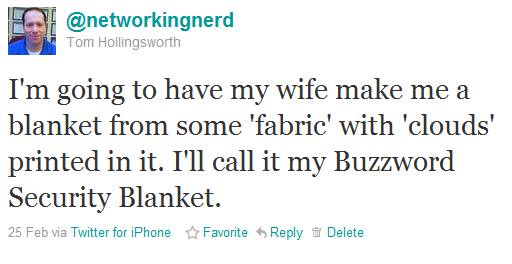
With all this in mind, I tweeted a little joke a week or so ago:

And then people came out of the woodwork.  Someone suggested I make it borderless to be compliant with Cisco’s Borderless Networks initiative.  A couple of people told me that I should send them one.  Greg Ferro even thought it was a good idea.  So, after a little shopping with my wonderful wife this past weekend, we came up with this:

Pretty, isn’t it?  I thought the bears added a little something.  Also, no stitching on the edges so it really is “borderless”.  This is my Buzzword Security Blanket.  I’m going to carry it with me everywhere I go.  Anytime someone talks to me about “Cloud this” or “Fabric that”, I’m going to curl up with my blanket and wait until all the mean people leave me alone.  I think of my nice secure data centers where my packets can cozy up with their Buzzword Security Blankets at night, safe and sound and right where I want them to be, protected from the evil in the cloud.  And when someone carries on about the new exciting fabric options in their strategies, I’ll nuzzle my Buzzword Security Blanket against my cheek and remind myself that it’s all the fabric I’m ever going to need.

Who knows?  If this takes off, I could do a whole line of baby-themed networking buzzword items.  Let me know what you think.

Moving On Up

I’ve gone and done it.  I’ve moved my blog from its formerly cozy home at https://networkingnerd.wordpress.com to some fabulous new digs over at http://networkingnerd.net.  You’ll find, though, that this house looks the same as the old one in pretty much every way so far.  I just shortened the address a little.  Being one of those people cursed with a long last name and working for a company with a long domain name, I get really tired of typing things out and even worse trying to tell people where my blog is.  So, I’ve just decided to make a new name for it.  I’m still hosted through WordPress, so none of that changes.  In fact, the whole process was extraordinarily painless.  I even went to the trouble of setting up Google Apps with my new domain, which took all of half an hour to populate and start running.  That means that I’ve now got a complete presence in the cloud! It also means that I’ve got an e-mail address just waiting for questions and comments that you may not want to leave in public.  Just don’t go to all the trouble of signing me up for strange mailing lists.  I’ve got enough trouble with the ones I’m on now.  You can email me here:


Note that it’s a picture, so CTRL+X and CTRL+V isn’t going to cut it (ha!).  The old domain will still redirect here, so don’t fret about updating RSS feeds or subscriptions or anything like that right away.  You’ll still be able to get here whether you use the long way or the new short way.  Thanks for tuning in and staying with me as I figure out this blogging thing.  I hope my posts have been informative, useful, and above all else funny and snarky.  If there’s anything I can do to make your viewing and reading experience better, you now have a place to let me know.

HP Wireless Updates

Today, HP has launched a couple of new additions to their wireless portfolio.  I was able to get a look at them and ask some questions about their performance and capabilities.  First, a little history lesson for those not up on HP wireless networking.

Back in the day, when HP Networking was the entity formerly known as Procurve, they had their own product line for wireless, centered around their Wireless Edge Services Module.  This little blade plugged into the 54xx and 82xx switches to provide a controller-based wireless solution.  The access points used by HP weren’t called “access points” but “radio ports”, more accurately describing their function as dumb antennas that relayed the signal back to a central controller, where the traffic was then switched to the appropriate port or routed for destinations known or unknown.  It worked fairly well for what it was, and I had a couple of opportunities to deploy it for some customers.  It was 802.11 a/b/g only, so when the newer 802.11n access points started coming along, this solution couldn’t keep up with the users’ faster data access desires.

To rectify this situation, HP announced the purchase of Colubris Networks back in August 2008.  Colubris was one of the first manufacturers of 802.11n APs and had some very interesting plans to start offering a controller that allowed wired and wireless users to be integrated into one appliance for traffic selection and processing.  Alas, this product never really came out, and so the whole development team was swept up into HP after the purchase.  The existing Colubris APs and controllers became the new MSM series access points from HP, and the old Procurve Wireless Edge and Radio Port solution was put out to pasture.

Fast forward about 2.3 years, and you have today’s announcement from HP of their first dual-band a/b/g/n radio sets.  These units are designed to compete with Cisco’s 1142 AP, based on the slide deck that I was shown.  There are two new APs with internal omnidirectional antennas, the E-MSM430 and the E-MSM460.  The 460 is a 3×3:3 AP, which means that it has 3 transmit and 3 receive antennas (3×3), as well as support for 3 data streams (:3).  The 430 is 2X3:2, meaning it has 2 transmit antennas and 2 data streams.  For a point of reference, the competing Cisco 1142 AP is 2×3:2 as well.  Having more spatial streams means that you can really crank up the bandwidth.  The 430 has a max bandwidth of 300 Mbps per radio, when the 460 can top out at 450 Mbps per radio.  There is also an E-MSM 466 that has 3×3:3 antenna support, but uses a selection of external antennas as opposed to the internal omnis of the other units.

The APs use a standards-based implementation of beamforming, as well as 802.3af PoE standards.  They also offer a capability of steering clients to less-used sections of the airspace.  Many devices today offer 802.11a as well as 802.11b/g client radios.  However, many devices will show a preference for one over the other, and in many consumer cases this preference is for the 2.4 Ghz 802.11b/g spectrum, which by now is full of lots of things, like microwaves, cordless phones, Mi-Fi mobile hotspots , and so on.  It’s getting pretty crowded to try and do anything.  The 802.11a spectrum, on the other hand, appears to be very open at this point.  There are very few devices competing up there, and the amount of non-overlapping channels lends itself well to things like channel bonding to increase throughput.  HP’s technology will allow the controller to steer the 802.11a-capable clients to that spectrum and allow the 2.4 space a little breathing room.  That could be a lifesaver for certain markets where connectivity in that band range is very critical, like healthcare for instance.

For those of you have cold sweats about the last wireless announcement, have no fears here.  The new APs are designed to work with the 7xx-series controllers, so you won’t need to rent any more forklifts.  The controllers have the capability to have traffic exit at both the controller end and the AP end, so people who want to access the network printer down the hall won’t have their traffic traversing all the way back to the network core to come back down to the printer.  That aspect has me very interested, as I’m beginning to see some throughput concerns with all AP traffic terminated at the controller.  There are only so many links you can shove into an Etherchannel/LACP setup.

There is also an update to the HP Mobility Manager software.  This Single Pane of Glass (SPoG) software allows you to manage multiple controllers and APs at the same time.  You can get a pretty accurate picture of your network quickly and decide how best to implement policy changes.  This software will also integrate with Procurve Manager Plus and the HP Intelligent Management Center (formerly of H3C).  These capabilities are nice so your NOC people don’t have to keep flipping back and forth between applications to ensure the network is up and running.

Tom’s Take

I’m glad to see HP joining the dual-radio world with this new set of access points.  As pointed out by almost all of the wireless blogs I follow, the 2.4 Ghz space is far too congested now, and with almost all devices being shipped now starting to include 5 Ghz radios as well, it’s very critical that a serious wireless company get involved in both spectrums simultaneously.  This new series of APs will allow them to complete directly with Cisco, and if the specs on the 460/466 hold up those two APs should provide higher throughput for connected clients.  Coupled with the capability to shunt clients to less-congested airspace, it should make some aspects of wireless troubleshooting much easier on us poor wireless rock stars.  The Mobility Manager updates should also prove helpful to those people using the software to control multiple controllers and AP setups.

This offering shows that HP is looking to step up their game and are going to compete with Cisco and most likely Juniper once the dust settles from the Trapeze acquisition.  I’m optimistic that these new offerings will compliment HP’s wireless infrastructure and drive innovation in both the hardware and software from the competition.  It should be a win-win for everyone that deals with wireless regularly.

If you would like to read the press release on these wireless updates, you can see it HERE. If you’d like to see the speeds and feeds on these new products, check out the HP Wireless Networking landing page HERE.

Blu-Ray Blues

I don’t know if it made the news or not, but apparently Apple refreshed the Macbook Pro line this week.  Not a groundbreaking update, mind you, but more along the lines of a processor refresh and move back to ATI/AMD discrete graphics over the existing NVIDIA chips.  There was also the unveiling of the new Thunderbolt port, based on Intel’s Light Peak technology.  This new port is designed to be a high-speed data access pathway for multiple devices.  For now, the Mac will use it for storage and DisplayPort.  Remember this, you’ll see it again later.

There was a long list of rumored hardware that might make it in to the new units, from SSD boot drives to liquid metal cases to reduce weight.  As with many far-out rumors, there was little fire behind the smoke and mirrors.  One thing that I didn’t see in the rumor mill which has been generating some discussion the past few days was the inclusion of a Blu-Ray drive in the Macbook.  People have asked for the high capacity drive to be an option on the Macbook for a couple of years now.  Some people want the option to pop in an HD movie and watch away on their laptop.  Others would love the opportunity to have a Blu-Ray burner and create their own content in Final Cut Pro to later burn to disc.  Still others want to use that burner to archive large amounts of data and keep their drives nice and clean.  The arguments say that it’s time for Apple to step into the now and include an HD optical option.  They cite the fact that Apple was key in the formation of the Blu-Ray spec.  While I can empathize with those looking for an internal Blu-Ray option for their shiny new Macbook, I seriously doubt that it’s ever going to happen.  Why?

1.  Blu-Ray competes with iTunes. For those of you that want to use your Macbook to watch movies in all their HD glory, your current option is to use iTunes to purchase or rent them.  And that’s just the way Apple likes it.  If Apple were to include a Blu-Ray option on the Macbook, it would cut into the sales of HD content on iTunes.  Given the option to pay for wireless access at the airport and spend my time downloading a movie through iTunes and hope it gets pulled down by the time my flight takes off, or simply throwing a couple of Blu-Ray discs in my bag before I leave on my trip, I’ll gladly take the second option.  It’s just easier for me keep my entertainment content on removable media that can easily be swapped and doesn’t need an external battery pack to operate.  Plus, I’m the kind of person that tends to keep lots of data on my drive, so the available space for downloading those large HD movie files might not be available.  However, Apple doesn’t make any money from my Blu-Ray purchases from Amazon.  I think for that reason they’ll stick to the lowly DVD drive for the foreseeable future.

2.  The future of the Macbook isn’t optical. When the Macbook Air was released in October, Tim Cook heralded it as “the Mac of the future”.  While many focused on the solid state drive (SSD) providing the on-board storage or the small form factor, others looked at the removal of the SuperDrive and remarked that Apple was making a bold statement.  Think about the last time you used a CD or DVD to load a program.  I have lots of old programs on CD/DVD, but most of the new software I load is installed from a downloaded program file.  Even the large ISO files I download are mounted as virtual CD drives and installed that way to expedite the setup process.  Now, with the Mac App Store, Apple is trying to introduce a sole-source repository for software like they have on the iPhone/iPad/iPod.  By providing an online software warehouse and then removing the SuperDrive on their “newest” laptop, Apple wants to see if people are really going to miss the drive.  Much like the gradual death of the floppy drive, the less people think about the hardware, the more likely they won’t miss it if a computer company “forgets” to include it on cutting edge models.  Then, it’s a simple matter to remove it across all their lines and move on to bigger and better things.  At this point, I think Apple sees optical drives as a legacy option on their laptop lines, so going to the length of adding a new technology like Blu-Ray would be taking a technological step back for them.  Better to put that R&D effort into newer things.

3.  Thunderbolt creates different options for storage.  Notice the first peripheral showcased alongside Thunderbolt was a storage array.  I don’t think this was coincidental when considering our current argument.  For those Blu-Ray fans that talk about using the drive to burn Final Cut-created movies or data backups, Apple seems to be steering you in the direction of using direct storage attached through their cool new port.  Having an expandable drive array attached to a high-speed port negates the need for a Blu-Ray unit for backups.  Add in the fact that the RAID array would be more reliable than a plastic disc and you can see the appeal of the new Thunderbolt technology.  For you aspiring directors, copying you new motion picture masterpiece to a LaCie Thunderbolt-enabled external drive would allow you to distribute it as simply as you could on a Blu-Ray disc without needing to worry about having a file size limitation of the optical media.  For what it’s worth, if you go out and price a Blu-Ray burner online you’ll find that you can get an external RAID array for almost the same price.  I’d recommend the fine products from Drobo (don’t forget to use the coupon code DRIHOLLING to save a little more off the top).

As you can see, I think Apple has some very compelling reasons for not including a Blu-Ray drive on their Macbooks.  Whether it be idea that optical discs are “old” technology or the desire to not include competition for their cash cow, Apple doesn’t seem compelled to change out their SuperDrive technology any time soon.  But if I were you, I wouldn’t worry about getting the Blu-Ray blues any time soon.  With the way things are going with app stores and Thunderbolt storage arrays, in a few years you’ll look back on the SuperDrive in your old Macbook with the same fondness you had for the 5 1/4″ drive on your old Apple II.

A Chrome-Plated Workout

I’ve had my CR-48 for about two weeks now, and I’ve put it through it’s paces.  I used it to take notes at Tech Field Day 5.  I set up an IRC channel for people to ask questions during the event.  I’ve written numerous blog posts on the little laptop.  I’ve used it to chat with people halfway around the world.  All in all, I’m impressed with the unit.  That’s not to say that everything about it has me thrilled.

The Good

I like the fact that the CR-48 is instantly on when I lift the lid.  The SSD and the lightweight OS team up to make it quite easy to just grab and fire up to start using for notes or web surfing.  It’s not quite as fast as an iPad, but much faster than hauling out my Lenovo w701 behemoth.  I like having the CR-48 handy for things I would rather do with a keyboard.

More than a few people have remarked to me that it looks “just like a MacBook”.  And I’ve come to see it much like a MacBook Air.  Obviously it’s not as sleek as Apple’s little wonder, but I like the form factor and the screen resolution much better than some of the other netbooks I’ve used.  It doesn’t feel cramped and toy-like.  In fact, it feels more Mac-like than any other laptop I’ve used.  I’m sure that is intentional on the part of Google.

Having the 3G Verizon radio is pretty handy in situations where there is no Wi-Fi available.  More than once I found myself unable to connect to a certificate-based wireless system (a known issue) or stuck in a place with terrible reception.  With the CR-48, I just switch over to the 3G radio and keep plugging away.  The 100MB allowed with the trial is a little anemic for heavy-duty use, but the bigger plans seem fairly priced should I find the need to upgrade to one.  When I tried activating the radio over the phone, the Verizon rep made sure to point out that they had plans available in all sizes for me to purchase, but somehow skipped over the part about me having 100MB for free each month.  Luckily I read the instructions.

The Bad

The CR-48 isn’t without it’s annoyances.  The touchpad is probably the most persistent issue I had.  The tap-to-click functionality found on most trackpads was bordering on annoying for me.  I’m a touch typist with hands the size of a gorilla.  I tend to rest my thumbs at the bottom of the keyboard as I type and on this laptop that means brushing the trackpad more often than not.  With the default settings, I often found myself sending e-mail or canceling tweets without realizing what happened, or my cursor shooting over to a random section of my blog post and my words spilling into other thoughts.  I finally gave up and disabled the tap-to-click setup, ironically making it more like a MacBook.

I also made the mistake of letting the battery run down all the way.  It was already low from use and I let it go to sleep without plugging it in.  Sure enough, it drained down and wouldn’t power back up.  Once I plugged it in I was able to use it, but it wouldn’t charge no matter how long I left it plugged in.  It took some searching on the Internet to find an acceptable solution (of which there appear to be many) before settling on a combination of things.  I pulled the battery for about 2 minutes, then reattached it and CAREFULLY plugged the adapter back in.  As soon as I saw the orange charging light come on, I finished pushing the charger all the way in and it worked for me after that.  There are rumors that the port and/or the charger are a little substandard, so this is something that is going to bear a little more inspection.  Speaking of the charger, the fact that it uses a three-pronged plug is a little annoying when I’m trying to find a place to plug in.  I’ve taken to carrying a little 2-prong grounding adapter in my bag just so I can plug in anywhere.  Not an expensive solution, but something I wish I didn’t have to do.

One final annoyance was a minor issue that turned into a humorous solution.  When I unboxed the unit and fired it up the first time, it seemed that playing two audio streams on top of each other would cause the speaker to short out and sound like I was choking a robot.  There was evidently a fix for it, but there seemed to be an issue with the netbook pulling the new update as it was only a point release and very minor.  Every time I checked the system updater, it told me the system was up to date.  The fix I found on the Internet suggested to click the Update button repeatedly until the system finally recognized the new update.  Literally, I clicked 50 times in order to get the update.  It did fix my audio issues, but you would think the update system would recognize a new release was out without me needing to be spastic with the update button.

Tom’s Take

Over all I’m thrilled with the CR-48 after a couple of weeks of exposure.  I keep it in my bag at all times, ready to go when necessary.  When I head back to Wireless Field Day in March, I’m planning on leaving the behemoth behind and only taking my CR-48 and my iPad for connectivity.  I figure cutting down on the extra 12 pounds of weight will be good for my posture and not having to haul an extra laptop out at the TSA Security and Prostate Screeing Checkpoint is always welcome to not only myself but the other passengers as well.  I’m also debating whether or not to flip over into developer mode to see if that has any additional tricks I can try out.  I don’t know if it’ll increase my productivity any more, but having a few extra knobs and switches to play with is never a bad thing.

802.11Nerd – Wireless Field Day

I guess I made an impression on someone in San Jose.  Either that, or I’ve got some unpaid parking tickets I need to take care of.  At any rate, I have been invited to come to San Jose March 16th-18th for the first ever Wireless Field Day!  This event grew out of Tech Field Day thanks to the influence of Jennifer Huber and Stephen Foskett.  Jennifer and Stephen realized that having a Field Day focused on wireless technologies would be great to gather the leading wireless bloggers in the industry together in one place and see what happens.  That very distinguished list includes:

Marcus Burton CWNP @MarcusBurton
Samuel Clements Sam’s wireless @Samuel_Clements
Rocky Gregory Intensified @BionicRocky
Jennifer Huber Wireless CCIE, Here I Come! @JenniferLucille
Chris Lyttle WiFi Kiwi’s Blog @WiFiKiwi
Keith Parsons Wireless LAN Professionals @KeithRParsons
George Stefanick my80211 @WirelesssGuru
Andrew vonNagy Revolution Wi-Fi @RevolutionWiFi
Steve Williams WiFi Edge @SteveWilliams_

List HERE.  This list is also a handy one in case you need people to follow on Twitter that are wireless gurus.  I’m hoping that I can pick their brains during our three days together to help refine my wireless skills, as I am becoming more and more involved in wireless designs and deployments.

After our last Tech Field Day, a couple of people wondered why we bothered flying everyone out to California to listen to these presentations when this was something that could easily be done over streaming video and chat room questions or perhaps Webex.  I agree that many of the presentations were something that could have been done over a presence medium.  However, many of the best reasons to have a Tech Field Day never made it on camera.  By gathering all of these minds together in one place to discuss technologies, you drive critical thinking and innovation.  For instance, I had taken for granted that most people in the IT industry knew we needed to move to IPv6.  However, Curtis Preston opened my eyes to the server admin side of things during a non-televised lunch discussion at TFD 5.  Some of our roundtable discussions were equally enlightening.  The point is that Tech Field Day is more than just the presentations.  Ask yourself this:  Given a chance to have a Webex with the President of the US or flying to Washington D.C. and meeting him in person, which would you rather do?  You can have the same discussion with him over the Internet, but there’s just something about meeting him in person that can’t be replicated over a broadband link.

How Do I Get Involved With Tech Field Day?

I’m going to spill some secret sauce here.  The secret to getting into a Tech Field Day doesn’t involve secret payoffs or a good-old-boy network.  What’s involved is much easier than all that.

1.  Read the TFD FAQ and the Becoming a Field Day Delegate pages first and foremost.  Indicate your desire to become a delegate.  You can’t go if you don’t tell someone you want to be there.  Filling out the delegate form submits a lot of pertinent information to Gestalt IT that helps in the selection process.

2.  Realize that the selection process is voted upon by past delegates and has selection criteria.  In order to be the best possible delegate for a Tech Field Day, you have to be an open-minded blogger willing to listen to the presentations and think about them critically.  There’s no sense in bringing in delegates that will refuse to listen to a presentation from Arista because all they’ve ever used is Force10 and they won’t accept Arista having good technology.  If you want to learn more about all the products and vendors out in the IT ecosystem, TFD is the place for you.

3.  Write about what you’ve learned.  One of the hardest things for me after Tech Field Day 5 was consolidating what I had learned into a series of blog posts.  TFD is a fire hose of information, and there is little time to process it as it happens.  Copious notes are a must.  As is having the video feeds to look at later to remember what your notes meant.  But it is important to get those notes down and put them up for everyone else to see.  Because while your audience may have been watching the same video stream you were watching live, they may not have the same opinion of things.  The hardest part of TFD 5 for me wasn’t writing about Druva and Drobo.  It was writing about Infoblox and HP.  These reviews had some parts where I was critical of presentation methods or information.  These were my feelings on the subjects and I wanted to make sure that I shared them with everyone.  Tech Field Day isn’t just about fun and good times.  Occasionally, the delegates must look at things with a critical eye and make sure they let everyone know where they stand.

Be sure to follow @TechFieldDay on Twitter for more information about Wireless Field Day as the date approaches in mid-March.  You can also follow the #TechFieldDay hash tag for updates live as the delegates tweet about them.  For those of you that might not want to see all the TFD-related posts, you can also use the #TechFieldDay tag to filter posts in most major Twitter clients.  I’m also going to talk to the delegates and see if having an IRC chatroom is a good idea again.  We had a lot of good sidebar discussion going on during the presentations, but I only want to keep this aspect of things if it provides value for both the delegates and those following along online.  If you have an opinion about methods that the Internet audience can get involved, don’t hesitate to let me know.

Tech Field Day Disclaimer

Tech Field Day is made possible by the sponsors.  Each of the sponsors of the event is responsible for a portion of the travel and lodging costs.  In addition, some sponsors are responsible for providing funding for the gatherings that occur after the events are finished for the day.  However, the sponsors understand that their financing of Tech Field Day in no way guarantees them any consideration during the analysis and writing of reviews.  That independence allows the delegates to give honest and direct opinions of the technology and the companies that present it.

Why Virtualize Communications Manager (CallManager)?

With version 8.x of Cisco’s Communications Manager (CallManager or CUCM) software, the capability to virtualize the OS in VMware is the most touted feature.  Many people that I talk to are happy for this option, as VMware is quickly becoming an indispensable tool in the modern datacenter.  The ability to put CUCM on a VM gives the server admins a lot more flexibility in supporting the software.  However, some people I talk to about virtual CUCM say “So what?”.  They’re arguments talk about the fact that it’s only supported on Cisco hardware at the moment, or that it only supports ESXi, or even that they don’t see the utility of putting an appliance server on a VM.  I’ve been thinking about the tangible reasons for virtualizing CUCM beyond the marketing stuff I keep seeing floating around that involves words like flexibility, application agility, and so on.

1.  Platform Independence – A key feature of putting CUCM in a VM is the ability to divorce the OS/Application from a specific hardware platform.  Anyone who has tried to install CUCM on a non-MCS knows the pain of figuring out the supported HP/IBM hardware.  Cisco certified only certain server models to run CUCM.  This means that if the processor in your IBM-purchased server is 200Mhz faster than the one quoted on the specs, your CUCM installation will fail.  This means that Cisco has a hard time buying servers when they OEM them from IBM or HP.  Cisco has to buy a LOT of servers of the exactly same specifications.  Same processor, same RAM, same hard disk configurations.  This means moving to new technology when it’s available become difficult, as the hardware must be certified for use with the software, then it must be moved into the supply chain.  Look at how long it has taken to get an upgraded version of the 7835 and 7845 servers.  Those are the workhorses of large CUCM deployments, and they have only been revised 3 times since their introduction years ago.

Now, think about virtualization.  Since you’ll be using the same OVA/OVF templates every time to create your virtual machines, you don’t need to worry about ensuring the same processor and RAM in each batch of hardware purchases.  You get that from the VM itself.  All you need to do is define what virtual hardware you are going to need.  Now, all you really need to do is worry about certifying the underlying VM hardware.  Luckily, VMware has taken care of that for you.  They certify hardware to run their ESX/ESXi software, so all you need to do as a vendor like Cisco is tell the users what their minimum supported specs are supposed to be.  For those of you that claim that this is garbage since vCUCM is only supported on Cisco hardware right now, think about the support scenario from Cisco’s perspective.  Would you rather have your TAC people troubleshooting software issues on a small set of mostly-similar hardware while they work out the virtualization bugs?  Or do you want to slam your TAC people with every conceivable MacGyver-esque config slapped together for a lab setup?  Amusingly, one of those sounds a whole lot more like Apple’s hardware approach, and the other sounds a lot like Microsoft’s approach.  Which support system do you like better?  I have no doubts that the ability to virtualize CUCM on non-Cisco hardware will be coming sooner rather than later.  And when it does, it will give Cisco a great opportunity to position CUCM to quickly adapt to changing infrastructures and eliminate some of the supply chain and ordering issues that have plagued the platform for the last year or so.  It also makes it much easier to redeploy your assets quickly in case of strategic alliance dissolution.

2.  Failover / Fault Tolerance – Firstly, vMotion is NOT supported on vCUCM installation today.  Part of the reason is that the call quality of a cluster can’t be confirmed to be 100% reliable when a CUCM server has 100 calls going out of an MGCP gateway and suddenly vMotions to a cluster on the other side of a datacenter WAN link.  My own informal lab testing says that you CAN vMotion a CUCM VM.  It’s just not supported or recommended.  Now, once the bugs have been worked out of that particular piece of technology, think about the ramifications.  I’ve heard some people tell me they would really like to use CUCM in their environments, but because the Publisher / Subscriber model doesn’t support 100% uptime in a failover scenario, they just can’t do it.  With vMotion and HA handling the VMs, hardware failures are no longer an issue.  If there is a scenario where an ESXi server is about to go down for maintenance or a faulty hard disk, the publisher can be moved without triggering a subscriber failover.  Likewise, if the ESXi system housing the publisher gets hosed, the publisher can be failed over to another system with no impact.  I don’t see a change to the Pub/Sub model coming any time soon, but the impact of having an offline publisher is greatly reduced when you can rely on other mechanisms to ensure that the system is up.  Another thing to think about is the fault tolerance of the hardware itself.  Normally, we have an MCS server with two power supplies and a RAID 1 setup, along with one or two NICs. Now, think about the typical server used in virtualization in a datacenter.  Multiple power supplies, multiple NICs, and if there is onboard storage, it’s usually RAID 5 or better.  In many cases, the VMs are stored on a very fault-tolerant SAN.  Those hardware specs are worlds better than any you’re every going to be able to achieve with MCS hardware.  I’d feel more comfortable having my CUCM servers virtualized on that kind of hardware even without vMotion and HA.

3.  True appliance behavior – A long time ago, CallManager used to be a set of software services running on top of an operating system.  Of course, that OS was Windows 2000, and it was CallManager version 3.x and 4.x.  Eventually, Cisco moved away from the Services-on-OS model and went to an appliance solution.  Around the 6.x release time frame, I heard some strong rumors that said Cisco was going to look at abstracting the services portion of CUCM from the OS and allow that package to run on just about anything.  Alas, that plan never really came to fruition.  The appliance model works well for things like CUCM and Unity Connection, so the hassle of porting all those services to run on Windows and Solaris and MacOS was not really worth it.  Now, flash forward to the present day.  By allowing CUCM to run in a VM, we’ve essentially created a service platform divorced from a customer’s OS preference.  In CUCM, the OS really acts as a hardware controller and a way to access the database.  In the terms of server admins and voice people, the OS might as well not exist.  All we’re concerned about is the web interface to configure our phones and gateways.  Now, there has been grousing in the past from the server people when the VoIP guys want to walk in a drop a new server down that consumes powers and generates heat in their perfectly designed datacenter.  Now that CUCM can be entirely virtualized, the only cost is creating a new VM from an OVF template and letting the VoIP people load their software.  After that, it simply serves as an application running in the VMware cloud.  This is what Cisco was really going after when they said they wanted to make CUCM run as a service.  Little to no impact, and able to be deployed quickly.

Those are my thoughts about CUCM virtualization.  I think this a bold step forward for Cisco, and once they get up to speed by allowing us to do the things we take for granted with virtualization, like running on any supported hardware and vMotion/HA, the power of a virtualized CUCM model will allow us to do some interesting things going forward.  No longer will we be bound by old hardware or application loading limitations.  Instead, we can concentrate on the applications themselves and all the things they can do for us.

Tech Field Day – HP

The final presenters for Tech Field Day 5 were from HP.  HP presented on two different architectures that at first seemed to be somewhat unrelated.  The first was their HP StoreOnce data deduplication appliances.  The second was an overview of the technologies that comprise the HP Networking converged networking solutions.  These two technologies are very intrinsic to the future of the datacenter solutions offered by HP.

After a short marketing overview about HP and their direction in the market, as well as reinforcement of their commitment to open standards (more on this later), we got our first tech presentation from Jeff DiCorpo.  He talked to us about the HP StoreOnce deduplication appliances.  These units are designed to sit inline with your storage and servers and deduplicate the data as it flies past.  The idea of inline dedupe is quite appealing to those customer that have many remote branch offices and would prefer to reduce the amount of data being sent across the wire to a central backup location.  By deduping the data in the branch before sending it along, the backup windows can be shorter and the costs associated with starving other applications with high data usage can be avoided.  I haven’t really been delving into the backup solutions focused on the datacenter, but as I heard about what HP is doing with their line of appliances, it started to make a little more sense to me.  The trend to me appears to be one where the data is being centralized again in one location, much like the old days of mainframe computing.  For those locations that don’t have the ability or the need to centralize data in a large SAN environment, the HP StoreOnce appliances can shorten backup times for that critical remote site data.  The appliances can even be used internal to your datacenter to dedupe the data before it is presented to the backup servers.  The limits of the things that can be done with deduplication seem to be endless.  My networking background tends to have me thinking about data in relatively small streams.  But as I start encountering more and more backup data that needs priority treatment, the more I think that some kind of deduplication software or hardware is needed to reduce those large data streams.  There was a lot of talk at Tech Field Data about dedupe, and the HP solution appears to be an interesting one for the datacenter.

Afterwards, Jay Mellman of HP Networking talked to us about the value proposition of HP Converged Networking.  While not a pure marketing overview, there were the typical case studies and even a “G” word printed in the bottom corner of one slide.  Once Jay was finished, I did ask a few questions about the position of HP Networking in regards to their number one competitor, Cisco.  Jay admitted that HP is doing its best to force Cisco to change the way they do business.  The Cisco quarterly results had been released while I was at TFD, and the fact that there was less revenue was not lost on HP.  I asked Jay about the historical position of HP Network (formerly Procurve) and his stance that the idea of an edge-centric design was a better model than Cisco’s core-focused guidelines.  Having worked with both sets of hardware and seen reference documentation for each vendor, I can say that there is most definitely disagreement.  Cisco tends to focus its designs around strong cores of Catalyst 6500 or Nexus 7000 switches.  The access layer tends to be simple port aggregation where few decisions are made.  This is due to the historical advantage Cisco has enjoyed with its core products.  HP has always maintained that keeping the intelligence of the network out in the edge, what Cisco would term the “access layer”, is what allows them to be very agile and keep the processing of network traffic closer to the intended target.  I think part of this edge-centric focus has been because the historic core switching offerings from HP have been somewhat spartan compared to the Cisco offering.  I think this situation was remedied with the acquisition of 3Com/H3C and their A-series chassis switches.  This gives HP a great platform to launch back into the core.  As such, I’ve seen a lot more designs from HP that are beginning to talk about core networking.  Who’s right in all this?  I can’t say.  This is one of those OSPF – IS-IS kind of arguments.  Each has their appeal and their deficiencies.

After Jay, we heard from Jeff about the tech specs of the A-series switches.  He talked about the support HP has for the open standards in the datacenter.  Casually mentioned was the support for standards such as TRILL and QCN, but not for Cisco FabricPath.  As expected, Jeff made sure to point out that FabricPath was Cisco proprietary and wasn’t supported by the A-series.  He did speak about Intelligent Resilient Framework (IRF), which is a technology used by HP to unify the control plane of a set of switches to make it appear as one unified fabric.  To me, this sounds a lot like the VSS solution that Cisco uses on their core switches.  HP is positioning this as an option to flatten the network by creating lots of trunked (Etherchanneled) connections between the devices in the datacenter.  I specifically asked if they were using this as a placeholder until TRILL is ratified as a standard.  The answer was ‘yes’.  As IRF is a technology acquired from the H3C purchase, it only runs on the A-series switches.  In addition, there are enhancements above and beyond those offered by TRILL that will ensure IRF will still be used even after TRILL is finalized and put into production.  So, with all that in mind, allow me to take my turn at Johnny Carson’s magnificent Karnac routine:

The answer is: Cisco FabricPath OR HP IRF

The question? What is a proprietary technology used by a vendor in lieu of an open standard that allows a customer to flatten their datacenter today while still retaining several key features that will allow it to be useful even after ratification of the standard?

The presentation continued to talk about the trends and technolgy in the datacenter for enabling multi-hop Fiber Channel over Ethernet (FCoE) and the ability of the HP Flexfabric modules to support many different types of connectivity in the C7000 blade chassis.  I think that this is where the Cisco/HP battle is going to be won or lost.  By racing towards a fast and cost-effective multi-hop FCoE solution, HP and Cisco are hoping to have a large install base ready for the standards to become totally finalized.  When that day comes, they will be able to work alongside the standard and enjoy the fruits of a hard-fought war.  Time will tell whether or not this approach will work or who will come out on top, if anyone.

I think HP has some interesting arguments for their datacenter products.  They’ve also been making servers for a long time and they have a very compelling solution set for customers that incorporates storage, which is something Cisco currently lacks without a partner like EMC.  What I would like to see HP focus more on in their solution presentation is telling me what they can do and what the are about.  Conversely, they should spend a little less time comparing themselves to Cisco and taking each opportunity to mention how Cisco doesn’t support standards and has no previous experience in the server market.  To be honest, I don’t hear that from Cisco or IBM when I talk to them about servers or storage or networking.  I hear what they have to offer.  HP, if you can give me all the information I need to make my decision and your product is the one that fits my needs the best, you shouldn’t have to worry about what my opinion of your competitors is.

Tech Field Day Disclosure

HP was a sponsor of Tech Field Day 5, and as such was responsible for a portion of my airfare and hotel accommodations.  In addition, HP provided their Executive Briefing Center in Cupertino, CA for the Friday presentations.  They also served a great hot breakfast and allowed us unlimited use of their self-serve Starbucks coffee, espresso and chai machine.  We returned the favor by running it out of steamed milk for use in the yummy Dirty Chai.  HP also provided the delegates with a notepad and pen.  At no time did HP ask for nor were they promised any kind of consideration in this article.  Any and all analysis and opinions are mine and mine alone.

So? So, so-so.

By now, many of you have read my guidelines to presentations HERE and HERE.  I sit through enough presentations that I have my own opinions of how they should be done.  However, I also give presentations from time to time.  With the advent of my new Flip MinoPRO, I can now record my presentations and upload to whatever video service I choose to annoy this week.  As such, allow me to present you with the first Networking Nerd presentation:

47 minutes of me talking.  I think that’s outlawed by the Geneva Convention in some places.  So you can follow along, here’s a link to my presentation in PowerPoint format.

I don’t like looking at pictures of myself, and I don’t like hearing myself talk.  You can imagine how much fun it was for me to look at this.  I tried to give an IPv6 presentation to a group of K-12 technology directors that don’t spend  a lot of time dealing with routing and IP issues.  I wanted to give them some ideas about IPv6 and what they needed to watch out for in their networks in the coming months.  I have about a month to prepare for this, and I spent a good deal of that time practicing so my delivery was smooth.

What’s my opinion of my performance?  Well, as you can tell by the title of this post, I immediately picked up on my unconscious habit of saying “so”.  Seems I use that word to join sections of conversation.  I think if I put a little more conscious thought into things, I might be able to cut that part down a bit.  No sense putting words like “so”, “um”, and “uh” in places where they don’t belong.  They are crutches that need to be removed whenever possible.  That’s one of the reasons I like writing blog posts much more than spoken presentations: I can edit my writing if I think I’ve overused a word.  Plus, I don’t have to worry about not saying “um” while I type.

You’ll notice that I try to inject some humor into my presentation.  I feel that humor helps lighten the mood in presentations where the audience may not grasp everything all at once.  Humor has it’s place, so it’s best to leave it out of things like eulogies and announcing the starting lineup at a Yankees game.  But if you watch a lot of “serious” types of presentations, a little levity goes a long way toward making things feel a lot less formal and way more fun.

I also try to avoid standing behind a lectern or a podium when I speak.  I tend to use my hands quite a bit to illustrate points and having something sitting in front of me that blocks my range of motion tends to mess with my flow a little.  I also tend to pace and wander around a bit as I talk.  Having to be held to a physical object like a lectern would drive me nuts.  I would have preferred to have some kind of remote in my pocket that I could advance the slides with and use a laser pointer to illustrate things on the slides, but I lost mine some time ago and it has yet to turn up.  Luckily, I had someone in the room that was willing to advance my slide deck.  Otherwise, there would have been a lot of walking back and forth and out of frame.  Note to presenters, invest in a remote or two so you can keep the attention focused on you and your presentation without the distraction of walking back and forth or being forced to stay close to your laptop.

Let me know what you think, good or bad.  If you think I spaced out on my explanation of the content, corrections are always welcomed.  If you don’t like my gesticulations, I want to know.  Even tell me if you thought my Spinal Tap joke was a little too corny.  The only way I can get better as a presenter is to get feedback.  And since there were 8 people in the room, 7 of which I knew quite well, I don’t think I’m going to get any feedback forms.