
Unknown's avatar

About networkingnerd

Tom Hollingsworth, CCIE #29213, is a former network engineer and current organizer for Tech Field Day. Tom has been in the IT industry since 2002, and has been a nerd since he first drew breath.

Who Wants to Be Supported Forever?

I saw an interesting thread today on Reddit talking about using networking equipment past the End of Life. It’s a fun read that talks about why someone would want to do something like this and how you might find yourself in some trouble depending on your company policies and such. But I wanted to touch on something that I think we skip over when we get here. What does the life of the equipment really mean?

It’s a Kind of Magic

As someone that uses equipment of all kinds, the lifetime of that equipment means something different for me than it does for vendors. When I think of how long something lasts I think of it in terms of how long I can use it until it is unable to be repaired any further. A great example of this is a car. All of my life I have driven older used cars that I continue to fix over and over until they have a very high mileage or my needs change and I must buy something different.

My vehicles don’t have a warranty or any kind of support, necessarily. If I need something fixed I either fix it myself or I take it to a mechanic to have it fixed and pay the costs associated with that. I’m not the kind of person that will get rid of a car just because the warranty has run out and it’s no longer under support.

The market of replacement parts and mechanics is made for people like me. Why buy something new when you can buy the parts to repair what you have? Sadly, that market exists for automobiles but not for IT gear. It’s hard to pull a switch apart and resolder capacitors when you feel like it. Most of the time you want to replace something that has failed and is end-of-life, you need to have a spare of the same kind of equipment sitting on the shelf. You can put the configuration files you need on it and put it in place and just keep going. The old equipment is tossed aside or recycled in some way.

Infrastructure gear will work well past the End of Support (EoS) or End of Life (EoL) dates. It will keep passing packets until something breaks, either the hardware in the ports or the CPU that drives it. Maybe it’s even a power supply. Usually it’s not the end of the life of the hardware that causes the issues. Instead, it’s the software concerns.

Supported Rhapsody

I’d venture a guess that most people reading this blog have some kind of mobile device sitting in their junk drawer or equipment box that works perfectly fine yet isn’t used because the current version of software doesn’t support that model. Software is a bigger determining factor the end of life of IT equipment than anything else.

Consumer gear needs to be fast to keep users happy. Phones, laptops, and other end user devices have to keep up with the desires of the people running applications and playing games and recording video. These devices iterate quickly and fall out of support just as fast. Your old iPhone or Galaxy probably won’t run the latest code which has a feature you really want to use so you move on to something newer.

Infrastructure gear doesn’t have software go out of fashion quite as quickly as a mobile phone but it does have another issue that causes grief: security patches. You may not be chasing a new feature in a software release but you’re either looking to patch a bug that is affecting performance or patch a security hole that has the potential to cause issues for your organization.

Security patches for old hardware are a constant game of cat-and-mouse. Whether it’s an old operating system running important hardware terminals or the need to keep an old terminal running because the application software doesn’t work on anything newer IT departments are often saddled with equipment that’s out of date and insecure. Do you keep running it, hoping that there will still be patches for it? Or do you try to move to something newer and hope that you can make things work? Anyone that is trying to use software that requires versions of Microsoft Internet Explorer knows that pain can last for years.

The real issue here doesn’t have anything to do with support of the equipment or the operating system. Instead, it has everything to do with the support that you can provide for it. A mechanic isn’t magical. They learn how to get parts for cars and fix the problems as they arise. They become the support structure instead of the dealership that offers the warranty. Likewise, as an IT pro you become the support structure for an old switch or old operating system. If you can’t download patches for it you either need to provide a workaround for issues or find a way to create solutions to address it. It’s not end of support as much as it’s end of someone else’s support.


Tom’s Take

I use things until they don’t work. Then I fix them and use them more. It’s the way I was raised. I have a hard time getting new things simply because they’re supported or a little bit faster. I might upgrade my phone to get a new feature but you can bet I’m going to find a way to use my old one longer, either by giving it to one of my kids or using it in a novel way. I hate getting rid of technology that has some use left in it. End of Life for me really does mean the moment when it stops sending bits or storing data. As long as there is no other conflict in the system you can count on me extending the life of a device long past the date that someone says they don’t want to deal with it any more.

Backing Up the Dump Truck

Hello Ellen,


I have received a number of these spam messages over the past few weeks and I had hoped they would eventually taper off. However, it doesn’t appear that is the case. So I’ll take the direct approach.


I’m a member of the CCIE Advisory Council. Which means I am obligated to report any and all attempts to infringe upon the integrity of the exam. As you have seen fit to continue to email me to link to your site to promote your test dumps I think you should be aware that I will be reporting you to the CCIE team.


Good luck in your future endeavors after they shut you down for violating their exam terms and conditions. And do not email me again.

That’s an actual email that I sent TODAY to someone (who probably isn’t really named Ellen) that has been spamming me to link to their CCIE dump site. The spam is all the same. They really enjoy reading a random page on my site, usually some index page picked up by a crawler. They want me to insure a link to their site which is a brain dump site for CCIE materials, judging by the URL I refuse to click on. They say that if I am not interested that I should just ignore it, which I have been doing for the past two months. And that brings us to today.

Setting the Record Straight

Obviously, the company above is just spamming any and all people with reputable blogs to help build link credibility. It’s not a new scam but one that is pervasive in the industry. It’s one of the reasons why I try to be careful about which links I include in my posts. And I never accept money or sponsorship to link to something. Where appropriate I include information about disclosures and such.

What makes this especially hilarious is that I’m a pretty public member of the CCIE Advisory Council. I’ve been a part of it for almost three years at this point. You would think someone would have a little bit of logic in their system to figure this out. That’s like sending a pirated copy of an ebook to the author. Maybe revenue is down and they need to expand. Maybe they’re looking for popular networking bloggers. Who knows? Maybe they really like poking bears.

What is certain is that I wanted everyone to know that this goes on. And that I’m going to do something about it at the very least. I will report this person’s site, which I will not link to since it won’t be up much longer, and ensure that this crap stops. It’s not just the annoying spam. It’s the fact that they can be this brazen about looking for link karma for a dump site from someone that has the most investment in not having dumps out there.

Don’t buy dumps. You’re not doing yourself any favors. Learn the material. Learn the process. Learn why things work. When you do this you learn how to handle situations and all their permutations. You don’t just think that the answer to a routing protocol redistribution problem is just “B”. You should check out any reputable CCIE training vendor out there first. It’s going to cost you more than the dumps but you’re getting more for your money. Trust me on that.

Moreover, if you get these kinds of emails as a writer or podcaster, don’t accept them. By linking back to these sites you’re adding a portion of your clout and goodwill to them. When (and it’s always when) they get shut down, you take a hit from being associated with them. Don’t even give them the time of day. I had been ignoring this spam for quite a while in the hopes that this group would get the picture, especially based on their text that says ignoring it would make it go away. Alas for them, they pushed one time too many and found themselves on the wrong side of a poked bear.


Tom’s Take

Okay, rant over. This is stuff that just rubs me the wrong way. Not only because they don’t take silence for a hint but because they’re just trading on the good name of other networking bloggers in the hopes of making a few quick bucks before getting shut down and moving on to the next enterprise. I’m going to push back on this one. And the next one and the one after that. It may not amount to much in the long run but maybe it’s the start of something.

The Network Does Too Much

I’m at Networking Field Day this week and it’s good to be back in person around other brilliant engineers and companies. One of the other fun things that happens at Networking Field Day is that I get to chat with folks that help me think about things in new ways and come up with awesome ideas for networking blog posts.

One of the ones that was discussed quickly this week really got me thinking again about fragility and complexity. Thanks to Carl Fugate for reminding me about it. Essentially, networks are inherently unstable because they are doing far too much heavy lifting.

Swiss Army Design

Have you heard about the AxeSaw Reddit? It’s a page dedicated to finding silly tools that attempt to combine too many things together into one package that make the overall tool less useful. Like making a combination shovel and axe that isn’t easy to operate because you have to hold on to the shovel scoop as the handle for the axe and so on. It’s a goofy take on a trend of trying to make things too compact at the sake of usability.

Networking has this issue as well. I’ve talked about it before here but nothing has really changed in the intervening time since that post five years ago. The developers that build applications and systems still rely on the network to help solve challenges that shouldn’t be solved in the network. Things like first hop reachability protocols (FHRP) are perfect examples. Back in the dark ages, systems didn’t know how to handle what happened when a gateway disappeared. They knew they needed to find a new one eventually when the MAC address age timed out. However, for applications that couldn’t wait there needed to be a way to pick up the packets and keep them from timing out.

Great idea in theory, right? But what if the application knew how to handle that? Things like Cisco CallManager have been able to designate backup servers for years. Applications built for the cloud know how to fail over properly and work correctly when a peer disappears or a route to a resource fails. What happened? Why did we suddenly move from a model where you have to find a way to plan for failure with stupid switching tricks to a world where software just works as long as Amazon is online?

The answer is that we removed the ability for those stupid tricks to work without paying a high cost. You want to use Layer 2 tricks to fake NHRP? If it’s even available in the cloud you’re going to be paying a fortune for it. AWS wants you to use their tools that they optimize for. If you want to do things the way you’ve always done you can but you need to pay for that privileges.

With cost being the primary driver for all things, increased costs for stupid switching tricks have now given way to better software development. Instead of paying thousands of dollars a month for a layer 2 connection to run something like HSRP you can instead just make the application start searching for a new server when the old one goes away. You can write it to use DNS instead of IP so you can load balance or load share. You can do many, many exciting and wonderful things to provide a better experience that you wouldn’t have even considered before because you just relied on the networking team to keep you from shooting yourself in the foot.

Network Complexity Crunch

If the cloud forces people to use their solutions for reliability and such, that means the network is going to go away, right? It’s the apocalypse for engineer jobs. We’re all going to get replaced by a DevOps script. And the hyperbole continues on.

Reality is that networking engineers will still be as needed as highway engineers are even though cars are a hundred times safer now than in the middle of the 20th century. Just because you’ve accommodated for something that you used to be forced to do doesn’t mean you don’t need to build the pathway. You still need roads and networks to connect things that want to communicate.

What it means for the engineering team is an increased focus on providing optimal reliable communications. If we remove the need to deal with crazy ARP tricks and things like that we can focus on optimizing routing to provide multiple paths and ensure systems have better communications. We could even do crazy things like remove our reliability of legacy IP because the applications will survive a transition when they aren’t beholden to IP address or ARP to prevent failure.

Networking will become a utility. Like electricity or natural gas it won’t be visible unless it’s missing. Likewise, you don’t worry about the utility company solving issues about delivery to your home or business. You don’t ask them to provide backup pipelines or creative hacks to make it work. You are handed a pipeline that has bandwidth and the service is delivered. You don’t feel like the utility companies are outdated or useless because you’re getting what you pay for. And you don’t have to call them every time the heater doesn’t work or you flip a breaker. Because that infrastructure is on your side instead of theirs.


Tom’s Take

I’m ready for a brave new world where the network is featureless and boring. It’s an open highway with no airbags along the shoulder to prevent you from flying off the road. No drones designed to automatically pick you up and put you on the correct path to your destination if you missed your exit. The network is the pathway, not the system that provides all the connection. You need to rely on your systems and your applications to do the heavy lifting. Because we’ve finally found a solution that doesn’t allow the networking team to save the day we can absolutely build a world where the clients are responsible for their own behavior. The network needs to do what it was designed to do and no more. That’s how you solve complexity and fragility. Less features means less to break.

The Demise of G-Suite

In case you missed it this week, Google is killing off the free edition of Google Apps/G-Suite/Workspace. The short version is that you need to convert to a paid plan by May 1, 2022. If you don’t you’re going to lose everything in July. The initial offering of the free tier was back in 2006 and the free plan hasn’t been available since 2012. I suppose a decade is a long time to enjoy custom email but I’m still a bit miffed at the decision.

Value Added, Value Lost

It’s pretty easy to see that the free version of Workspace was designed to encourage people to use it and then upgrade to a paid account to gain more features. As time wore on Google realized that people were taking advantage of having a full suite of 50 accounts and never moving, which is why 2012 was the original cutoff date. Now there has been some other change that has forced their hand into dropping the plan entirely.

I won’t speculate about what’s happening because I’m sure it’s complex and tied to ad revenue and privacy restrictions that people are implementing that is reducing the value of the data Google has been mining for years. However, I can tell you that the value of what they’re offering with their entry-level business plan isn’t as valuable as they might think.

The cheapest Google Workspace plan available is $6 per user per month. It covers the email and custom domain that was the biggest attraction. It also has a whole host of other features:

  • Google Meet, which I never use when Zoom/Webex/Teams exist
  • Google Drive, which is somewhat appealing except for when no one wants to use Docs or Sheets and Dropbox is practically a standard and still free
  • Chat, which makes me laugh because it’s probably the next thing to get killed off in favor of some other messaging platform that will get abandoned in six months

Essentially, Google is hoping to convince me to pay for their service that has been free this entire time by giving me things I don’t use now and probably won’t use in the future? Not exactly a good selling model.

Model Citizens

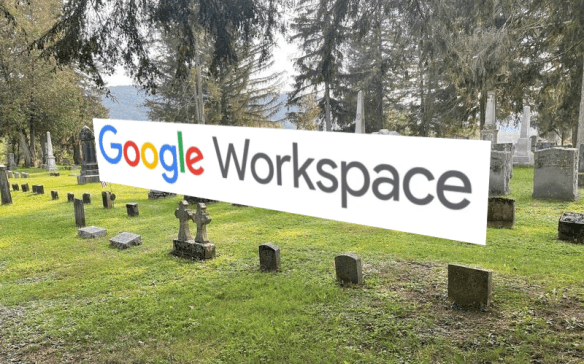
I’ve heard there is a plan for trying to give loyal customers a discount for the first year of service to ease the transition but that’s not going to cut it for most. Based on the comments I’ve seen most people are upset that they have purchases from Google tied to an account they can’t transfer away from as well as the possibility that whatever happens next is going to be shut down anyway. I mean, Killed by Google is starting to look like a massive graveyard at this point.

I’m willing to concede at this point that the free tier of Google Workspace is gone and won’t be coming back. What I’m not ready to give in on is the model that you’re forcing me to pay for and use other services because you have a target revenue number to hit and you keep throwing useless stuff in to make it seem valuable. You’re not transitioning us to a new model. You’re ramming the existing one down our throats because you need users for those other services that are paying.

Want to extend some goodwill to the community? Offer us a solution that gives us what we want for a reasonable pricing model? How about email without video chat and Drive for $3 per month per user? How about allowing me to cut out the junk and reduce my spend. How about giving me something with other value based on how I use your service and not how you think I should be using it?


Tom’s Take

I realize I’m just tilting at windmills in this whole mess but It’s frustrating. I’m totally prepared to never see a resolution to this issue because Google has decided it’s time to kill it off. Yes, I got a decade of free email hosting out of the deal. I got a lot of value for what I invested. I even realize that Google can’t keep things free forever. I just wish there was a way for me to pay them for what I want and not have to pay more for things that are useless to me. Technology marches on and new models always supplant old ones. The only constant is change. But change is something we should be able to process and accept. Not have it forced upon us to ensure someone is using Google Meet.

Wi-Fi 6 Release 2, Or Why Naming Conventions Suck

I just noticed that the Wi-Fi Alliance announced a new spec for Wi-Fi 6 and Wi-Fi 6E. Long-time readers of this blog will know that I am a fan of referring to technology by the standard, not by a catch term that serves as a way to trademark something, like Pentium. Anyway, this updated new standard for wireless communications was announced on January 5th at CES and seems to be an entry in the long line of embarrassing companies that forget to think ahead when naming things.

Standards Bodies Suck

Let’s look at what’s included in the new release for Wi-Fi 6. The first and likely biggest thing to crow about is uplink multi-user MIMO. This technology is designed to enhance performance and reduce latency for things like video conferencing and uploading data. Essentially, it creates multi-user MIMO for data headed back the other direction. When the standard was first announced in 2018 who knew we would have spent two years using Zoom for everything? This adds functionality to help alleviate congestion for applications that upload lots of data.

The second new feature is power management. This one is aimed primarily at IoT devices. The combination of broadcast target wake time (TWT), extended sleep time, and multi-user spatial multiplexing power save (SMPS) are all aimed at battery powered devices. While the notes say that it’s an enterprise feature I’d argue this is aimed at the legion of new devices that need to be put into deep sleep mode and told to wake up at periodic intervals to transmit data. That’s not a laptop. That’s a sensor.

Okay, so why are we getting these features now? I’d be willing to bet that these were the sacrificial items that were holding up the release of the original spec of 802.11ax. Standards bodies often find themselves in a pickle because they need to get the specifications out the door so manufacturers can start making gear. However, if there are holdups in the process it can delay time-to-market and force manufacturers to wait or take a gamble on the supported feature set. And if there is a particular feature that is being hotly debated it’s often dropped because of the argument or because it’s too complex to implement.

These features are what has been added to the new specification, which doesn’t appear to change the 802.11ax protocol name. And, of course, these features must be added to new hardware in order to be available, both in radios and client devices. So don’t expect to have the hot new Release 2 stuff in your hands just yet.

A Marketing Term By Any Other Name Stinks

Here’s where I’m just shaking my head and giggling to myself. Wi-Fi 6 Release 2 includes improvements for all three supported bands of 802.11ax – 2.4GHz, 5GHz, and 6GHz. That means that Wi-Fi 6 Release 2 supersedes Wi-Fi 6 and Wi-Fi 6E, which were both designed to denote 802.11ax in the original supported spectrums of 2.4 and 5GHz and then to the 6GHz spectrum when it was ratified by the FCC in the US.

Let’s all step back and realize that the plan to simplify the naming convention of the Wi-Fi alliance for marketing has failed spectacularly. In an effort to avoid confusing consumers by creating a naming convention that just counts up the Wi-Fi Alliance has committed the third biggest blunder. They forgot to leave room for expansion!

If you’re old enough you probably remember Windows 3.1. It was the biggest version of Windows up to that time. It was the GUI I cut my teeth on. Later, there were new features that were added, which meant that Microsoft created Windows 3.11, a minor release. There was also a network-enabled version, Windows for Workgroups 3.11, which included still other features. Was Windows 3.11 just as good as Windows for Workgroups 3.11? Should I just wait for Windows 4.0?

Microsoft fixed this issue by naming the next version Windows 95, which created a bigger mess. Anyone that knows about Windows 95 releases know that the later ones had huge new improvements that made PCs easier to use. What was that version? No, not Windows 97 or whatever the year was. No, it was Windows 95 OEM Service Release 2 (Win95OSR2). That was a mouthful for any tech support person at the time. And it showed why creating naming conventions around years was a dumb idea.

Now we find ourselves in the mess of having a naming convention that shows major releases of the protocol. Except what happens when we have a minor release? We can’t call it by the old name because people won’t be impressed that it contains new features. Can we add a decimal to the name? No, because that will mess up the clean marketing icons that have already been created. We can’t call it Wi-Fi 7 because that’s already been reserved for the next protocol version. Let’s just stick “release 2” on the end!

Just like with 802.11ac Wave 2, the Wi-Fi Alliance is backed into a corner. They can’t change what they’ve done to make things easier without making it more complicated. They can’t call it Wi-Fi 7 because there isn’t enough difference between Wi-Fi 6 and 6E to really make it matter. So they’re just adding Release 2 and hoping for the best. Which will be even more complicated when people have to start denoting support for 6GHz, which isn’t universal, with monikers like Wi-Fi 6E Release 2 or Wi-Fi 6 Release 2 Plus 6E Support. This can of worms is going to wiggle for a long time to come.


Tom’s Take

I sincerely hope that someone that advised the Wi-Fi Alliance back in 2018 told them that trying to simplify the naming convention was going to bite them in the ass. Trying to be cool and hip comes with the cost of not being able to differentiate between minor version releases. You trade simplicity for precision. And you mess up all those neat icons you built. Because no one is going to legitimately spend hours at Best Buy comparing the feature sets of Wi-Fi 6, Wi-Fi 6E, and Wi-Fi 6 Release 2. They’re going to buy what’s on sale or what looks the coolest and be done with it. All that hard work for nothing. Maybe the Wi-Fi Alliance will have it figured out by the time Wi-Fi 7.5 Release Brown comes out in 2025.

Make Sure You Juggle The Right Way in IT

When my eldest son was just a baby, he had toys that looked like little baseballs. Long story short, I decided to teach myself to juggle with them. I’d always wanted to learn and thought to myself “How hard can it be?” Well, the answer was harder than I thought and it took me more time that I realized to finally get the hang of it.

One of the things that I needed to learn is that adding in one more ball to track while I’m trying to manage the ones that I had wasn’t as simple as it sounded. You would think that adding in a fourth ball should only be about 25% harder than the three you had been working with before. Or, you might even believe the statistical fallacy that you’re only going to fail about a quarter of the time and be successful the rest. The truth is that adding in one more object makes your entire performance subpar until you learn to adjust for it.

Clogging Up the Pipe

I mention this example because the most obvious application for the juggling metaphor is in Quality of Service (QoS). If you’ve ever read any of the training material related to QoS over the years, you’ll know that an oversubscribed link doesn’t perform poorly for the packets that are added in at the end. When a link hits the point of saturation all of the data flowing down the pipe is impacted in some way, whether it’s delays or or dropped packets or even application timeouts.

We teach that you need to manage congestion on the link as a whole and not just the data that is added that takes you over the stated rate. This is why we have queuing methods that are specifically tuned for latency sensitive traffic like voice or video. You can’t assume that traffic that gets stuffed in at the start will be properly handled. You can’t assume that all data is just going to line up in an orderly fashion and wait its turn. Yes, the transmission queue on the device is going to process the packets in a serial manner, but you can’t know for sure what packets are going to be shoved in the queue without some form of management.

It’s important to understand that QoS is about the quality of the experience for all consumers of the link and not just a select group. That’s why texts will teach you about priority queuing methods and why they’re so inefficient. If the priority queues are the only ones getting served then the regular queues will fail to send traffic. If users get creative and try to mark their packets as priority then the priority queue becomes no better than the regular queue.

QoS for Your Brain

All of these lessons for juggling packets and prioritizing them within reason don’t just resonate with technology. The same principles apply to the work you do and the projects and tasks that you take on. I can’t tell you the number of times I’ve thought to myself “I can just handle this one little extra thing and it won’t make a big difference.” Except it does make a big difference in the long run. Because adding one more task to my list is just like adding one more ball to the juggling list. It’s not additive. It adds a whole new dimension to what you’re working on.

Just like with the bandwidth example, the one extra piece added to the end makes the whole experience worse overall. Now you’re juggling more than you can handle. Instead of processing what you have efficiently and getting things done on time you’re flipping back and forth trying to make sure that all the parts are getting worked on properly and, in the end, using too much time inefficiently. Add in the likelihood that this new task is “important” and gets placed near the top of the list and you can quickly see how the priority queue example above is fitting. When every task is critical, there are no critical tasks.

Prioritize Before The Piles Happen

As luck would have it, the best way to deal with these issues of juggling too many tasks is the same as dealing with oversubscription on a link. You need to understand what your ability to deal with tasks looks like. Maybe you can handle eight things a day. Are those eight complex things? Eight easy things? Four of each? You need to know what it takes to maximize your productivity. If you don’t know what you can handle then you’ll only find out you’re oversubscribed when you take on one thing too many. And it’s too late to turn back after that.

Next, you need to manage the tasks you have in some way. Maybe it’s a simple list. But it’s way easier if the list has a way to arrange priority and deal with complicated or less critical tasks after the important stuff is done first. Remember that something being complex and critical is going to be a challenge. Easy tasks can be knocked out and crossed off your list sooner. You can also make sure that tasks that need to happen in a certain order are arranged in that way.

Lastly, you need to model the QoS drop method. Which means saying “no” to things that are going to oversubscribe you. It seems inelegant and will lead to others getting frustrated that you can’t get the work done. However, they also need to understand that if you can’t get the work done because you’re tasked with too much you’re going to do a poor job anyway. It’s better to get things done in a timely manner and tell people to come back later than take on more than you can do and disappoint everyone. And if someone tried to get creative and tell you their task is too important to put off, remind them that every task is critical to someone and you decide how important things are.


Tom’s Take

This is absolutely a case of “do as I say, not as I do”. I’m the world’s worst for taking on more than I can handle to avoid making other people feel disappointed. No matter how many times I remind myself that I can’t take on too much I have been known to find myself in a situation where I’m oversubscribed and my performance is suffering because of it. Use this as an opportunity to get a better handle on juggling things on your side. I never got good enough to juggle more than four at once and I’m okay with that. Don’t feel like you have to take on more than you can or else you’ll end up working in a circus.

Double the Fun in 2022

It’s January 1 again. The last 365 days have been fascinating for sure. The road to recovery doesn’t always take the straightest path. 2021 brought some of the the normal things back to us but we’re still not quite there yet. With that in mind, I wanted to look back at some of the things I proposed last year and see how they worked out for me:

  • Bullet Journaling: This one worked really well. When I remembered to do it. Being able to chart out what I was working on and what I needed to be doing helped keep me on track. The hardest part was remembering to do it. As I’ve said before, I always think I have a great memory and then remember that I forgot I don’t. Bullet journaling helped me get a lot of my tasks prioritized and made sure that the ones that didn’t get done got carried over to be finished later. I kind of stopped completely at the end of the year when things got hectic and I think that is what led me to feeling like everything was chaotic. I’m going to start again for 2022 and make sure to add some more flair to what I’m doing to make it stick for real this time.
  • More Video Content: This one was a mixed bag. I did record a full year of Tomversations episodes as well as the Rundown and various episodes of the On-Premise IT Roundtable podcast. The rest of my plans didn’t quite come to fruition but I think there’s still a spot for me to do things in 2022 to increase the amount of video content I’m doing. The reason is simple: more and more people are consuming content in video form instead of reading it. I think I can find a happy medium for both without increasing the workload of what I’m doing.
  • More Compelling Content: This was the part I think I did the most with. A considerable number of my posts this year were less about enterprise IT technical content and more about things like planning, development, and soft skills. I spent more time talking about the things around tech than I did talking about the tech itself. While that does have a place I wonder if it’s as compelling for my audience as the other analysis that I do. Given that my audience has likely shifted a lot over the last decade I’m not even sure what people read my blog for any longer. Given the number of comments that I get on IPv6 posts that were written five or six years ago I may not even be sure who would be interested in the current content here.

Okay, 2021 was a mixed bag of success and areas for improvement. My journaling helped me stay on task but I still felt a lot of the pressure of racing from task to task and my grand ideas of how to create more and do more ultimately fell away as things stayed busy. So, where to go from here?

  • More Analytical Content: Some of the conversations I’ve had over the year remind me that I have a unique place in the industry. I get to see a lot of what goes on and I talk to a lot of people about it. That means I have my own viewpoint on technologies that are important. While I do a lot of this for work, there are some kinds of analysis that are better suited for this blog. I’m going to spend some time figuring those out and posting them here over the year to help create content that people want to read.
  • Saying No to More Things: Ironically enough, one of the things I need to get better at in 2022 is turning things down. It’s in my nature to take on more than I can accomplish to make sure that things get done. And that needs to stop if I’m going to stay sane this year. I’m going to do my best to spread out my workload and also to turn down opportunities that I’m not going to be able to excel at doing. It may be one of the hardest things I do but I need to make it happen. Only time will tell how good I am and turning people down.
  • Getting In Front of Things: This one is more of a procedural thing for me but it’s really important. Rather than scrambling at the last minute to finish a script or get something confirmed, I’m going to try my hardest to plan ahead and make sure I’m not racing through chaos. With all the events I have coming up, both work and personal, I can’t afford to leave things to the last minute. So I’m going to be trying really hard to think ahead. We’ll see how it goes.

Tom’s Take

My January 1 post is mostly for me to keep myself honest over the year. It’s a way for me to set goals and stick to them, or at the very least come back to the next January 1 and see where I need to improve. I hope that it helps you a bit in your planning as well!

Holiday Networking Thoughts from 2021

It’s the Christmas break for 2021, which means lots of time spent doing very little work-related stuff. I’m currently putting together a Lego set, playing Metroid Dread and working on beating Ocarina of Time again.

As I waited for updates to download on Christmas morning I remembered how many packets must be flying across the wire to update software and operating systems for consoles. Even having done a few of the updates the night before I could see the traffic to those servers started to get a bit congested. It’s like Black Friday but for the latest patches to keep your games running. Add in the content that needs to be installed now in order to make that game disc work, or the download-only consoles for sale, and you can see that network engineers aren’t going to be a dying profession any time soon.

I’m a bit jaded because I come from a time when you didn’t need to be constantly connected to use software or need to download an update every few days. Heck, some of the bugs in Ocarina of Time have been there for over twenty years because those cartridges are not designed to be patched, having been created before a time when you could barely get online with a modem, let alone wirelessly connect a console.

I also am happy that upgrading devices in the house means fewer and fewer older units performing poorly on the wireless network. As more devices require me to connect them to the network for updates or app connectivity, I’m reminded that things like the Xbox 360 need low data rates enabled to work properly and that makes me sad. But I also can’t turn them off for fear that nothing will work and my children will scream. I don’t think spending a ton of money to get rid of an 802.11b client is really that big of a deal but I’m happy to see them go when I get the chance.

Likewise, I’m going to need to upgrade my APs a bit now that I have clients that can actually use 802.11ax (Wi-Fi 6). Even the older clients will get a performance boost. So It’s a matter of catching a good AP on sale and getting it done. Since I don’t use big box APs I just have to look a bit harder.


Tom’s Take

Make sure you give a shoutout to your friendly neighborhood network engineer for all their hard work making sure the services we’re currently consuming stayed up while the skeleton crew was carrying the pager this weekend. We’ve seen a lot of services crash on Christmas morning in recent years because of unexpected load. Also, give yourselves a hand for keeping your own network up long enough to download the latest DLC for a game or ensure that your new smart appliance can talk to the fancy app you need to use to control it. Let’s make it through the rest of the year with the change freeze intact and start 2022 off on the right foot with no outages.

A Recipe for Presentation Success

When I was a kid, I loved to help my mother bake. My absolute favorite thing to make was a pecan pie. I made sure I was always the one that got to do the work to fix it during the holidays. When I was first starting out I made sure I followed the recipe to the letter. I mixed everything in the order that it was listed. One of the first times I made the pie I melted the butter and poured it into the mixture which also had an egg. To my horror I saw the egg starting to cook and scramble in the bowl due to the hot butter. When I asked my mom she chuckled and said, “Now you get to learn about why the recipe isn’t always right.”

Throughout my career in IT and in presentations, I’ve also had to learn about why even if the recipe for success is written down properly there are other things you need to take into account before you put everything together. Just like tempering a mixture or properly creaming butter and sugar together, you may find that you need to do some things in a different order to make it all work correctly.

Step by Out of Step

As above, sometimes you need to know how things are going to interact so you do them in the right order. If you pour hot liquid on eggs you’re going to cook them. If you do a demo of your product without providing context for what’s happening you’re likely going to lose your audience. You need to set things up in the proper order for it all to make sense.

Likewise if you spend all your time talking about a problem that needs to be solved without telling your listeners that you solve the problem you’re going to have them focused on what’s wrong, not on how you fix it. Do you want them thinking about how you get a flat tire when you run over a nail? Or do you want them to buy your tires that don’t go flat when you run over sharp objects? It’s important to sell your product, not the problem.

It’s also important to know when to do those things out of order. Does your demo do something magical or amazing with a common issue? It might be more impactful to have your audience witness what happens before explaining how it works behind the scenes. It’s almost like a magician revealing their trick. Wow them with the result before you pull back the curtain to show them how it’s done.

The feel for how to do this varies from presentation to presentation. Are you talking to an audience that doesn’t understand the topic at all? You need to start with a lead-in or some other kind of level setting so no one gets lost. Are they experienced and understand the basics? You should be able to jump in at a higher level and show off a few things before going into detail. You have to understand whether or not you’re taking to a group of neophytes or a crowd of wizened veterans.

A counterpoint to this is the crowd of people that might be funding your project or startup. If they’re a person that gets pitched daily about “the problem” or they have a keen understanding of the market, what exactly are you educating them about when you open with a discussion of the issues? Are you telling them that you know what they are? Or are you just trying to set a hook? Might be worth explaining what you do first and then showing how you attack the problem directly.

Weaving a Story

The other thing that I see being an issue in presentations is the lack of a story. A recipe tells a story if you listen. Things have relationships. Liquids should be mixed together. Dry ingredients should be combined beforehand. Certain pieces should be put on last. If you put the frosting on a cake before you put it in the oven you’re going to be disappointed. It’s all part of the story that links the parts together.

Likewise, your presentation or lesson should flow. There should be a theme. It should make sense if you watch it. You can have individual pieces but if you tie it all together you’re going to have a better time of helping people understand it.

When I was growing up, TV shows didn’t tell longer stories. Episodes of the Addams Family or Gilligan’s Island stood alone. What happened in the first season didn’t matter in the next. Later, the idea of a narrative arc in a story started appearing. If you watch Babylon 5 today you’ll see how earlier episodes introduce things that matter later. Characters have growth and plot threads are tied up before being drawn out into new tapestries. It’s very much a job of weaving them all together.

When you present, do your sections have a flow? Do they make sense to be together? Or does it all feel like an anthology that was thrown together? Even anthologies have framing devices. Maybe you’re brining in two different groups that have different technologies that need to be covered. Rather than just throwing them out there you could create an overview of why they are important or how they work together. It’s rare that two things are completely unrelated, especially if you’re presenting them together.


Tom’s Take

If all you ever did was list out ingredients for recipes you’d be missing the important parts. They need to be combined in a certain order. Things need to go together properly. Yes, you’re going to make mistakes when you do it for the first time and you don’t understand the importance of certain things. But that learning process should help you put them together the way they need to be arranged. Take notes. Ask for feedback. And most importantly, know when it’s time to change the recipe to help you make it better the next time.

Is Disaggregation Going to Be Cord Cutting for the Enterprise?

There’s a lot of talk in the networking industry around disaggregation. The basic premise is that by decoupling the operating system from the hardware you can gain the freedom to run the devices you want from any vendor with the software that does what you want it to do. You can standardize or mix-and-match as you see fit. You gain the ability to direct the way your network works and you control how things will be going forward.

To me it sounds an awful lot like the trend of “cutting the cord” or unsubscribing from cable TV service and picking and choosing how you want to consume your content. Ten years ago the idea of getting rid of your cable TV provider was somewhat crazy. In 2021 it seems almost a given that you no long need to rely on your cable provider for entertainment. However, just like with the landscape of the post-cable cutting world, I think disaggregation is going to lead to a vastly different outcome than expected.

TNSTAAFL

Let’s get one thing out of the way up front: This idea of “freedom” when it comes to disaggregation and cord cutting is almost always about money. Yes, you want the ability to decide what software runs on your system. You don’t want to have unnecessary features or channels in your lineup. But why? I think maybe 5% of the community is worried about code quality or attack surfaces. The rest? They want to pay less for the software or hardware by unbundling the two. Instead of getting better code for their switches they’re really just chasing a lower cost per unit to run things. If that weren’t the case, why do so many of these NOS vendors run on Linux?

Yes, that feels like a bit of shot but reality speaks volumes over the pleasantries we often spout. The value of disaggregation is a smaller bottom line. Code quality can be improved over time with the proper controls in place. Hell, you could even write your own NOS given the right platform and development resources. However, people don’t want to build the perfect NOS or help vendors with the code issues. They want someone to build 90% of the perfect NOS and then sell it to them cheaply so they can run it on a cheap whitebox switch.

This is an issue that is faced by developers the world over. Look at the number of apps in the various mobile app stores that have a free entry point or are a “Freemium” business model. You don’t pay up front but as soon as you find a feature you really like it’s locked behind a subscription model. Why? Because one-time purchases don’t fund development. If everyone buys your app and then expects you to keep providing features for it and not just bug fixes, where does the investment for that development come from? Work requires resources – time or money. If you’re not getting paid for something you have to invest more time to make it work the way you want.

Vendors of disaggregated systems are finding themselves in a similar quandary. How do we charge enough for the various features we want to put into the system to be able to develop new features? The common way I see this done is to put in the most basic features that customers would want and then wait for someone to ask for something to be added. If the customer is asking for it the odds are good they’ll be willing to pay for it. You can even get them to buy your software now and sign an agreement that you’ll include the new feature in a few weeks in order to be sure your development resources aren’t wasted.

There are other ways, such as relying on single merchant silicon platforms or developing tight relationships with other vendors in the market, but ultimately it comes back to the question of resources. What are you willing to invest to make this happen? And what are you willing to accept as a cost that must be paid to get what you think you want?

The Buffet of Plenty…of Stuff You Don’t Want

The other aspect of this comparison is how the cable TV market responded to cord cutting. People started leaving cable TV for apps like Netflix and Hulu because they were cheaper than paying for a full cable subscription and had most of the content that people wanted. For the few pieces that weren’t available there were workarounds. By and large, you could find most of what you wanted in an auxiliary app when you occasionally wanted it.

So is this how things are today? Or did the market shift to the response of what customer behavior was? I think you’ll find that you’re not paying a single lump sum for content if you cut the cord for your cable provider. However, you are paying a large portion of that investment in separate apps that offer a portion of the content on-demand. And that’s why separating things is going to lead to new market dynamics.

The first behavior we saw was every media company coming up with their own app to host content. Instead of having a Disney channel on cable you now had a number of Disney apps that replicated the content channels. Later they merged into a single app with all the content. But was it all the content you wanted? Or was it all the content they owned? The drive for companies to create apps was not to offer customers a way to consume content along with their existing subscriptions. It was to provide a landing page for content you couldn’t find anywhere else.

That’s where phase two kicks in. Once you’ve created the destination, you need to make it the only place to be. That means removing content from other locations. Netflix started losing content when the creators started taking control of their own content. Soon it was necessary to create custom content to replace what was lost. Now, instead of buying a cable subscription and getting all the channels you had to sign up for five different apps, each comprising one or two of the channels you used to watch. Disney content is in the Disney app. NBC content is in another. The idea of channel surfing is gone. The back catalog of content added to the apps served more to entice people to keep their subscriptions during droughts of fresh new content.

How does this whole model break down in the enterprise? Well, going back to our earlier discussion about features being added to devices, what are you going to have to do to get new functions in your operating system? Are you going to require the vendor to write them on their schedule? Are you going to use a separate app or platform? Why should the vendor support some random feature that might not get much adoption and would take a significant amount of resources to build? Why not just make you do it yourself?

The idea is that you gain freedom and cheaper software. The hope is that you can build an enterprise network for half of what it would normally cost. The reality is that you’re going to gain less functionality and spend more time integrating things together on your own instead of just putting in a turnkey solution. And yes, there are people out there that are nodding their heads and saying they would love to do this. They want the perfect network with the perfect cheap NOS and whitebox hardware. But do you want this to be your only job for the rest of your career?

Once you build things the way you want them you become the only person that can work on them. You become the only source of support for your solution. If it’s a custom snowflake of a network you are the only person that can fix the snow issues. Traditional software and hardware may be unwieldy and difficult to troubleshoot but you can also call a support line where people have been paid to get training on how to implement and fix issues. If you built it yourself you’re the person that has to pick up the phone to fix it. Unless you want to train your team to support it too. Which takes time and money. So your savings between the two solutions are going to evaporate. And if you want the NOS vendor or the hardware supplier to support more functions to make it all easier you’re going to drive the price of the equipment up. So instead of writing one big check to the old guard you’re writing a bunch of little ones to every part of the new infrastructure you helped create.


Tom’s Take

I know it sounds like I’m not a fan of all this disaggregation stuff. In fact, I am a huge proponent of it. I just don’t buy the “freedom” excuse. My business background helps me understand the resource contention issues. My history of supporting snowflake implementations reminds me that you have to be able to turn your work over to someone else at some point in the future. Disaggregation has a lot of positive effects. You can mix and match your software and hardware and make it much easier to support for your own purposes. You no longer have to take a completed project and find workarounds to fit it to your needs. You get what you want. But don’t think you’re going to be able to get exactly what you need without some work of your own. Just like the cable cord cutting craze, you’re going to find out that you’re getting something totally different in the short term and a much different consumption model when the market shifts to the demands of the consumers. Don’t get complacent with your solutions and be ready to adapt when the suppliers force your hand.