Unknown's avatar

About networkingnerd

Tom Hollingsworth, CCIE #29213, is a former network engineer and current organizer for Tech Field Day. Tom has been in the IT industry since 2002, and has been a nerd since he first drew breath.

The Microsoft Office Tablet

OfficeTabletI’ve really tried to stay out of the Tablet Wars.  I have a first generation iPad that I barely use any more.  My kids have co-opted it from me for watching on-demand TV shows and playing Angry Birds.  Since I spend most of my time typing blog posts or doing research, I use my laptop more than anything else.  When the Surface RT and Surface Pro escaped from the wilds of Redmond I waited and watched.  I wanted to see what people were going to say about these new Microsoft tablets.  It’s been about 4 months since the release of the Surface Pro and simliar machines from vendors like Dell and Asus.  I’ve been slowly asking questions and collecting information about these devices.  And I think I’ve finally come to a realization.

The primary reason people want to buy a Surface tablet is to run Microsoft Office.

Here’s the setup.  Everyone that expressed an interest in the Pro version of the Surface (or the Latitude 10 from Dell) was asked a question by me: What is the most compelling feature for the Surface Pro for you?  The responses that I got back were overwhelming in their similarity.

1.  I want to use Microsoft Office on my tablet.

2.  I want to run full Windows apps on my tablet.

I never heard anything about portability, power, user interface, or application support (beyond full Windows apps).  I specifically excluded the RT model of the Surface from my questions because of the ARM processor and the reliance of software from the Windows App Store.  The RT functions more like Apple/Android tablets in that regard.

This made me curious.  The primary goal of Surface users is to be able to run Office?  These people have basically told me that the only reason they want to buy a tablet is to use an office suite.  One that isn’t currently available anywhere else for mobile devices.  One that has been rumored to be released on other platforms down the road.  While it may be a logical fallacy, it appears that Microsoft risks invalidating a whole hardware platform because of a single application suite.  If they end up releasing Office for iOS/Android, people would flee from the Surface to the other platforms according to the info above.  Ergo, the only purpose of the Surface appears to be to run one application.  Which I why I’ve started calling it the Microsoft Office Tablet.  Then I started wondering about the second most popular answer in my poll.

Making Your Flow Work

As much as I’ve tried not to use the word “workflow” before, I find that it fits in this particular conversation.  Your workflow is more than just the applications you utilize.  It’s how you use them.  My workflow looks totally different from everyone else even though I use simliar applications.  I use email and word processing for my own purposes.  I write a lot, so a keyboard of some kind is important to my workflow.  I don’t do a lot of graphics design, so a pen input tablet isn’t really a big deal to me.  The list goes on and on, but you see that my needs are my own and not those of someone else.  Workflows may be simliar, but not identical.  That’s where the dichotomy comes into play for me.

When people start looking at using a different device for their workflow, they have to make adjustments of some kind.  Especially if that device is radically different from one they’ve been using before.  Your phone is different from a tablet, and a tablet is different from a laptop.  Even a laptop is different from a desktop, but these two are more simliar than most.  When the time comes to adjust your workflow to a new device, there are generally two categories of people:

1.  People who adjust their workflow to the new device.

2.  People who expect the device to conform to their existing workflow.

For users of the Apple and Android tablets, option 1 is pretty much the only option you’ve got.  That’s because the workflow you’ve created likely can’t be easily replicated between devices.  Desktop apps don’t run on these tablets.  When you pick up an iPad or a Galaxy Tab you have to spend time finding apps to replicate what you’ve been doing previously.  Note taking apps, web browsing apps, and even more specialized apps like banking or ebook readers are very commonly installed.  Your workflow becomes constrained to the device you’re using.  Things like on-screen keyboards or lack of USB ports become bullet points in workflow compatibility.  On occasion, you find that a new workflow is possible with the device.  The prime example I can think of is using the camera on a phone in conjunction with a banking app to deposit checks without needing to take them into the bank.  That workflow would have been impossible just a couple of years ago.  With the increase in camera phone resolution, high speed data transfer, and secure transmission of sensitive data made possible by device advancements we can now picture this new workflow and easily adapt it because a device made it possible.

The other category is where the majority of Surface Pro users come in.  These are the people that think their workflow must work on any device they use.  Rather than modify what they’re doing, they want the perfect device to do their stuff.  These are the people that use a tablet for about a week and then move on to something different because “it just didn’t feel right.”  When they finally do find that magical device that does everything they want, they tend to abandon all other devices and use it exclusively.  That is, until they have a new workflow or a substantial modification to their existing workflow.  Then they go on the hunt for a new device that’s perfect for this workflow.

So long as your workflow is the immutable object in the equation, you are never going to be happy with any device you pick.  My workflows change depending on my device.  I browse Twitter and read email from my phone but rarely read books.  I read books and do light web surfing from a tablet but almost never create content.  I spend a lot of time creating content on my laptop buy hate reading on it.  I’ve adjusted my workflows to suit the devices I’m using.

If the single workflow you need to replicate on your table revolves around content creation, I think it’s time to examine exactly what you’re using a tablet for.  Is it portability beyond what a laptop can offer?  Do you prefer to hunt and peck around a touch screen instead of a keyboard?  Are you looking for better battery life or some other function of the difference in hardware?  Or are you just wanting to look cool with a tablet in the “post PC world?”  That’s the primary reason I don’t use a tablet that much any more.  My workflows conform to my phone and my laptop.  I don’t find use in a tablet.  Some people love them.  Some people swear by them.  Just make sure you aren’t dropping $800-$1000 on a one-application device.

At the end of the day, work needs to get done.  People are going to use whatever device they want to use to get their stuff done.  Some want to do stuff and move on.  Others want to look awesome doing stuff or want to do their stuff everywhere no matter what.  Use what works best for you.  Just don’t be surprised if complaining about how this device doesn’t run my favorite data entry program gets a sideways glance from IT.

Disclaimer:  I own a first generation iPad.  I’ve tested a Dell Latitude 10.  I currently use an iPhone 4S.  I also use a MacBook Air.  I’ve used a Lenovo Thinkpad in the past as my primary workstation.  I’m not a hater of Microsoft or a lover of Apple.  I’ve found a setup that lets me get my job done.

Cisco Live 2013 Tweetup

CLUSSignIt’s down to one month until Cisco Live 2013!  As usual, this is the time when the breakneck pace of updates starts coming out.  Whether it be about discount Disney World tickets from Teren Bryson (@SomeClown) or the comprehensive update from Jeff Fry (@fryguy_pa), you’ve got your bases covered.  One of the events that I’m most excited about is the official Cisco Live Tweetup.
Twitter has become a powerful medium in the IT industry.  It allows people from all around the world to communicate almost in real time about an increasingly broad list of subjects.  Professionals that take advantage of Twitter to build contacts and solve problems find themselves in a very advantageous position in relation to those that “just don’t get it.”  When a large group of IT professionals gets together in real life, it’s almost inevitable that they all want to get together and hang out to discuss things face-to-face instead of face-to-screen.  That’s the real magic behind a tweetup – putting a living, breathing face to a Twitter handle or odd avatar.

The 2012 Cisco Live Tweetup was a huge success.  Many of us got to catch up with old friends, make some new friends, and generally spend time with awesome folks all over the industry.  The social corner was the place to watch keynotes, troubleshoot problems and even talk about non-nerdy stuff.  After the end of the event, I couldn’t wait to try and top it in 2013.  Thanks to some help from the Cisco Live Social Team, I think we’ve got a great chance.

SMH1

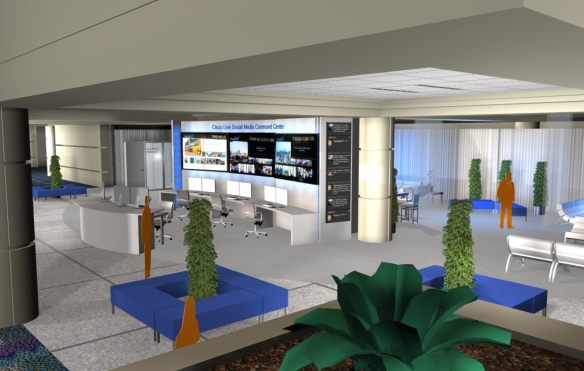
The 2013 Cisco Live Tweetup will be held on Sunday, June 23rd at 5:00 p.m. at the Social Media Hub.  It’s on the first floor of the convention center right across from registration.  We’ve got some prime real estate this year to check out all the happenings at Cisco Live!  That also means there will be curious people that want to check out what this whole “social” thing is about.  That means more people tweeting and sharing, which is always a win in my book.  Jeff and I will also have a limited supply of the coveted Twitter flags for your Cisco Live name badge.  While there may be a printed version on the main badge itself, nothing shows your social media plumage quite like a piece of name badge flair.

The 5:00 p.m. start time was chosen by popular vote in an online poll.  I know that there are lots of events that typically run during Sunday, like labs and Techtorials.  In particular, there is a Cisco Empowered Women’s Network event that starts at 4:00.  I don’t want anyone to feel slighted or left out of all the fun at Cisco Live from the need to leave an event just to run to another one.  To that end, I plan on being at the Social Media Hub starting around 2:00 p.m. on Sunday and staying as long as it takes to meet people and welcome them to the Twitter family at Cisco Live.  I want everyone to feel like they’ve had an opportunity to meet and greet as many people as possible, especially if they have to leave to attend a reception or are just coming out of an 8-hour brain draining class.

SMH2

Remember that the fun at Cisco Live doesn’t just end with the Tweetup.  We’re planning on having all kinds of fun all week long.  I’m working on the plans to get a 5k run going with Amy Lewis (@CommsNinja) and Colin McNamara (@colinmcnamara) for those out there that want to stretch their legs for some great charities.  There are also a couple more surprises in store that I can’t wait to see.  I’ll drop a few hints once those plans come closer to fruition.  I’m really looking forward to seeing all of the people on the Cisco Live 2013 Twitter list as well as meeting some new people.  See you there!

More Than I Was, Less Than I Will Become

GravatarNNFor the last ten years, I’ve been working for the same value added reseller (VAR).  It’s been a very fun ride.  I started out as a desktop repair technician.  It just seemed natural after my work on a national inbound helpdesk.  Later, I caught a couple of lucky breaks and started working on Novell servers.  That vaulted me into the system administration side of things.  Then someone decided that I need to learn about switches and routers and phone systems.  That’s how I got to the point where I am today as a network engineer.  That’s not all I do, though.

If you’re reading this, you know all about my secret identity.  If my day job at the VAR has me acting like Bruce Wayne, then my blog is where I get to be Batman.  I write about tech trends and talk about vendors.  Sometimes I say nice things.  Sometimes I don’t.  However, I love what I do.  I find myself driven to learn more about the industry for my writing than anything else.  Sometimes, my learning complements my day job.  Other times the two paths diverge, possibly to never meet up again.  It can be tough to reconcile that.  What I know is that the involvement I have in the industry thanks to my blog has opened my eyes to a much wider world beyond the walls of my office.

Enter Stephen Foskett.  I can still remember the first time he DMed on Twitter and asked if I would be interested in attending a Tech Field Day event.  I was beside myself with excitement to say the least.  When I got to Tech Field Day 5, I was amazed at the opportunity afforded to me to learn about new technology and then go back and write down what I thought about it.  I didn’t have to be nice.  I didn’t even have to write if I didn’t want to.  I had the freedom to say what I wanted.  I loved it.  Then a funny thing happened before I could even leave TFD5.  Stephen asked if I wanted to come back the next month to help him launch Wireless Field Day.  I was overjoyed.  You mean I get to come back?

So began my long history with Gestalt IT and Tech Field Day.  I’ve been to seven Tech Field Day events since TFD5 in February of 2011.  I’ve also been to a couple of roundtables and a meeting or two.  I love every aspect of what Stephen is trying to accomplish.  At times, I wished there was something more I could do.  Thankfully, Stephen was thinking the same thing.  When Network Field Day 5 came around in March of this year, I got another life-changing DM a couple of weeks prior:

We need to talk about your future.  Have you considered becoming the Dread Pirate Roberts?  I think you’d make an excellent Dread Pirate Roberts.

Just for the record, Princess Bride references in a job offer are the most awesome kind of job offers.  Stephen and I spent two hours on the first night of NFD5 talking about what he had in store.  He needed help.  I wanted to help.  He wanted someone enthusiastic to help him do what he does so that more could be done.  I was on board as soon as he said it.  I’d always half-jokingly said that if I could do any job in the world, I do Stephen Foskett’s job.  He talks to people.  He writes great posts.  He knows what the vendors want to sell and what the customers want to buy.  He has connections with the community that others would kill to have a chance to get.  And now he’s giving me a chance to become a part of it.

As of June 1, 2013, I will be taking a position with Stephen Foskett at Gestalt IT.

I’m excited about things all over again.  Sure, I won’t be typing CLI commands into a router any more.  I won’t be answering customer voice mail password reset emails.  What I will be doing is where my passion lies now.  I’m going to spend more time writing and talking to vendors.  I’m going to help Stephen with Tech Field Day events.  I’m going to be a facilitator and an instigator.  If Stephen is the Captain, then I hope to be Number One.  We’re hoping to take the idea of Tech Field Day and run with it.  You’ve already seen some of that plan with the TFD Roundtable events at the major tech conferences this year.  I want to help Stephen take this even further.

This also means that I’m going to spend more time at Tech Field Day events.  I just won’t be sitting in front of the camera for most of them.  I might spend time as a hybrid delegate/staff person on occasion, but I’ll be spending time behind the scenes making everything work like a well-oiled machine.  I’ve always tried to help out as much as I can.  Now it’s going to be my job.

I won’t stop doing what I’m doing here, though.  Part of what brought me to where I am is the blogging and social media activity that got me noticed in the first place.  This just means that I’m going to have more time to research and write in between all the planning.  I plan on taking full advantage of that.  You’ve seen that I’ve been trying to post twice a week so far this year.  I’m going to do my best to keep with that schedule.  I’m going to have much more time in between phone calls and planning sessions to dig into technologies that I wouldn’t otherwise have had time to look at in my old day job.

It’s going to be a busy life for a while.  Between conference season and TFD events, I’m going to be spending a lot of time catching up and getting things ready to go for all the great things that are planned already.  Plus, knowing how I am with things, I’m going to be looking for more opportunities to get more things going.  Maybe I’ll even get Voice Field Day going.  I’m looking forward to the chance to do something amazing with my time.  Something the community loves and wants to be a part of.

I recorded an episode of Who Is with Josh O’brien (@joshobrien77) where I discuss a bit about what brought me to making this change as well as some thoughts about the industry and where I fit in.  You can find it here at his website.

In closing, I want to say a special thanks to each of you out there reading this right now.  You all are the reason why I keep writing and thinking and talking.  Without you I would never have imagined that it was possible to do something with this much passion.  That would also have never led me to finding out that I could make a career out of it.  From the bottom of my heart – thank you for making me believe in myself.

Juniper Networks Warrior – Review

Documentation is the driest form of communication there is. Whether it be router release notes or stereo instructions I never seem to be able to find a way to read more than a paragraph before tossing things aside. You’d think by now that someone would come up with a better way to educate without driving someone to drinking.

O’Reilly Media has always done a good job of creating technical content that didn’t make me pass out from boredom. They’ve figured out how to strike a balance between what needs to be said and the more effective and entertaining way to say it. Once I started reading the books with the funny animals on the covers I started learning a lot more about the things I was working on. One book in particular caught my eye – Network Warrior by Gary Donahue. Billed as “everything you need to know that wasn’t on the CCNA,” it is a great introduction to more advanced topics that are encountered in day-to-day network operations like spanning tree or the Catalyst series of switches. Network Warrior is heavily influenced by Cisco equipment. While the concepts are pretty straight forward the bias does lean toward the building on Tasman Drive. Thankfully, O’Reilly enlisted an author to bring the Warrior series to Sunnyvale as well:

Screen Shot 2013-05-13 at 2.53.13 PM

Peter Southwick was enlisted to write a Warrior book from the perspective of Juniper engineer. I picked up a copy of this book the last time I was at Juniper’s headquarters and have spent the past few weeks digesting the info inside.

What Worked

Documentation is boring. It’s a dry description of how to do everything. How-to guides are a bit better written, but they still have to cover the basics. I am a much bigger fan of the cookbook, which is a how-to that takes basic building blocks and turns them into a recipe that accomplishes something. That’s what Juniper Networks Warrior is really about. It’s a cookbook with some context. Each of the vignettes tells a story about a specific deployment or project. By providing a back story to everything you get a feel for how real implementations tend to flow back and forth between planning and execution. Also, the solutions provided really do a great job of cutting past the boring rote documentation and into things you’ll use more than once. Couple that with the vignettes being based on something other than technology-focused chapters and it becomes apparent that this is a very holistic view for technology implementation.

What Didn’t Work

There were a couple of things that didn’t work well in the narrative to me. The first was the “tribe” theme. Southwick continually refers to the teams that he worked with in his projects as “tribes.” While I understand that this does fit somewhat with the whole idea behind the Warrior books, it felt a bit out of place. Especially since Donahue didn’t use it in either Network Warrior or Arista Warrior (another entry in the series). I really did try to look past it and not imagine groups of network engineers carrying spears and slings around the data center, but it was mentioned so often in place of “team” or “group” that it became jarring after a while.

The other piece that bothered me a bit was in Chapter 3: Data Center Security Design. The author went out of the way to mention that the solution that his “tribe” came up with was in direct competition with a competing one that utilized Cisco gear. He also mentioned that the Juniper solution was going to displace the Cisco solution to a certain degree. I get that. Vendor displacement happens all the time in the VAR world. What bothered me was the few occasional mentions of a competitor’s gear with words like “forced” or casting something in a negative light simply due to the sticker on the front. I’ve covered that before in my negative marketing post. Why I bring it up here is because it wasn’t present in either Network or Arista Warrior, even though the latter is a vendor-sponsored manual like this one. In particular, an anecdote in the Arista chapter on VRRP mentions that Cisco wanted to shut down the RFC for VRRP due to similarity with HSRP. No negativity, no poking with a sharp stick. Just a statement of fact and the readers are left to draw their own conclusions.

I realize the books of this nature often require input from the technical resources of a vendor. I also realize that sometimes the regard that these books are held in sometimes looks to be a very appealing platform to launch marketing campaigns or to use a factually based volume to mention some opinion-based verbiage. I sincerely hope that future volumes tone down the rhetoric just a bit for the sake of providing a good reference volume. Engineers will keep going back to a book if it gives them a healthy dose of the information they need to do their jobs. They won’t go back nearly as often to a book that spends too much time discussing the pros and cons of a particular vendor’s solution. I’d rather see pages of facts and configs that get the job done.

Review Disclaimer

The copy of Juniper Networks Warrior that I reviewed was provided to me by Juniper Networks. I received it as part of a group of items during Network Field Day 5. At no time did Juniper ask for nor were they promised any consideration in the writing of this review. All of the analysis and conclusions contained herein are mine and mine alone.

Why Facebook’s Open Compute Switches Don’t Matter. To You.

Facebook_iconFacebook announced at Interop that they are soliciting ideas for building their own top-of-rack (ToR) switch via the Open Compute Project.  This sent the tech media into a frenzy.  People are talking about the end of the Cisco monopoly on switches.  Others claimed that the world would be a much different place now that switches are going to be built by non-vendors and open sourced to everyone.  I yawned and went back to my lunch.  Why?

BYO Networking Gear

As you browse the article that you’re reading about how Facebook is going to destroy the networking industry, do me a favor and take note of what kind of computer you’re using.  Is is a home-built desktop?  Is it something ordered from a vendor?  Is it a laptop or mobile device that you built? Or bought?

The idea that Facebook is building switches isn’t far fetched to me.  They’ve been doing their own servers for a while.  That’s because their environment looks wholly different than any other enterprise on the planet, with the exception of maybe Google (who also builds their own stuff).  Facebook has some very specialized needs when it comes to servers and to networking.  As they mention at conferences, the amount of data rushing into their network on an hourly, let alone daily, basis is mind boggling.  Shaving milliseconds off query times or reducing traffic by a few KB per flow translates into massive savings when you consider the scale they are operating at.

To that end, anything they can do to optimize their equipment to meet their needs is going to be a big deal.   They’ve got a significant motivation to ensure that the devices doing the heavy lifting for them are doing the best job they can.  That means they can invest a significant amount of capital into building their own network devices and still get a good return on the investment.  Much like the last time I built my own home desktop.  I didn’t find a single machine that met all of my needs and desires.  So I decided to cannibalize some parts out of an old machine and just build the rest myself.  Sure, it took me about a month to buy all the parts, ship them to my house, and then assemble the whole package together.  But in the end I was very happy with the design.  In fact, I still use it at home today.

That’s not to say that my design is the best for everyone, or anyone for that matter.  The decisions I made in building my own computer were one’s that suited me.  In much the same way, Facebook’s ToR switches probably serve very different needs than existing data centers.  Are your ToR switches optimized for east-west traffic flow?  I don’t see a lot of data at Facebook directed to other internal devices.  I think Facebook is really pushing their systems for north-south flow.  Data requests coming in from users and going back out to them are more in line with what they’re doing.  If that’s the case, Facebook will have a switch optimized for really fast data flows.  Only they’ll be flowing in the wrong direction for what most people are using data flows for today.  It’s like having a Bugatti Veyron and living in a city with dirt roads.

Facebook admitted that there are things about networking vendors they don’t like.  They don’t want to be locked into a proprietary OS like IOS, EOS, or Junos.  They want a whitebox solution that will run any OS on the planet efficiently.  I think that’s because they don’t want to get locked into a specific hardware supplier either.  They want to buy what’s cheapest at the time and build large portions of their network rapidly as needed to embrace new technology and data flows.  You can’t get married to a single supplier in that case.  If you do, a hiccup in the production line or a delay could cost you thousands, if not millions.  Just look at how Apple ensures diversity in the iPhone supply chain to get an idea of what Facebook is trying to do.  If Apple were to lose a single part supplier there would be chaos in the supply chain.  In order to ensure that everything works like a well-oiled machine, they have multiple companies supplying each outsourced part.  I think Facebook is driving for something simliar in their switch design.

One Throat To Choke

The other thing that gives me pause here is support.  I’ve long held that one of the reasons why people still buy computers from vendors or run Windows and OS X on machines is because they don’t want the headache of fixing things.  A warranty or support contract is a very reassuring thing.  Knowing that you can pick up the phone and call someone to get a new power supply or tell you why you’re getting a MAC flap error lets you go to sleep at night.  When you roll your own devices, the buck stops with you when you need to support something.  Can’t figure out how to get your web server running on Ubuntu?  Better head to the support forums.  Wondering why your BYOSwitch is dropping frames under load?  Hope you’re a Wireshark wizard.  Most enterprises don’t care that a support contract costs them money.  They want the assurance that things are going to get fixed when they break.  When you develop everything yourself, you are putting a tremendous amount of faith into those developers to ensure that bugs are worked out and hardware failures are taken care of.  Again, when you consider the scale of what Facebook is doing, the idea of having purpose-build devices makes sense.  It also makes sense that having people on staff that can fix those specialized devices is cost effective for you.

Face it.  The idea that Facebook is going to destroy the switching market is ludicrous.  You’re never going to buy a switch from Facebook.  Maybe you want to tinker around with Intel’s DPDK with a lab switch so you can install OpenFlow or something similar.  But when it comes time to forklift the data center or populate a new campus building with switches, I can almost guarantee that you’re going to pick up the phone and call Cisco, Arista, Juniper, Brocade, or HP.  Why?  Because they can build those switches faster than you can.  Because even though they are a big captial expenditure (capex), it’s still cheaper in the long run if you don’t have the time to dedicate to building your own stuff.  And when something blows up (and something always blows up), you’re going to want a TAC engineer on the phone sharing the heat with you when the CxOs come headhunting in the data center when everything goes down.

Facebook will go on doing their thing their way with their own servers and switches.  They’ll do amazing things with data that you never dreamed possible.  But just like buying a Sherman tank for city driving, their solution isn’t going to work for most people.  Because it’s built by them for them.  Just like Google’s server farms and search appliances.  Facebook may end up contributing a lot to the Open Compute Project and advancing the overall knowledge and independence of networking hardware.  But to think they’re starting a revolution in networking is about as far fetched as thinking that Myspace was going to be the top social network forever.

Coffee As A Service

tikigiki_misc-coffee-cup-010I have a hard time keeping all the cloud terms straight.  Everything seems to be available As A Service (aaS).  Try as I might to explain them, it just didn’t click for some people.  Since cloud terms are so nebulous some times, I decided I need to put everything in a context that people understand.  Therefore, I present…Coffee as a Service (CaaS):


Software as a Service (SaaS): Anytime you want coffee, it just appears in front of you.  You don’t have to make it or anything.  Sometimes it shows up immediately.  Other times it shows up an hour or so after you wanted it.  You pay a monthly fee, but if you want to have cream or sugar you have to pay a bit more.  Some SaaS coffee vendors don’t have those options, so you’re stuck with whatever you get up front.

Platform as a Service (PaaS): You’ve decided that you want to have coffee, but you want a bit more control over it.  You sign up for a new service that gives you coffee packages.  Dark roast, light roast, and Turkish coffee are all options.  You are still at the mercy of the provider for other options like latte or cappuccino.  It is still mysteriously delivered to you.  Cream and sugar are options in each of the packages for a small fee.  Coffee can still show up late, but you have an agreement with the provider that late coffee gets you a small amount off the monthly bill.

Infrastructure as a service (Iaas): You’ve now decided that you want complete control over your coffee delivery.  You’ve contacted a new provider that is willing to rent you a coffee machine with all the extra hardware needed to make any kind of coffee you want.  You’re going to have to buy your own coffee and creamer and sugar.  Once you have it at the coffee machine, they’ll make the coffee to your exact specifications and send it to you.  Might still show up late depending on how popular the service is or if some technician accidentally restarts the machine on a Friday night.  You get charged either by the cup or by how often the machine is used.  Coffee still tastes okay but you have to worry about renting more machines as it becomes more popular.  Machine rental rates fluctuate if you use the Spot Machine market.

Private Cloud: Okay, forget about the whole renting thing.  Time to go to the coffee warehouse and buy everything yourself.  You max out your credit card, but you come home with a coffee machine and a milk steamer.  You still provide everything yourself.  You find a place to hook everything up with electricity and water supply.  You grind the beans yourself.  You make your own coffee or you hire a barista to do it for you.  The coffee is excellent and on time.  Your credit card bill scares the daylights out of you.  In three years, you have to upgrade your coffee machine again to support hyper foaming milk.

Hybrid Cloud: You can make the basics with your machine.  You still can’t figure out how to make a good cappuccino.  All the easy stuff gets made locally by you or your barista.  For the really odd stuff, like double shot mocha light frappuccinos you send people to the Starbucks down the road.

Cloudbursting: Your fancy coffee machine is really popular around the office.  About once a month, there’s a line that’s 50 people long.  Rather than making them wait for their coffee, you pass out Starbucks gift cards for anyone over the 35th person.  You send them off to get their coffee.  You can justify the gift card cost because you’re only busy that one time a month.

I’m always open for suggestions in the comments below.

Cisco ASA CX 9.1 Update

Cisco LogoEvery day I seem to get three or four searches looking for my ASA CX post even though it was written over a year ago.  I think that’s due in part to the large amount of interest in next-generation firewalls and also in the lack of information that Cisco has put out there about the ASA CX in general.  Sure, there’s a lot of marketing.  When you try to dig down into the tech side of things though, you find yourself quickly running out of release notes and whitepapers to read.  I wanted to write a bit about the things that have changed in the last year that might shed some light on the positioning of the ASA CX now that it has had time in the market.

First and foremost, the classic ASA as you know it is gone.  Cisco made the End of Sale announcement back in March.  After September 16, 2013 you won’t be able to buy one any longer.  Considering the age of the platform this isn’t necessarily a bad thing.  Firstly, the software that’s been released since version 8.3 has required more RAM than the platform initially shipped with.  That makes keeping up with the latest patches difficult.  Also, there was a change in the way that NAT is handled around the 8.3/8.4 timeframe.  That lead to some heartache from people that were just getting used to the way that it worked prior to that code release.  Even though it behaves more like IOS now (i.e. the right way), it’s still confusing to a lot of people.  When you’ve got an underpowered platform that requires expensive upgrades to function at a baseline level, it’s time to start looking at replacing it.  Cisco has already had the replacement available for a while in the ASA-X line, but there hasn’t been a compelling reason to cause customers to upgrade there existing boxes.  The End of Sale/End of Life notice is the first step in migrating the existing user base to the ASA-X line.

The second reason the ASA-X line is looking more attractive to people today is the inclusion of ASA CX functionality in the entire ASA-X line.  If you recall from my previous post, the only ASA capable of running the CX module was the 5585.  It had the spare processing power needed to work the kinks out of the system during the initial trial runs.  Now that the ASA CX software is up to version 9.1, you can install it on any ASA-X appliance.  As always, there is a bit of a catch.  While the release notes tell you that the ASA CX for the mid-range (non 5585) platforms is software based, please note that you need to have a secondary solid state disk (SSD) drive installed in the chassis in order to even download the software.  If you are running ASA OS 9.1 and try to pull down the ASA CX software, you’re going to get an error about a missing storage device.  Even if you purchased the software licensing for the ASA CX, you won’t get very far without some hardware.  The part you’re looking for is ASA5500X-SSD120=, which is a spare 120GB SSD that you can install in the ASA chassis.  If you don’t already have an ASA-X and want the ASA CX functionality, you’re much better off ordering one of the bundle part numbers.  That’s because it includes the SSD in the chassis preloaded with a copy of the ASA CX software.  Save yourself some effort and just order the bundle.

Another thing that I found curious about the 9.1 release of the ASA CX software was in the release notes.  As previously mentioned, the UI for the ASA CX is a copy of Cisco Prime Security Manager (PRSM), also pronounced “prism.”  At first, I just thought this meant that Cisco had borrowed concepts from PRSM to make the ASA CX UI a bit more familiar to people.  Then I read the 9.1 release notes.  Those notes are combined for the ASA CX and PRSM 9.1.  You’d almost never know it though, outside of a couple of mentions for the ASA CX.  Almost the entire document references PRSM, which makes sense when you think about it.  That really did clear up a lot of the questions I had about the ASA CX functionality.  I wondered what kind of strange parallel development track Cisco had used to come up with their answer in the next generation firewall space.  I was also worried that they had either borrowed or licensed software from a third part and that their effort would end up as doomed as the ASA UTM module that died a painful death thanks to Trend Micro‘s strange licensing.

ASA CX isn’t really a special kit.  It’s an on-box copy of PRSM.  The ASA is configured with a rule to punt packets to PRSM for inspection before being shunted back for forwarding.  No magic.  No special sauce.  Just placing one product inside another.  When you think about how IDS/IPS has worked in the ASA for the past several years I suppose it shouldn’t come as too big of a shock.  While vendors like Palo Alto and Sonicwall have rewritten their core OS to take advantage of fast next generation processing, Cisco is still going back to their tried-and-true method of passing all that traffic to a module.  In this case, I’m not even sure what that “module” is in the midrange devices, as it just appears to be an SSD for storing the software and not actually doing any of the processing.  That means that the ASA CX is likely a separate context on the ASA-X.  All the processing for both packet forwarding and next generation inspection is done by the firewall processor.  I know that that the ASA-X has much more in the processing department than its predecessor, but I wonder how much traffic those boxes are going to be able to take before they give out?


Tom’s Take

Cisco is playing catch up in the next generation market.  Yes, I understand that the term didn’t even really exist until Palo Alto started using it to differentiate their offering.  Still, when you look at vendors like Sonicwall, Fortinet, and even Watchguard, you see that they are embracing the idea of expanding unifed threat management (UTM) into a specific focus designed to let IT people root out traffic that’s doing something it’s not supposed to be.  Cisco needs to take a long hard look at the ASA-X platform.  If it is selling well enough against units like the Juniper SRX and the various Checkpoint boxes then the next generation piece needs to be spun out into a different offering.  If the ASA-X is losing ground, what harm could there be in pushing the reset button and turning the whole box into something a bit more grand that a high speed packet filter?  The ASA CX is a great first step.  But given the lack of publicity and difficulty in finding information about it, I think Cisco is in danger of stumbling before the race is even going.

Brocade’s Pragmatically Defined Network

logo-brocadeMost of the readers of my blog would agree that there is a lot of discussion in the networking world today about software defined networking (SDN) and the various parts and pieces that make up that umbrella term.  There’s argument over what SDN really is, from programmability to orchestration to network function virtualization (NFV).  Vendors are doing their part to take advantage of some, all, or in some cases none of the above to push a particular buzzword strategy to customers.  I like to make sure that everything is as clear as possible before I start discussing the pros and cons.  That’s why I jumped at the chance to get a briefing from Brocade around their new software and hardware releases that were announced on April 30th.

I spoke with Kelly Harrell, Brocade’s new vice president and general manager of the Software Business Unit.  If that name sounds somewhat familiar, it might be because Mr. Harrell was formerly at Vyatta, the software router company that was acquired by Brocade last year.  We walked through a presentation and discussion of the direction that Brocade is taking their software defined networking portfolio.  According to Brocade, the key is to be pragmatic about the new network.  New technologies and methodologies need to be introduced while at the same time keeping in mind that those ideas must be implemented somehow.  I think that a large amount of the frustration with SDN today comes from a lot of vaporware presentations and pie-in-the-sky ideas that aren’t slated to come to fruition for months.  Instead, Brocade talked to me about real products and use cases that should be shipping very soon, if not already.

The key to Brocade is to balance SDN against network function virtualization, something I referred to a bit in my Network Field Day 5 post about Brocade.  Back then, I called NFV “Networking Done (by) Software,” which was my sad attempt to point out how NFV is just the opposite of what I see SDN becoming.  During our discussion, Harrell pointed out that NFV and SDN aren’t totally dissimilar after all.  Both are designed to increase the agility with which a company can execute on strategy and create value for shareholders.  SDN is primarily focused on programmability and orchestration.  NFV is tied more toward lowering costs by implementing existing technology in a flexible way.

NFV seeks to take existing appliances that have been doing tasks, such as load balancers or routers, and free their workloads from being tied to a specific piece of hardware.  In fact, there has been an explosion of these types of migrations from a variety of vendors.  People are virtualizing entire business lines in an effort to remove the reliance on specialized hardware or reduce the ongoing support costs.  Brocade is seeking to do this with two platforms right now.  The first is the Vyatta vRouter, which is the extension what came over in the Vyatta acquisition.  It’s a router and a firewall and even a virtual private networking (VPN) device that can run on just about anything.  It is hypervisor agnostic and cloud platform agnostic as well.  The idea is that Brocade can include a copy of the vRouter with application packages that can be downloaded from an enterprise cloud app store.  Once downloaded and installed, the vRouter can be fired up and pull a predefined configuration from the scripts included in the box.  By making it agnostic to the underlying platform, there’s no worry about support down the road.

The second NFV platform Brocade told me about is the virtual ADX application delivery switch.  It’s basically a software load balancer.  That’s not really the key point of the whole idea of applying the NFV template to an existing hardware platform.  Instead, the idea is that we’re taking something that’s been historically huge and hard to manage and moving it closer to the edge where it can be of better use.  Rather that sticking a huge load balancer at the entry point to the data center to ensure that flows are separated, the vADX allows the load balancer to be deployed very close to the server or servers that need to have the information flow metered.  Now, the agility of SDN/NFV allows these software devices to be moved and reconfigured quickly without needing to worry about how much reprogramming is going to be necessary to pull the primary load balancer out or change a ton of rules to take reroute traffic to a vMotioned cluster.  In fact, I’m sure that we’re going to see a new definition of the “network edge” being to emerge as more software-based NFV devices begin to be deployed closer and closer to the devices that need them.

On the OpenFlow front, Brocade told me about their new push toward something they are calling “Hybrid Port OpenFlow.”  OpenFlow is a great disruptive SDN technology that is gaining traction today, largely in part because of companies like Brocade and NEC that have embraced it and started pushing it out to their customer base well ahead of other manufacturers.  Right now, OpenFlow support really consists to two modes – ON and OFF.  OFF is pretty easy to imagine.  ON is a bit more complicated.  While a switch can be OpenFlow enabled and still forward normal traffic, the practice has always been to either dedicate the switch to OpenFlow forwarding, in effect turning it into a lab switch, or to enable OpenFlow selectively for a group of ports out of the whole switch, kind of like creating a lab VLAN for testing on a production box.  Brocade’s Hybrid Port OpenFlow model allows you to enable OpenFlow on a port and still allow it to do regular traffic forwarding sans OpenFlow.  That may be the best model for adopters going forward due to one overriding factor – cost.  When you take a switch or a group of ports on a switch and dedicate them for OpenFlow, you are cost the enterprise something.  Every port on the switch costs a certain amount of money.  Every minute an engineer spends working on a crazy lab project incurs a cost.  By enabling the network engineers to turn on OpenFlow at will without disrupting the existing traffic flow, Brocade can reduce the opportunity cost of enabling OpenFlow to almost zero.  If OpenFlow just becomes something that works as soon as you enable it, like IPv6 in Windows 7, you don’t have to spend as much time planning for your end node configuration.  You just build the core and let the end nodes figure out they have new capabilities.  I figure that large Brocade networks will see their OpenFlow adoption numbers skyrocket simply because Hybrid Port mode turns the configuration into Easy Mode.

The last interesting software piece that Brocade showed me is a prime example of the kinds of things that I expect SDN to deliver to us in the future.  Brocade has created an application called the Application Resource Broker (ARB).  It sits above the fray of the lower network layers and monitors indicators of a particular application’s health, such as latency and load.  When one of those indicators hits a specific threshold, ARB kicks in to request more resources from vCenter to balance things out.  If the demand on the application continues to rise beyond the available resources, ARB can dynamically move the application to a public cloud instance with a much deeper pool of resources, a process known as cloudbursting.  All of this can happen automatically without the intervention of IT.  This is one of the things that shows me what SDN can really do.  Software can take care of itself and dynamically move things around when abnormal demand happens.  Intelligent choices about the network environment can be made on solid data.  No guess what about what “might” be happening.  ARB removes doubt and lag in response time to allow for seamless network repair.  Try doing that with a telnet session.

There’s a lot more to the Brocade announcement than just software.  You can check it out at http://www.brocade.com.  You can also follow them on Twitter as @BRCDComm.


Tom’s Take

The future looks interesting at first.  Flying cars, moving sidewalks, and 3D user interfaces are all staples of futuristic science fiction.  The problem for many arises when we need to start taking steps to build those fanciful things.  A healthy dose of pragmatism helps to figure out what we need to do today to make tomorrow happen.  If we root our views of what we want to do with what we can do, then the future becomes that much more achievable.  Even the amazing gadgets we take for granted today have a basis in the real technology of the time they were first created.  By making those incremental steps, we can arrive where we want to be a whole lot sooner with a better understanding of how amazing things really are.

Blog Posts and CISSP CPE Credit

CISSPLogoAmong my more varied certifications, I’m a Certified Information Systems Security Professional (CISSP).  I got it a few years ago since it was one of the few non-vendor specific certifications available at the time.  I studied my tail off and managed to pass the multiple choice scantron-based exam.  One of the things about the CISSP that appealed to me was the idea that I didn’t need to keep taking that monster exam every three years to stay current.  Instead, I could submit evidence that I had kept up with the current state of affairs in the security world in the form of Continuing Professional Education (CPE) credits.

CPEs are nothing new to some professions.  My lawyer friends have told me in the past that they need to attend a certain number of conferences and talks each year to earn enough CPEs to keep their license to practice law.  For a CISSP, there are many things that can be done to earn CPEs.  You can listen to webcasts and podcasts, attend major security conferences like RSA Conference or the ISC2 Security Congress, or even give a security presentation to a group of people.  CPEs can be earned from a variety of research tasks like reading books or magazines.  You can even earn a mountain of CPEs from publishing a security book or article.

That last point is the one I take a bit of umbrage with.  You can earn 5 CPEs for having a security article published in a print magazine or other established publishing house.  You can write all you want but you still have to wait on an old fashioned editor to decide that your material was worth of publication before it can be counted.  Notice that “blog post” is nowhere on the list of activities that can earn credit.  I find that rather interesting considering that the majority of security related content that I read today comes in the form of a blog post.

Blog posts are topical.  With the speed that things move in the security world, the ability to react quickly to news as it happens means you’ll be able to generate much more discussion.  For instance, I wrote a piece for Aruba titled Is It Time For a Hacking Geneva Convention?  It was based on the idea that the new frontier of hacking as a warfare measure is going to need the same kinds of protections that conventional non-combat targets are offered today.  I wrote it in response to a NY Times article about the Chinese calling for Global Hacking Rules.  A week later, NATO released a set of rules for cyberwarfare that echoed my ideas that dams and nuclear plants should be off limits due to potential civilian casualties.  Those ideas developed in the span of less than two weeks. How long would it have taken to get that published in a conventional print magazine?

I spend time researching and gathering information for my blog posts.  Even those that are primarily opinion still have facts that must be verified.  I spend just as much time writing my posts as I do writing my presentations.  I have a much wider audience for my blog posts than I do for my in-person talks.  Yet those in-person talks count for CPEs while my blog posts count for nothing.  Blogs are the kind of rapid response journalism that gets people talking and debating much faster than an article in a security magazine that may be published once a quarter.

I suppose there is something to be said for the relative ease with which someone can start a blog and write posts that may be inaccurate or untrue.  As a counter to that, blog posts exist and can be referenced and verified.  If submitted as a CPE, they should need to stay up for a period of time.  They can be vetted by a committee or by volunteers.  I’d even volunteer to read over blog post CPE submissions.  There’s a lot of smart people out there writing really thought provoking stuff.  If those people happen to be CISSPs, why can’t they get credit for it?

To that end, it’s time for (ISC)^2 to start allowing blog posts to count for CPE credit.  There are things that would need to change on the backend to ensure that the content that is claimed is of high quality.  The desire to have only written material allowed for CPEs is more than likely due to the idea that an editor is reading over it and ensuring that it’s top notch.  There’s nothing to prevent the same thing from occurring for blog authors as well.  After all, I can claim CPE credits for reading a lot of posts.  Why can I get credit for writing them?

The company that oversees the CISSP, (ISC)^2, has taken their time in updating their tests to the modern age.  I’ve not only taken the pencil-and-paper version, I’ve proctored it as well.  It took until 2012 before the CISSP was finally released as a computer-based exam that could be taken in a testing center as opposed to being herded into a room with Scantrons and pencils.  I don’t know whether or not they’re going to be progressive enough to embrace new media at this time.  They seem to be getting around to modernizing things on their own schedule, even with recent additions of more activist board members like Dave Lewis (@gattaca).

Perhaps the board doesn’t feel comfortable allowing people to post whatever they want without oversight or editing.  Maybe reactionary journalism from new media doesn’t meet the strict guidelines needed for people to learn something.  It’s tough to say if blogs are more popular than the print magazines that they forced into email distribution models and quarterly publication as opposed to monthly.  What I will be willing to guarantee is that the quality of security-related blog posts will continue to be high and can only get higher as those that want to start claiming those posts for CPE credit really dig in and begin to write riveting and useful articles.  The fact that they don’t have to be wasted on dead trees and overpriced ink just makes the victory that much sweeter.

Tweebot For Mac – The Only Client You Need

TweetbotBirdI live my day on Twitter.  Whether it be learning new information, sharing information, or having great conversations I love the interactions that I get.  Part of getting the most out of Twitter comes from using a client that works to present you with the best experience.  Let me just get this out of the way: the Twitter web interface sucks.  It’s clunky and expends way too much real estate to provide a very minimal amount of useful information.  I’m constantly assaulted with who I should be following, what’s trending, and who is paying for their trends to float to the top of the list.  I prefer to digest my info a little bit differently.

You may recall that when I used Windows I was a big fan of the Janetter app.  When I transitioned to using a Mac full time, I started using Janetter at first to replicate my workflow.  I still kept my eyes open for a more streamlined client that I could keep on my desktop in the background.  While I loved the way the Mac client from Twitter (nee Tweetie) displayed things, I knew that development on that client had all but ended when Loren Britcher left Twitter.  Thankfully, Mark Jardine and Paul Haddad had been busy in the mad science lab to save me.

I downloaded Tweetbot for iOS back when I used an iPhone 3GS.  I loved the interface, but the program was a bit laggy on my venerable old phone.  When I moved to an iPhone 4S, I started using Tweetbot all the time.  This was around the time that Twitter decided to start screwing around with their mobile interface through things like the Dickbar.  Tweetbot on my phone was streamlined.  It allowed me to use gestures to see conversations.  I could see pictures inline and quickly tap links to pull up websites.  I could even send those links to mobile Safari or Instapaper as needed.  It fit my workflow needs perfectly.  It met them so well that I spent most of my time checking Twitter on my phone instead of my desktop.

The wiz kids at Tapbots figure out that a client for Mac was one of their most requested features.  So the got cooking on it.  They released an alpha for us to break and test the living daylights out of.  I loved the alpha so much I immediately deleted all other clients from my Mac and started using it no matter how many undocumented features I had to live through.  I used the alpha/beta clients all the way up to the release.  The same features I loved from the mobile client were there on my desktop.  It didn’t take up tons of room on a separate desktop.  I could use gestures to see conversations.  They even managed to add new features like multi-column support to mimic one of Tweetdeck’s most popular features.  When I found that just before NFD4, I absolutely fell in love.

TweetbotMacShot

Tweetbot is beautiful.  It is optimized for retina displays on the new MacBooks, so when you scale it up to HiDPI (4x resolution) it doesn’t look like pixelated garbage.  Tweets can be streamed to the client so you don’t constantly have to pull down to refresh your timeline.  I can pin the timeline to keep up with my tweeps at my leisure instead of the client’s discretion.  I even have support within iCloud to keep my mobile Tweetbot client synced to the position of my desktop client and vice versa.  If I read tweets on my phone, my timeline position is updated when I get back to my desk.  I think that almost every feature that I need from Twitter is represented here without the fluff of promoted tweets or ads that don’t apply to me.

That’s not to say that all this awesomeness doesn’t come without a bit of bad news.  If you hop on over to the App Store, you’re going to find out that Tweetbot for Mac costs $20 US. How can a simple Twitter client cost that much?!?  The key lies in the changes to Twitter’s API in version 1.1.  Twitter has decided that third party clients are the enemy.  All users should be using the website or official clients to view things.  Not coincidentally, the website and official clients also have promoted tweets and trends injected into your timeline.  Twitter wants to monitize their user base in the worst way.  I’m sure it’s because they see Mark Zuckerberg sitting on a pile of cash at Facebook and want the same thing for themselves.  They key to that is controlling the user experience.  If they can guarantee that users will see ads they can charge a hefty fee to advertisers.  The only way to ensure that users see those ads is via official channels.  That means that third party clients like Tweetbot can’t be allowed to exist.

In order to lock the clients out without looking like they are playing favorites, a couple of changes were put in place.  First, non-official clients are limited to a maximum of 100,000 user tokens.  Once you hit your limit, you have to go back to Twitter and ask for more.  However, if Twitter determines that your client “replicates official features and offers no unique features,” you get the door slammed in your face and no more user tokens.  It’s already happened to one client.  If you don’t want to hit your limit too quickly, the only option is to make the price in the store much higher than the “casual” user is willing to pay.  As Greg Ferro (@etherealmind) likes to say, Tweetbot is “reassuringly expensive.”


Tom’s Take

I have a ton of apps on my phone and my MacBook that I’ve used once or twice. I paid the $.99 or $1.99 to test them out and found that they don’t meet my needs.  When Tweetbot was finally released, I didn’t hesitate to buy it even though it was $20.  As much as I use Twitter, I can easily justify the cost to myself.  I need a client that doesn’t get in my way. I want flexibility.  I don’t want the extra crap that Twitter is trying to force down my throat.  I want to use Twitter.  I don’t want Twitter to use me.  That’s what I get from Tweetbot.  I don’t need the metrics from Hootsuite.  I just want to read and respond to conversations and save articles for later.  Thanks to Twitter’s meddling, a lot of people have been looking for a replacement for the old Tweetdeck Air client that is getting sunsetted on May 7.  I can honestly say without reservation that Tweetbot for Mac is the replacement you’re looking for.

Review Disclaimer

I am a paying user of Tweetbot for iPhone, iPad, and Mac.  These programs were purchased by me.  This review was written without any prior contact with Tapbots.  They did not solicit any of the content or ask for any consideration in the writing of this article.  The conclusions and analysis herein are mine and mine alone.