Don’t Track My MAC!

track

The latest technology in mobile seems to be identification.  It has nothing to do with credentials.  Instead, it has everything to do with creating a database of who you are and where you are.  Location-based identification is the new holy grail for marketing people.  And the privacy implications are frightening.

Who Are You?

The trend now is to get your device MAC address and store it in a database.  This allows the location tracking systems, like Aruba Meridian or Cisco CMX, to know that they’ve seen you in the past.  They can see where you’ve been in the store with a resolution of a couple of feet (much better than GPS).  They now know which shelf you are standing in front of.  Coupled with new technologies like Apple iBeacon, the retailer can push information to your mobile device like a coupon or a price comparison with competitors.

It’s a fine use of mobile technology.  Provided I wanted that in the first place.  The model should be opt-in.  If I download your store’s app and connect to your wifi then I clicked the little “agree” box that allows you to send me that information.  If I opt-in, feel free to track me and email me coupons.  Or even to pop them up on store displays when my device gets close to a shelf that contains a featured item.  I knew what I was getting into when I opted in.  But what happens when you didn’t?

Wifi, Can You Hear Me?

The problem comes when the tracking system is listening to devices when it shouldn’t be. When my mobile device walks into a store, it will start beaconing for available wifi access points.  It will interrogate them about the SSIDs that they have and whether my device has associated with them.  That’s the way wifi works.  You can’t stop that unless you shut off your wireless.

If the location system is listening to the devices beaconing for wifi, it could be enabled to track those MAC addresses that are beaconing for connectivity even if they don’t connect.  So now, my opt-in is worthless.  If the location system knows about my MAC address even when I don’t connect, they can push information to iBeacon displays without my consent.  I would see a coupon for a camping tent based on the fact that I stood next to the camp stoves last week for five minutes.  It doesn’t matter that I was on a phone call and don’t have the slightest care about camping.  Now the system has started building a profile of me based on erroneous information it gathered when it shouldn’t have been listening.

Think about Minority Report.  When Tom Cruise is walking through the subway, retinal scanners read his print and start showing him very directed advertising.  While we’re still years away from that technology, being able to fingerprint a mobile device when it enters the store is the next best thing.  If I look down to text my wife about which milk to buy, I could get a full screen coupon telling me about a sale on bread.

My (MAC) Generation

This is such a huge issue that Apple has taken a step to “fix” the problem in the beta release for iOS 8.  As reported by The Verge, iOS 8 randomizes the MAC address used when probing for wifi SSIDs.  This means that the MAC used to probe for wifi requests won’t be the same as the one used to connect to the actual AP.  That’s huge for location tracking.  It means that the only way people will know who I am for sure is for me to connect to the wifi network.  Only then will my true MAC address be revealed.  It also means that I have to opt-in to the location tracking.  That’s a great relief for privacy advocates and tin foil hat aficionados everywhere.

It does make iBeacon configuration a bit more time consuming.  But you’ll find that customers will be happier overall knowing their information isn’t being stored without consent.  Because there’s never been a situation where customer data was leaked, right? Not more than once, right?  Oh, who am I kidding.  If you are a retailer, you don’t want that kind of liability on your hands.

Won’t Get Fooled Again

If you’re one of the retailers deploying location based solutions for applications like iBeacon, now is the time to take a look at what you’re doing.  If you’re collecting MAC address information from probing mobile devices you should turn it off now.  Yes, privacy is a concern.  But so is your database.  Assuming iOS randomizes the entire MAC address string including the OUI and not just the 24-bit NIC at the end, your database is going to fill up quickly with bogus entries.  Sure, there may be a duplicate here and there from the random iOS strings, but they will be few and far between.

More likely, your database will overflow from the sheer number of MACs being reported by iOS 8 devices.  And since iOS7 adoption was at 87% of compatible devices just 8 months after release, you can guarantee there will be a large number of iOS devices coming into your environment running with obfuscated MAC addresses.


Tom’s Take

I don’t like the idea of being tracked when I’m not opted in to a program.  Sure, I realize that my usage statistics are being used for research.  I know that clicking those boxes in the EULA gives my data to parties unknown for any purpose they choose.  And I’m okay with it.  Provided that box is checked.

When I find out my data is being collected without my consent, it gives me the creeps.  When I learned about the new trends in data collection for the grand purposes of marketing and sales, I wanted to scream from the rooftops that the vendors needs to put a halt to this right away.  Thankfully, Apple must have heard my silent screams.  We can only hope that other manufacturers start following suit and giving us a method to prevent this from happening.  This tweet from Jan Dawson sums it up nicely:

Google+ And The Quest For Omniscience

GooglePlusEverything

When you mention Google+ to people, you tend to get a very pointed reaction. Outside of a select few influencers, I have yet to hear anyone say good things about it. This opinion isn’t helped by the recent moves by Google to make Google+ the backend authentication mechanism for their services. What’s Google’s aim here?

Google+ draws immediate comparisons to Facebook. Most people will tell you that Google+ is a poor implementation of the world’s most popular social media site. I would tend to agree for a few reasons. I find it hard to filter things in Google+. The lack of a real API means that I can’t interact with it via my preferred clients. I don’t want to log into a separate web interface simply to ingest endless streams of animated GIFs with the occasional nugget of information that was likely posted somewhere else in the first place.

It’s the Apps

One thing the Google of old was very good at doing was creating applications that people needed. GMail and Google Apps are things I use daily. Youtube gets visits all the time. I still use Google Maps to look things up when I’m away from my phone. Each of these apps represent a separate development train and unique way of looking at things. They were more integrated than some of the attempts I’ve seen to tie together applications at other vendors. They were missing one thing as far as Google was concerned: you.

Google+ isn’t a social network. It’s a database. It’s an identity store that Google uses to nail down exactly who you are. Every +1 tells them something about you. However, that’s not good enough. Google can only prosper if they can refine their algorithms.  Each discrete piece of information they gather needs to be augmented by more information.  In order to do that, they need to increase their database.  That means they need to drive adoption of their social network.  But they can’t force people to use Google+, right?

That’s where the plan to integrate Google+ as the backend authentication system makes nefarious sense. They’ve already gotten you hooked on their apps. You comment on Youtube or use Maps to figure out where the nearest Starbucks already. Google wants to know that. They want to figure out how to structure AdWords to show you more ads for local coffee shops or categorize your comments on music videos to sell you Google Play music subscriptions. Above all else, they can use that information as a product to advertisers.

Build It Before They Come

It’s devilishly simple. It’s also going to be more effective than Facebook’s approach. Ask yourself this: when’s the last time you used Facebook Mail? Facebook started out with the lofty goal of gathering all the information that it could about people. Then they realized the same thing that Google did: You have to collect information on what people are using to get the whole picture. Facebook couldn’t introduce a new system, so they had to start making apps.

Except people generally look at those apps and push them to the side. Mail is a perfect example. Even when Facebook tried to force people to use it as their primary communication method their users rebelled against the idea. Now, Facebook is being railroaded into using their data store as a backend authentication mechanism for third party sites. I know you’ve seen the “log In With Facebook” buttons already. I’ve even written about it recently. You probably figured out this is going to be less successful for a singular reason: control.

Unlike Google+ and the integration will all Google apps, third parties that utilize Facebook logins can choose to restrict the information that is shared with Facebook. Given the climate of privacy in the world today, it stands to reason that people are going to start being very selective about the information that is shared with these kinds of data sinks. Thanks to the Facebook login API, a significant portion of the collected information never has to be shared back to Facebook. On the other hand, Google+ is just making a simple backend authorization. Given that they’ve turned on Google+ identities for Youtube commenting without a second though, it does make you wonder what other data their collecting without really thinking about it.


Tom’s Take

I don’t use Google+. I post things there via API hacks. I do it because Google as a search engine is too valuable to ignore. However, I don’t actively choose to use Google+ or any of the apps that are now integrated into it. I won’t comment on Youtube. I doubt I’ll use the Google Maps functions that are integrated into Google+. I don’t like having a half-baked social media network forced on me. I like it even less when it’s a ham-handed attempt to gather even more data on me to sell to someone willing to pay to market to me. Rather than trying to be the anti-Facebook, Google should stand up for the rights of their product…uh, I mean customers.

The Value of the Internet of Things

NestPrice
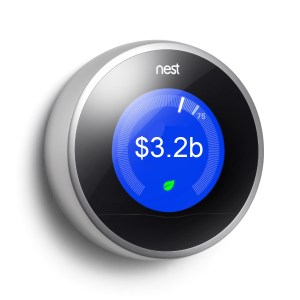
The recent sale of IBM’s x86 server business to Lenovo has people in the industry talking.  Some of the conversation has centered around the selling price.  Lenovo picked up IBM’s servers for $2.3 billion, which is almost 66% less than the initial asking price of $6 billion two years ago.  That price drew immediate comparisons to the Google acquisition of Nest, which was $3.2 billion.  Many people asked how a gadget maker with only two shipping products could be worth more than the entirety of IBM’s server business.
Are You Being Served?
It says a lot for the decline of hardware manufacturing, especially at the low end.  IT departments have been moving away from smaller, task focused servers for many years now.  Instead of buying a new 1U, dual socket machine to host an application, developers have used server virtualization as a way to spin up new services quickly with very little additional cost.  That means that older low end servers aren’t being replaced when they reach the end of their life.  Those workloads are being virtualized and moved away while the equipment is permanently retired.
It also means that the target for server manufacturers is no longer the low end.  IT departments that have seen the benefits of virtualization now want larger servers with more memory and CPU power to insert into virtual clusters.  Why license several small servers when I can save money by buying a really big server?  With advances in SAN technology and parts that can be replaced without powering down the system, the need to have multiple systems for failover is practically negated.
And those virtual workloads are easily migrated away from onsite hardware as well.  The shift to cloud computing is the coup-de-gras for the low end server market.  It is just as easy to spin up an Amazon Web Services (AWS) instance to test software as it is to provision new hardware or a virtual cluster.  Companies looking to do hybrid cloud testing or public cloud deployments don’t want to spend money on hardware for the data center.  They would rather pour that money into AWS instances.
Those Internet Things
I think the disparity in the purchase price also speaks volumes for the value yet to be recognized in the Internet of Things (IoT).  Nest was worth so much to Google because it gave them an avenue not previously available.  Google wants to have as many devices in your home as it can afford to acquire.  Each of those devices can provide data to tune Google’s algorithms and provide quality data to advertisers that pay Google handsomely for those analytics.
IoT devices don’t need home servers.  They don’t ask for DNS entries.  They don’t have web interfaces.  The only setup needed out of the box is a connection to the wireless network in your home.  Once that happens, IoT devices usually connect back to a server in the cloud.  The customer accesses the device via an application downloaded from an app store.  No need for any additional hardware in the customer’s home.
IoT devices need infrastructure to work effectively.  However, they don’t need that infrastructure to exist on premises.  The shift to cloud computing means that these devices are happy to exist anywhere without dependence on hardware.  Users are more than willing to download apps to control them instead of debating how to configure the web UI.  Without the need for low end hardware to run these devices, the market for that hardware is effectively dead.

Tom’s Take
I think IBM got exactly what they wanted when they offloaded their server business.  They can now concentrate on services and software.  The kinds of things that are going to be important in the Internet of Things.  Rather than lamenting the fire sale price of a dying product line, we should instead by looking to the value still locked inside IoT devices and how much higher it can go.

The Compost-PC Era

Generic Mobile Devices

I realized the other day that the vibration motor in my iPhone 5s had gone out.  Thankfully, my device was still covered under warranty.  I set up an appointment to have it fixed at the nearest Apple store.  I figured I’d go in and they’d just pop in a new motor.  It is a simple repair according to iFixit.  I backed my phone up one last time as a precaution.  When I arrived at the store, it took no time to determine what was wrong.

What shocked me was that the Genius tech told me, “We’re just going to replace your whole phone.  We’ll send the old one off to get repaired.”  I was taken aback.  This was a $20 part that should have taken all of five minutes to pop in.  Instead, I got my phone completely replaced after just three months.  As the new phone synced from my last iClould backup, I started thinking about what this means for the future of devices.

Bring Your Own Disposable

Most mobile devices are a wonder of space engineering.  Cramming an extra long battery in with a vibrant color screen and enough storage to satisfy users is a challenge in any device.  Making it small enough and light enough to hold in the palm of your hand is even more difficult.  Compromises must be made.  Devices today are held together as much by glue and adhesive as they are nuts and bolts and screws.  Gaining access to a device to repair a broken part is becoming more and more impossible with each new generation.

I can still remember opening the case on my first PC to add a sound card and an Overdrive processor.  It was a bit scary but led to a career in repairing computers.  I’ve downright terrified to pop open an iPhone.  The ribbon cables are so fragile that it doesn’t take much to render the phone unusable.  Even Apple knows this.  They are much more likely to have the repairs done in a separate facility rather than at the store.  Other than screen replacements, the majority of broken parts result in a new phone being given to the customer.  After all, it’s very easy to replace devices when the data is safe somewhere.

The Cloud Will Save It All

Use of cloud storage and backup is the key to the disposable device trend.  If you tell me that I’m going to lose my laptop and all the data on it I’m going to get a little concerned.  If you tell me that I’m going to lose my phone, I don’t mind as much thanks to the cloud backup I have configured.  In the above case, my data was synced back to my phone as I shopped for a new screen protector.  Just like a corporate system, data loss is the biggest concern on a device.  Cloud storage is a lot like a roaming profile.  I can sync that data back to a fresh device and keep going after a short interruption.  Gone are the wasted hours of reinstallation of operating system and software.

Why repair devices when they can easily be replaced at little cost?  Why should you pay someone to spend their time diagnosing a bad CPU or bad RAM when you can just unwrap a new mobile device, sync your profile and data, and move on with your project?  The implications for PC repair techs are legion.  As are the implications for manufacturers that create products that are easy to open and contain field replaceable parts.

Why go to all the extra effort of making a device that can be easily repaired if it’s much cheaper to just glue it together and recycle what parts you can after it breaks?  Customers have already shown their propensity to upgrade devices with every new cycle each year.  They’d rather buy everything new instead of upgrading the old to match.  That means making the device field repairable (or upgradable) is extra cost you don’t need.  Making devices that aren’t easily fixed in the field means you need to spend less of your budgets training people how to repair them.  In fact, it’s just easier to have the customer send the device back to the manufacturing plant.


Tom’s Take

The cloud has enabled us to keep our data consistent between devices.  While it has helped blur the lines between desktop and mobile device, it has also helped blur the lines tying people to a specific device.  If I can have my phone or tablet replaced with almost no impact, I’m going to elect to have than done rather than finding replacement parts to keep the old one running just a bit longer.  It also means that after pulling the useful parts out of those mildly broken devices that they will end up in the same landfill that analysts are saying will be filled with rejected desktop PCs.

Brave New (Dell) World

Dell_Logo

Companies that don’t reinvent themselves from time to time find themselves consigned to the scrap heap of forgotten technology.  As anyone that worked at Wang.  Or Packard Bell.  Or Gateway.  But, not everyone can be like IBM.  It takes time and careful planning to pull of a radical change.  And last but not least, it takes a lot of money and people willing to ride out the storm.  That’s why Dell has garnered so much attention as of late with their move to go private.

I was invited to attend Dell World 2013 in Austin, TX by the good folks at Dell.  Not only did I get a chance to see the big keynote address and walk around their solutions area, but I participated in a Think Tank roundtable discussion with some of the best and brightest in the industry and got to take a tour of some of the Dell facilities just up the road in Round Rock, TX.  It was rather interesting to see some of the changes and realignments since Michael Dell took his company private with the help of Silver Lake Capital.

ESG Influencer Day

The day before Dell World officially kicked off was a day devoted to the influencers.  Sarah Vela (@SarahVatDell) and Michelle Richard (@Meesh_Says) hosted us as we toured Dell’s Executive Briefing Center.  We got to discuss some of Dell’s innovations, like the containerized data center concept.

DellDCContainer

Dell can drop a small data center on your property with just a couple of months of notice.  Most of that is prepping the servers in the container.  There’s a high-speed video of the assembly of this particular unit that runs in the EBC.  It’s interesting to think that a vendor can provide a significant amount of processing power in a compact package that can be delivered almost anywhere on the planet with little notice.  This is probably as close as you’re going to get to the elasticity of Amazon in an on-premise package.  Not bad.

The Think Tank was another interesting outing.  After a couple of months of being a silent part of Tech Field Day, I finally had an opportunity to express some opinions about innovation.  I’ve written about it before, and also recently.  The most recent post was inspired in large part by things that were discussed in the Think Tank.  It believe that IT is capable of a staggering amount of innovation if they could just be given the chance to think about it.  That’s why DevOps and software defined methodologies have such great promise.  If I can use automation to take over a large part of my day-to-day work, I can use that extra time to create improvement.  Unloading the drudgery from the workday can create a lot of innovation.  Just look at Google’s Ten Percent Time idea.  Now what if that was 25%?  Or 50%?

Dell does a great job with their influencer engagements.  This was my second involvement with them and it’s been very good.  I felt like a valued part of the conversation and got to take a sneak peek at some of the major announcements the day before they came out.  I think Dell is going to have a much easier road in front of it by continuing to involve the community in events such as this.

What’s The Big Dell?

Okay, so you all know I’m not a huge fan of keynotes.  Usually, that means that I’m tweeting away in Full Snark Mode.  And that’s if I’m not opposed to things being said on stage.  In the case of Dell World, Michael Dell confirmed several ideas I had about the privatization of his company.  I’ve always held the idea that Dell was upset the shareholders were trying to tell him how to run his company.  He has a vision for what he wants to do and if you agree with that then you are welcome to come along for the ride.

The problem with going public is much the same as borrowing $20 from your friend.  It’s all well and good at first.  After a while, your buddy may be making comments about your spending habits as a way to encourage you to pay him back.  The longer that relationship goes, the more pointed the comments.  Now, imagine if that buddy was also your boss and had a direct impact on the number of hours your worked or the percentage of the commission you earned.  What if comments from him had a direct impact on the amount of money you earned?  That is the shareholder problem in a nutshell.  It’s nice to be flush with cash from an IPO.  It’s something else entirely when those same shareholder start making demands of you or start impacting your value because they disagree with your management style.  Ask Michael Dell how he feels about Carl Icahn?  I’m sure that one shareholder could provide a mountain of material.  And he wasn’t the only one that threatened to derail the buyout.  He was just the most vocal.

With the shareholders out of the way, Dell can proceed according to the visions of their CEO.  The only master he has to answer to now is Silver Lake Capital.  So long as Dell can provide good return on investment to them I don’t see any opposition to his ideas.  Another curious announcement was the Dell Strategic Innovation Venture Fund.  Dell has started a $300 million fund to explore new technologies and fund companies doing that work.  A more cynical person might think that Michael Dell is using he new-found freedom to offer an incentive to other startups to avoid the same kinds of issues he had – answering to single-minded masters only focused on dividends and stock price.  By offering to invest in a hot new startup, Michael Dell will hopefully spur innovation in areas like storage.  Just remember that venture capital funds need returns on their investments as well, so all that money will come with some strings attached.  I’m sure that Silver Lake has more to do with this than they’re letting on.  Time will tell if Dell’s new venture fund will pay off as handsomely as they hope.


Tom’s Take

Dell World was great.  It was smaller than VMWorld or Cisco Live.  But it fit the culture of the company putting on the show.  There weren’t any earth shattering announcements to come out of the event, but that fits the profile of a company finding its way in the world for the second time.  Dell is going to need to consolidate and coordinate business units to maximize effort and output.  That’s not a surprise.  The exuberance that Michael Dell showed on stage during the event is starting to flow down into the rest of Dell as well.  Unlike a regular startup in a loft office in San Francisco, Dell has a track record and enough stability to stick around for while.  I just hope that they don’t lose their identity in this brave new world.  Dell has always been an extension of Michael Dell.  Now it’s time to see how far that can go.

Disclaimer

I was an invited guest of Dell at Dell World 2013.  They paid for my travel and lodging at the event. I also received a fleece pullover, water bottle, travel coffee mug, and the best Smores I’ve ever had (really).  At no time did they ask for any consideration in the writing of this review, nor were they promised any.  The opinions and analysis presented herein reflect my own thoughts.  Any errors or omissions are not intentional.

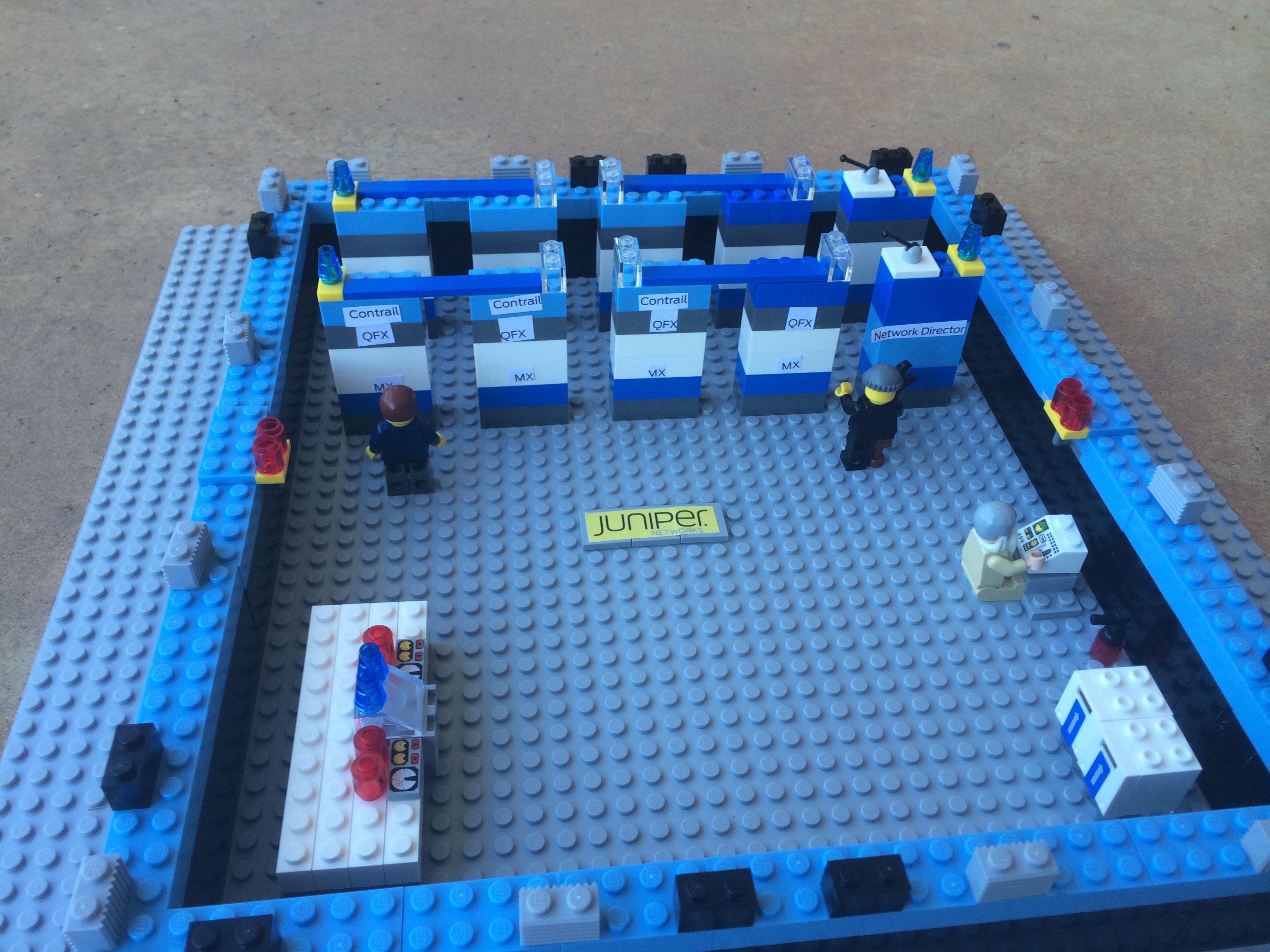
Building A Lego Data Center Juniper Style

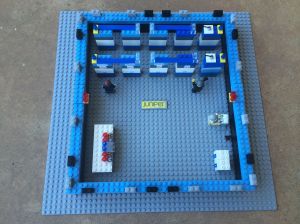
JDC-BirdsEye

I think I’ve been intrigued by building with Lego sets as far back as I could remember.  I had a plastic case full of them that I would use to build spaceships and castles day in and day out.  I think much of that building experience paid off when I walked into the real world and I started building data centers.  Racks and rails are network engineering versions of the venerable Lego brick.  Little did I know what would happen later.

Ashton Bothman (@ABothman) is a social media rock star for Juniper Networks.  She emailed me and asked me if I would like to participate in a contest to build a data center from Lego bricks.  You could imagine my response:

YES!!!!!!!!!!!!!

I like the fact that Ashton sent me a bunch of good old fashioned Lego bricks.  One of the things that has bugged me a bit since the new licensed sets came out has been the reliance on specialized pieces.  Real Lego means using the same bricks for everything, not custom-molded pieces.  Ashton did it right by me.

Here’s a few of my favorite shots of my Juniper Lego data center:

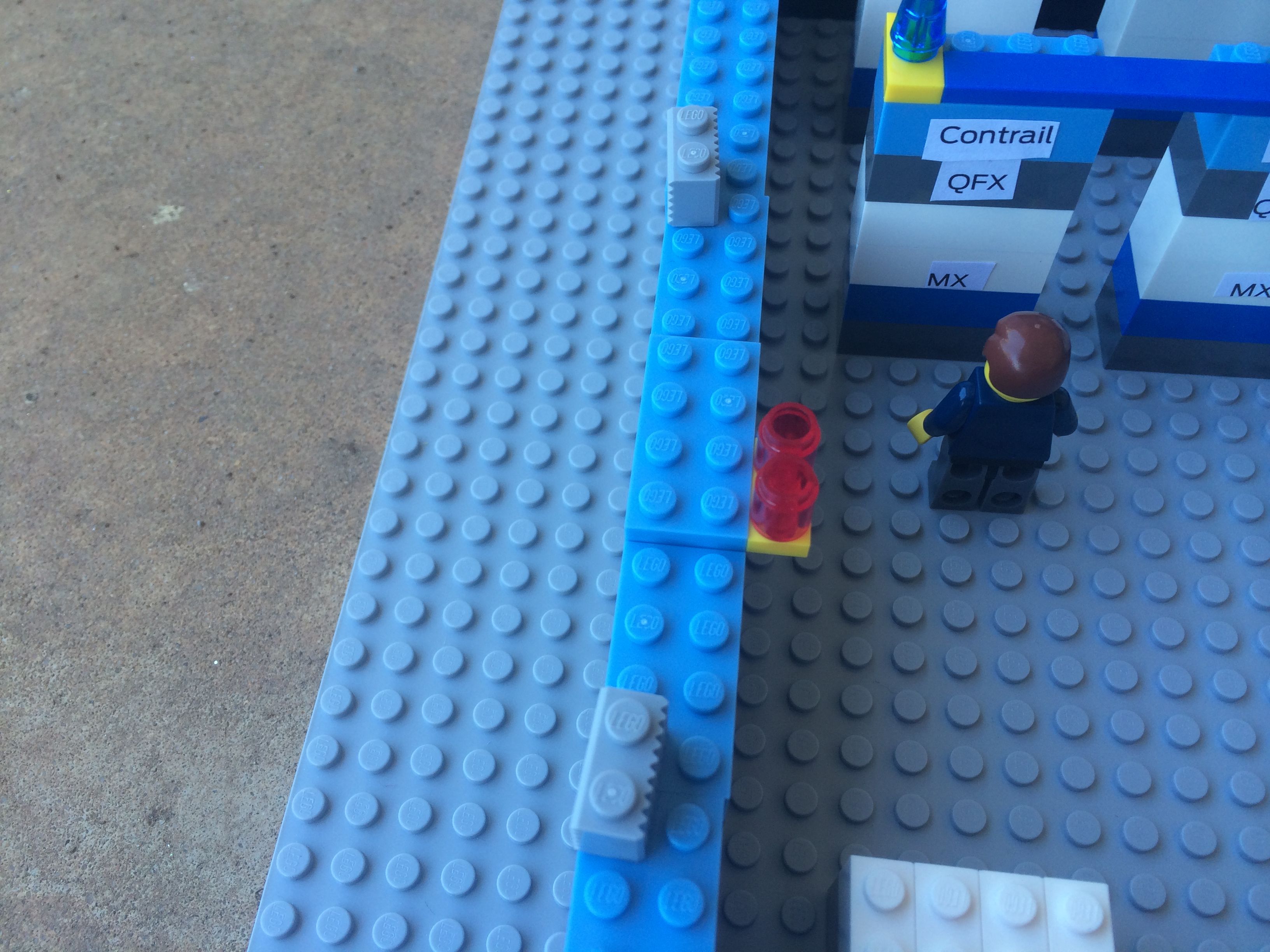
My rack setup.  I even labeled some of the devices!

My rack setup. I even labeled some of the devices!

Ladder racks for my Lego cables.  I like things clean.

Ladder racks for my Lego cables. I like things clean.

Can't have a data center with a generator.  Complete with flashing lights.

Can’t have a data center with a generator. Complete with flashing lights.

The Big Red Button.  EPO is a siren call for troublemakers.

The Big Red Button. EPO is a siren call for troublemakers.

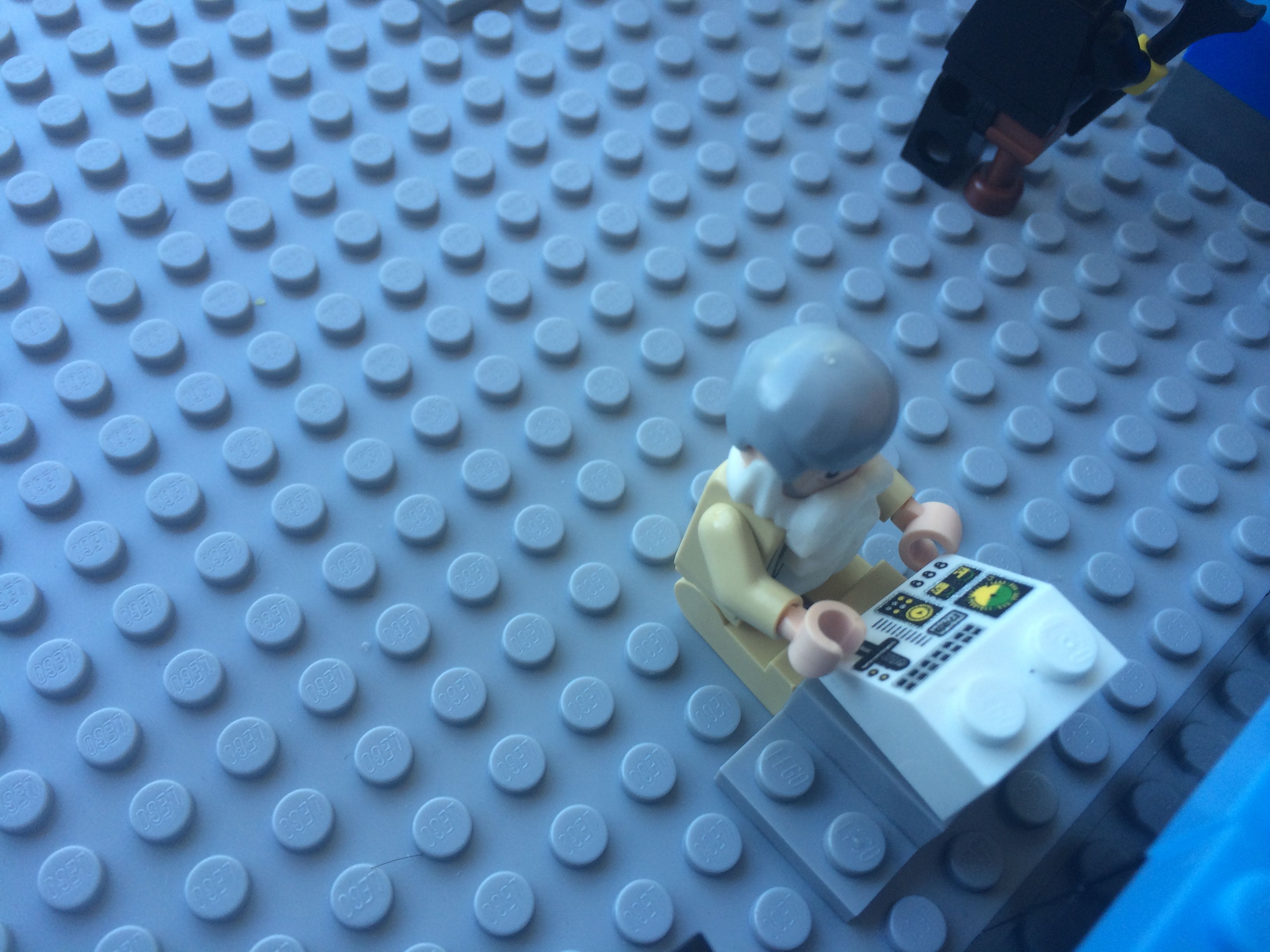
The Token Unix Guy.  Complete with beard and old workstation.

The Token Unix Guy. Complete with beard and old workstation.

Storage lockers and a fire extinguisher.  I didn't have enough bricks for a halon system.

Storage lockers and a fire extinguisher. I didn’t have enough bricks for a halon system.

The Obligatory Logo Shot.  Just for Ashton.

The Obligatory Logo Shot. Just for Ashton.


Tom’s Take

This was fun.  It’s also for a great cause in the end.  My son has already been eyeing this set and he helped a bit in the placement of the pirate DC admin and the lights on the server racks.  He wanted to put some ninjas in the data center when I asked him what else was needed.  Maybe he’s got a future in IT after all.

JDC-Overview

Here are some more Lego data centers from other contest participants:

Ivan Pepelnjak’s Lego Data Center

Stephen Foskett’s Datacenter History: Through The Ages in Lego

Amy Arnold’s You Built a Data Center?  Out Of A DeLorean?

FaceTime Audio: The Beginning or The End?

BlackApple

The world of mobile devices is a curious one. Handset manufacturers are always raising the bar for features in both hardware and software in order to convince customers to use their device. Yet, no matter how much innovation goes into the handset the vendors are still very reliant upon the whims of the carriers. Apple knows this perhaps better than anyone

In Your FaceTime

FaceTime was the first protocol to feel the wrath of the carriers. Apple developed it as a way to facilitate video communication between parties. The idea was that face-to-face video communications could be simplified to create a seamless experience. And it did, for the most part. Except that AT&T decided that using FaceTime over 3G would put too much strain on their network. At first, they forced Apple to limit FaceTime to only work with wireless connections. That severely inhibited the utility of the protocol. If the only place that a you can video call someone is at home or in a coffee shop (or on crappy hotel wireless) that makes the video call much less useful.

Apple finally allowed FaceTime to operate over cellular networks in iOS 6, yet AT&T (and other carriers) restricted the use of the protocol to those customers on the most current data plans. This eliminated those on older, unlimited data plans from utilizing the service. The carriers eventually gave in to customer pressure and started rolling out the capability to all subscribers. By then, it was too late. Apple had decided to take a different track – replace the need for a carrier.

Message For You

The first shot in this replacement battle came with iMessage. Apple created a messaging protocol like the iChat system for Mac, only it ran on iPhones and iPads (and later Macs). It was enabled by default, which was genius. The first time you sent an Short Message Service (SMS) text to a friend, the system detected you were messaging another iPhone user on a compatible version of software. The system then flipped the messaging over to use iMessage instead of SMS and the chat bubbles turned blue instead of green. Now, you could send pictures of any size as well as texts on any length with no restrictions. 160-character limits were no longer a concern. Neither was paying your carrier for an SMS plan. So long as the people you spoke with were all iDevice users the service was completely free.

iMessage was Apple’s first attempt to sideline the carriers. It removed a huge portion of their profitability. According to an article published at the launch of iMessage, carriers were making $.20 per message outside of an SMS plan for data that would cost about $.0125 on a data plan. Worse yet, that message traversed a control channel that was always present for the user. There was no additional cost to the carrier beyond flipping a switch to enable message delivery to the phone. It was a pure-profit enterprise. Apple seized on the opportunity to erode that profitability.

Today, you can barely find a cellular plan that *doesn’t* include unlimited text messaging. The carriers can no longer reap the rewards of a high profit, low cost service like SMS because of Apple and iMessage. Carriers are instead including it as a quality of life feature that they make nothing from. Cupertino has eliminated one of the sources of carrier entanglement. And they’re poised to do it again in iOS 7.

You Can Hear Me Now

FaceTime Audio was one of the features of iOS 7 that got swept under the rug in favor of talking about flat design or parallax wallpaper. FaceTime Audio uses the same audio codec from FaceTime, AAC-ELD, to initiate a phone call between two iDevice users. Only it doesn’t use the 3G/LTE radio to make the call. It’s all done via the data connection.

I tested FaceTime Audio for the first time after my wife upgraded her phone to iOS 7. The results were beyond astonishing. The audio quality of the call was as crisp and clear as any I’d every heard. In fact, I would compare it to the use of Cisco’s Wideband G.722 codec on an enterprise voice system. My wife, a non-technical person even noticed the difference by remarking, “It’s like you’re right next to me in the same room!” I specifically tried it over 3G/LTE to make sure it wasn’t blocked like FaceTime video. Amazingly, it wasn’t.

The Mean Opinion Score (MOS) rating that telephony network use to rate call clarity runs from 1 to 5. A 1 means you can’t hear them at all. A 5 means there is no difference between talking on the phone and talking in the same room. Most of the “best” calls get a MOS rating in the 4.1-4.3 range. I would rate FaceTime audio at a 4.5 or higher. Not only could I hear my wife clearly on the calls we made, but I also heard background noise clearly when she turned her head to speak to someone. The clarity was so amazing that I even tweeted about it.

FaceTime Audio calling could be poised to do the same thing to voice minutes that iMessage did to SMS. I’ve already changed the favorite for my wife’s number to dial her via FaceTime Audio instead of her mobile phone number. The clarity makes that much of a difference. It also helps that I’m not using any of my plan minutes to call her. Yes, I realize that many carriers make mobile-to-mobile calls free already. However, I was also able to call my wife via FaceTime Audio from my iPad as a test that worked perfectly. Now, I not only don’t use voice minutes but have the flexibility to call from a device that previously had no capability to do so.

Who Needs A Phone?

Think about the iPod Touch. It is a device that is very similar to the iPhone. In fact, with the exception of the cellular radio one might say they’re identical. With iMessage, I can get texts on an iPod touch using my Apple ID. So long as I’m around a wireless connection (or have a 3G MiFi device) I’m connected to the world. With FaceTime audio, the same Apple ID now allows me to take phone calls. The only thing the carriers now have to provide is a data connection. You still can’t text or call non-Apple devices with iMessage and FaceTime. However, you can reduce the amount of money you are paying for their services due to a reduction in the amount of minutes and/or texts you are sending. That should have the mobile carriers running scared.


Tom’s Take

I once said I would never own a cellular phone because sometimes I didn’t want to be found. Today, I get nervous if mine isn’t with me at all times. I also didn’t get SMS messaging at first. Now I spend more time doing that than anything else. Mobile technology has changed our lives. We’ve spent far too much time chained to the carriers, however. They have dictated what when can do with our phones. They have enforced how much data we use and how much we can talk. With protocols like FaceTime Audio, the handset manufacturers are going to start deciding how best to use their own devices. No carrier will be able to institute limits on minutes or texts. I think that if FaceTime Audio takes off in the same way as iMessage, you’ll see mobile carriers offering unlimited talk plans alongside the unlimited text plans within the next two years. If 50% of your userbase is making calls on their data plans, they need for all those “rollover” minutes becomes spurious. People will start reducing their plans down to the minimum necessary to get good data coverage. And if a carrier decides to start gouging for data service? Just take your device to another carrier. Or drop you contact in favor of a MiFi or similar data-only connection. FaceTime Audio is the beginning of easy Voice over IP (VoIP) calling. It’s the end of the road for carrier dominance.

HP Networking and the Software Defined Store

HP

HP has had a pretty good track record with SDN.  Even if it’s not very well-known.  HP has embraced OpenFlow on a good number of its Procurve switches.  Given the age of these devices, there’s a good chance you can find them laying around in labs or in retired network closets to test with.  But where is that going to lead in the long run?

HP Networking was kind enough to come to Interop New York and participate in a Tech Field Day roundtable.  It had been a while since I talked to their team.  I wanted to see how they were handling the battle being waged between OpenFlow proponents like NEC and Brocade, Cisco and their hardware focus, and VMware with NSX.  Jacob Rapp and Chris Young (@NetManChris) stepped up to the plate to talk about SDN and the vision on HP.

They cover a lot of ground in here.  Probably the most important piece to me is the SDN app store.

The press picked up on this quickly.  HP has an interesting idea here.  I should know.  I mentioned it in passing in an article I wrote a month ago.  The more I think about the app store model, the more I realize that many vendors are going to go down the road.  Just not in the way HP is thinking.

HP wants to curate content for enterprises.  They want to ensure that software works with their controller to be sure that there aren’t any hiccups in implementation.  Given their apparent distaste for open source efforts, it’s safe to say that their efforts will only benefit HP customers.  That’s not to say that those same programs won’t work on other controllers.  So long as they operate according to the guidelines laid down by the Open Networking Foundation, all should be good.

Show Me The Money

Where’s the value then?  That’s in positioning the apps in the store.  Yes, you’re going to have some developers come to HP and want to simple apps to put in the store.  Odds are better that you’re going to see more recognizable vendors coming to the HP SDN store.  People are more likely to buy software from a name they recognize, like TippingPoint or F5.  That means that those companies are going to want to have a prime spot in the store.  HP is going to make something from hosting those folks.

The real revenue doesn’t come from an SMB buying a load balancer once.  It comes from a company offering it as a service with a recurring fee.  The vendor gets a revenue stream. HP would be wise to work out a recurring fee as well.  It won’t be the juicy 30% cut that Apple enjoys from their walled garden, but anything would be great for the bottom line.  Vendors win from additional sales.  Customers win from having curated apps that work every time that are easy to purchase, install, and configure.  HP wins because everyone comes to them.

Fragmentation As A Service

Now that HP has jumped on the idea of an enterprise-focused SDN app store, I wonder which company will be the next to offer one?  I also worry that having multiple app stores won’t end up being cumbersome in the long run.  Small developers won’t like submitting their app to four or five different vendor-affiliated stores.  More likely they’ll resort to releasing code on their own rather than jump through hoops.  That will eventually lead to support fragmentation.  Fragmentation helps no one.


Tom’s Take

HP Networking did a great job showcasing what they’ve been doing in SDN.  It was also nice to hear about their announcements the day before they broke wide to the press.  I think HP is going to do well with OpenFlow on their devices.  Integrating OpenFlow visibility into their management tools is also going to do wonders for people worried about keeping up with all the confusing things that SDN can do to a traditional network.  The app store is a very intriguing concept that bears watching.  We can only hope that it ends up being a well-respect entry in a long line of easing customers into the greater SDN world.

Tech Field Day Disclaimer

HP was a presenter at the Tech Field Day Interop Roundtable.  In addition, they also provided the delegates a 1TB USB3 hard disk drive.  They did not ask for any consideration in the writing of this review nor were they promised any.  The conclusions and analysis contained in this post are mine and mine alone.

Why An iPhone Fingerprint Scanner Makes Sense

silver-apple-thumb

It’s hype season again for the Cupertino Fruit and Phone Company.  We are mere days away from a press conference that should reveal the specs of a new iPhone, likely to be named the iPhone 5S.  As is customary before these events, the public is treated to all manner of Wild Mass Guessing as to what will be contained in the device.  WIll it have dual flashes?  Will it have a slow-motion camera?  NFC? 802.11ac?  The list goes on and on.  One of the most spectacular rumors comes in a package the size of your thumb.

Apple quietly bought a company called AuthenTec last year.  AuthentTec made fingerprint scanners for a variety of companies, including those that included the technology in some Android devices.  After the $365 million acquisition, AuthenTec disappeared into a black hole.  No one (including Apple) said much of anything about them.  Then a few weeks ago, a patent application was revealed that came from Apple and included fingerprint technology from AuthenTec.  This sent the rumor mill into overdrive.  Now all signs point to a convex sapphire home button that contains a fingerprint scanner that will allow iPhones to use biometrics for security.  A developer even managed to ferret out a link to a BiometrickKitUI bundle in one of the iOS 7 beta releases (which was quickly removed in the next beta).

Giving Security The Finger

I think adding a fingerprint scanner to the hardware of an iDevice is an awesome idea.  Passcode locks are good for a certain amount of basic device security, but the usefulness of a passcode is inversely proportional to it’s security level.  People don’t make complex passcodes because they take far too long to type in.  If you make a complex alphanumeric code, typing the code in quickly one-handed isn’t easy.  That leaves most people choosing to use a 4-digit code or forgoing it altogether.  That doesn’t bode well for people whose phones are lost or stolen.

Apple has already publicly revealed that it will include enhanced security in iOS 7 in the form of an activation lock that prevents a thief from erasing the phone and reactivating it for themselves.  This makes sense in that Apple wants to discourage thieves.  But that step only makes sense if you consider that Apple wants to beef up the device security as well.  Biometric fingerprint scanners are a quick method of inputting a unique unlock code quickly.  Enabling this technology on a new phone should show a sharp increase in the number of users that have enabled an unlock code (or finger, in this case).

Not all people thing fingerprint scanners are a good idea.  A link from Angelbeat says that Apple should forget about the finger and instead use a combination of picture and voice to unlock the phone.  The writer says that this would provide more security because it requires your face as well as your voice.  The writer also says that it’s more convenient than taking a glove off to use a finger in cold weather.  I happen to disagree on a couple of points.

A Face For Radio

Facial recognition unlock for phones isn’t new.  It’s been in Android since the release of Ice Cream Sandwich.  It’s also very easy to defeat.  This article from last year talks about how flaky the system is unless you provide it several pictures to reference from many different angles.  This video shows how snapping a picture on a different phone can easily fool the facial recognition.  And that’s only the first video of several that I found on a cursory search for “Android Facial Recognition”.  I could see this working against the user if the phone is stolen by someone that knows their target.  Especially if there is a large repository of face pictures online somewhere.  Perhaps in a “book” of “faces”.

Another issue I have is Siri.  As far as I know, Siri can’t be trained to recognize a users voice.  In fact, I don’t believe Siri can distinguish one user from another at all.  To prove my point, go pick up a friend’s phone and ask Siri to find something.  Odds are good Siri will comply even though you aren’t the phone’s owner.  In order to defeat the old, unreliable voice command systems that have been around forever, Apple made Siri able to recognize a wide variety of voices and accents.  In order to cover that wide use case, Apple had to sacrifice resolution of a specific voice.  Apple would have to build in a completely new set of Siri APIs that query a user to speak a specific set of phrases in order to build a custom unlock code.  Based on my experience with those kinds of old systems, if you didn’t utter the phrase exactly the way it was originally recorded it would fail spectacularly.  What happens if you have a cold?  Or there is background noise?  Not exactly easier that putting your thumb on a sensor.

Don’t think that means that fingerprints are infallible.  The Mythbusters managed to defeat an unbeatable fingerprint scanner in one episode.  Of course, they had access to things like ballistics gel, which isn’t something you can pick up at the corner store.  Biometrics are only as good as the sensors that power them.  They also serve as a deterrent, not a complete barrier.  Lifting someone’s fingerprints isn’t easy and neither is scanning them into a computer to produce a sharp enough image to fool the average scanner.  The idea is that a stolen phone with a biometric lock will simply be discarded and a different, more vulnerable phone would be exploited instead.


Tom’s Take

I hope that Apple includes a fingerprint scanner in the new iPhone.  I hope it has enough accuracy and resolution to make biometric access easy and simple.  That kind of implementation across so many devices will drive the access control industry to take a new look at biometrics and being integrating them into more products.  Hopefully that will spur things like home door locks, vehicle locks, and other personal devices to being using these same kind of sensors to increase security.  Fingerprints aren’t perfect by any stretch, but they are the best option of the current generation of technology.  One day we may reach the stage of retinal scanners or brainwave pattern matches for security locks.  For now, a fingerprint scanner on my phone will get a “thumbs up” from me.

Why I Won’t Be Getting Google Glass

google_glass_grey-580-90

You may recall a few months back when I wrote an article talking about Google Glass and how I thought that the first generation of this wearable computing device was aimed way too low in terms of target applications. When Google started a grass roots campaign to hand out Glass units to social media influencers, I retweeted my blog post with the hashtag #IfIHadGlass with the idea that someone at Google might see it and realize they needed to se their sights higher. Funny enough, someone at Google did see the tweet and told me that I was in the running to be offered a development unit of Glass. All for driving a bit of traffic to my blog.

About a month ago, I got the magic DM from Google Glass saying that I could go online and request my unit along with a snazzy carrying case and a sunglass lens if I wanted. I only had to pony up $1500US for the privilege. Oh, and I could only pick it up at a secured Google facility. I don’t even know where the closest one of those to Oklahoma might be. After weighing the whole thing carefully, I made my decision.

I won’t be participating in generation one of Google Glass.

I had plenty of reasons. I’m not averse to participating in development trials. I use beta software all the time. I signed up for the last wave of Google CR-48 Chromebooks. In fact, I still use that woefully underpowered CR-48 to this day. But Google Glass represents something entirely different from those beta opportunities.

From Entry to Profit

Google isn’t creating a barrier to entry through their usual methods of restricting supply or making the program invite only. Instead, they are trying to restrict Glass users to those with a spare $1500 to drop on a late alpha/early beta piece of hardware. I also think they are trying to recoup the development costs of the project via the early adopters. Google has gone from being an awesome development shop to a company acutely aware of the bottom line. Google has laid down some very stringent rules to determine what can be shown on Glass. Advertising is verboten. Anyone want to be that Google finds a way to work AdWords in somewhere? If you are relying on your tried-and-true user base of developers to recover your costs before you even release the product to the masses, you’ve missed big time

Eye of the Beholder

One of the other things that turned me off about the first generation of Glass is the technology not quite being where I thought it would be. After examining what Glass is capable of doing from a projection standpoint, many of my initial conceptions about the unit are way off. I suppose that has a lot to do with what I thought Google was really working on. Instead of finding a way to track eye movement inside of a specific area and deliver results based on where the user’s eye is focused, Google instead chose to simply project a virtual screen on the user’s eye slightly off center from the field of vision. That’s a great win for version one. But it doesn’t really accomplish what I thought Google Glass should do. The idea of a wearable eyeglass computer isn’t that useful to me if the field of vision is limited to a camera glued to the side of a pair of eyeglass frames. Without the ability to track the eye movements of a user it’s simply not possible to filter the huge amount of information being taken in by the user. If Google could implement a function to see what the user is focusing on, I’m sure that some companies would pay *huge* development dollars to be able to track that information or run some kind of augmented reality advertisement directed as an alternative to that brand. Just go and watch Minority Report if you want to know what I’m thinking about.

Mind the Leash

According to my friend Blake Krone (@BlakeKrone), who just posted his first Google Glass update, the unit is great for taking pictures and video without the need to dig out a camera or take your eyes off the subject for more than the half second it takes to activate the Glass camera with a voice command.  Once you’ve gotten those shiny new pictures ready to upload to Google+, how are you going to do it?  There’s the rub in the first generation Glass units.  You have to tether Glass to some kind of mobile hotspot in order to be able to upload photos outside of a WiFi hotspot.  I guess trying to cram a cellular radio into the little plastic frame was more than the engineers could muster in the initial prototype.  Many will stop me here and interject that WiFi hotspot access is fairly common now.  All you have to do is grab a cup of coffee from Starbucks or a milkshake from McDonalds and let your photos upload to GoogleSpace.  How does that work from a mountain top?  What if I had a video that I wanted to post right away from the middle of the ocean?  How exactly do you livestream video while skydiving over the Moscone Center during Google I/O?  Here’s a hint:  You plant engineers on the roof with parabolic dishes to broadcast WiFi straight up in the air.  Not as magical when you strip all the layers away.  For me, the need to upgrade my data plan to include tethering just so I could upload those pics and videos outside my house was another non-starter.  Maybe the second generation of Glass will have figured out how to make a cellular radio small enough to fit inside a pair of glasses.

Tom’s Take

Google Glass has made some people deliriously happy. They have a computer strapped to their face and they are hacking away to create applications that are going to change the way we interact with software and systems in general. Those people are a lot smarter than me. I’m not a developer. I’m not a visionary. I just call things like I see them. To me, Google Glass was shoved out the door a generation too early to be of real use. It was created to show that Google is still on the cutting edge of hardware development even though no one was developing wearable computing. On the other hand, Google did paint a huge target on their face. When the genie came out of the bottle other companies like Apple and Pebble started developing their own take on wearable computing. Sure, it’s not a striking as a pair of sci-fi googles. But evolutionary steps here lead to the slimming down of technology to the point where those iPhones and Samsung Galaxy S 4 Whatevers can fit comfortable into the frame of any designer eyeglasses. And that’s when the real money is going to be made. Not by gouging developers or requiring your users to be chained to a smartphone.

If you want to check out what Glass looks like from the perspective of someone that isn’t going to wear them in the shower, check out Blake’s Google Glass blog at http://FromEyeLevel.com